Google's Mirror Dimension is a sealed copy of the web where Gemini-powered AI agents can make mistakes freely before they show up in your real browser.
- Google built Mirror Dimension, a sealed copy of the web, to train and test Gemini-powered AI agents in Chrome
- It includes social networks, shopping sites, and banking dashboards, all built from the same components as the real sites
- The main reason: every website works differently, so agents have to learn through trial and error, and trial and error on the live web can cause real harm
- To make the fake environment convincing, the team had to forge certificates and bypass Chrome's own safety checks
- For users, agents will have made plenty of mistakes in the fake environment before they ever touch your real accounts
Table of Contents
What Google is doing with Mirror Dimension
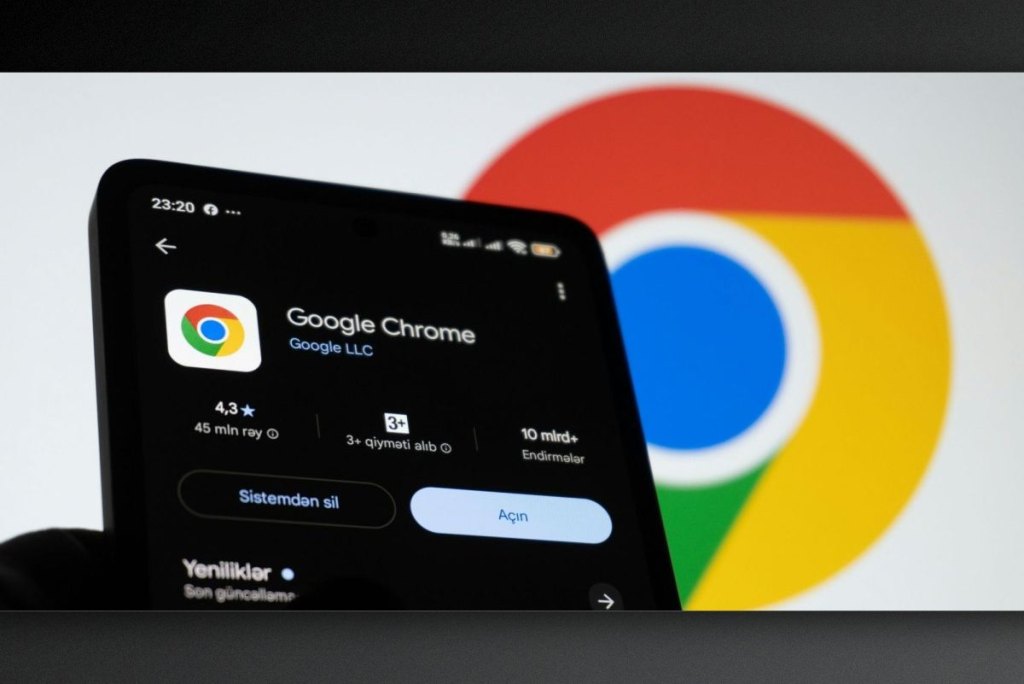
Chrome is gaining AI browsing features powered by the Gemini model, which means an agent can act on your behalf across websites. Because it works directly inside the browser, Google has to test it thoroughly before it reaches users, so everyday browsing isn't disrupted. In a blog post, the company shared its solution: a "mirror dimension" version of the web that Google fully controls.
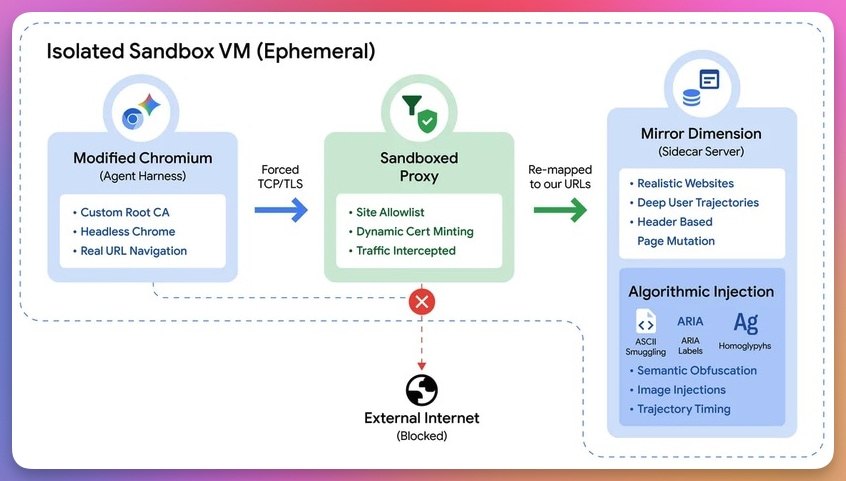
Mirror Dimension is a complete copy of the web that no one outside the development team can access. It contains social networks, shopping sites, and banking dashboards, all built from the same components as the real sites in use today. Agents are dropped in to move around freely and complete tasks assigned by the team. They also have to withstand attacks that the team deliberately launches to test their safety and resilience.
Why not test directly on the real web
The web doesn't run on a single shared protocol. Every site does things its own way, so there's no way to script each step for an agent to follow. Agents have to learn to complete tasks through trial and error, and doing that on the live web can have real consequences for users. That's why Google can't simply release them into the wild and let them do whatever they want.
Smaller test environments don't solve the problem either, because a model can recognize that it's being evaluated and behave differently when it knows someone is watching. A fake web that looks convincingly real addresses both issues: agents get a safe place to fail, and the model has a hard time telling what is a test.
Building such an environment took some creative workarounds, including forging certificates and bypassing Chrome's own safety checks. As a result, the browser treats the agent like any other visitor, so its behavior in testing should be closer to how it acts in the real world.
What it means for users
The most obvious takeaway is that an agent appearing in your browser will have failed many times in a place you never see. That's good news: every problem it causes in the fake web is one that is less likely to happen on your real internet.
Migovi thinks this approach makes sense. An agent acting on a user's behalf in real accounts can do costly damage with a single mistake, so thorough testing in a sealed environment is a step that can't be skipped. Still, a fake web, however convincing, remains a simulation, and Google hasn't said how many tests the agents have passed or what the results were, so this isn't an absolute guarantee. When the feature reaches Chrome, users in Vietnam should be careful with actions involving money or bank accounts, and always review what the agent is about to do before confirming.
Source: Digital Trends
Reviewed by: Hero Association