
CORSAIR SCIMITAR ELITE WIRELESS SE - When mouse “fuses” with Stream Deck
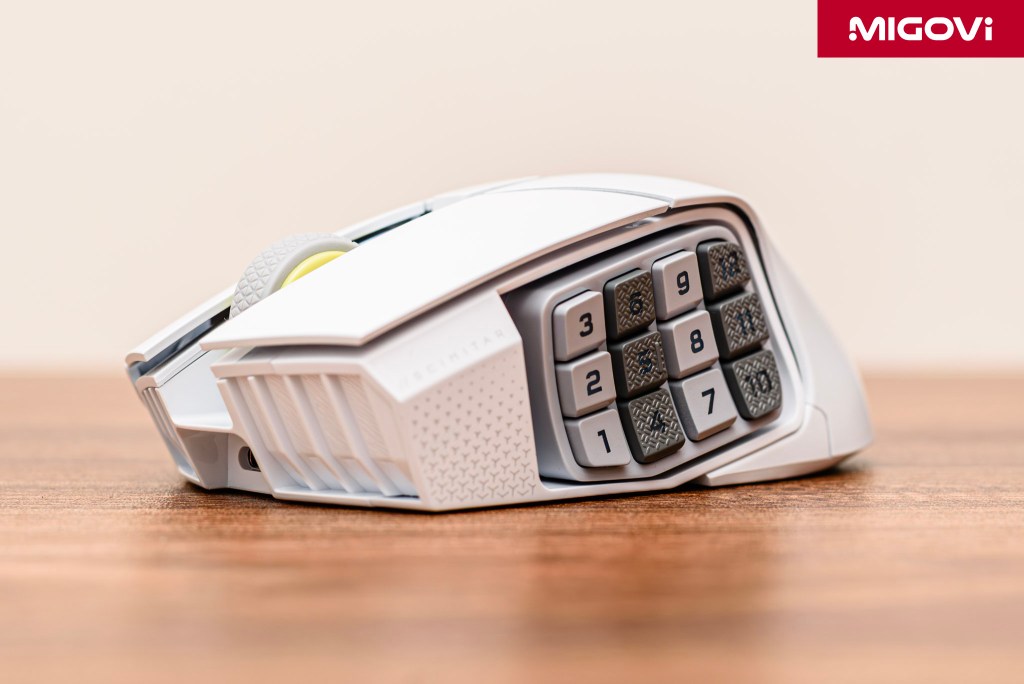
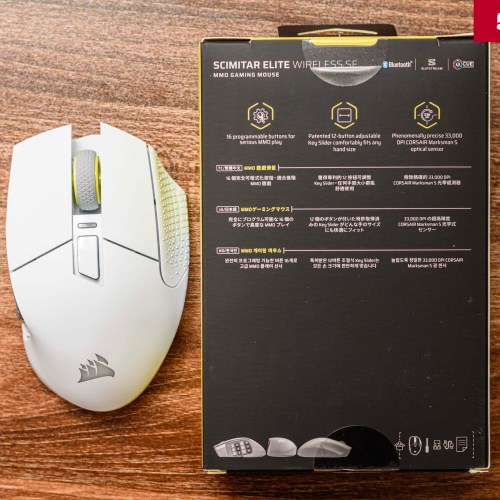
CORSAIR SCIMITAR ELITE WIRELESS SE is the ultimate weapon for MMO gamers and content creators alike thanks to the Virtual Stream Deck.
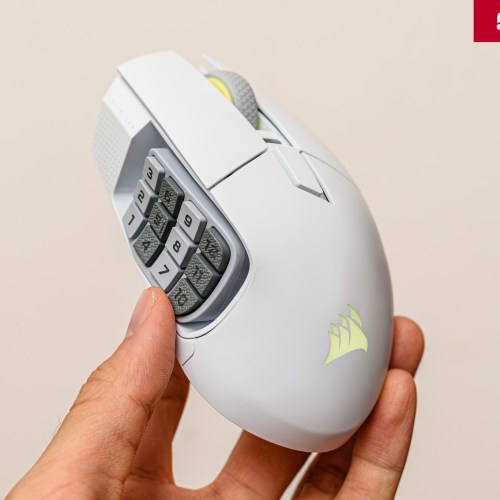
The gaming community has long considered mouse models like CORSAIR SCIMITAR as symbols of the MMO (Massively Multiplayer Online) genre, typically World of Warcraft or Final Fantasy XIV. Thanks to the cluster of 12 buttons on the side, SCIMITAR defines a gaming style where a lot of operations and skills are manipulated quickly and accurately within the range of the thumb. The latest version just launched at COMPUTEX 2025 - CORSAIR SCIMITAR ELITE WIRELESS SE - is not simply an upgrade, but also takes the product to a different level thanks to the support of Virtual Stream Deck in the Elgato ecosystem. The "fusion" between SCIMITAR ELITE WIRELESS SE and Virtual Stream Deck opens up many flexible applications, meeting the needs of both entertainment and work in the digital age.
Article content
Market positioning

In the high-end wireless MMO mouse arena, CORSAIR SCIMITAR ELITE WIRELESS SE faces two main competitors: Razer Naga V2 Pro and SteelSeries Aerox 9 Wireless. The competition between the three representatives is not only about technical specifications, but also a confrontation between different design philosophies, targeting the individual needs of users. This differentiation shows that the wireless MMO mouse market has matured and diversified, no longer using a common formula for all. Each manufacturer is pursuing its own path to create a competitive advantage. Razer Naga V2 Pro with its interchangeable side panels, providing maximum flexibility for users who want to customize the number of buttons according to the game title. SteelSeries Aerox 9 Wireless follows the ultra-light trend that is dominating the FPS market, sacrificing part of the structure to weigh only 89 grams.
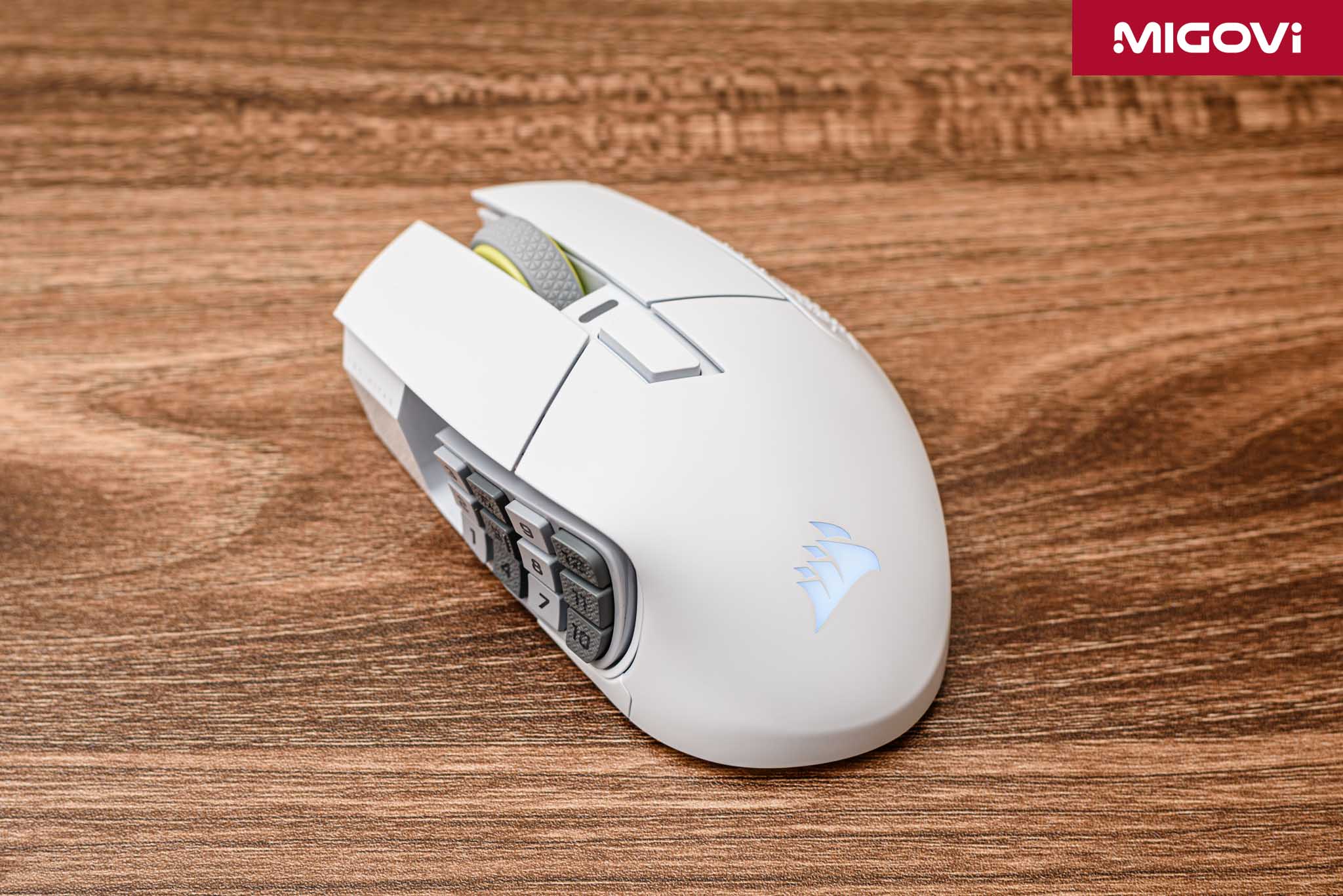
The SCIMITAR ELITE WIRELESS SE doesn’t try to be a multi-purpose product like the Naga or a lightweight product like the Aerox. Instead, CORSAIR focuses on perfecting a single experience: optimizing comfort and operability for the 12-button cluster through a unique Key Slider mechanism. Additionally, CORSAIR has a competitive advantage that is difficult for competitors to replicate: software integration with the Elgato Stream Deck ecosystem. While Razer and SteelSeries can produce mice with comparable hardware, they cannot offer native integration with a platform that is already popular and loved by content creators. This allows SCIMITAR to expand its target market from pure MMO gamers to a “hybrid” segment of gamers and content creators.
In terms of price – the final hurdle for customers – CORSAIR has also priced the SCIMITAR ELITE WIRELESS SE very well, offering an attractive price-to-performance ratio when compared to other options, especially when considering the exclusive feature set. Specifically, the CORSAIR SCIMITAR ELITE WIRELESS SE has a suggested price of $139.99, while the SteelSeries Aerox 9 Wireless is $10 more ($149.99) and the Razer Naga V2 Pro is the most expensive – $179.99.
Ergonomic design
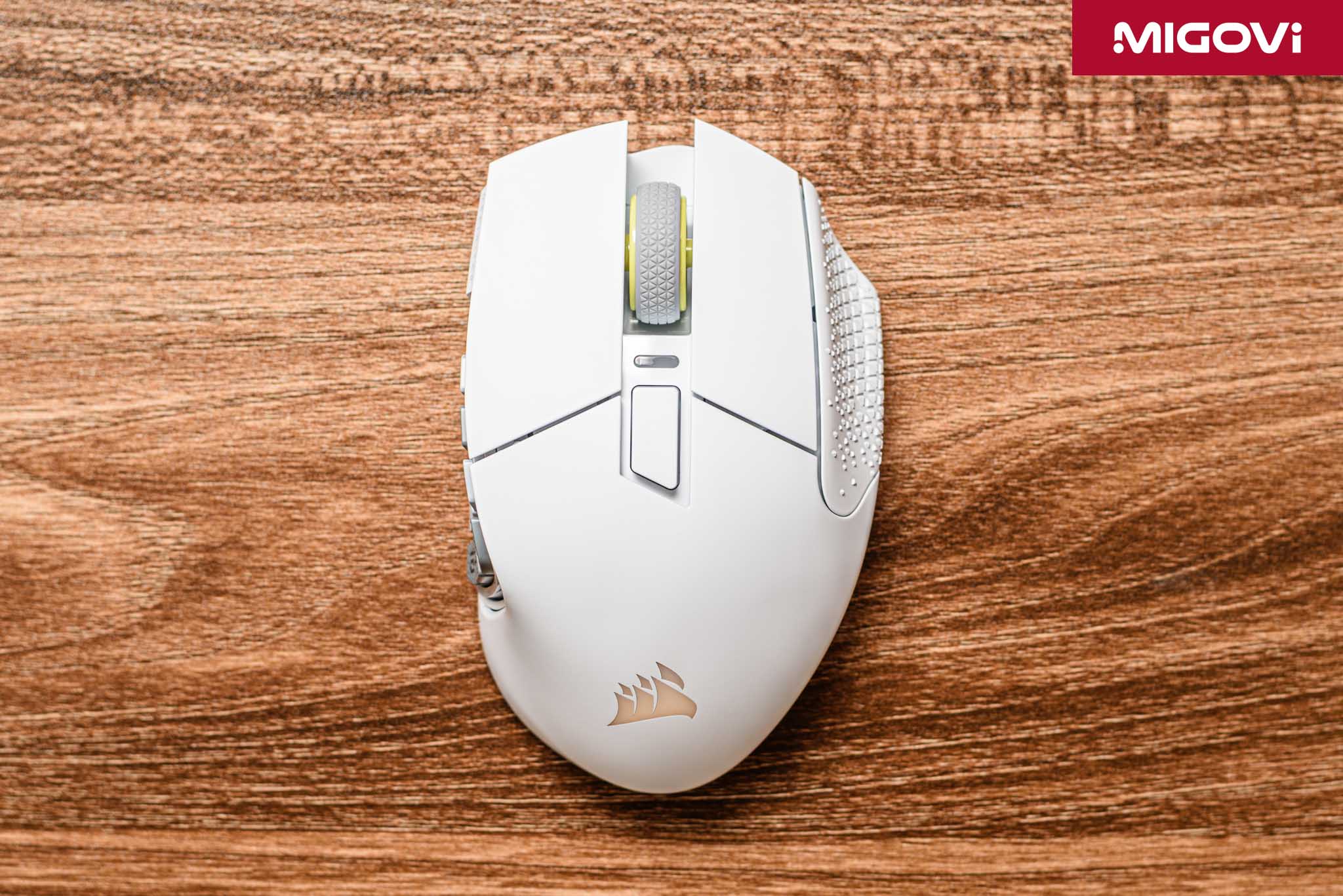
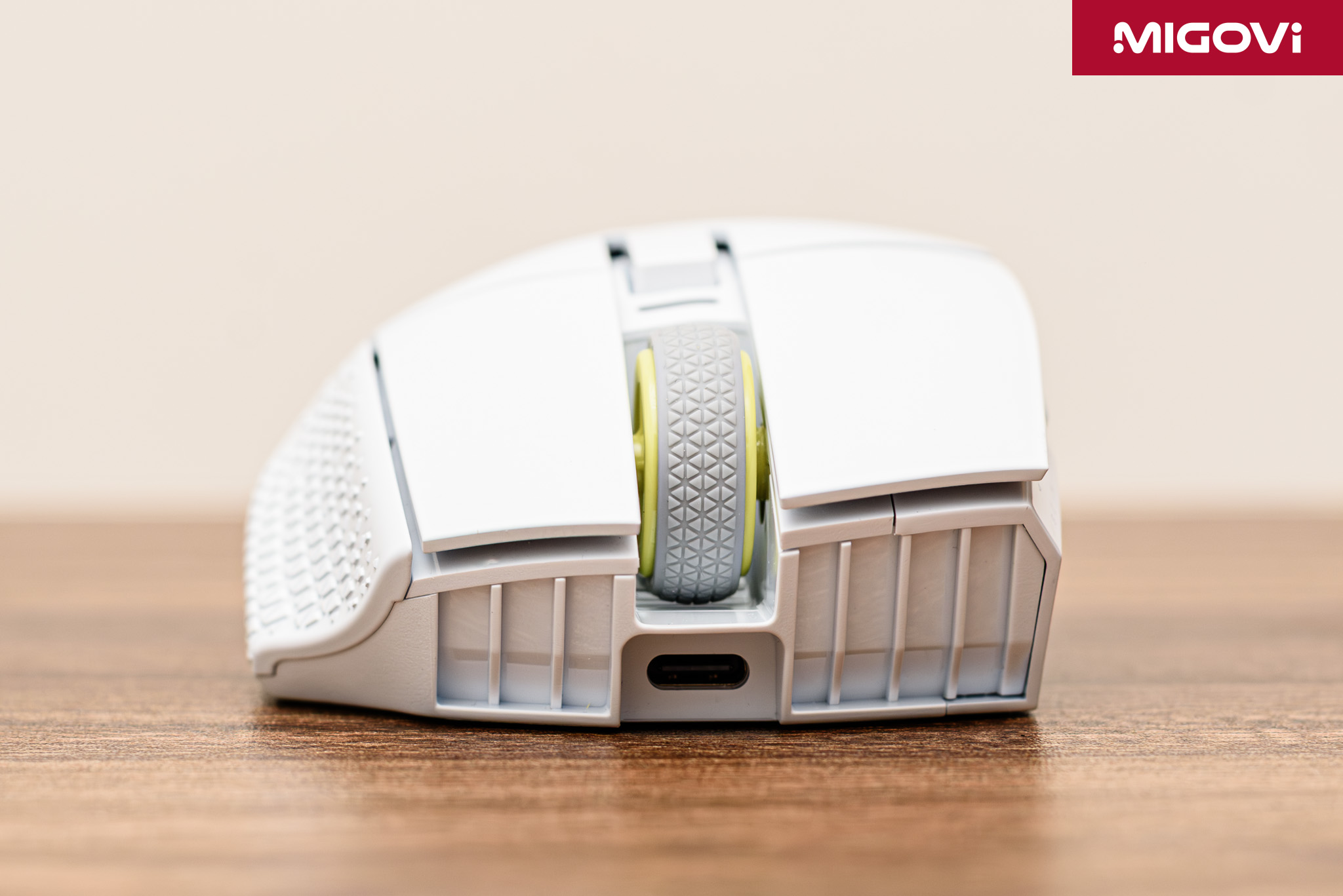
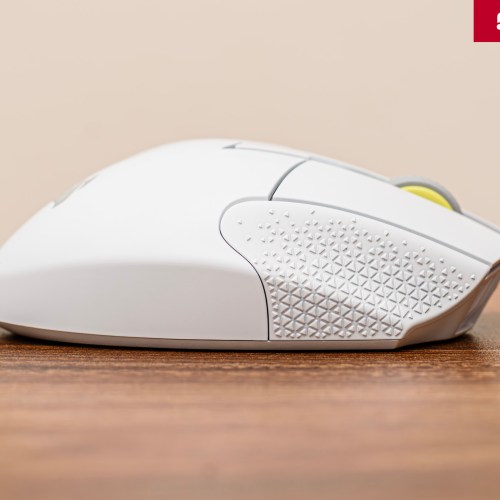
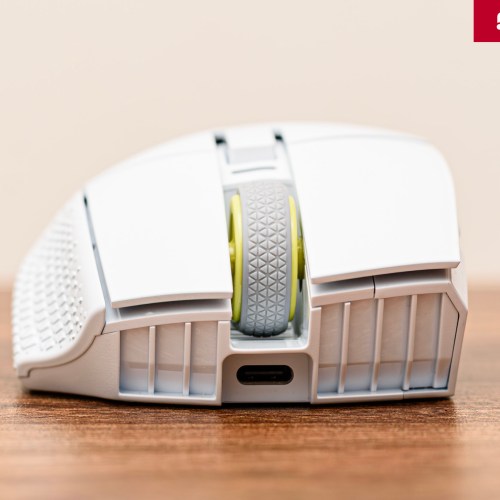
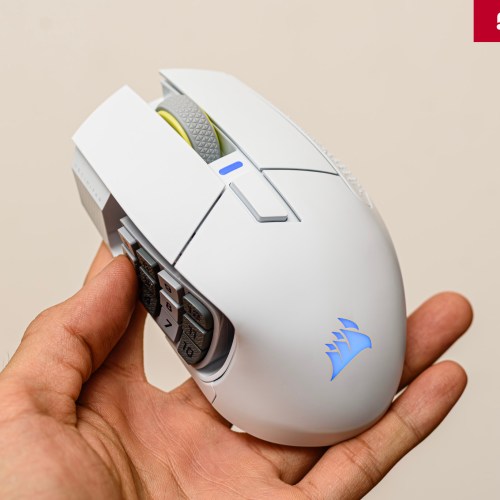
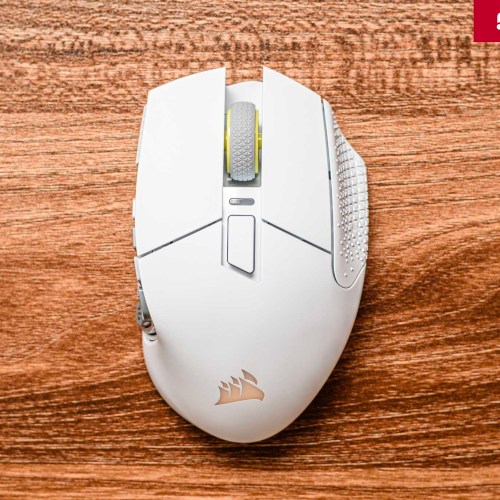
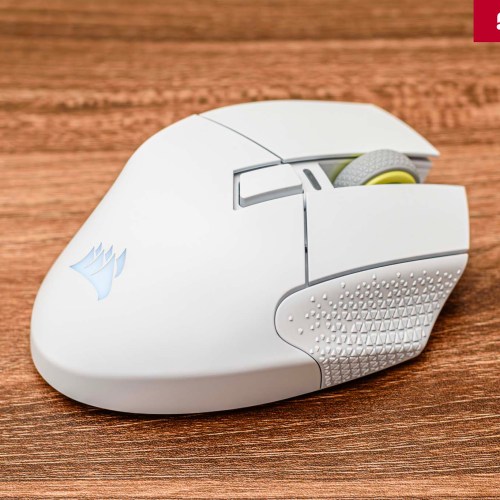
The CORSAIR SCIMITAR ELITE WIRELESS SE has an ergonomic design aimed at right-handed users, optimized for Palm Grip – where the entire palm hugs the mouse body. The mouse body is quite wide, with a resting ridge on the right side. This ridge is shaped to support the ring finger and pinky finger, with embossed patterns to increase grip and stability when used for a long time. Of course, whether this design is comfortable or not will depend on the user's hand and mouse holding habits. If you are used to holding the mouse with the force of your thumb, you will find it difficult to control the SCIMITAR ELITE WIRELESS SE, simply because you are afraid of clicking the wrong button.
The product weighs 114 grams, which is not light, especially when the FPS market is running towards ultra-light mouse designs. However, SCIMITAR ELITE WIRELESS SE is still lighter than the Razer Naga V2 Pro. The weight of the mouse can be explained in 3 aspects: large battery (150 hours), Key Slider mechanism and sturdy frame. Besides, MMO gamers will tend to prioritize stability and precise control over fast gliding speed.

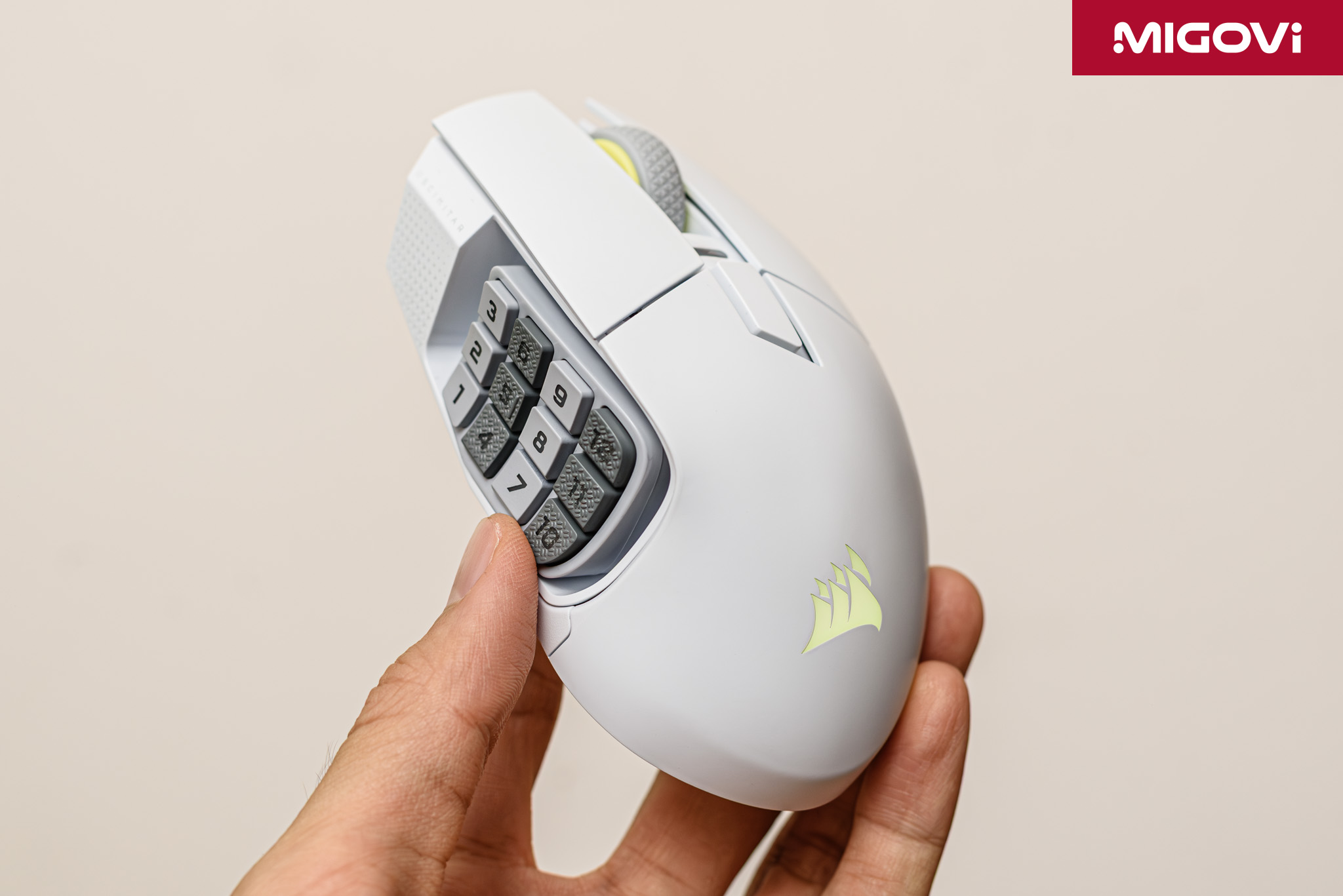
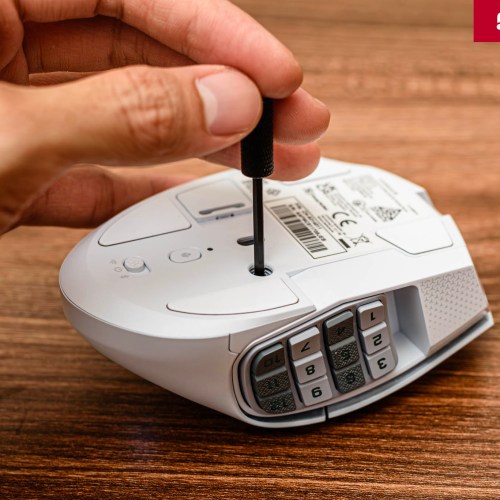
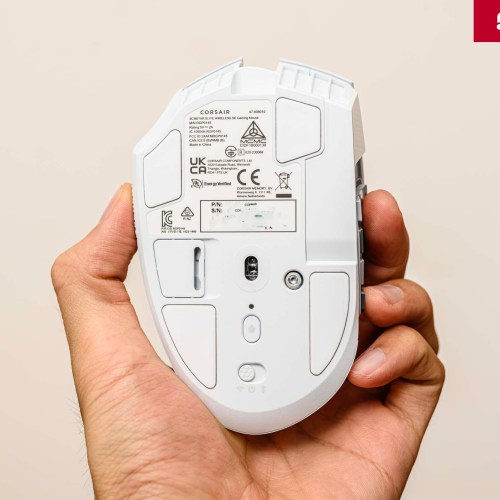
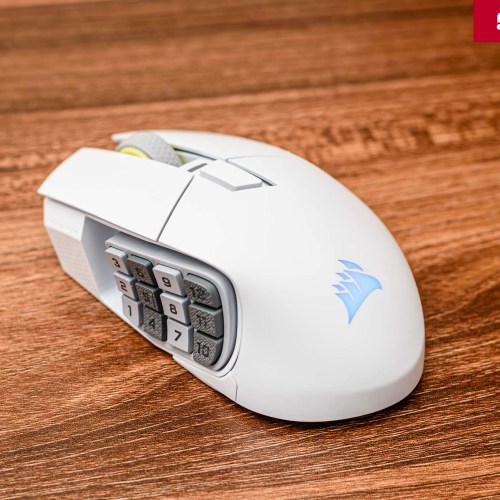
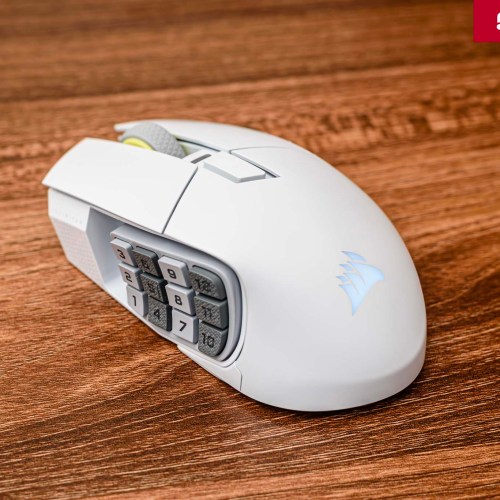
The most unique and distinctive feature of the SCIMITAR series is the Key Slider mechanism. Using the included Allen key, you can loosen and slide the entire cluster of 12 side keys forward or back for a certain distance. This is a smart technical solution from SCIMITAR, allowing you to customize the button position to best suit your hand size and grip style. However, when your hands are large and your thumbs are also large, the number 1 button is quite lowand when pressed, your thumb often rubs against the mousepad surface.
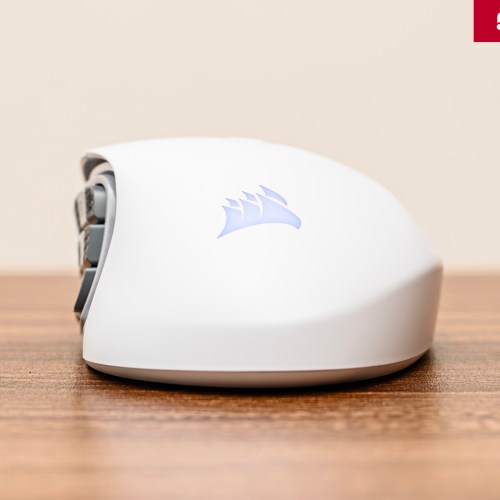
To support button recognition by feel without looking, the cluster of 12 side buttons is designed with rows of different surfaces, alternating between matte and glossy. In addition, the height of the middle row is slightly raised compared to the other 2 rowsand there is also a positioning ridge on the surface of button number 5. This design ensures that when you press while playing games or editing photos and videos, it will be faster and more accurate, although it still takes time to get used to.
Powerful hardware
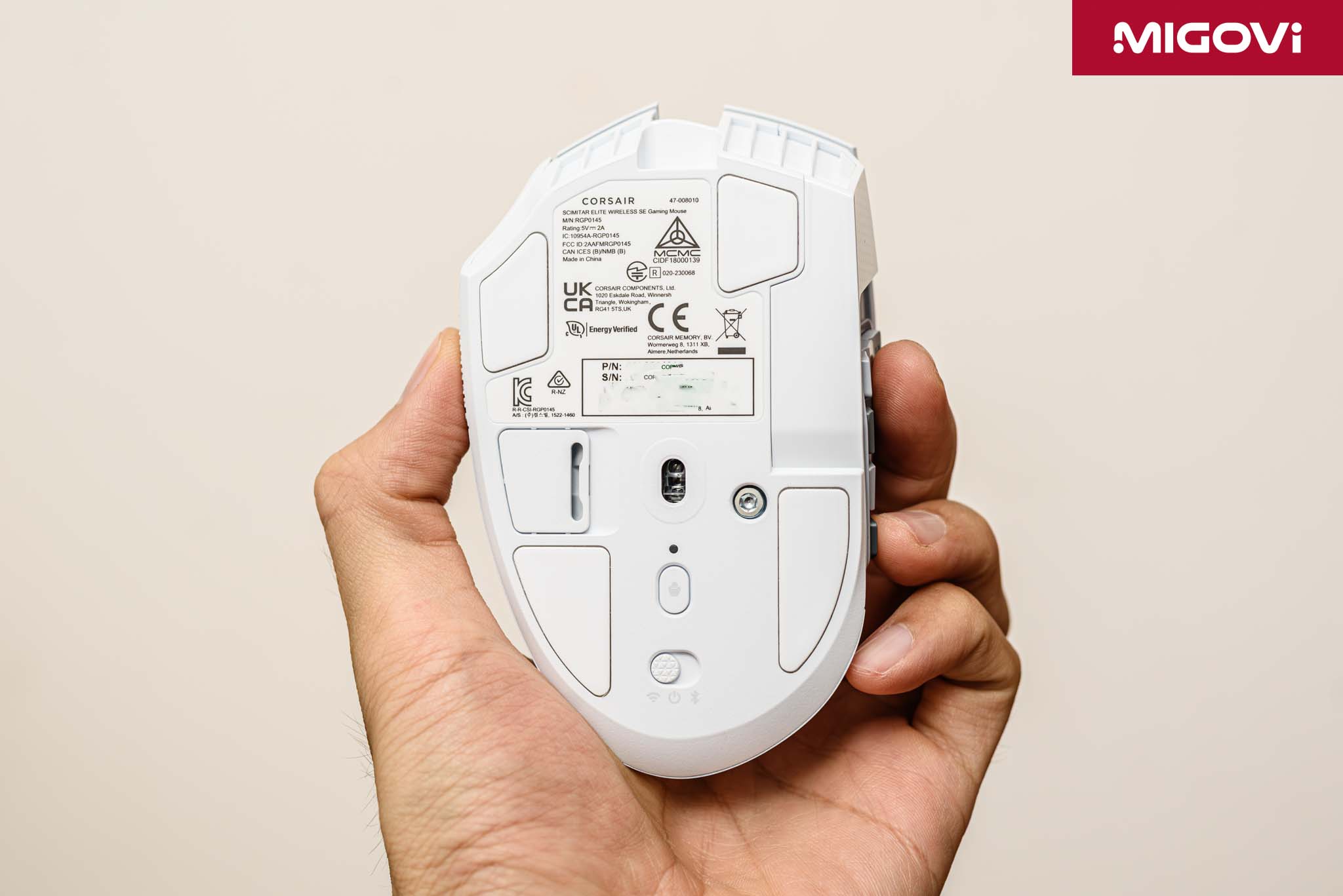
The CORSAIR MARKSMAN S 33K optical sensor is at the heart of the SCIMITAR ELITE WIRELESS SE. It has a maximum resolution of 33,000 DPI, a tracking speed of 750 IPSand acceleration of up to 50G. These figures ensure that the sensor has enough power to perform perfectly at any DPI level the user chooses, from 800 DPI to ultra-high levels. This technology brings more accurate tracking, lower latency. In real-world testing, the sensor works extremely accurately and stably on a variety of surfaces, from cheap Chinese mousepads, high-end mousepads to wooden tables and even glass. In addition, the new sensor consumes significantly less power than the previous generation, helping to extend the mouse's battery life.
CORSAIR’s move to optical switches for the primary buttons directly addresses the durability issue of gaming mice. With a lifespan of up to 100 million clicks, optical switches deliver two core benefits: eliminating debounce delay and preventing double-clicking.
- Debounce delay : Traditional mechanical switches use two metal plates that come into contact to register a click. The collision between the two metal plates creates small vibrations (bouncing) that can cause unwanted clicks. To prevent this, manufacturers must design a delay called a debounce delay of a few milliseconds into the firmware. In contrast, optical switches use an infrared beam that is interrupted by the act of pressing the button to register the click signal. Because there is no physical contact, vibration is completely eliminated, providing a theoretically faster response time.
- Double click : this error is almost certain and very common on mechanical switches after a period of use. The reason lies in the wear or oxidation of the 2 metal plates, sometimes due to the switch failure rate that you will encounter sooner. Optical switches, due to the nature of their non-contact design, have solved the problem at its root, providing superior reliability and longevity.
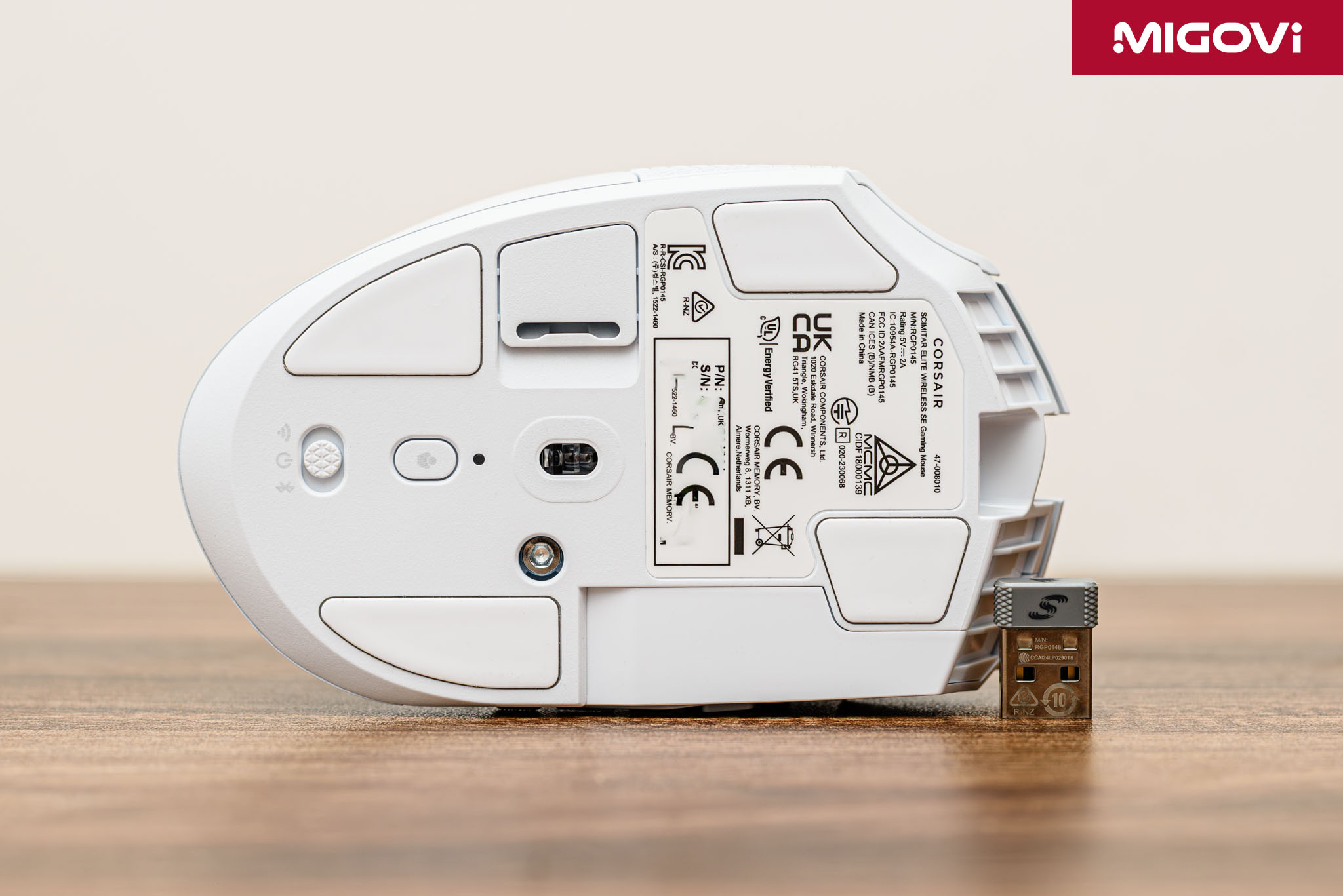
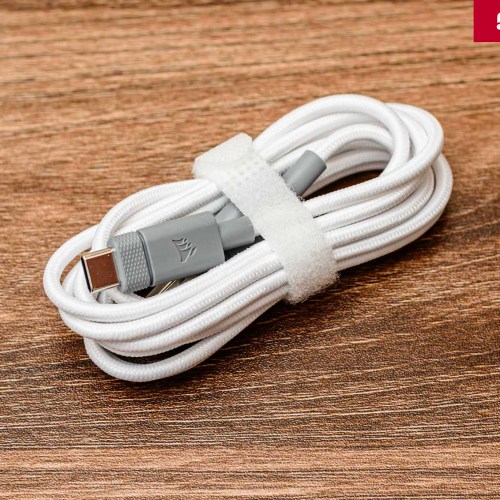
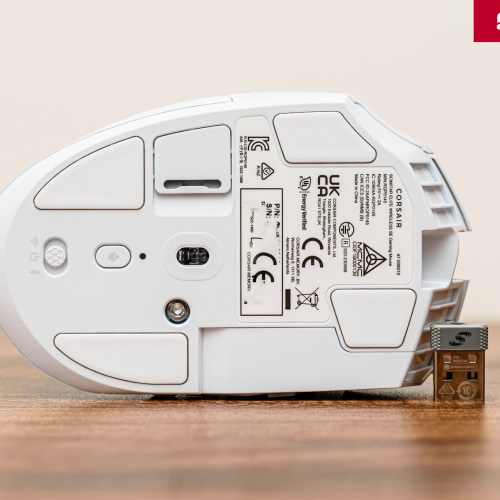
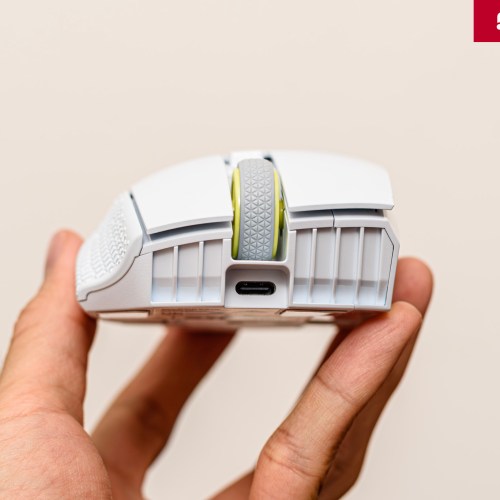
SCIMITAR ELITE WIRELESS SE has up to 3 flexible connection modes. The SLIPSTREAM Wireless receiver (2.4 GHz) allows wireless connection with latency under 1 ms with a 1000 Hz polling rate, suitable for gaming without being entangled. Bluetooth mode is an energy-saving option, ideal for office work, web surfing or when connecting to a laptop without using a dongle. Finally, you can charge and use the mouse in wired mode via the USB-C port. The strongest point of SCIMITAR ELITE WIRELESS SE is the battery life of up to 150 hours in SLIPSTREAM 2.4 GHz mode and 500 hours in Bluetooth mode (RGB off). When the battery runs out, you need to wait about 90 minutes to fully charge the mouse.
Elgato Virtual Stream Deck

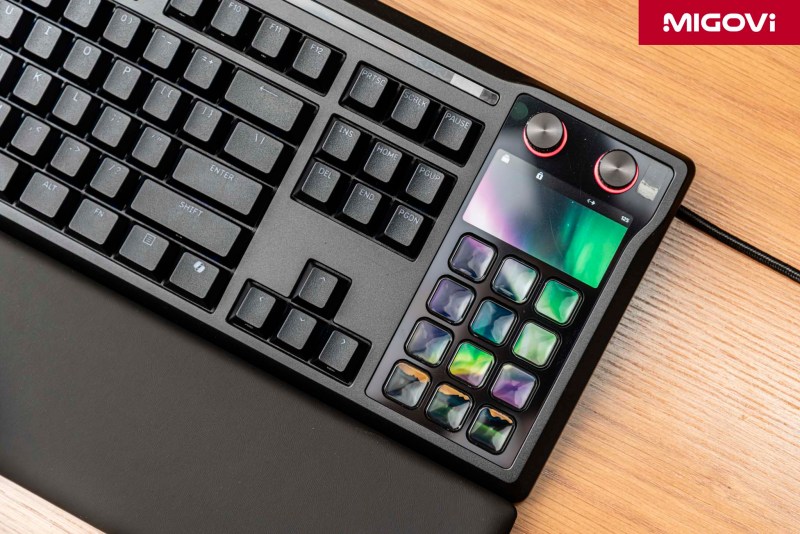
The groundbreaking and extremely valuable feature that CORSAIR SCIMITAR ELITE WIRELESS SE is equipped with is Virtual Stream Deck. In essence, Virtual Stream Deck is a software application developed by Elgato, capable of creating a virtual dashboard with up to 64 (8 x 8) customizable buttons, displayed directly on your computer screen. Normally, if you want to use Elgato Stream Deck software, you must have a hardware device, but with SCIMITAR ELITE WIRELESS SE, you will "unlock" Virtual Stream Deck without having to buy anything else. After installing Elgato Stream Deck software, you can assign any action from the Stream Deck ecosystem (such as switching scenes in OBS, muting the microphone, running multi-tasking macros) to the 12 side buttons of the mouse. When needed, you can set a hotkey to “summon” the Virtual Stream Deck, which appears right at the mouse cursor position, providing an intuitive graphical interface for assigned commands.
CORSAIR’s free offering of the Virtual Stream Deck with the purchase of the SCIMITAR mouse is a smart “freemium” strategy. Users get a taste of the power and convenience of the Stream Deck ecosystem at no additional cost. As your workflow becomes more professional and complexand you become more familiar with the ecosystem, you’re more likely to decide to invest in a physical Stream Deck to expand your control capabilities. As a result, the SCIMITAR ELITE WIRELESS SE not only competes with other mice on the market, it also serves as a marketing and sales channel for a completely different product line from its parent company.
Set up and optimize iCUE with Elgato Stream Deck
Any achievement comes from effort and patience in the early stages, to optimize the usage, take advantage of SCIMITAR ELITE WIRELESS SE with Virtual Stream Deck as well. You need to set up the first profile, action... according to your personal needs, then when completed, the 12 side buttons of Key Slider will significantly improve the speed and efficiency of work. But first, you need to download and install 2 required software: CORSAIR iCUE and Elgato Stream Deck. Remember to update fully for the best experience.
Launch iCUE and Stream Deck, you will see a secondary interface that is always on top - this is Virtual Stream Deck. When you click on the Elgato logo, the Stream Deck software will automatically run and switch to it. Here you can customize profiles for different tasks or applications. To take full advantage of Virtual Stream Deck, use 11 buttons to assign commands, leaving 1 button for Profile switching function. This is very important to be able to use CORSAIR SCIMITAR ELITE WIRELESS SE for many different jobs.

For each profile, customize the most commonly used or complex functions that require the most operations. For software with available plugins, such as Photoshop, click on the Elgato Marketplace icon, find and download them on the web marketplace. After downloading and installing all the plugins as desired, continue to customize the profile by dragging the actions from the plugin to the virtual buttons. For photo editing needs with Photoshop, I can assign button 1 to switch Profile, the remaining buttons to assign tools (Brush, Pen, Marquee ...), select objects (Subject Selection), change image resolution (Image Size) or simply Undo/Redo, Duplicate Layer ... As for Premiere Pro for video post-production, I can assign commonly used tools (Selection Tool, Razor Tool, Pen Tool ...), or create macros to perform command sequences.
You can also take advantage of the CORSAIR SCIMITAR ELITE WIRELESS SE to support better and more convenient gaming. For example, with Path of Exile, I can assign buttons to quickly open the game, enter account informationand password. The characteristic of games like Path of Exile is that you need to access the online market a lot to buy items. At this time, I can assign and define a series of actions (open the browser, create a new tab, enter the online market address), so that with just one click, everything is ready almost immediately, allowing me to quickly buy goods.
Conclude
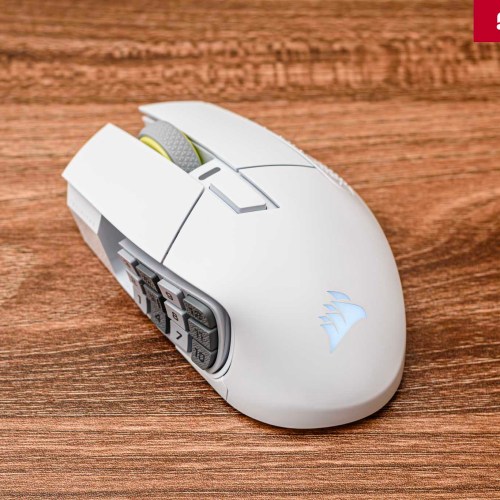
The CORSAIR SCIMITAR ELITE WIRELESS SE isn’t a mouse designed to please everyone. Instead, it’s a specialized tool, upgraded and optimized to excel at serving a specific group of users with very specific needs. The unique combination of traditional MMO hardware with a Key Slider mechanism, along with integration with modern creative software via the Virtual Stream Deck, creates a unique hybrid product.
Improved battery life, a high-quality optical sensorand optical switches that eliminate double-clicking are what set the CORSAIR SCIMITAR ELITE WIRELESS SE apart from its competitors. As long as you're in the target audience and willing to invest the time to master the software, the CORSAIR SCIMITAR ELITE WIRELESS SE is one of the top, if not the best, choices in the wireless MMO mouse segment right now.





Migovi rating
 asus-rog-strix-geforce-rtx-2080/migovi-award-ultra-rating/" data-orig-file="https://migovi.com/wp-content/uploads/2019/07/migovi-award-ultra-rating.png" data-orig-size="960,620" data-comments-opened="1" data-image-meta="{"aperture":"0","credit":"","camera":"","caption":"","created_timestamp":"0","copyright":"","focal_length":"0","iso":"0","shutter_speed":"0","title":"","orientation":"0"}" data-image-title="migovi-award-ultra-rating" data-image-description="<p>migovi-award-ultra-rating</p>
" data-image-caption="" data-medium-file="https://migovi.com/wp-content/uploads/2019/07/migovi-award-ultra-rating-300x194.png" data-large-file="https://migovi.com/wp-content/uploads/2019/07/migovi-award-ultra-rating.png" />