
CORSAIR GALLEON 100 SD review: Keyboard x Stream Deck
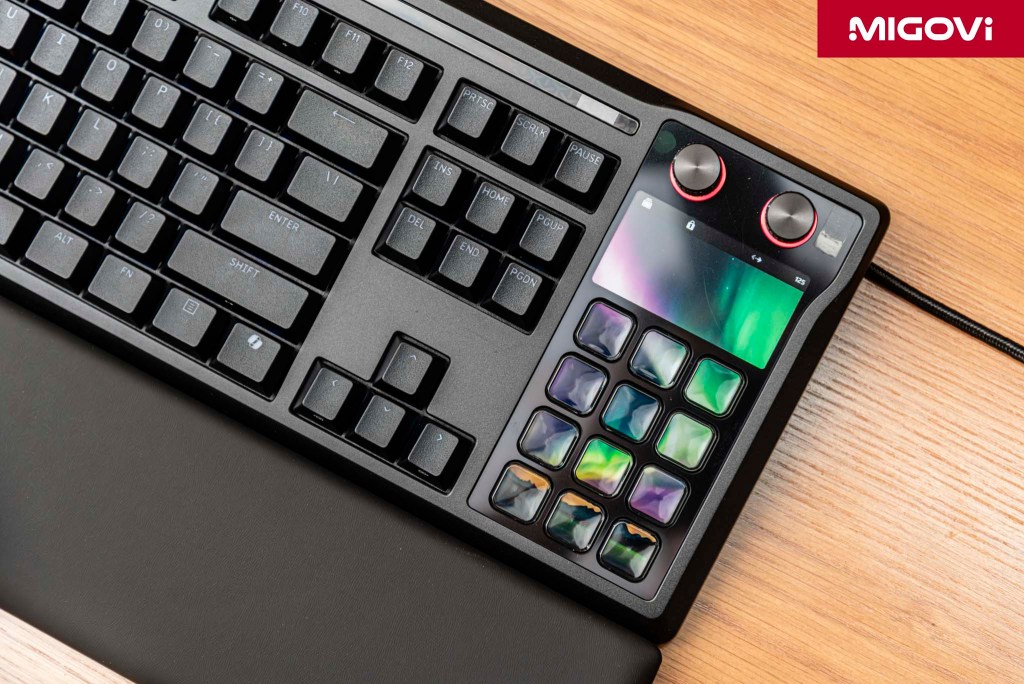
The CORSAIR GALLEON 100 SD showcases a new paradigm in hardware design, converging top-tier technologies into a single flagship product.
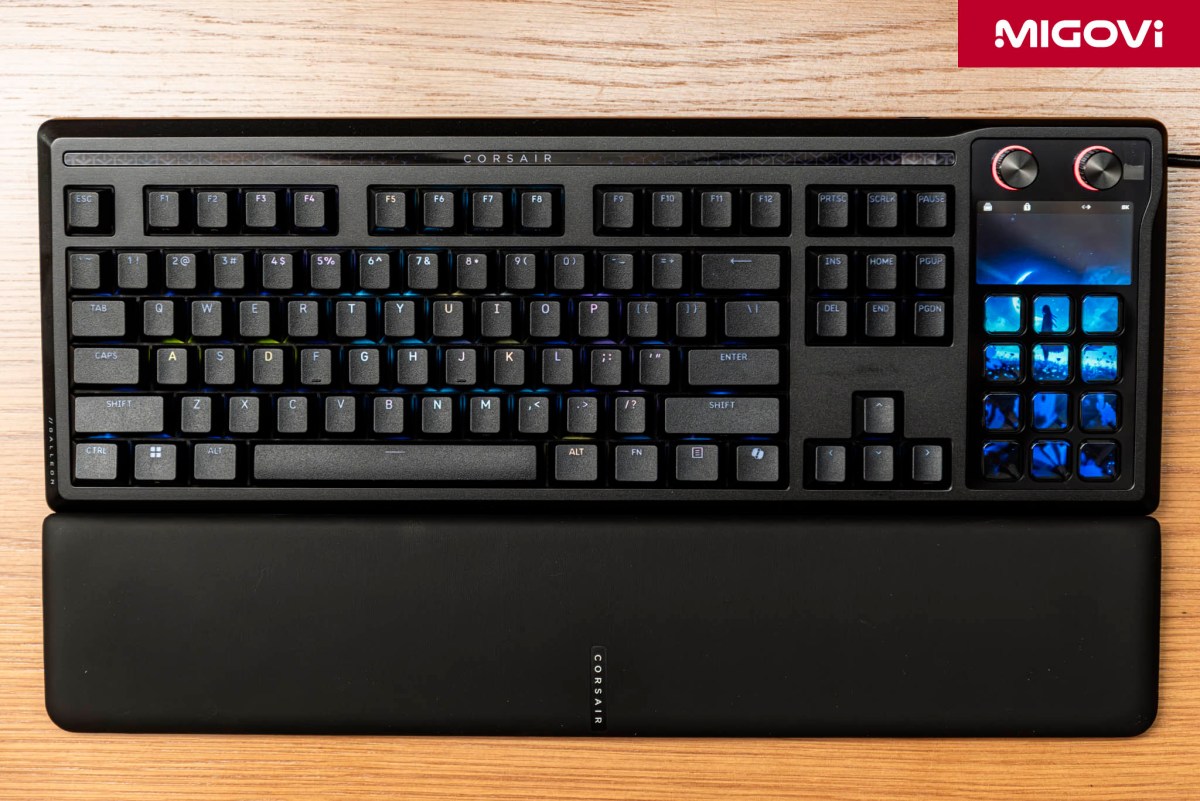
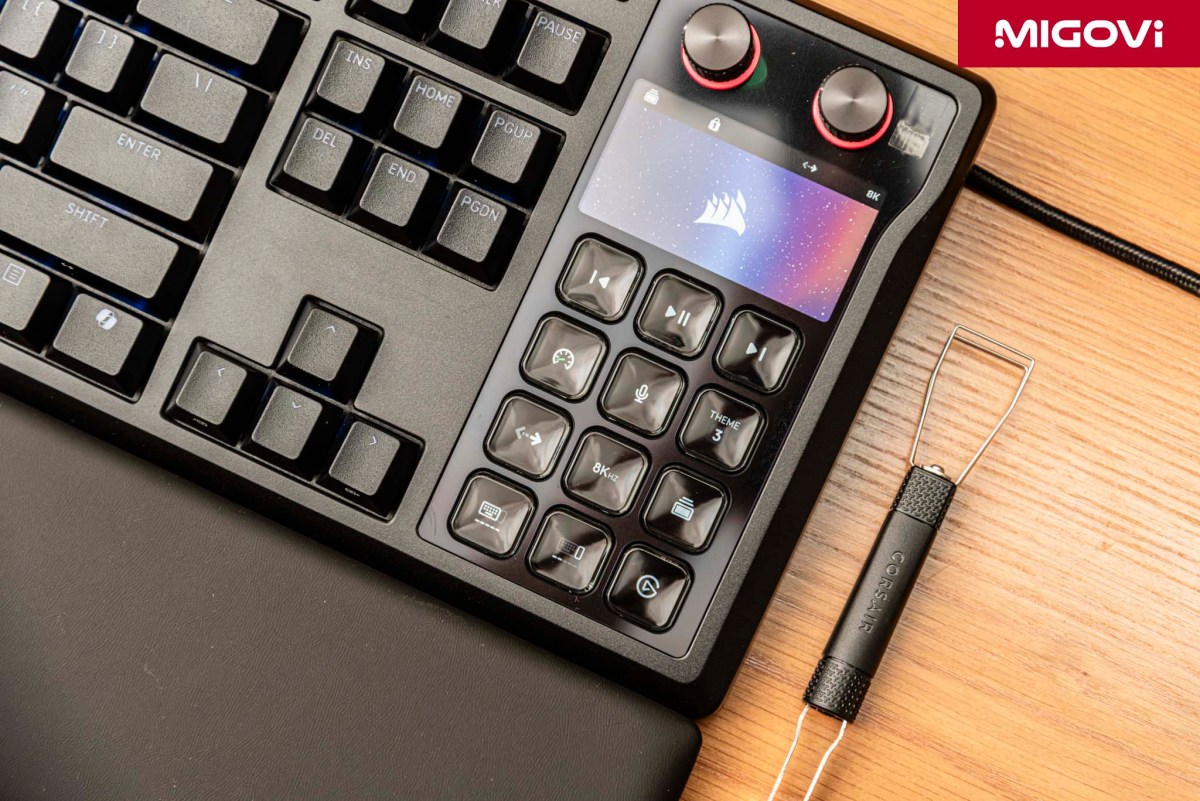
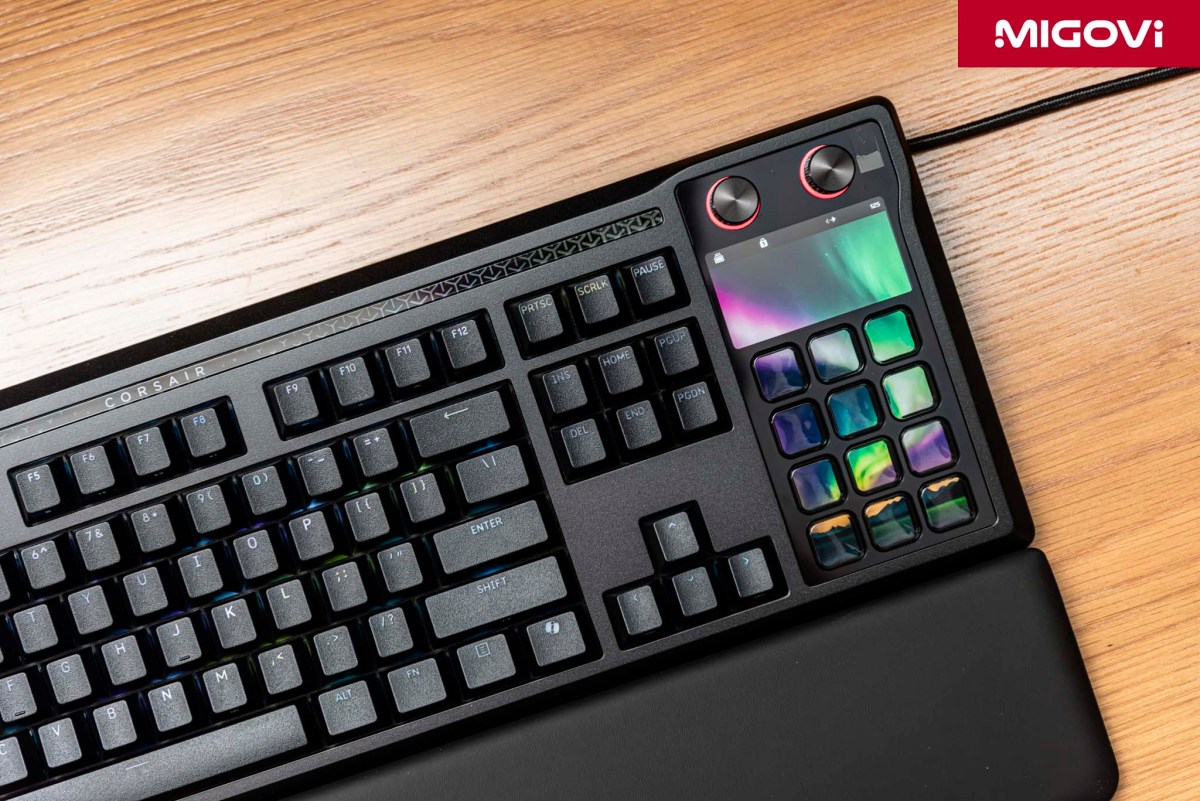
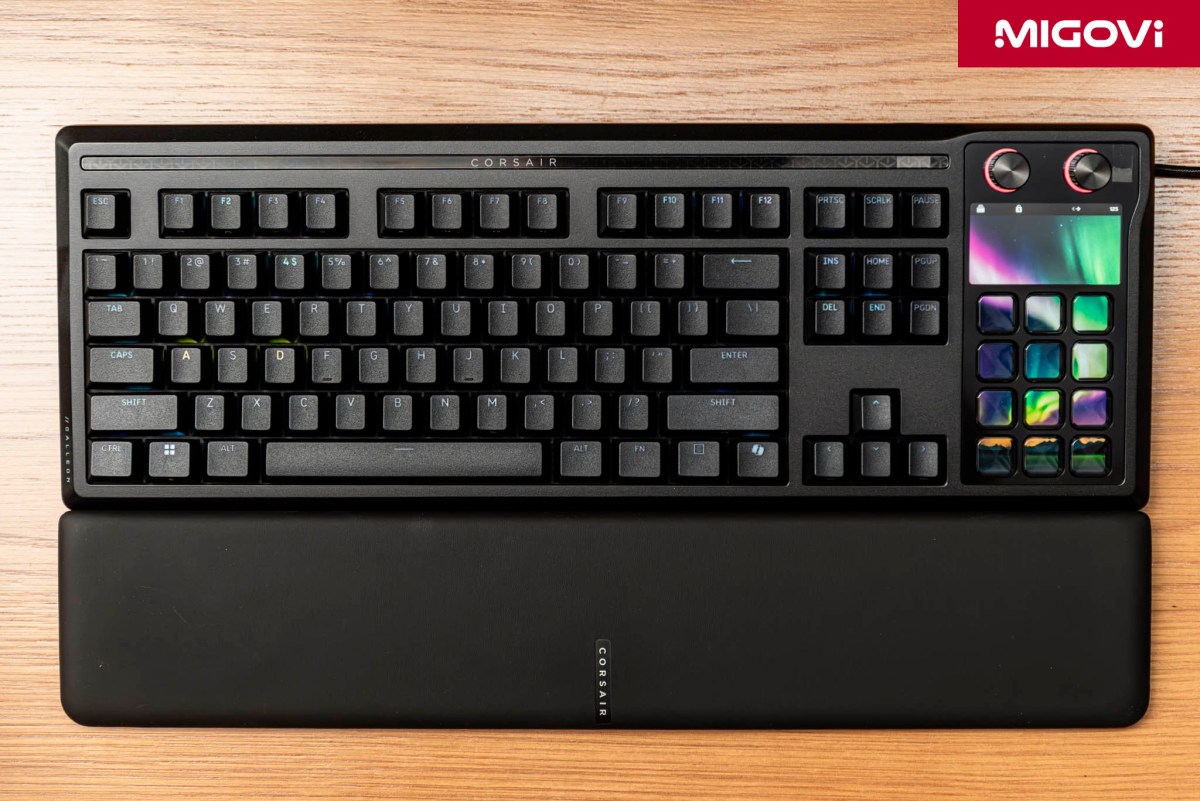
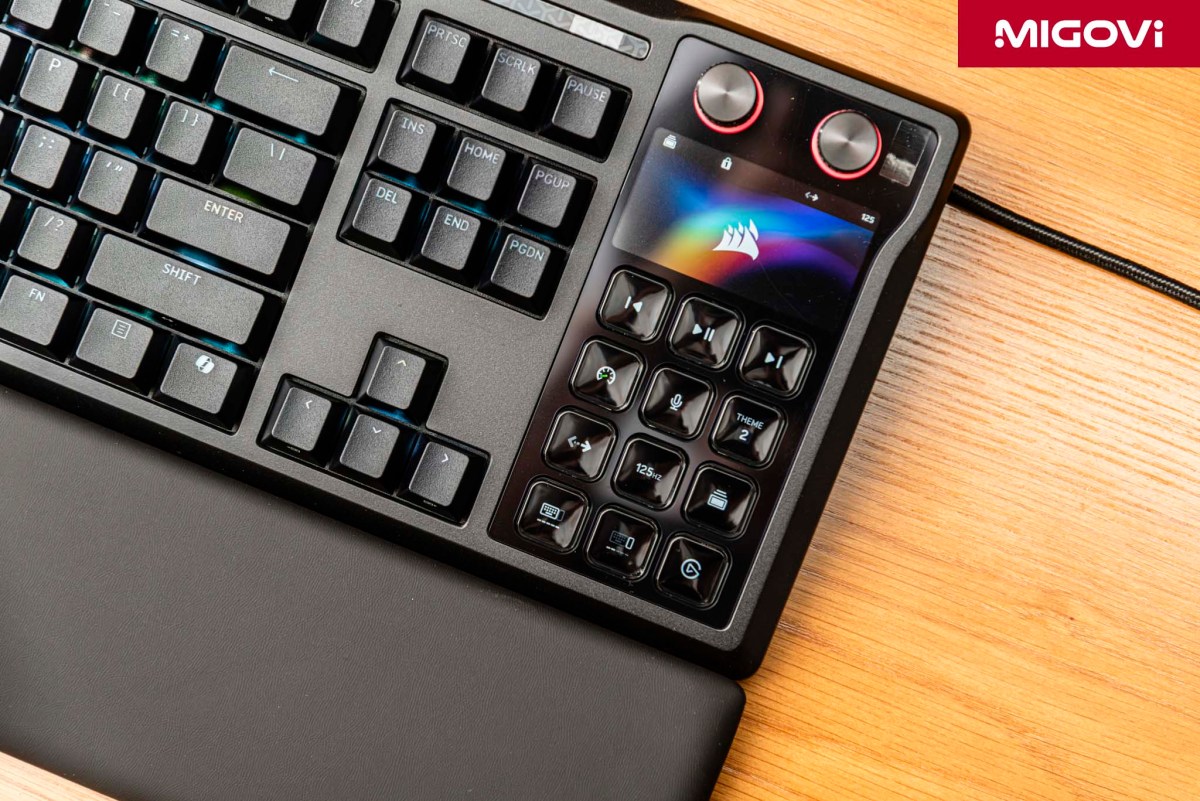
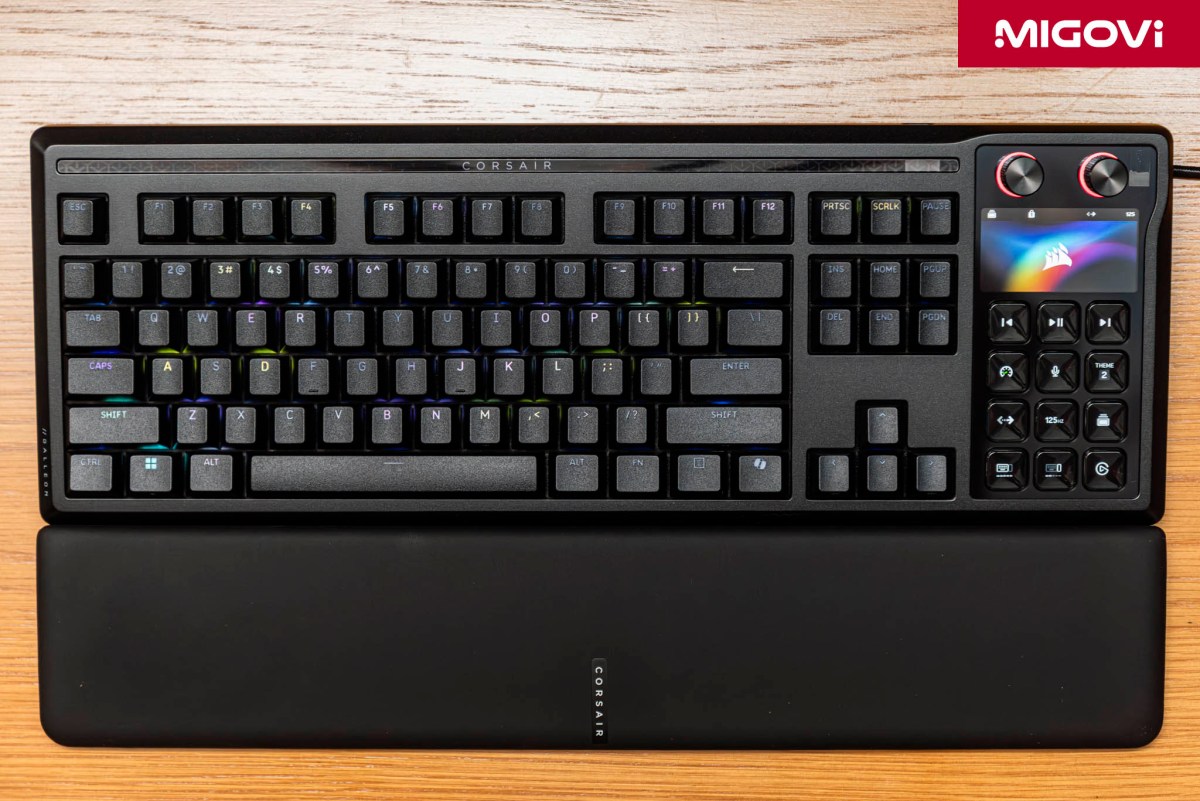
- The GALLEON 100 SD directly integrates an Elgato Stream Deck module, replacing the traditional numpad.
- A gasket-mount chassis paired with six layers of dampening foam delivers a smooth typing feel and a deep, "thocky" sound signature with MLX Pulse switches.
- Leverages the robust Stream Deck ecosystem, allowing for macro assignment, animated GIF display and automatic app-based profile switching.
- Features FlashTap SOCD for flawless counter-strafing execution, powered by the AXON microcontroller with an 8,000 Hz polling rate.
- Utilizes the browser-based CORSAIR Web Hub to save all configurations directly to onboard memory, bypassing traditional iCUE software.
CORSAIR's ambition is glaringly obvious with every new product release. With the GALLEON 100 SD, CORSAIR is fusing high-performance data entry (a gaming keyboard) with absolute workflow control (a Stream Deck). *Yu-Gi-Oh!* Polymerization jokes aside, CORSAIR is optimizing both desk space and workflow/gaming routines via an 8,000 Hz polling rate, FlashTap SOCD and the expansive Elgato software ecosystem. Whether you're an esports pro or a digital content creator, the CORSAIR GALLEON 100 SD has more than enough under the hood to meet your demands.
Rather than serving as a direct replacement for the traditional K70 or K100 lineups, the GALLEON 100 SD carves out an entirely new user segment. After fully acquiring Elgato, CORSAIR now holds the two most crucial pieces of the puzzle: top-tier mechanical gaming keyboard tech and the market-leading content control ecosystem. The hybrid GALLEON 100 SD targets "power users" - those who game heavily but also produce content and need to streamline repetitive tasks. By swapping out the numpad for a Stream Deck module, desktop clutter is reduced and input latency - in terms of hand travel - is minimized, as you no longer need to lift your hand off the keyboard to reach a standalone controller.
Article content
Design and build quality
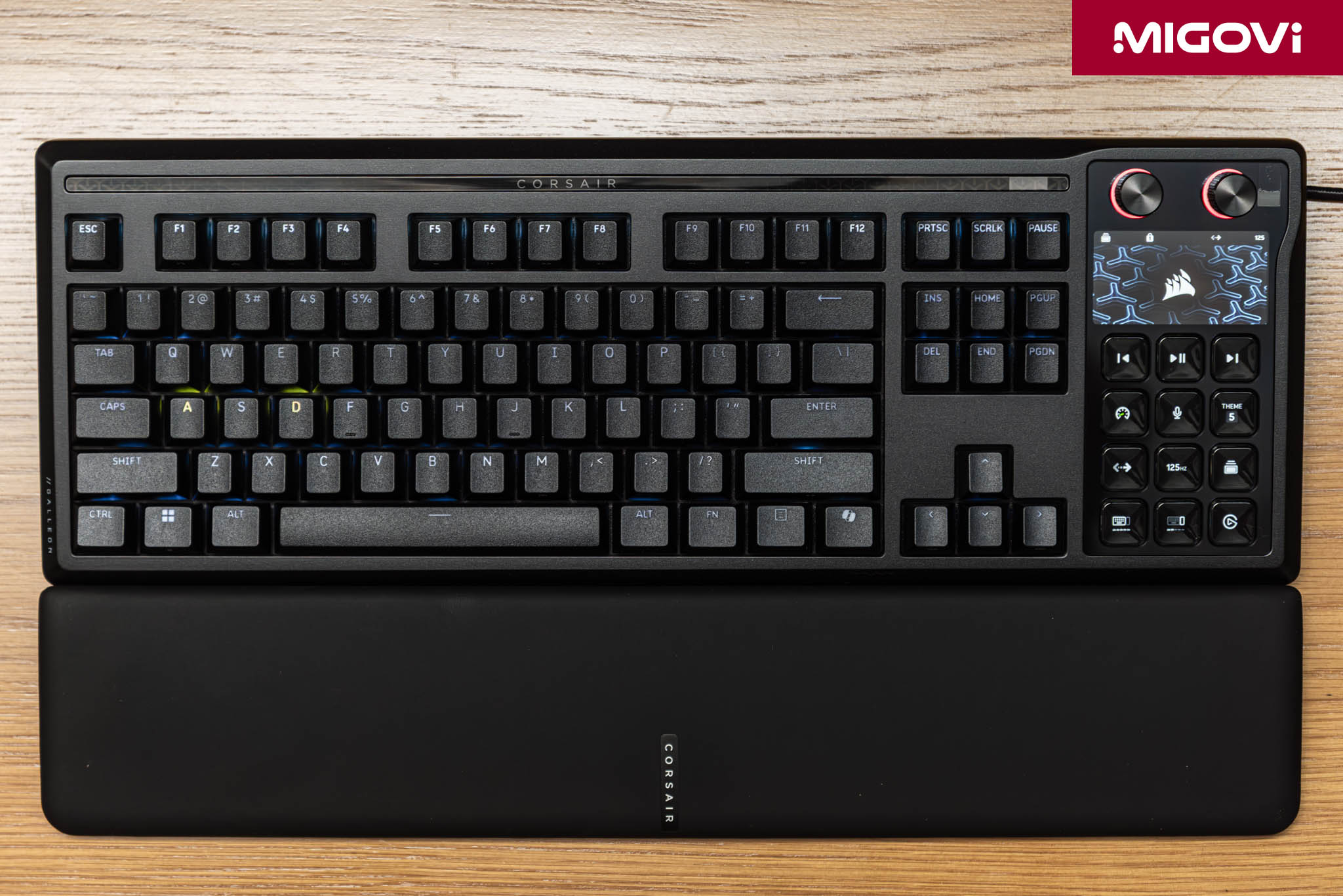
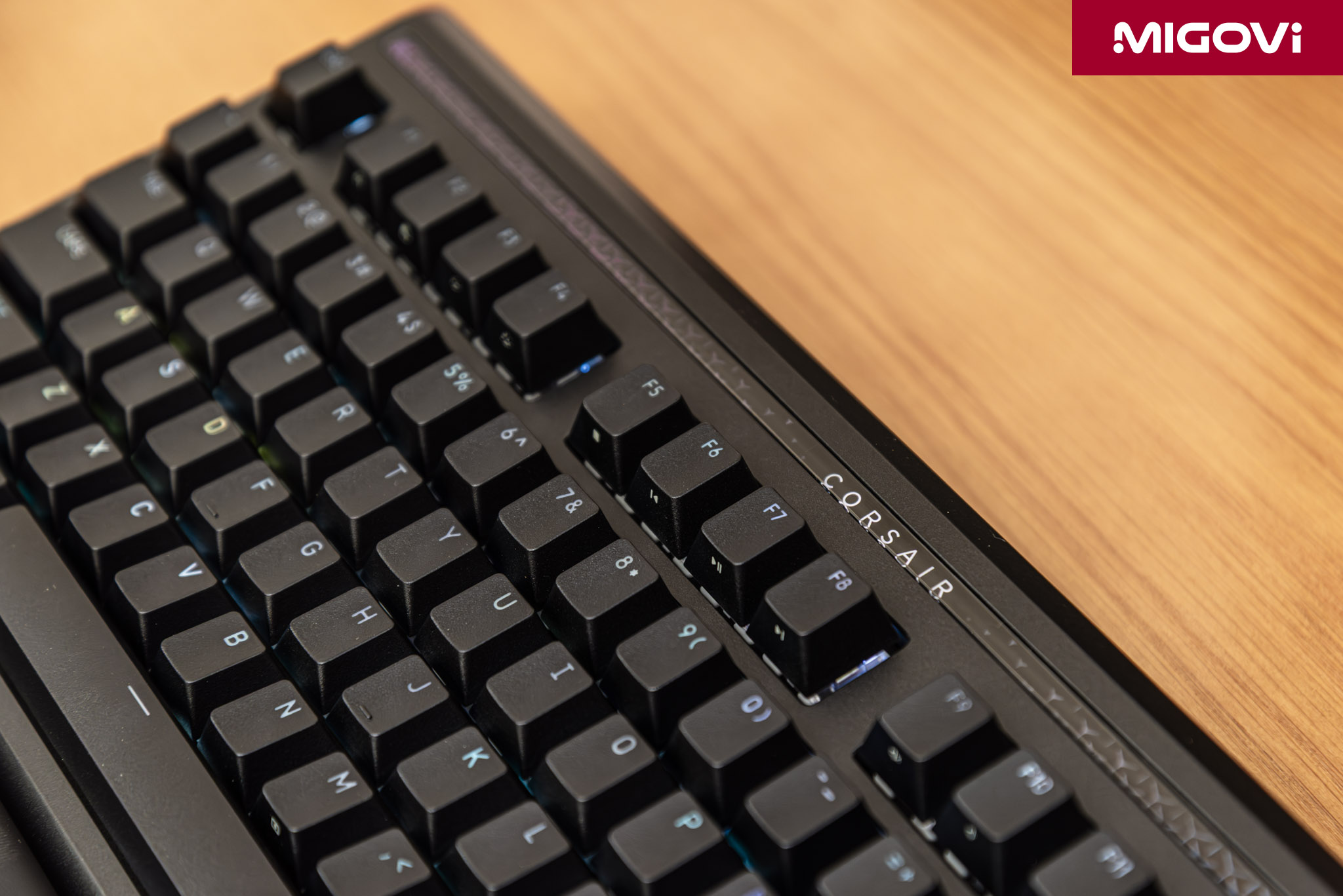
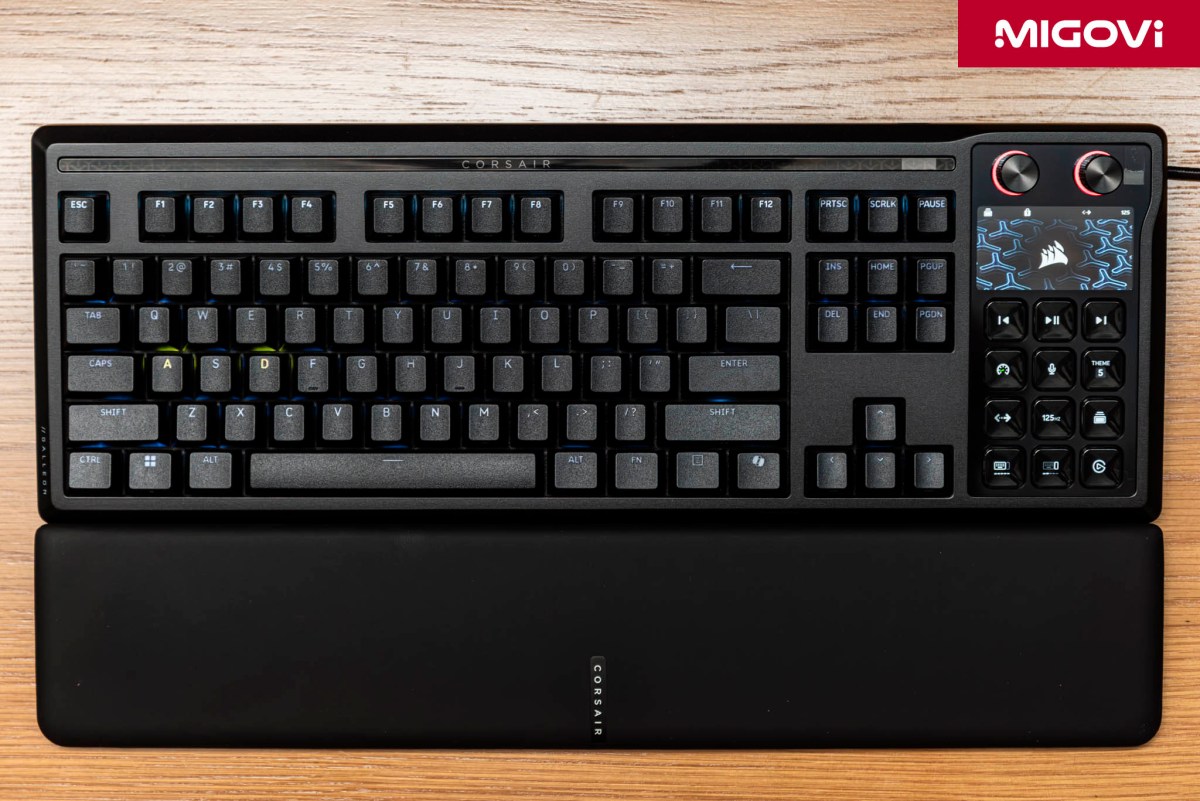
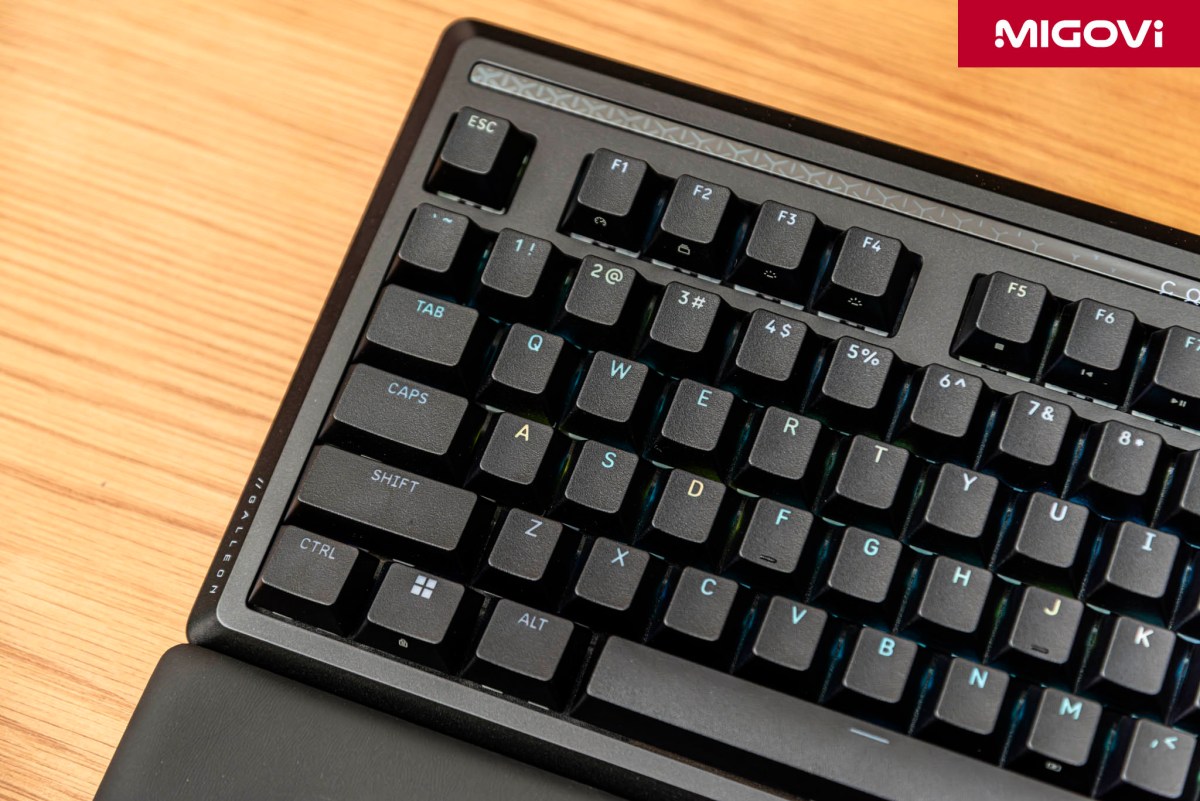
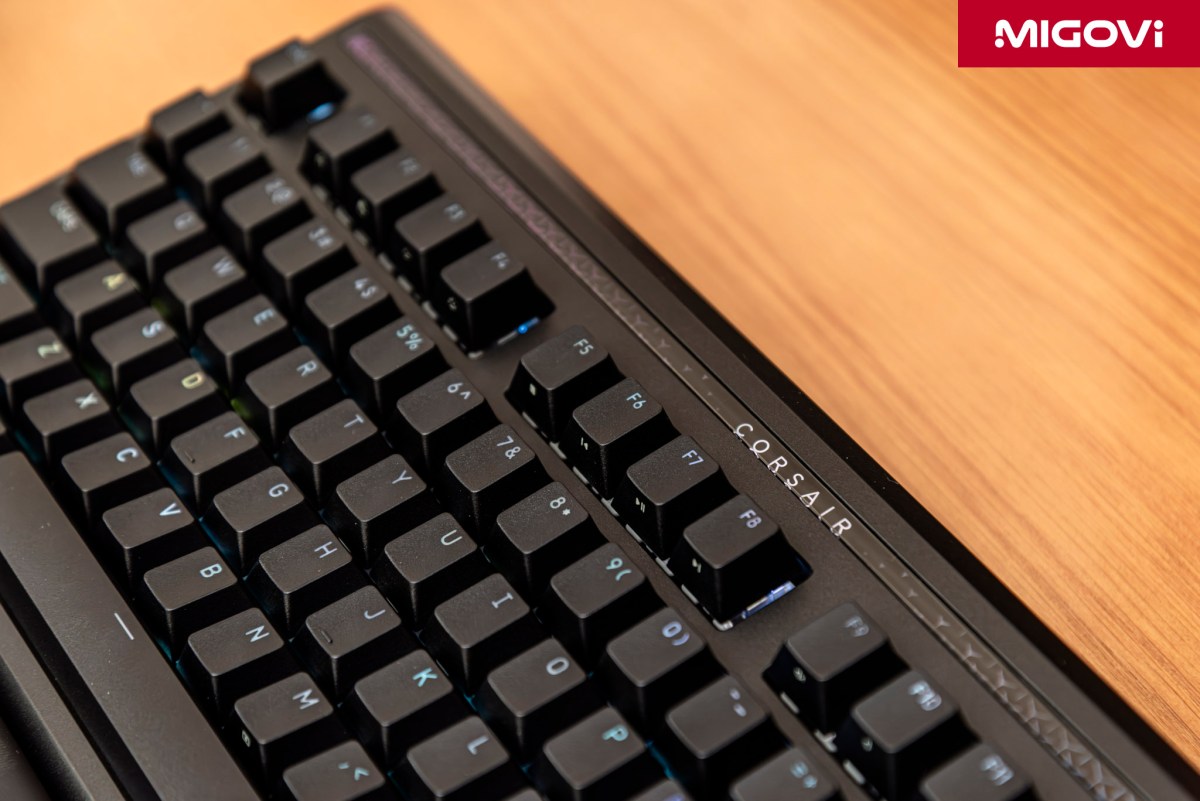
Rigidity and build quality are non-negotiable for a keyboard in the $350 bracket. Weighing in at nearly 1.4 kg (about 3 lbs) with absolutely zero deck flex, it’s clear the GALLEON 100 SD features a highly dense material composition. The top plate is crafted from aluminum, providing the structural integrity needed to eliminate resonance during heavy typing. Eschewing the traditional brushed finish, the aluminum surface features a slightly sparkling matte black treatment, giving it a premium aesthetic while better resisting fingerprints. The bottom chassis utilizes high-grade composite plastic to balance cost and weight without compromising the overall structural durability.
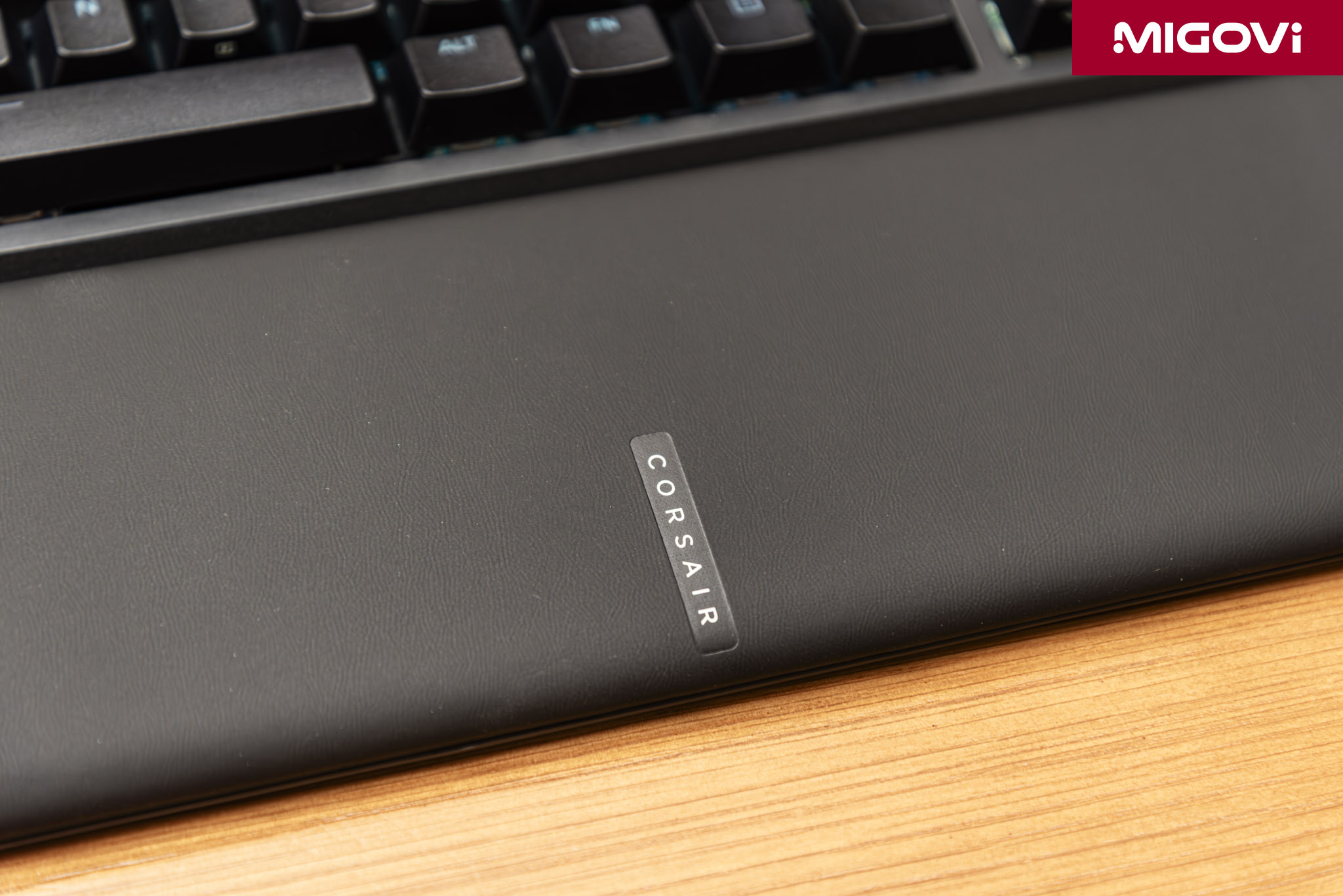
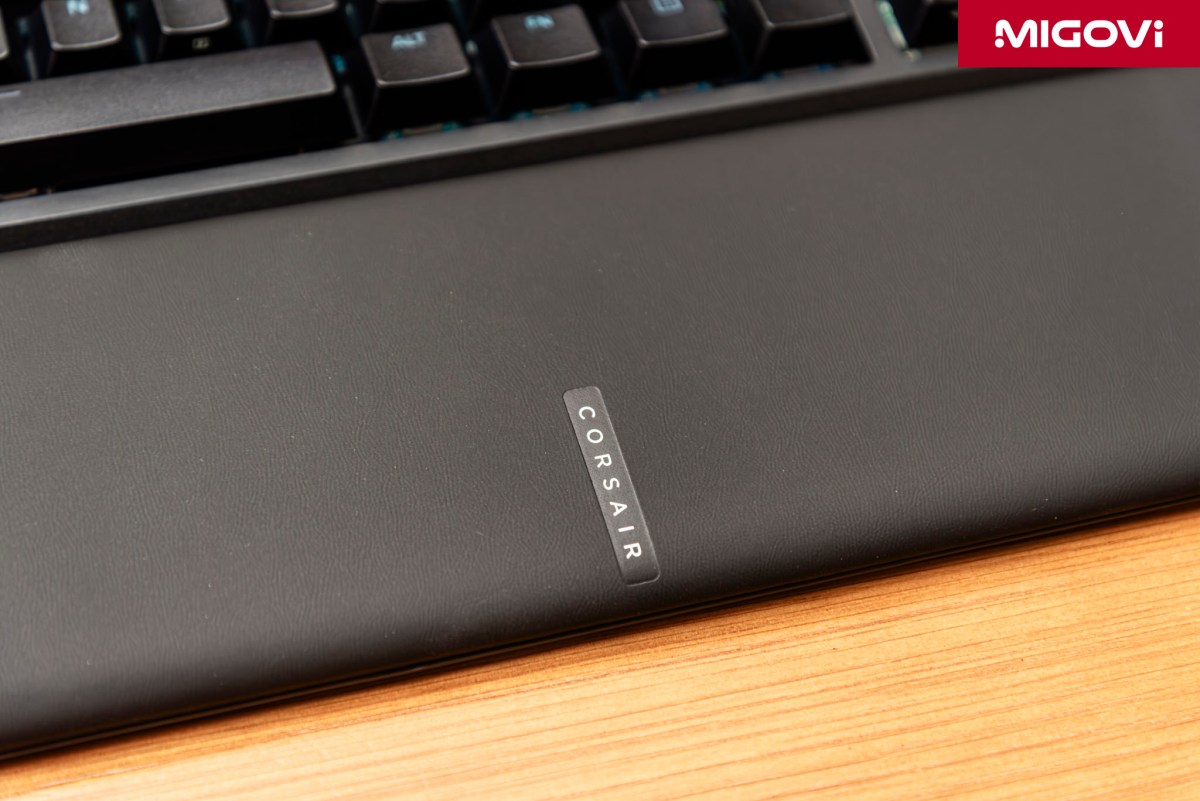
As is tradition, the CORSAIR GALLEON 100 SD includes a magnetic wrist rest. The contact surface is wrapped in leatherette over a layer of memory foam. Notably, this leatherette drops the Y-pattern texturing seen on previous boards in favor of a natural leather grain, yielding a softer feel that stays comfortable for your wrists during extended typing sessions.
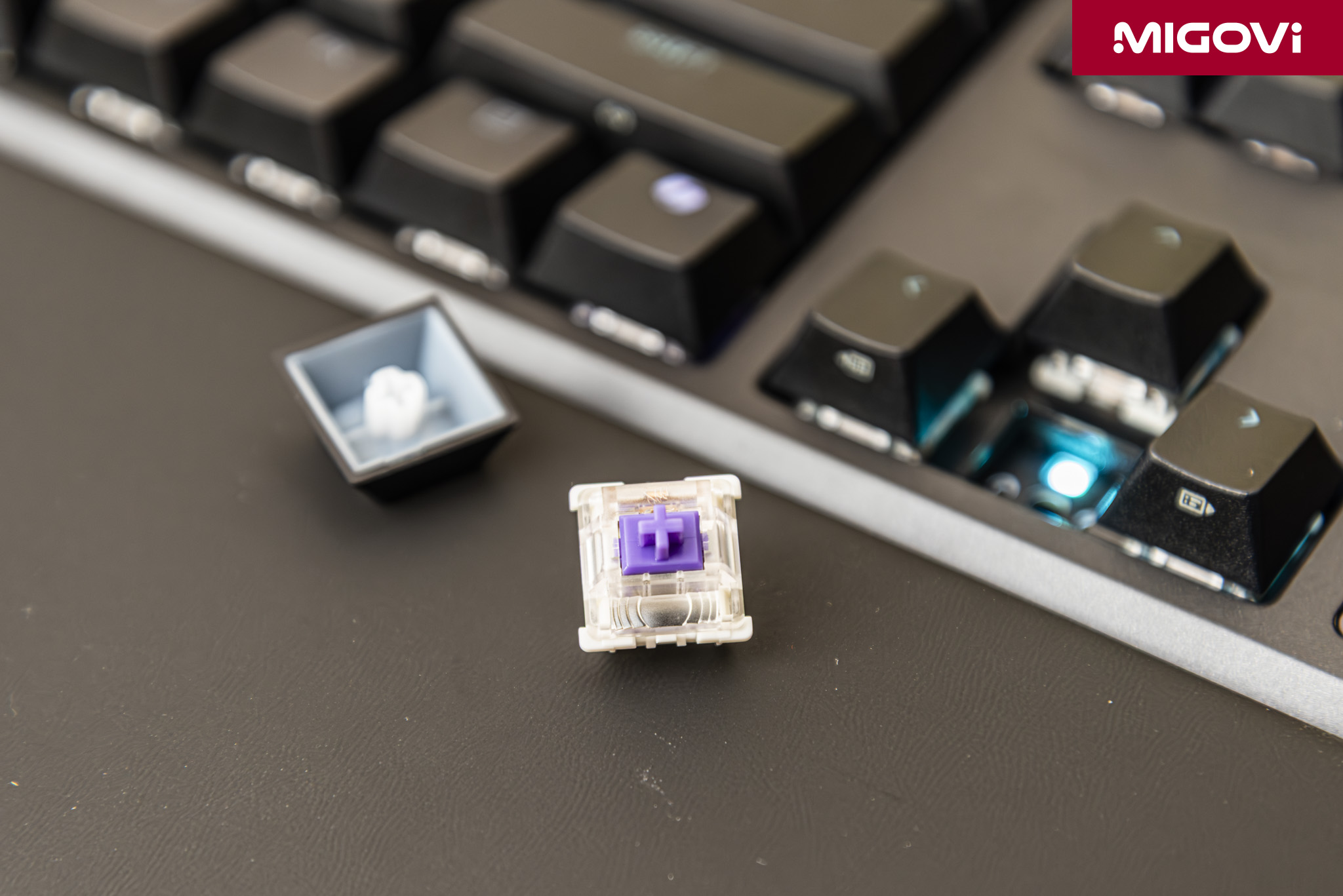
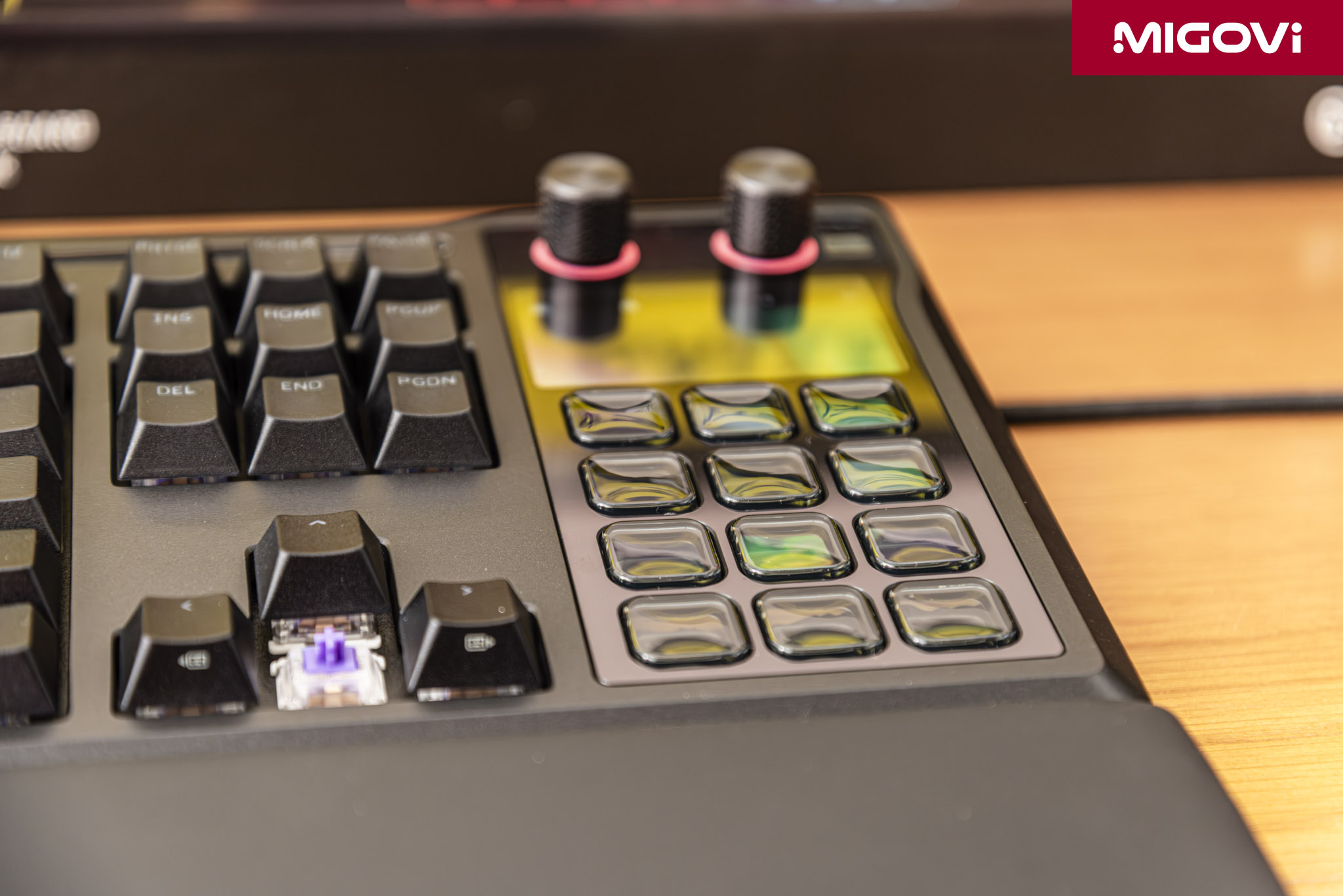
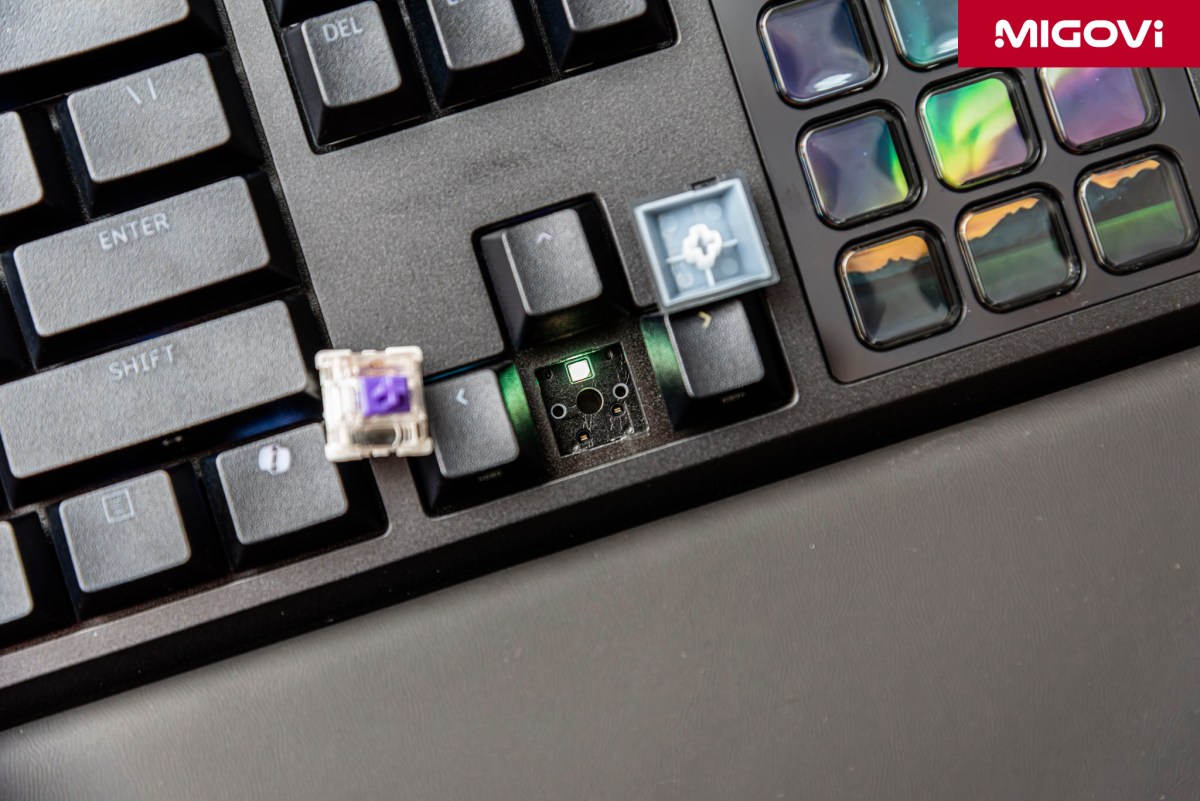
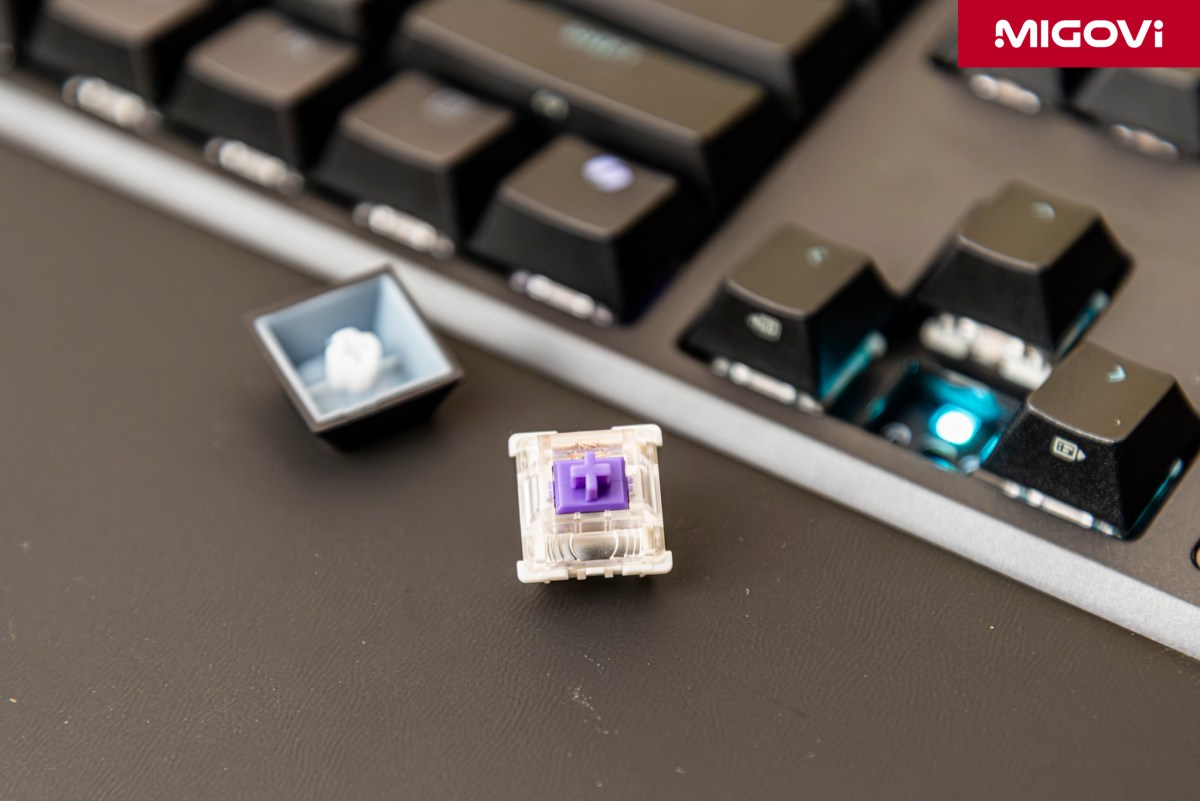
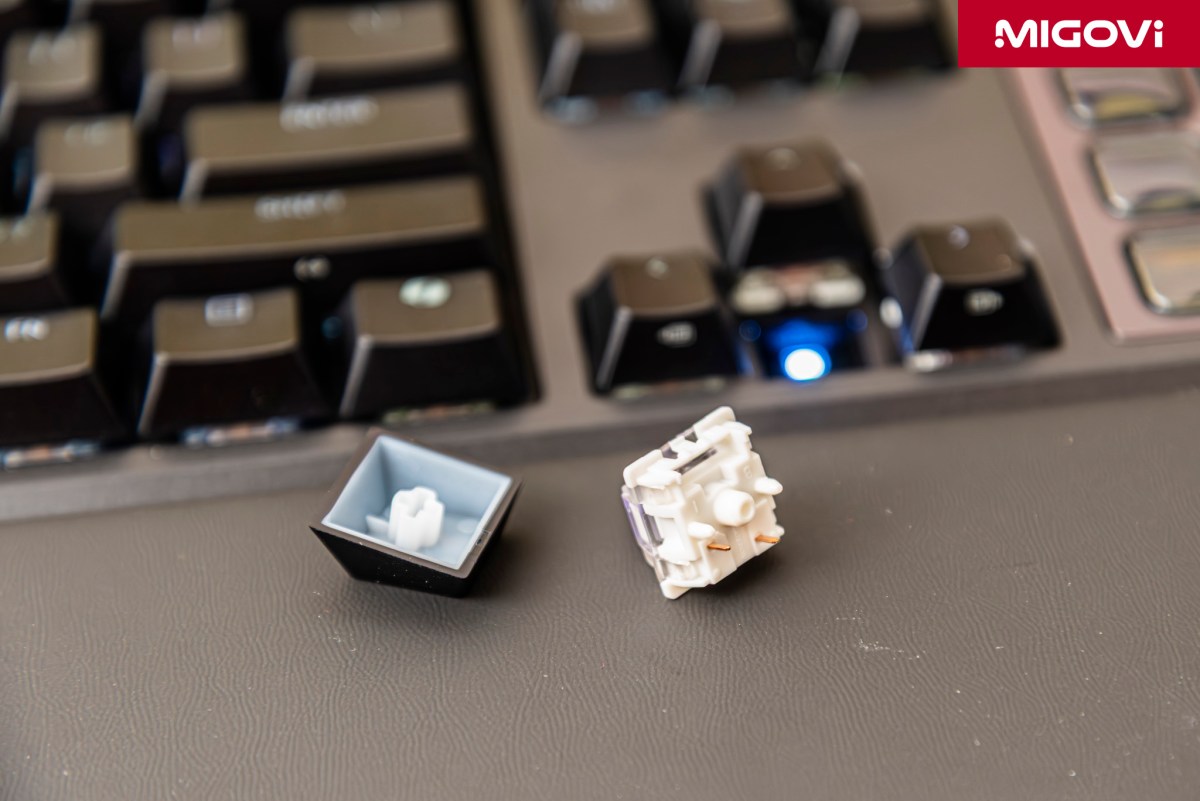
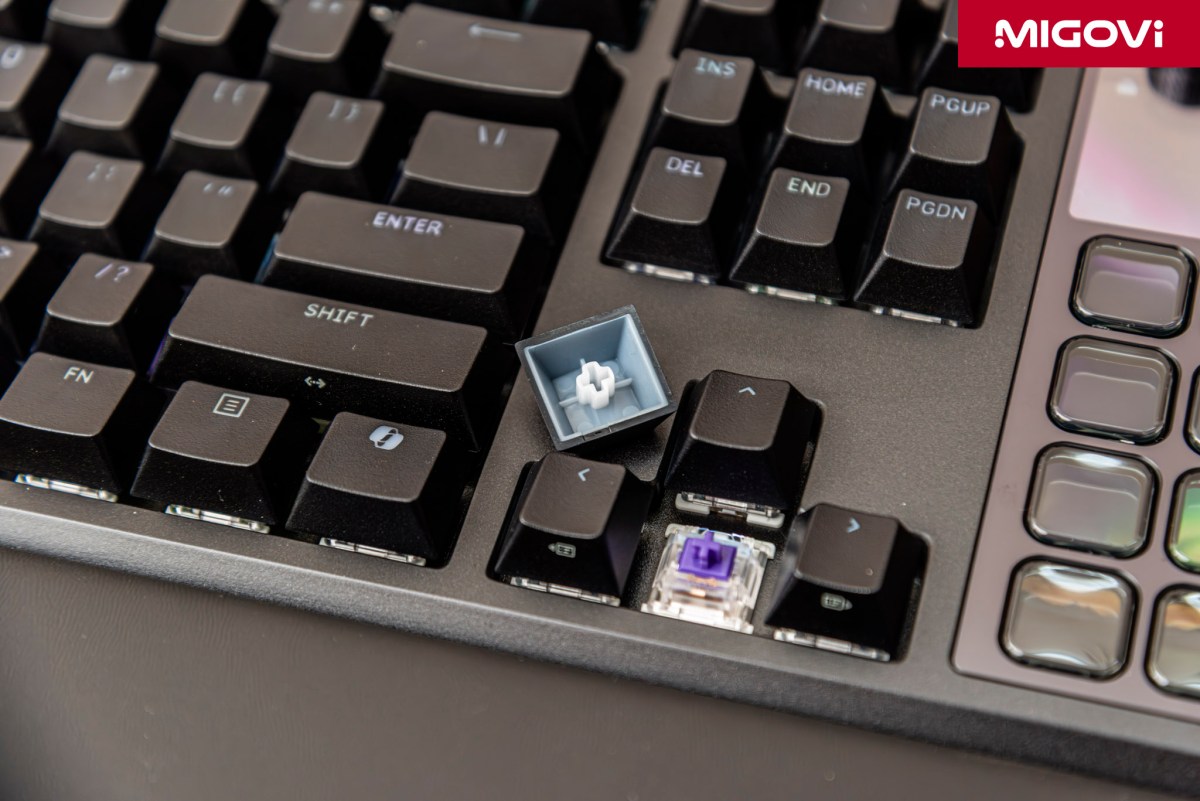
Under the hood, you'll find CORSAIR MLX Pulse Linear switches. These deliver a smooth, progressively heavier keystroke without any tactile bump or audible click. Linear switches are generally favored by gamers for their speed, consistency and smooth actuation during competitive play. The MLX Pulse switches come factory pre-lubed, a treatment that eliminates friction between the stem and the housing. This significantly reduces scratchiness and spring ping, resulting in a clean sound profile and a premium typing feel. They are rated for an 80-million keystroke lifespan.
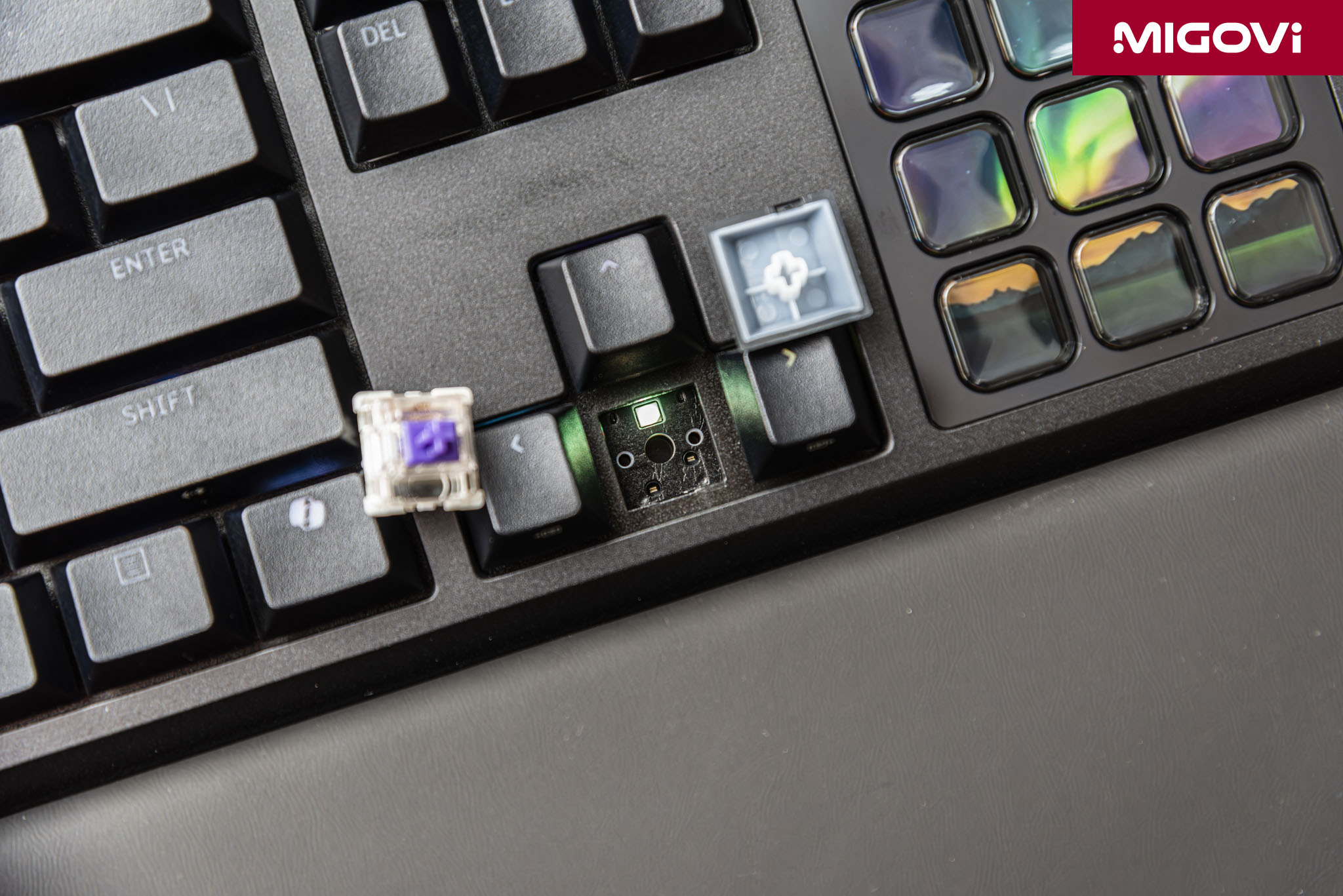
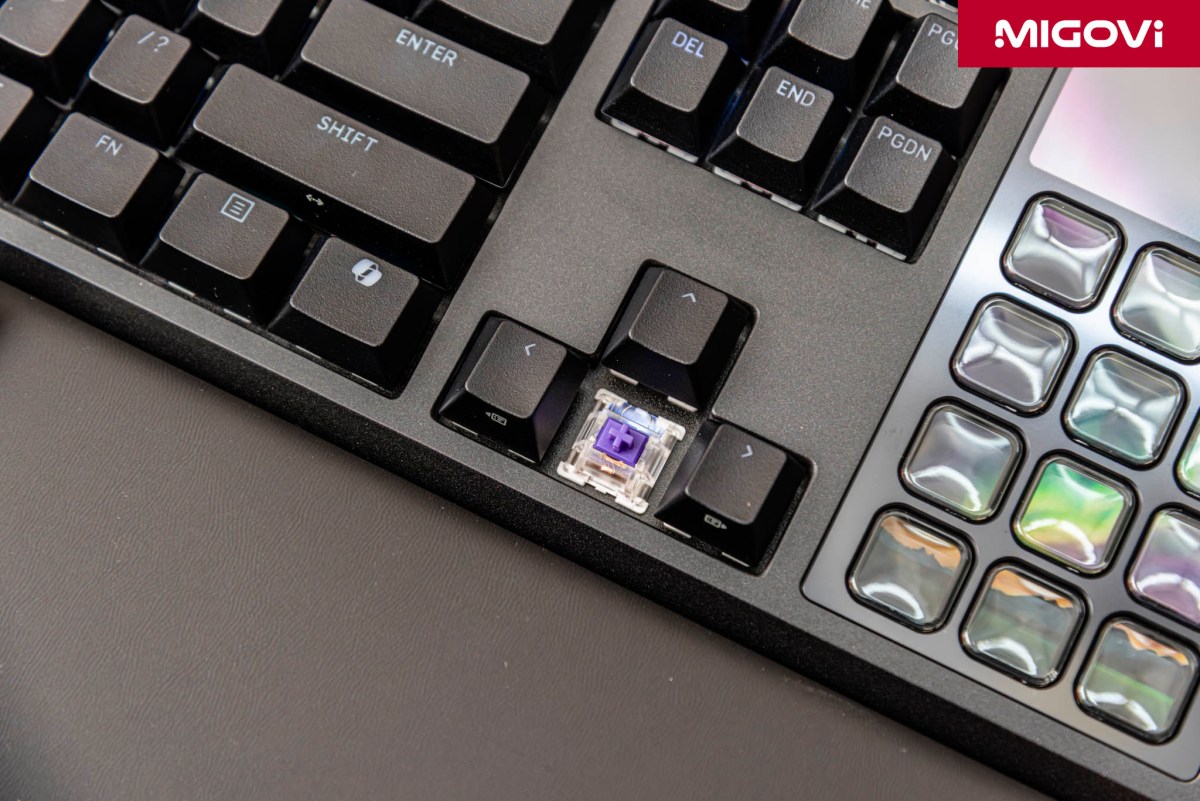
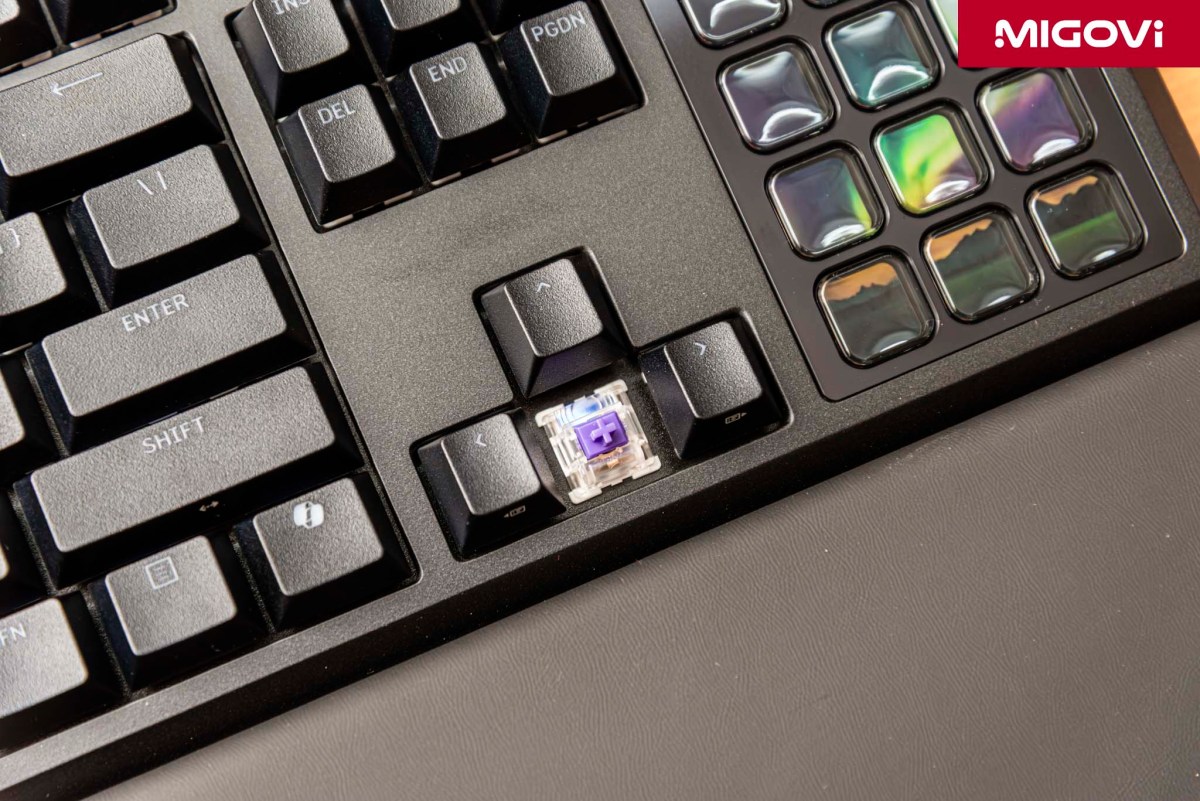
CORSAIR outfitted the GALLEON 100 SD with a hot-swappable PCB, supporting both standard 3-pin and 5-pin switches. If the linear feel of the MLX Pulse isn't your speed, you can easily swap them out for tactile (like Holy Pandas) or clicky (like Cherry MX Blues) switches from any brand - no soldering required. It's a staple feature of the custom keyboard scene that has finally been standardized on CORSAIR's flagships.
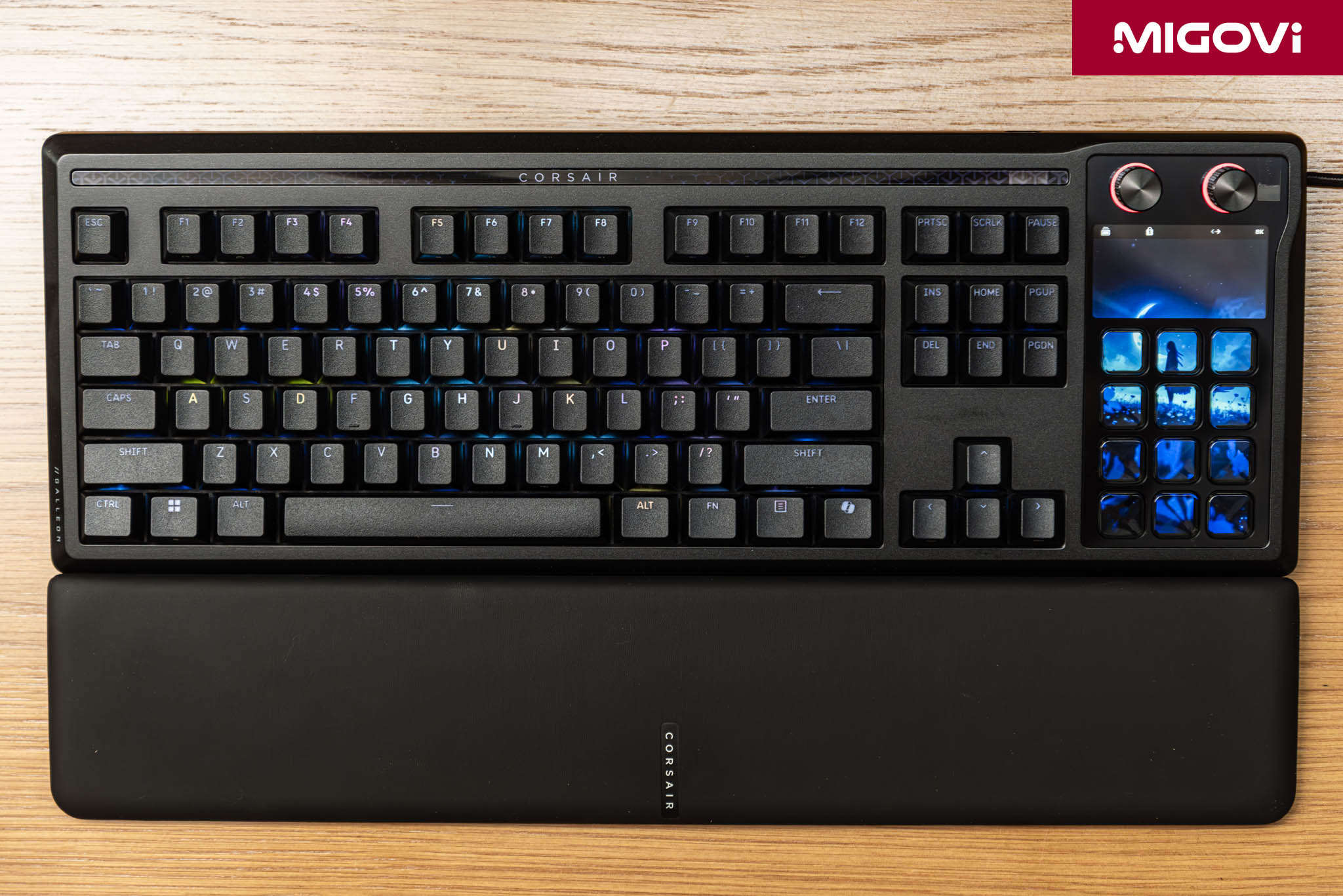
Moving away from the traditional tray mount, the GALLEON 100 SD adopts a gasket-mount structure. The PCB and plate aren't directly screwed into the bottom chassis; instead, they are sandwiched between elastomeric gaskets (typically Poron or silicone) along the top and bottom edges. This gasket mount provides a slight flex when typing, dampening the harsh bottom-out force on your fingertips and making typing significantly less fatiguing. To achieve that deep, "thocky" acoustic signature that enthusiasts crave, CORSAIR packed a total of six dampening layers inside. These foam layers fill the voids between the PCB, plate and chassis, eliminating case ping and filtering out high-frequency sounds, leaving only a satisfyingly deep tone.
Integrated Stream Deck ecosystem
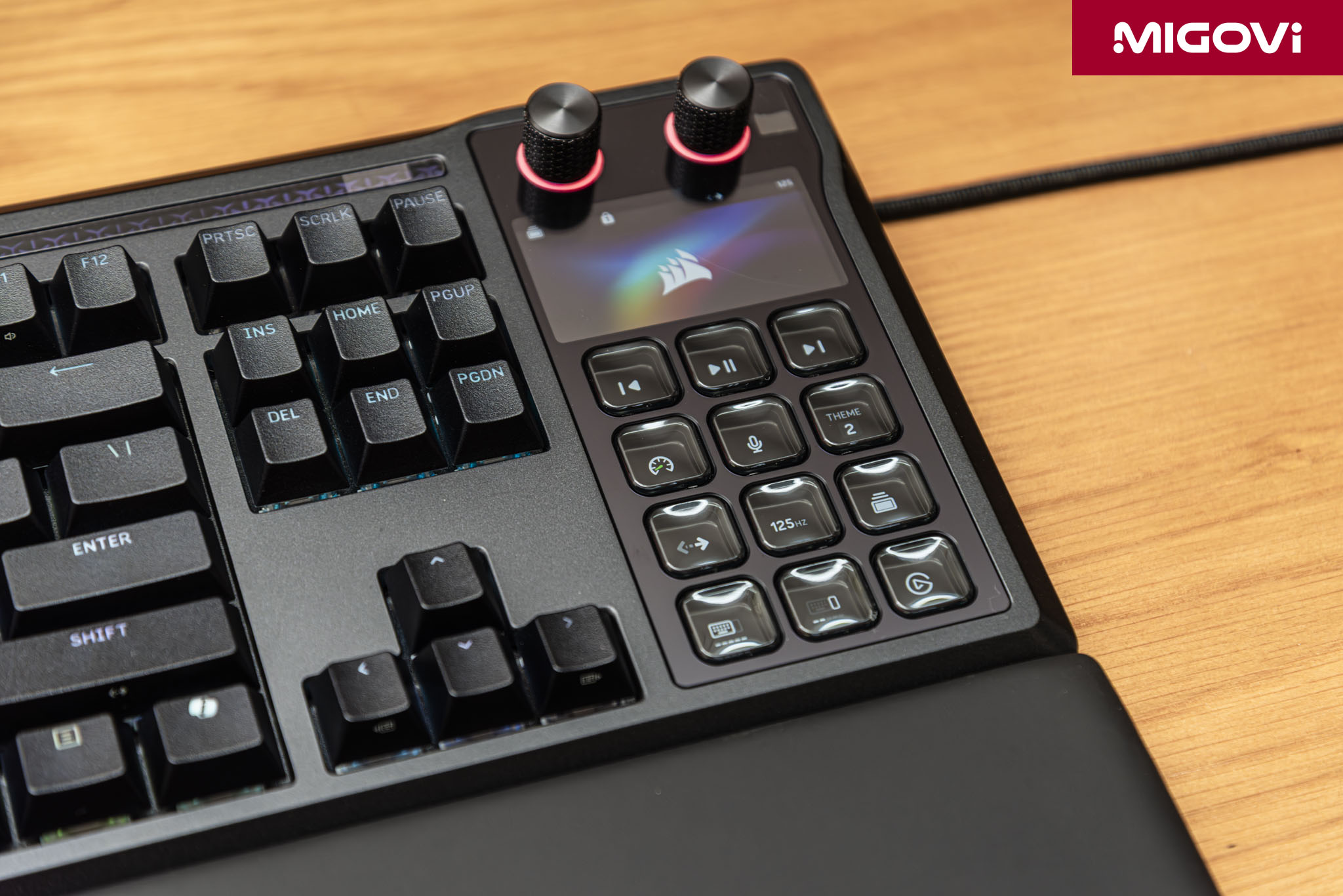
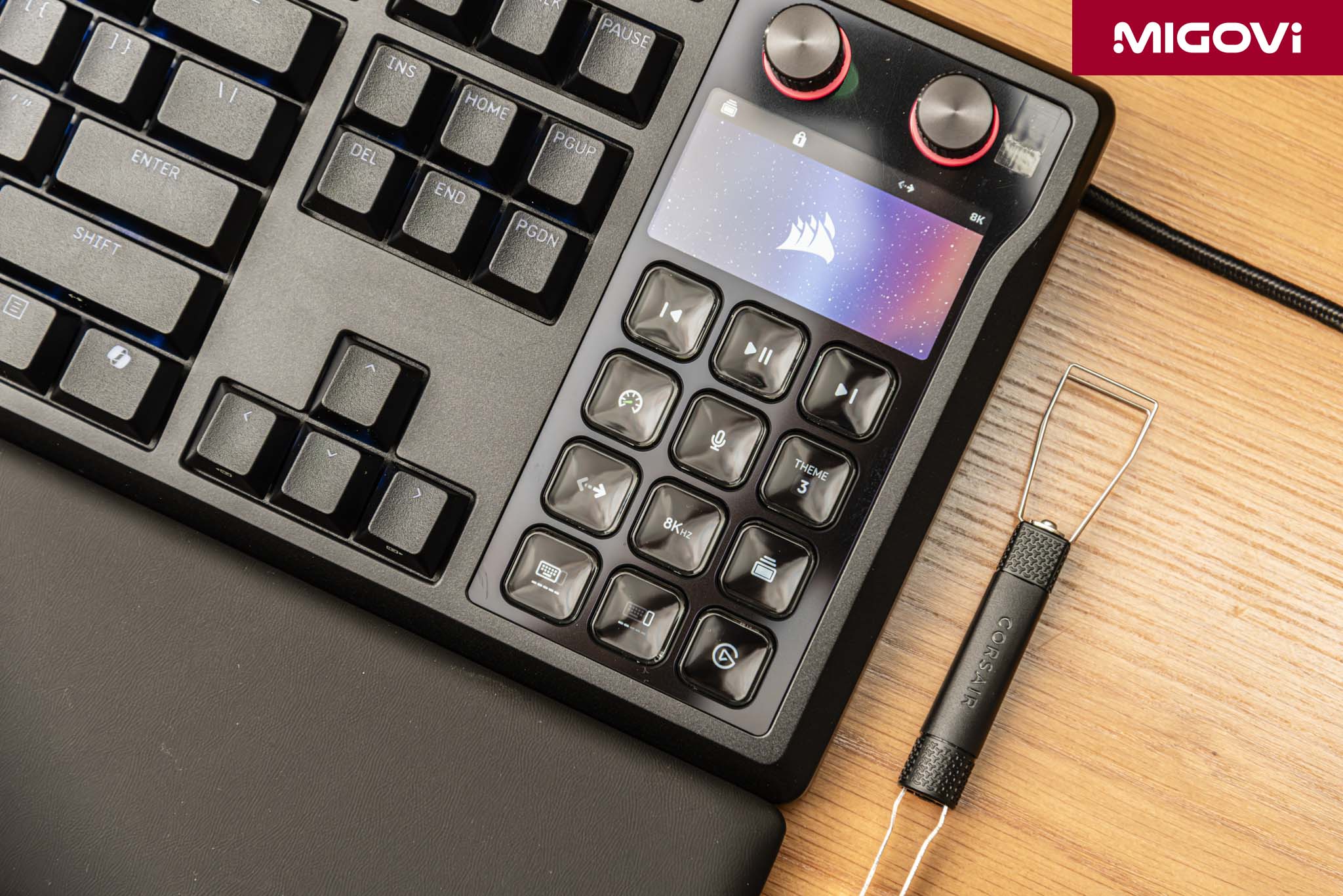
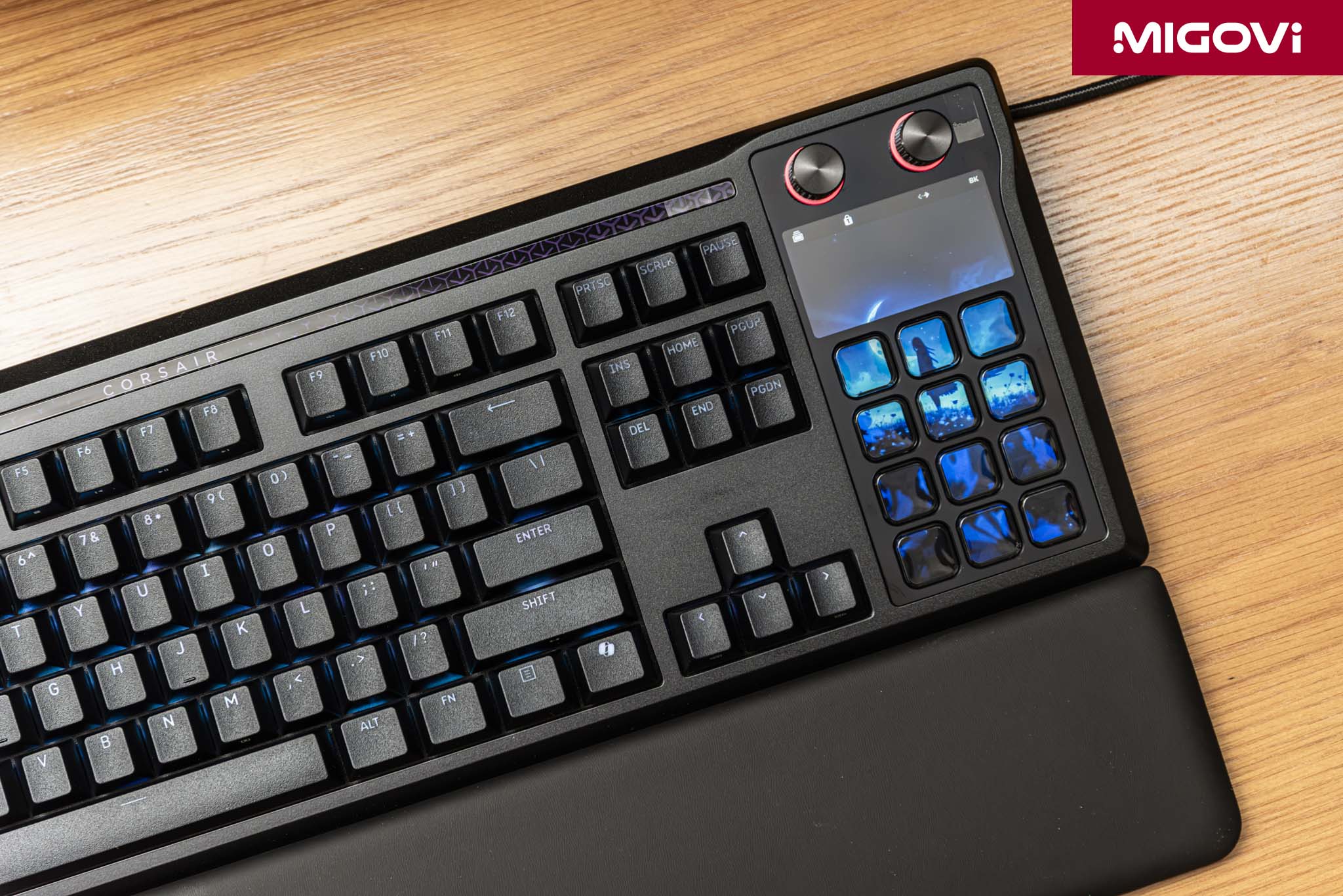
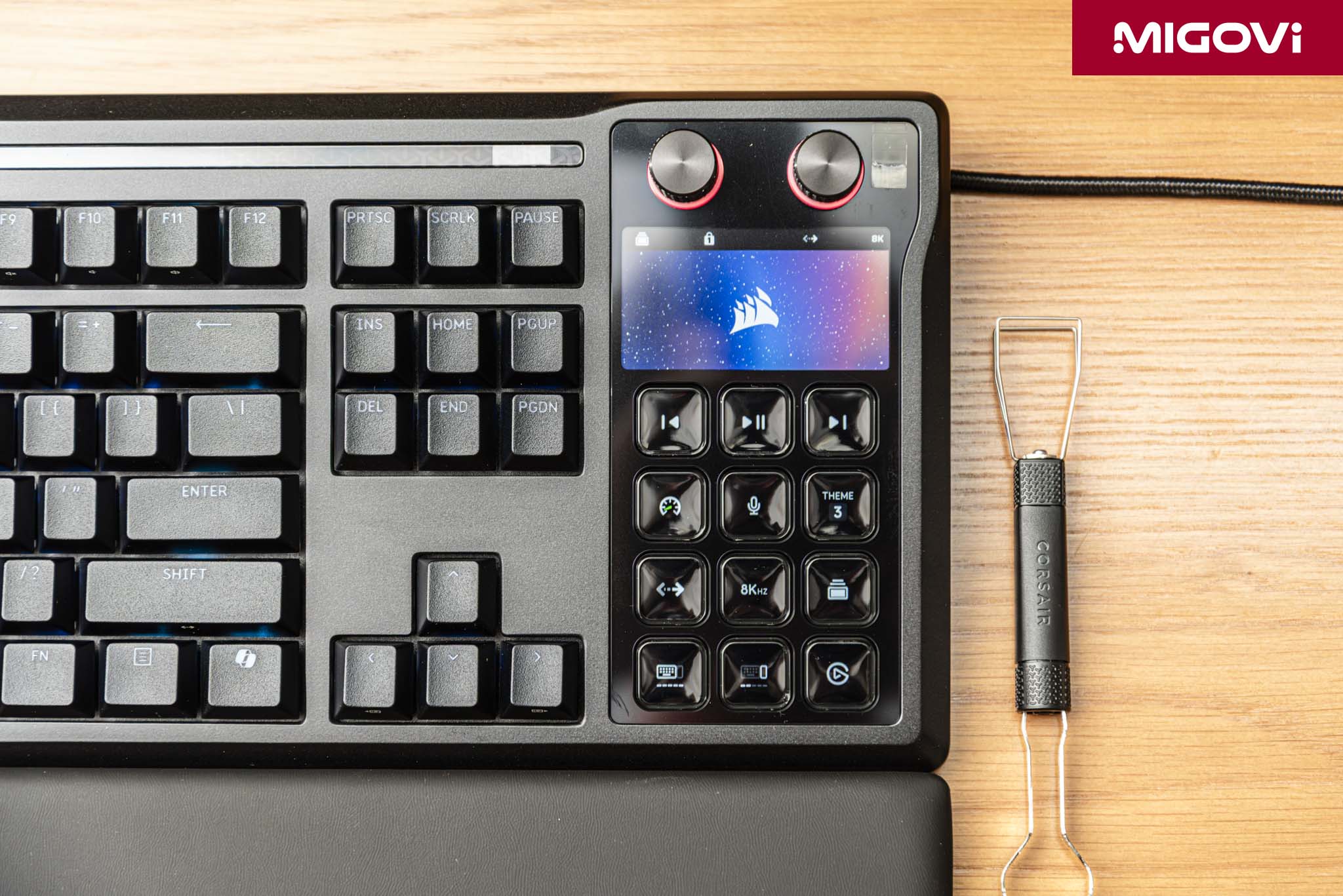
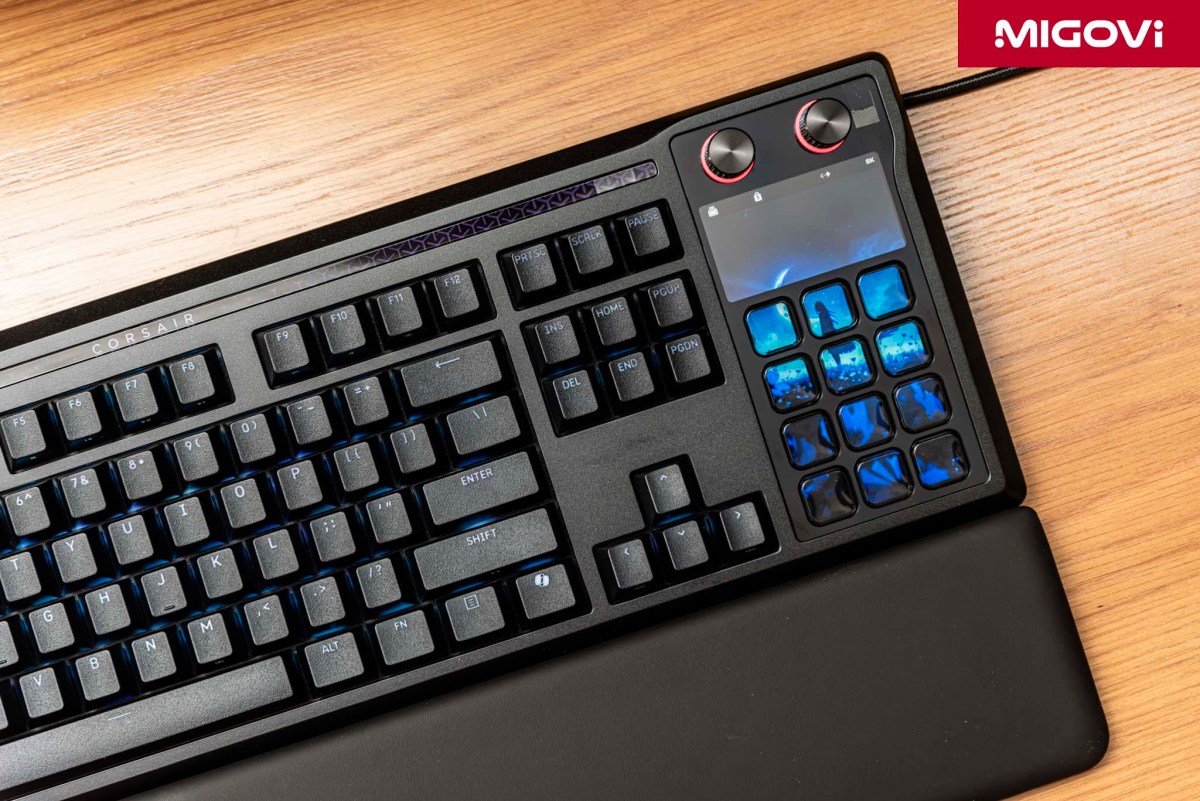
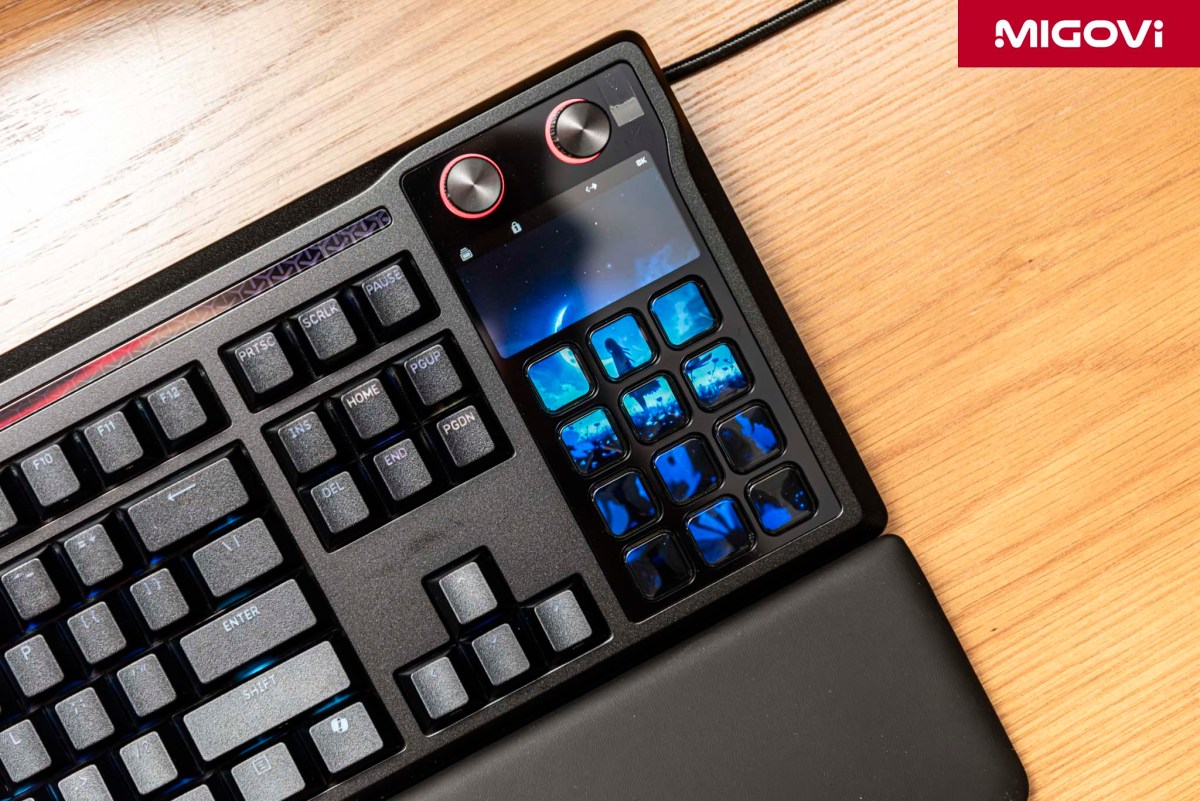
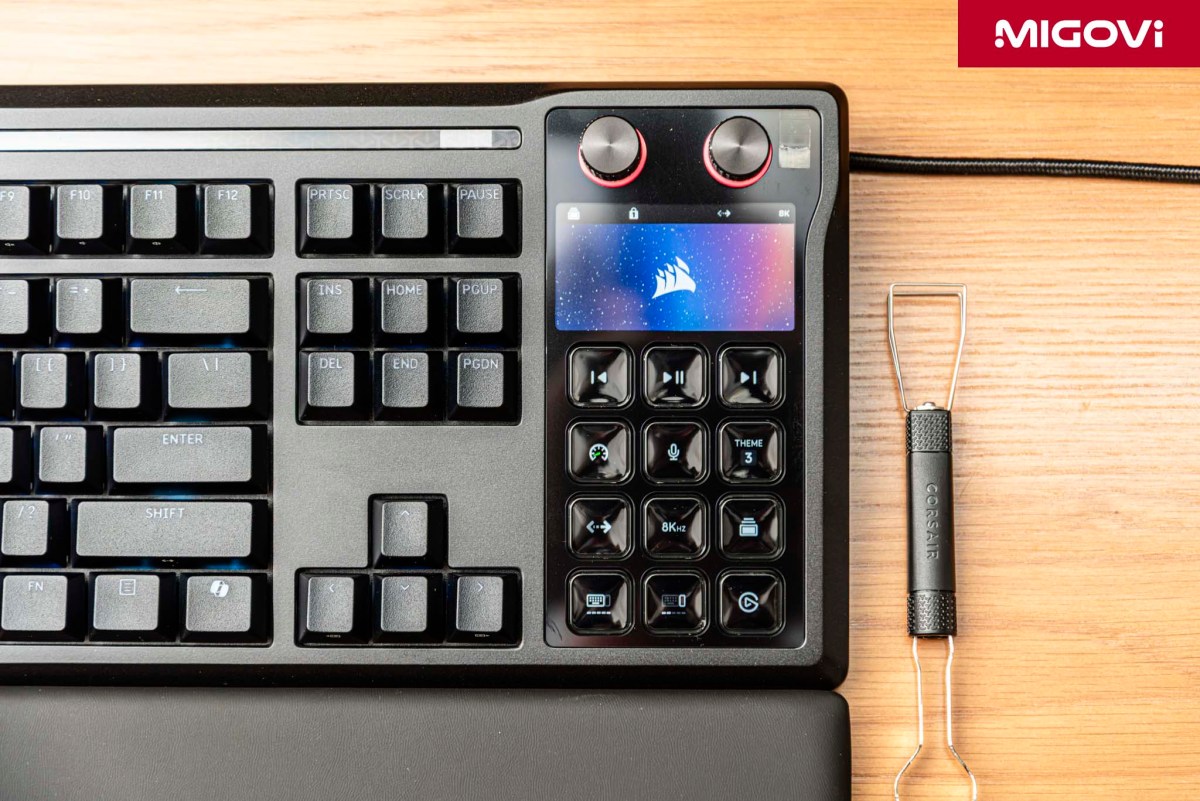
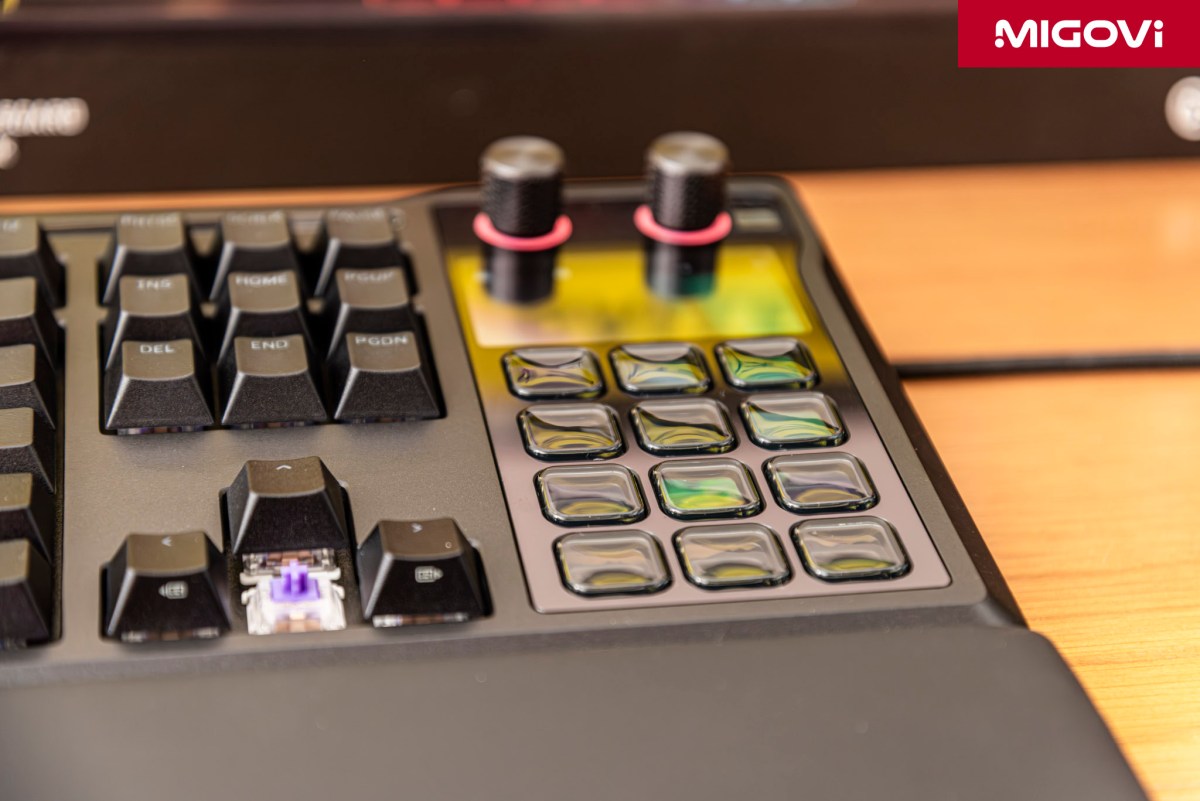
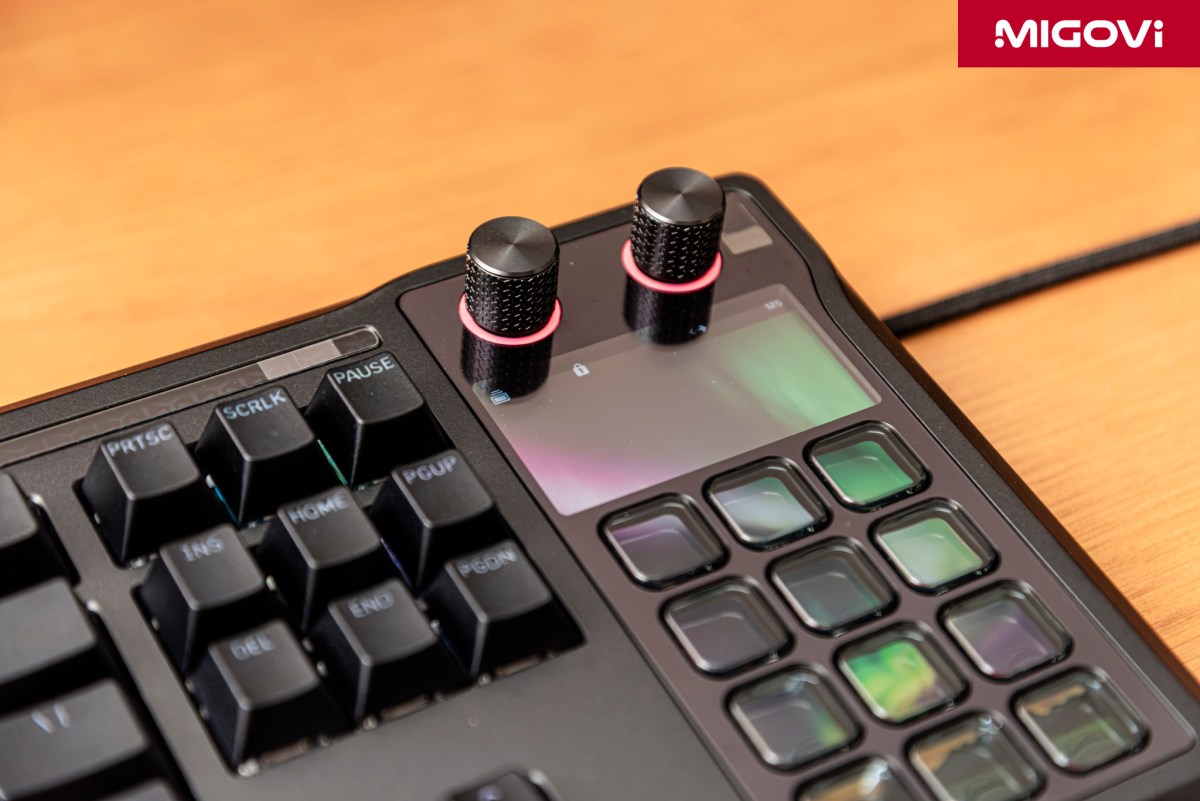
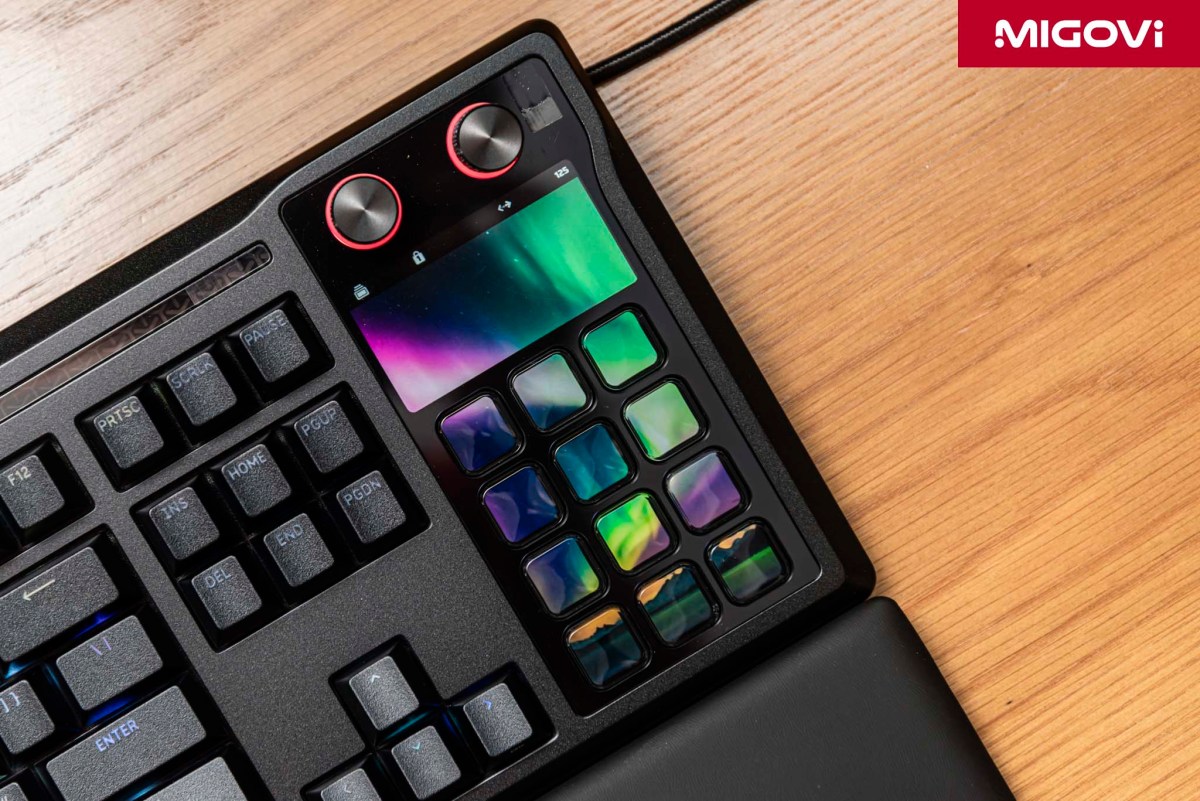
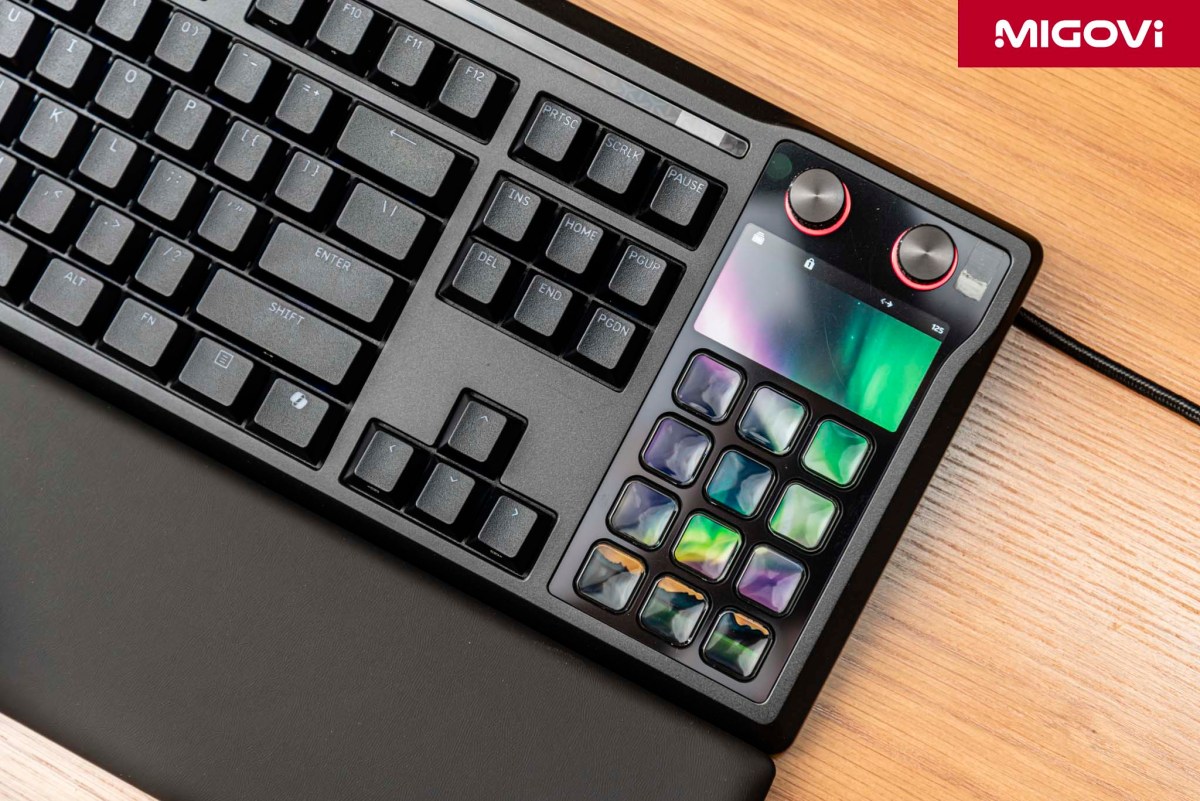
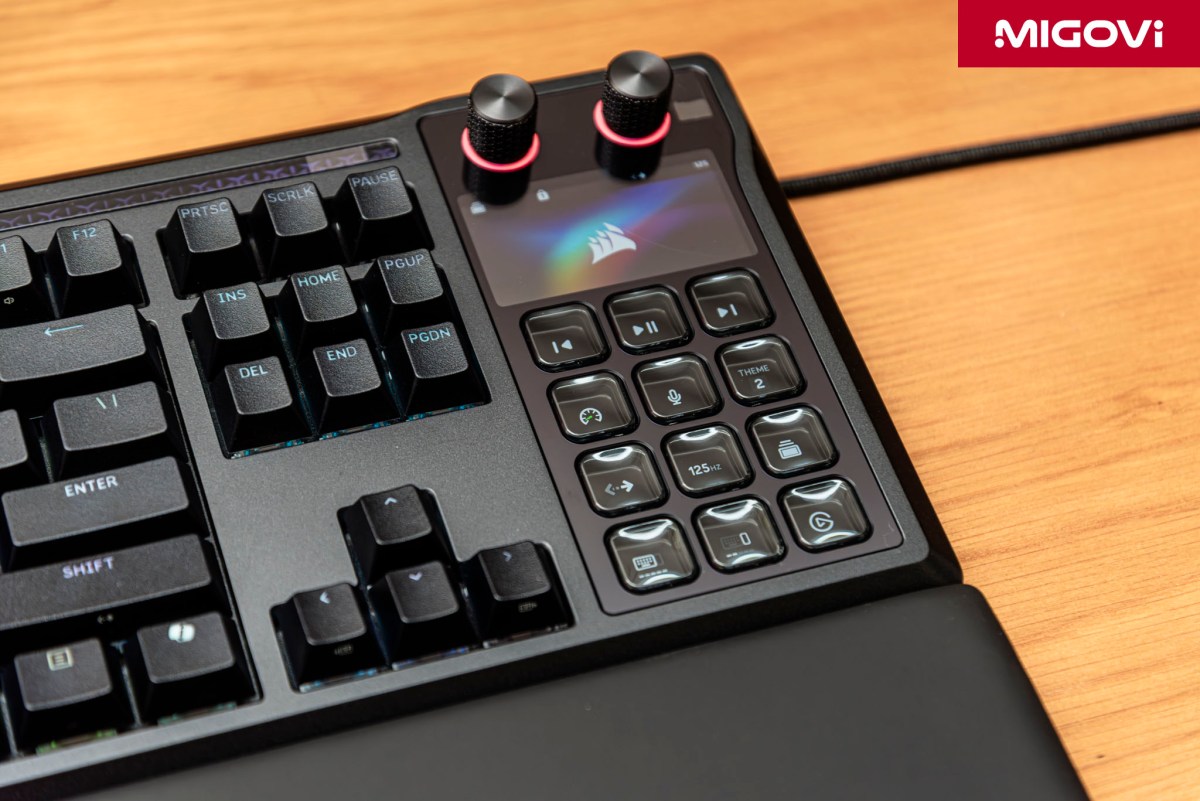
What truly sets the GALLEON 100 SD apart in the premium mechanical keyboard market is the Stream Deck module that replaces the traditional numpad. Featuring 12 physical keys, each backed by an independent color LCD screen, this Stream Deck acts as a parallel system to the keyboard rather than just a tacked-on accessory. You can freely assign macros, launch apps, trigger shortcuts, or execute complex scripts via the software.
CORSAIR arranged the Stream Deck section in a 3x4 grid. Each key can display static icons, animated GIFs, or real-time status updates. The LCD screens offer solid brightness and resolution, making complex icons or text easily legible under standard room lighting. The actuation feel of the Stream Deck keys differs from the main keyboard; they are softer with a shorter travel distance. If you've ever used a standalone Stream Deck, the tactile experience on the GALLEON 100 SD is virtually identical.
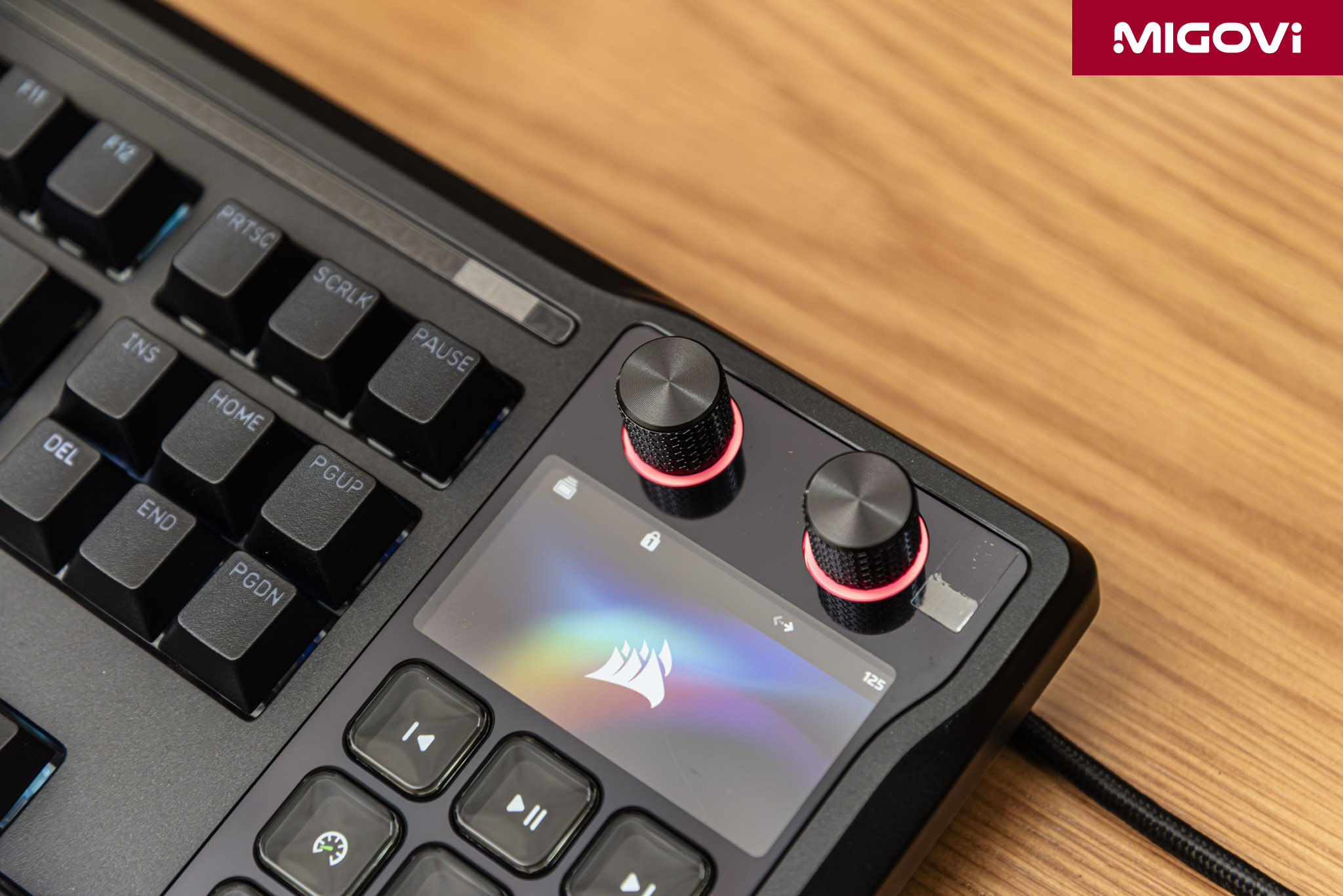
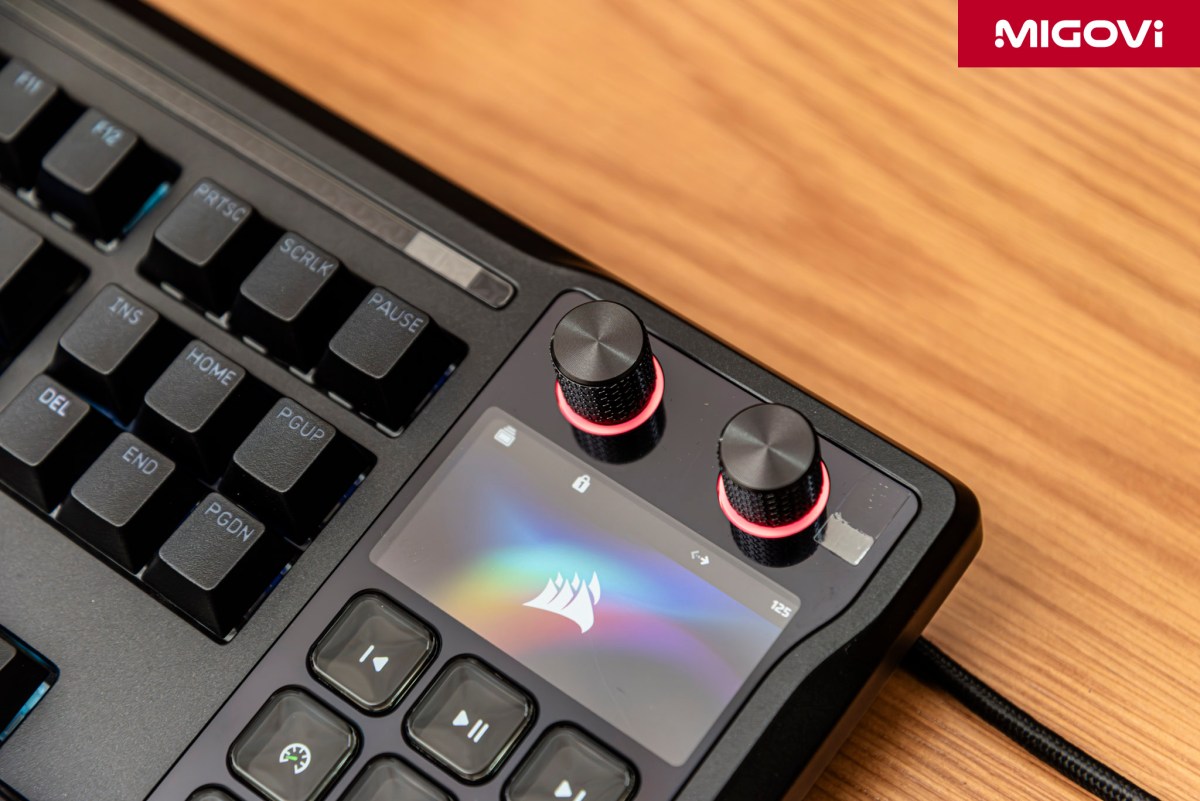
Situated directly above the Stream Deck cluster is a 2.5 x 1.25-inch info display for status notifications. You can monitor customizable widgets - such as CPU/GPU loads, weather, or the currently playing track - or check system alerts at a glance. Customization is naturally a given; you can change wallpapers, themes and configure various widgets directly within the control software.
Instead of a single volume roller, the CORSAIR GALLEON 100 SD is equipped with dual multi-function rotary dials - a feature typically reserved for the high-end Stream Deck Plus. These dials offer infinite 360-degree rotation, tactile stepping and click-to-press functionality. Because the sheer number of features outpaces the available physical hardware, CORSAIR uses a layering mechanism. Holding the dial for three seconds toggles between pre-defined function sets, such as switching from system volume control to monitor brightness adjustment. Furthermore, these dials become highly context-sensitive within specific applications. In Adobe Photoshop, for instance, you can use the dial to adjust brush size or zoom; in Premiere Pro, it can scrub the timeline or tweak exposure.
Software and customization
Ditching iCUE, the CORSAIR GALLEON 100 SD pivots to the Web Hub platform. This is a browser-based application, requiring no local software installation. All settings - from RGB lighting and key remaps to performance tweaks like polling rate and FlashTap - are saved directly to the keyboard's onboard memory. This allows you to plug the GALLEON 100 SD into a different PC while retaining all your saved configurations. It also keeps your system leaner by eliminating background software overhead.
However, it is crucial to note that iCUE and Web Hub cannot run simultaneously. To configure the keyboard via Web Hub, you must completely terminate iCUE. This presents a significant inconvenience if you are heavily invested in the broader CORSAIR ecosystem (headsets, RGB fans, RAM) currently managed by iCUE. Additionally, complex system-wide lighting sync effects (like Murals) are limited when using the CORSAIR Web Hub.
For the right-hand Stream Deck cluster, the Elgato Stream Deck software handles all management, including the LCD screens. The drag-and-drop interface is incredibly intuitive: simply drag the desired Actions from the right-hand list onto the corresponding virtual keys. The Elgato Marketplace is where the GALLEON 100 SD truly stretches its legs. In this digital storefront, you can download a massive array of plugins, icon packs and pre-made profiles created by the community and third-party developers. Want to map OBS Studio (stream control), Twitch (chat/ad management), Discord (mute/deafen), Spotify (playback) and Philips Hue (room lighting) directly to your Stream Deck keys? It's all just a download away.

Smart Profiles is a feature that automatically switches the keypad layout based on the active application. Launch Photoshop and the 12 LCD keys display photo editing tools; tab into a game and they swap to macro skills; return to the desktop and they revert to web shortcuts and media controls.
CORSAIR has equipped the GALLEON 100 SD with three distinct operating modes:
- Hardware Mode: Used when the Stream Deck software isn't running, or when plugged into an unfamiliar PC or console. The keyboard runs entirely off onboard memory. The LCD keys display static icons or logos. Functionality is limited to basic macros and media/brightness controls. Offers the highest reliability.
- Stream Deck Mode: Active when the Elgato Stream Deck software is running on the host PC. This unlocks the full suite of smart features: animated icons, plugins, two-way API integration and Smart Profiles. This is the "god mode" of the GALLEON 100 SD.
- Web-Based Mode: Engaged when accessing the CORSAIR Web Hub to configure the keyboard. Used to flash data to the onboard memory, tweak basic RGB backlighting and update firmware.
Gaming tech and features
When discussing a CORSAIR keyboard, gaming chops are a given. One of the most significant features here is FlashTap SOCD (Simultaneous Opposite Cardinal Directions), which overrides how the keyboard processes inputs when two opposing directional keys are pressed simultaneously (typically A and D in FPS titles). In games like CS2 or Valorant, "counter-strafing" (tapping the opposite direction to stop momentum instantly for an accurate shot) requires precise mechanical skill. On a standard keyboard, pressing A and D simultaneously might cause the character to stand still or continue moving in an unintended direction, depending on the firmware. FlashTap completely eliminates this variable by allowing you to set a priority mode, most notably Last Input Priority.
If you are holding A (strafing left) and then press D (strafing right), the keyboard immediately cuts the A signal and sends the D signal, changing your character's direction instantly without needing to lift off the A key. Release D and the A signal reactivates (if still held). FlashTap makes jiggle-peeking incredibly fast and seamless, drastically reducing input errors. This feature is so potent that some gaming communities border on classifying it as an assist tool. However, CORSAIR integrates FlashTap directly at the hardware level, making it far more stable and responsive than traditional software-based macro solutions.
Beyond FlashTap SOCD, the GALLEON 100 SD leverages CORSAIR's AXON Hyper-Processing technology. AXON delivers an 8,000 Hz polling rate, eight times faster than the 1,000 Hz industry standard. Where a typical keyboard reports inputs every 1 ms, the GALLEON 100 SD reports every 0.125 ms. While this delta might be imperceptible to the average user, in a competitive esports environment - especially when paired with ultra-high refresh rate monitors (360 Hz and above) - it's critical. Shaving off input lag down to the absolute minimum ensures reflex actions are registered with pinpoint accuracy, eliminating micro-stutters in the input signal.
The CORSAIR GALLEON 100 SD also features a dedicated Game Mode, toggled via a physical button or shortcut. Game Mode is designed to keep you locked in: it disables the Windows key (preventing accidental desktop drops), blocks Alt+Tab/Alt+F4 combinations (customizable) and shifts the RGB lighting to a static state. This static lighting reduces the processing overhead on the microcontroller, dedicating maximum bandwidth to raw keystroke signal processing.
User experience
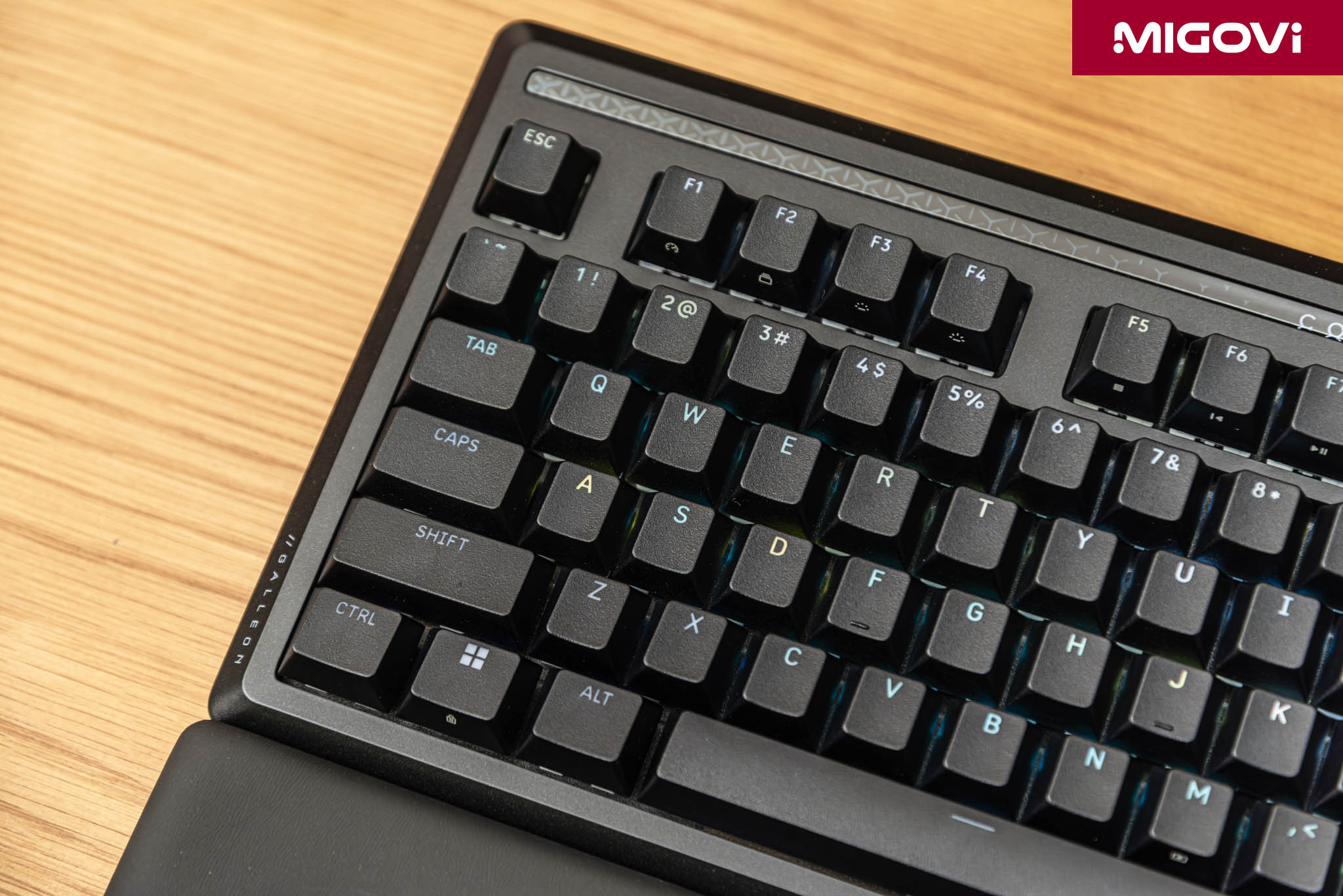
Thanks to the gasket-mount chassis and six layers of acoustic foam, the GALLEON 100 SD delivers a vastly superior typing experience compared to legacy models like the K70 or K95. Typing feels plush with a slight, forgiving bounce upon bottoming out, avoiding any harsh finger shock. Fast typing yields a deep, solid acoustic profile, free from metallic ping or hollow chassis echo. The pre-lubed switches ensure an exceptionally smooth keystroke, translating to faster reflex actions. The keycaps are double-shot PBT plastic with a lightly textured, grippy finish. PBT plastic offers immense durability; it won't wear down or develop an unsightly shine, even after years of heavy, continuous use.
The right-mounted Stream Deck module is surprisingly tidy and intuitive, particularly for right-handed users. You can comfortably actuate the keys with your right hand, quick-tap them with your pinky while typing, or even hit them with your thumb while gripping the mouse. The sheer utility and power of a Stream Deck for content creators is undisputed at this point - practically every streamer has one sitting on their desk. However, if you are an absolute FPS purist, especially one playing on a low sensitivity, the overall length of the keyboard might impede your mouse-sweeping real estate. Competitive gamers typically lean toward 60% layouts to maximize mouse space. In that specific scenario, a discrete 60% board paired with a standalone Stream Deck that can be freely repositioned might be the more practical loadout.
Conclusion
Overall, the GALLEON 100 SD is a breakthrough product. Merging a mechanical keyboard with a Stream Deck is a concept that could only really materialize from a brand like CORSAIR, given its ownership of Elgato. The GALLEON 100 SD isn't for the masses; it's laser-targeted at a specific niche of power users and multitaskers who demand absolute control across various workflows. The board’s design is incredibly robust and premium, the typing feel is top-tier and it fully exploits the potent Elgato ecosystem alongside uncompromising gaming tech. That said, the software friction between Web Hub and iCUE can be an occasional headache and the steep price tag acts as a significant barrier to entry if you're just looking to "test the waters."
Looking ahead, if CORSAIR can iron out the software synchronization and perhaps introduce a magnetic switch variant (MGX Hyperdrive), the GALLEON series will truly claim the throne of the versatile gaming keyboard market. For now, at $350, it remains a worthwhile investment for those looking to fundamentally upgrade their workstation and gaming setup.
The CORSAIR GALLEON 100 SD is a genuinely premium keyboard choice for both work and play at a $350 price point. However, you need to be mindful of the software management. To configure this board via the Web Hub, you must completely shut down iCUE. This means if you run a multi-device CORSAIR ecosystem (fans, AIO coolers, RAM) through iCUE, system-wide RGB synchronization (like Murals) will be interrupted when tweaking the GALLEON 100 SD. Additionally, due to its substantial footprint (roughly equivalent to a full-size board), low-sensitivity FPS gamers need to carefully consider their available desk space for mouse sweeps.



- ✓Built-in 12 LCD-key Stream Deck
- ✓Features dual 360-degree multi-function dials
- ✓Gasket-mount structure with 6 layers of dampening foam
- ✓Pre-lubed, hot-swappable MLX Pulse Linear switches
- ✓FlashTap SOCD and AXON Hyper-Processing
- ✓Premium build: aluminum top plate, double-shot PBT keycaps
- ✕High price point ($350)
- ✕CORSAIR Web Hub or iCUE - you can only run one
- ✕Large footprint impedes mouse movement space