
Intel Core Ultra 200S Plus: A radical overhaul of Arrow Lake-S
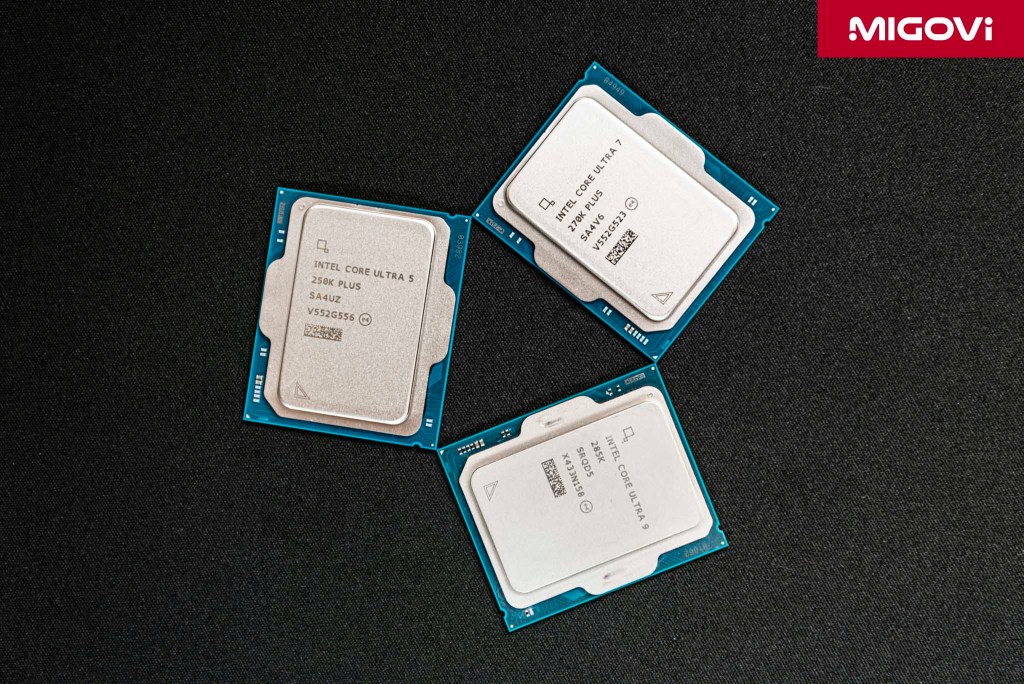
Far from the traditional "tick-tock" cycle or a mere clock speed bump, the Intel Core Ultra 200S Plus represents a comprehensive metamorphosis for desktop CPUs.
- The Core Ultra 200S Plus brings enthusiast-tier core configurations down the stack. The Core Ultra 7 270K Plus boasts 24 cores (8P+16E), while the Core Ultra 5 250K Plus bumps up to 18 cores (6P+12E).
- Die-to-Die (D2D) internal interconnect frequency has been boosted from 2.1 GHz to 3 GHz (a nearly 43% increase).
- The IBOT utility intervenes directly at the binary level in real-time to "bend" game execution threads to best fit the new microarchitecture, without compromising graphical fidelity. The mandatory IPPP suite automatically orchestrates Windows scheduling and power management to ensure optimal CPU performance.
- The new platform officially supports DDR5-7200 and CQDIMM 4R memory.
- Priced aggressively at $199 for the Ultra 5 and $299 for the Ultra 7, Intel is delivering an exceptionally compelling price-to-performance ratio.
Article content
Why Core Ultra 200S Plus?
While the original Arrow Lake-S (Core Ultra 200S) launch brought undeniable improvements in power efficiency and multi-threaded performance, it suffered from a glaring Achilles' heel: internal communication latency. This bottleneck led to tangible performance hits in real-time workloads - most notably, high-resolution gaming. As a result, the competition's processors easily dominated the entertainment and professional gaming segments.
Industry forecasts suggest the true next-generation desktop architecture - Nova Lake-S (Core Ultra 400S) - won't surface until 2027. With the Core Ultra 300 Series seemingly pivoting entirely toward mobile and laptops, the pressure was on Intel to find a stopgap. Following intense R&D and refinement, the Core Ultra 200S Plus was born - not just a mere refresh, but a total reset of Team Blue's desktop CPU strategy.
Intel's team actively listened to user and media feedback regarding mid-cycle "refresh" naming conventions. While they could have easily slapped a "Core Ultra 300S" badge on these chips, the "200S Plus" moniker is a nod to that feedback. It strikes an ideal balance: conveying "newness" to mainstream buyers while retaining "truth in naming" for professionals. This "Plus" naming scheme could become a staple for future architectural revisions, signifying the definitive, fully polished version of a specific platform or product line.

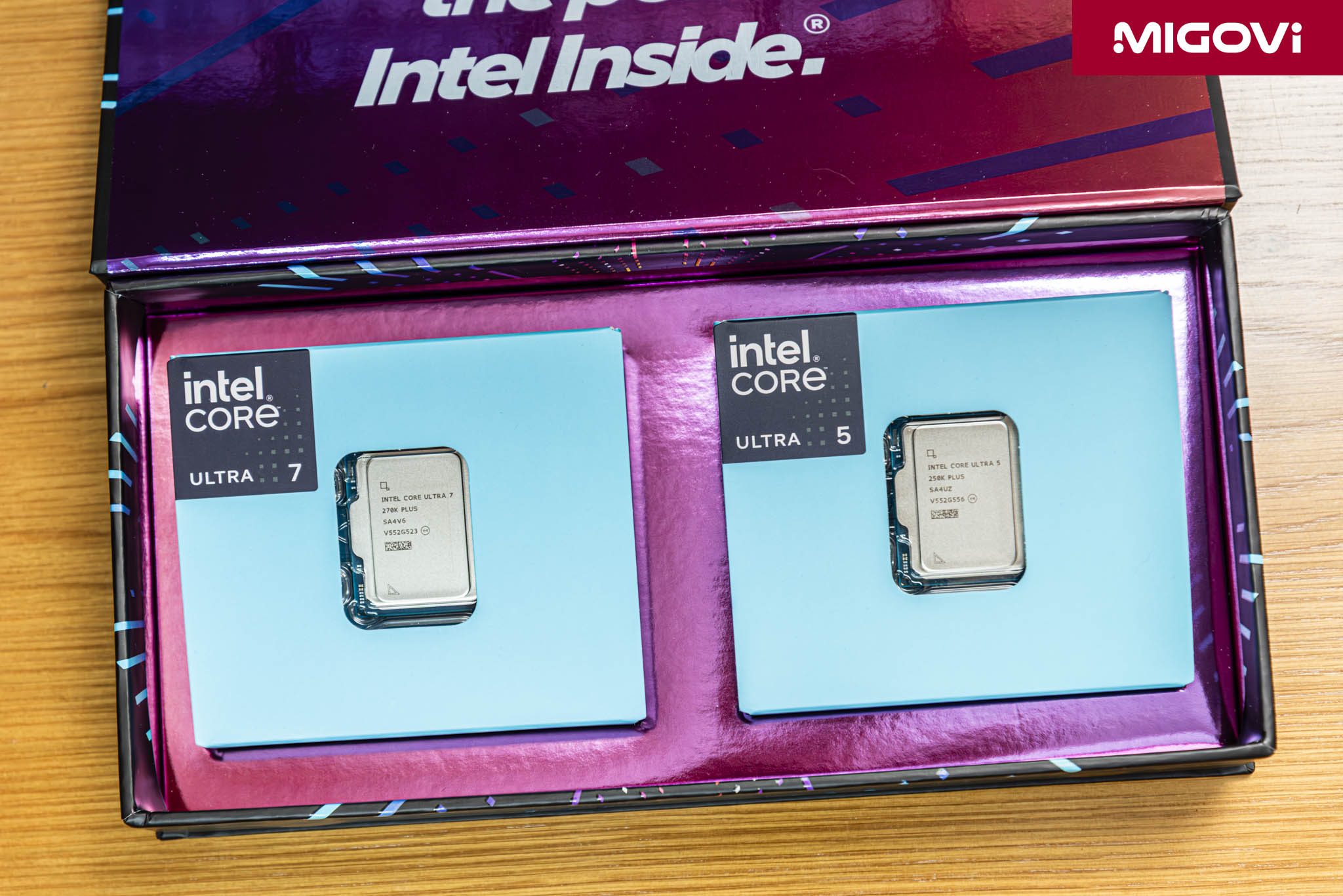
So, when you see the "Core Ultra 200S Plus" label, you know exactly what you're getting: chips that still slot into the LGA 1851 socket and are backed by the 800 Series chipset motherboards (Z890, B860 and H810). For now, there are two primary SKUs: the Core Ultra 5 250K Plus and the Core Ultra 7 270K Plus.
Familiar exterior, entirely new engine
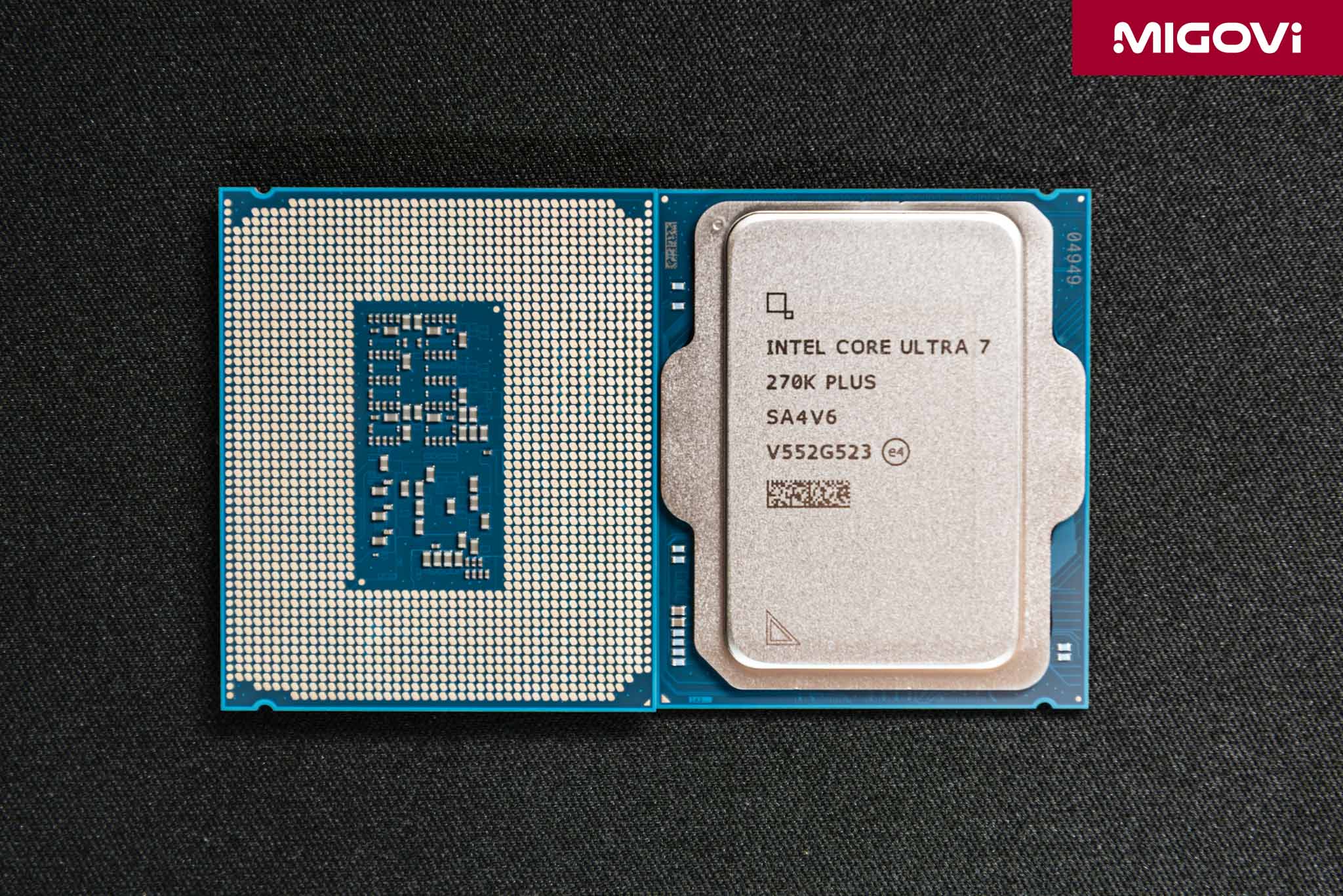
Bearing just the "Plus" suffix, the physical footprint of the Core Ultra 200S Plus remains unchanged: a 45 x 37.5 mm package tailored for the LGA 1851 socket. The CPU retains its chiplet design, utilizing Intel’s advanced Foveros 3D packaging to stitch together various semiconductor nodes on a single die - optimizing manufacturing costs and yields. The Compute Tile is fabbed by TSMC on the N3B (3 nm) node, the Graphics Tile utilizes N5P (5 nm), while the SoC and I/O Tiles rely on N6 (6 nm). All these "building blocks" sit atop a Base Tile manufactured on Intel's traditional 22 nm FinFET process. Despite this advanced fabrication, the chiplet architecture itself was the culprit behind the communication latency in the initial Arrow Lake-S generation; data took too many clock cycles to shuttle between tiles. With the Core Ultra 200S Plus, Intel restructured the layout, added core clusters and overhauled the internal bandwidth controller to overcome these physical hurdles.
The "waterfall" core configuration
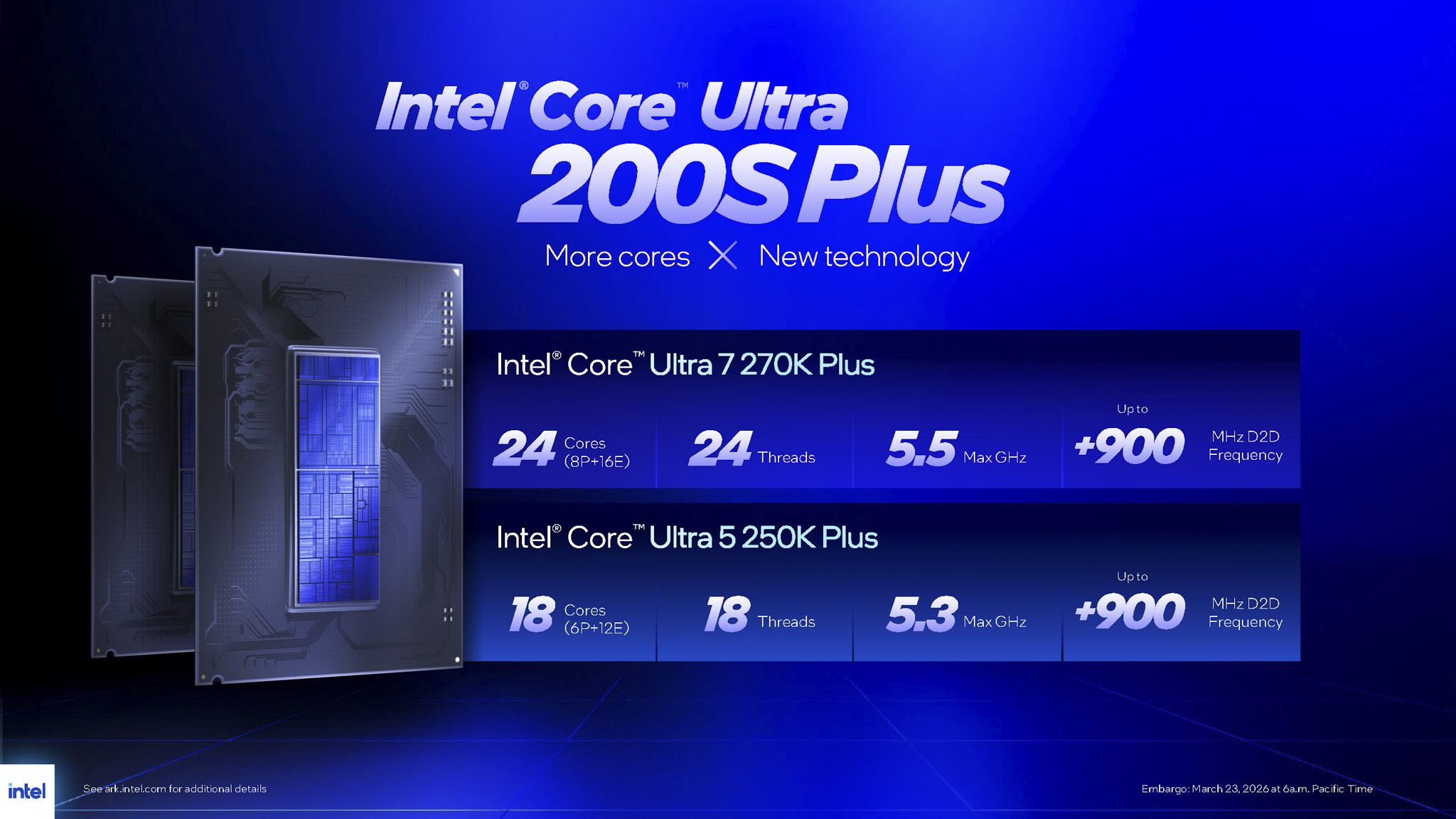
In the original Arrow Lake-S lineup, the flagship 24-core configuration (8 Performance cores and 16 Efficient cores) was strictly reserved for the top-tier Core Ultra 9 285K. This time around, the Core Ultra 7 270K Plus inherits that exact premium layout but brings it down to the sub-flagship tier. Similarly, the Core Ultra 5 250K Plus gets a beefy addition of a 4-core Efficient cluster, bringing its total to 18 cores/threads (6P+12E). The "waterfall" analogy here is apt: top-tier features from the previous generation cascade down to more accessible price points.
More cores inherently mean more performance. It’s worth remembering that starting with Arrow Lake-S, Intel ditched Hyper-Threading Technology on its P-cores to optimize die area and cut power consumption. Thus, the Core Ultra 7 270K Plus features strictly 24 threads and the Core Ultra 5 250K Plus has 18 threads. The P-cores are built on the Lion Cove microarchitecture, while the E-cores utilize Skymont. Skymont alone delivers a massive 32% IPC (Instructions Per Cycle) uplift over its predecessor; Lion Cove offers a more modest 9% IPC gain.
With increased core counts, cache sizes have been scaled up to match. The Intel Smart Cache (L3) on the Core Ultra 7 270K Plus hits 36 MB, which, combined with the L2 Cache, results in a hefty 40 MB total (a significant jump from the 32 MB seen in older generations). Meanwhile, the Core Ultra 5 250K Plus packs 30 MB of L3 Cache - matching the much pricier Core Ultra 7 265K of the previous generation. Cache is essentially a data reservoir; larger capacities mean a greater ability to store instruction sets. Sitting adjacent to the compute cores, this mitigates cache misses when processing massive datasets in specialized workloads (like machine learning and 3D rendering).
Juicing the Die-to-Die Interconnect clocks
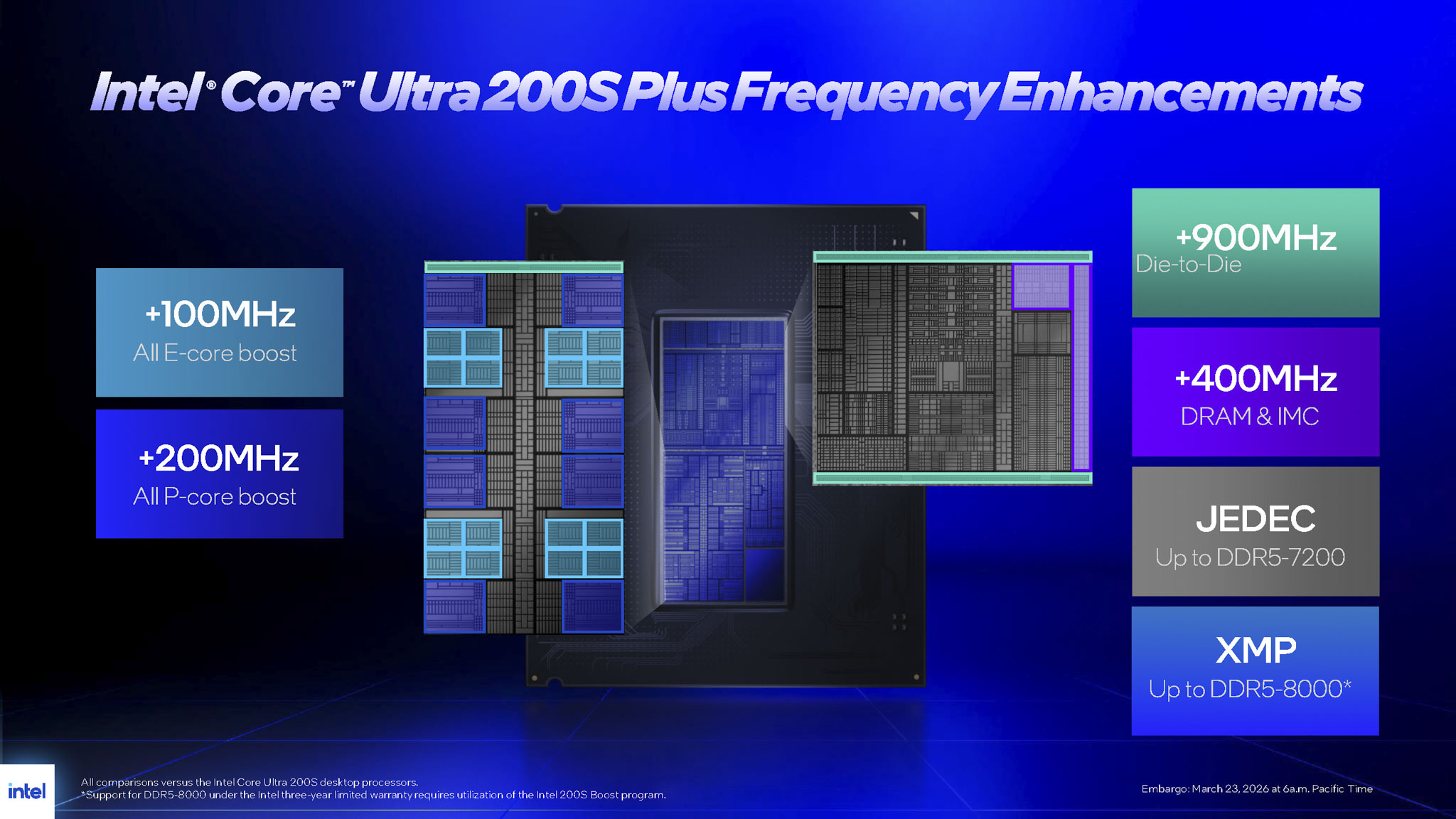
Adding more muscle (cores) undeniably makes the body (the processor) stronger, but the original Arrow Lake-S suffered from a lack of agility. In a chiplet design where tiles are linked via Foveros 3D, every time a CPU core on the Compute Tile needs to access physical RAM, the signal path has to traverse microscopic bridges to reach the SoC Tile - where the Integrated Memory Controller (IMC) resides. The initial Core Ultra 200S had a rather conservative internal interconnect clock, known as Die-to-Die (D2D) Frequency, capped at 2.1 GHz. Consequently, no matter how fast the CPU was, data had to "wait in line at the ferry," leading to palpable frame latency.
For the Core Ultra 200S Plus, Intel reworked the microcode and power delivery infrastructure to push the D2D interconnect speed to a blistering 3 GHz. This 900 MHz bump (a massive 42.86% increase) is the equivalent of expanding a highway from two lanes to four - data moves vastly faster, slashing overall system latency. Beyond the D2D Frequency, other internal clocks (like the Uncore Frequency) are fiercely maintained in the high-performance P-state. Specifically, the Ring Bus Frequency (inter-core communication) hovers between 3.7 GHz and 4 GHz, while the SA/NGU (Fabric Frequency) hums along at 2.6 GHz to 3 GHz. Synchronizing these dies at higher clock speeds drastically mitigates sudden frame drops, most notably improving the critical 1% Low FPS metric. This fundamental hardware tweak is precisely why the Core Ultra 200S Plus handles gaming significantly smoother.
The almighty Intel Binary Optimization Tool (IBOT)
Incredible hardware is useless without the software to back it up. A brand-new intellectual property optimized at the binary level, dubbed the Intel Binary Optimization Tool (IBOT), is the genuine breakthrough of the Core Ultra 200S Plus. While it might not be a direct one-to-one analog to the competition's 3D V-Cache, IBOT is an incredibly potent catalyst for Team Blue's comeback this generation.
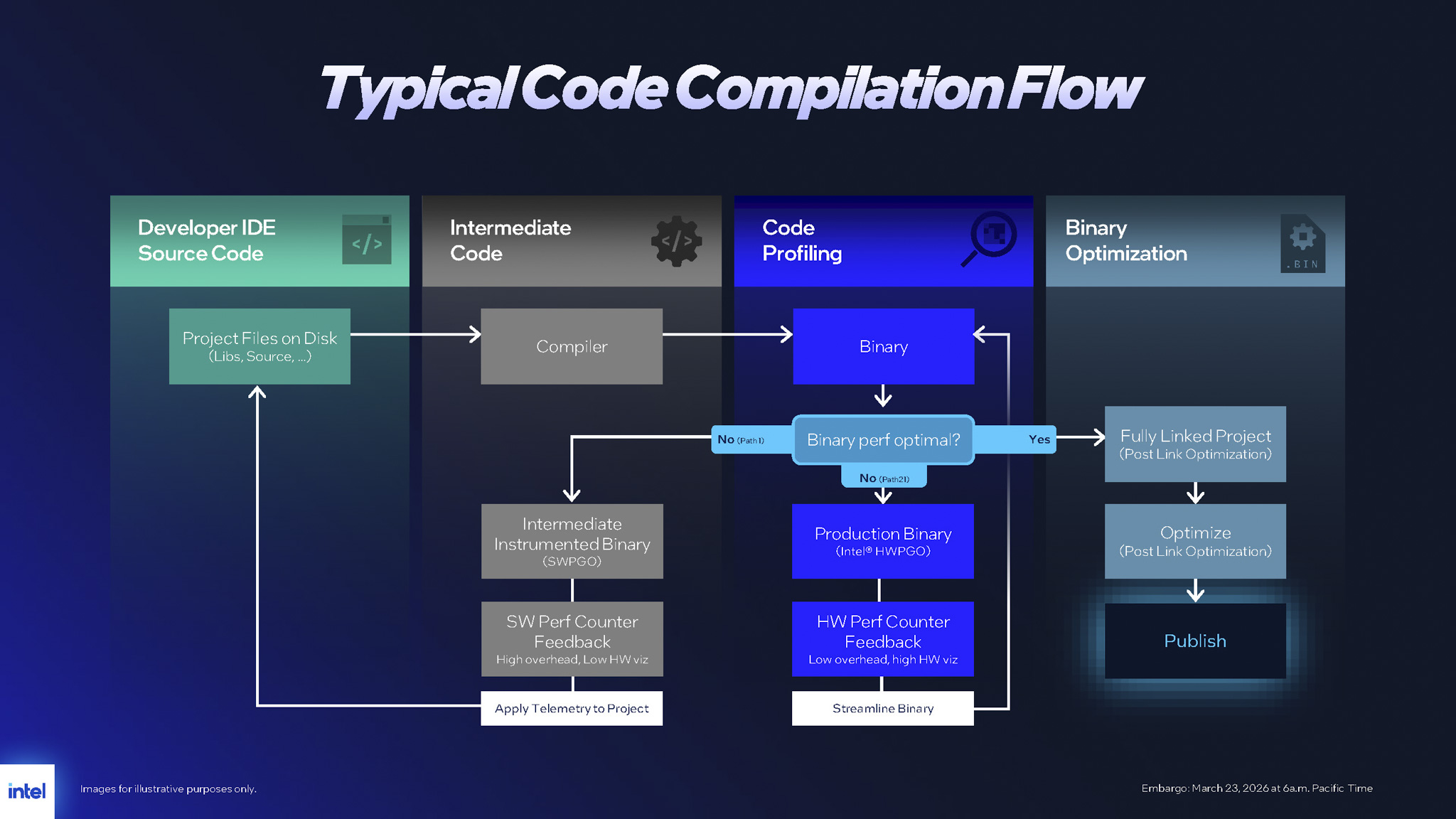
Migovi will briefly run through the traditional software development pipeline to help you understand why IBOT is such a game-changer. First, developers write the source code; then, a compiler translates that source into an executable (.EXE, .DLL) packed with machine code - the native language of the computer. The catch is that game developers are often strapped for time and budget, meaning they typically optimize machine code for a single, dominant CPU microarchitecture or rely on outdated compilers. The result? When that binary runs on cutting-edge architectures like Lion Cove or Skymont, efficiency tanks. Intel's modern hardware ends up dealing with cache misses, branch mispredicts, front-end stalls, speculation effects and microarchitectural hotspots. These anomalies directly cripple IPC, meaning a ferociously powerful CPU is left idling.
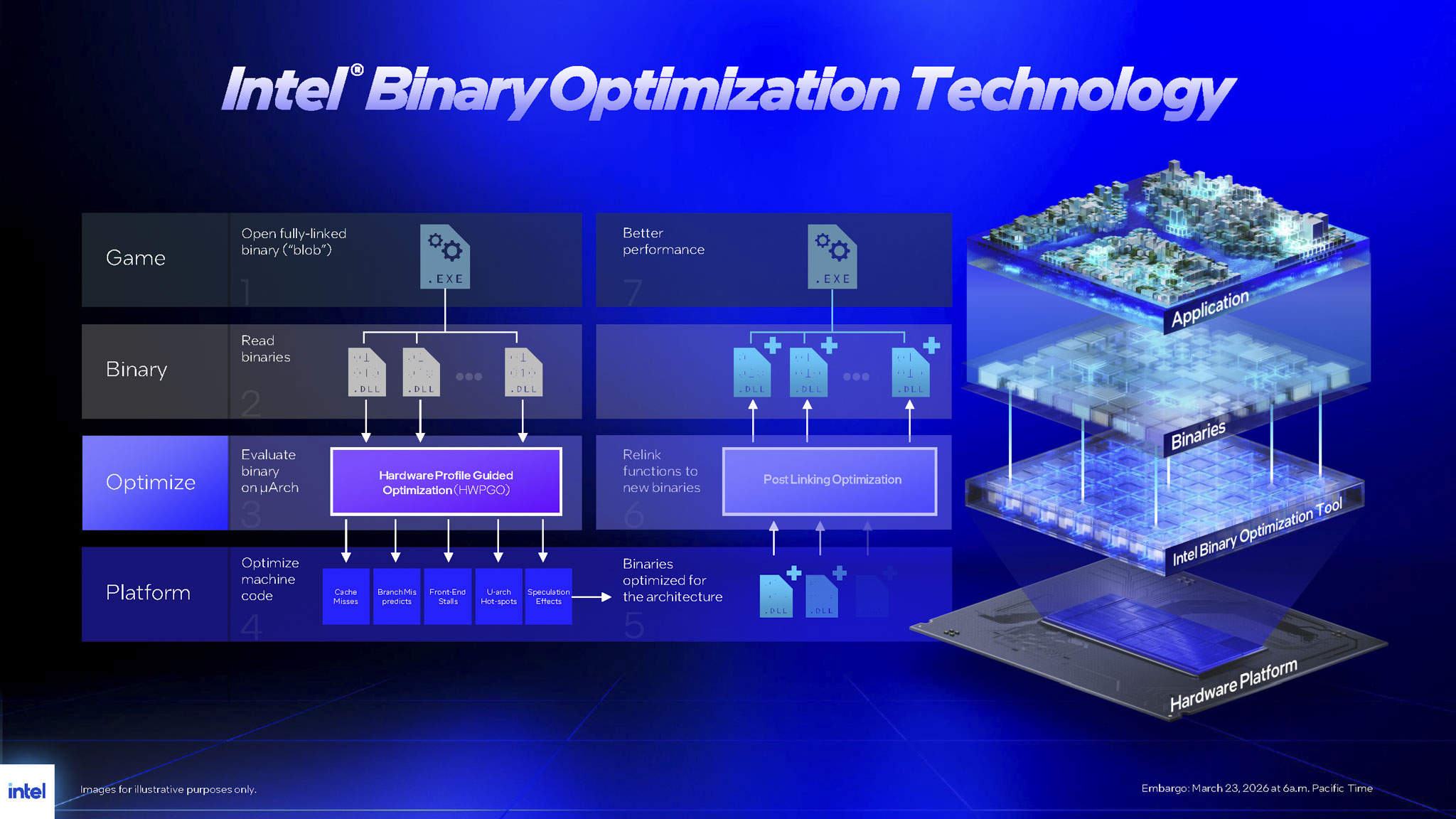
Historically, hardware giants like Intel had to beg game studios to open their source code, rewrite functions and issue manual patches - a sluggish and expensive ordeal. IBOT was forged to permanently disrupt this old paradigm by intervening directly at the machine code level, completely bypassing the need for source code access. IBOT is a real-time binary reordering tool operating with a highly secure, continuous mechanism. Within the OS, IBOT runs independently in the User mode (Ring 3) layer. By steering clear of deep operating system kernel hooks (Ring 0), it sidesteps the risk of Blue Screens of Death (BSODs) or system-level conflicts.
IBOT executes via four specific steps:
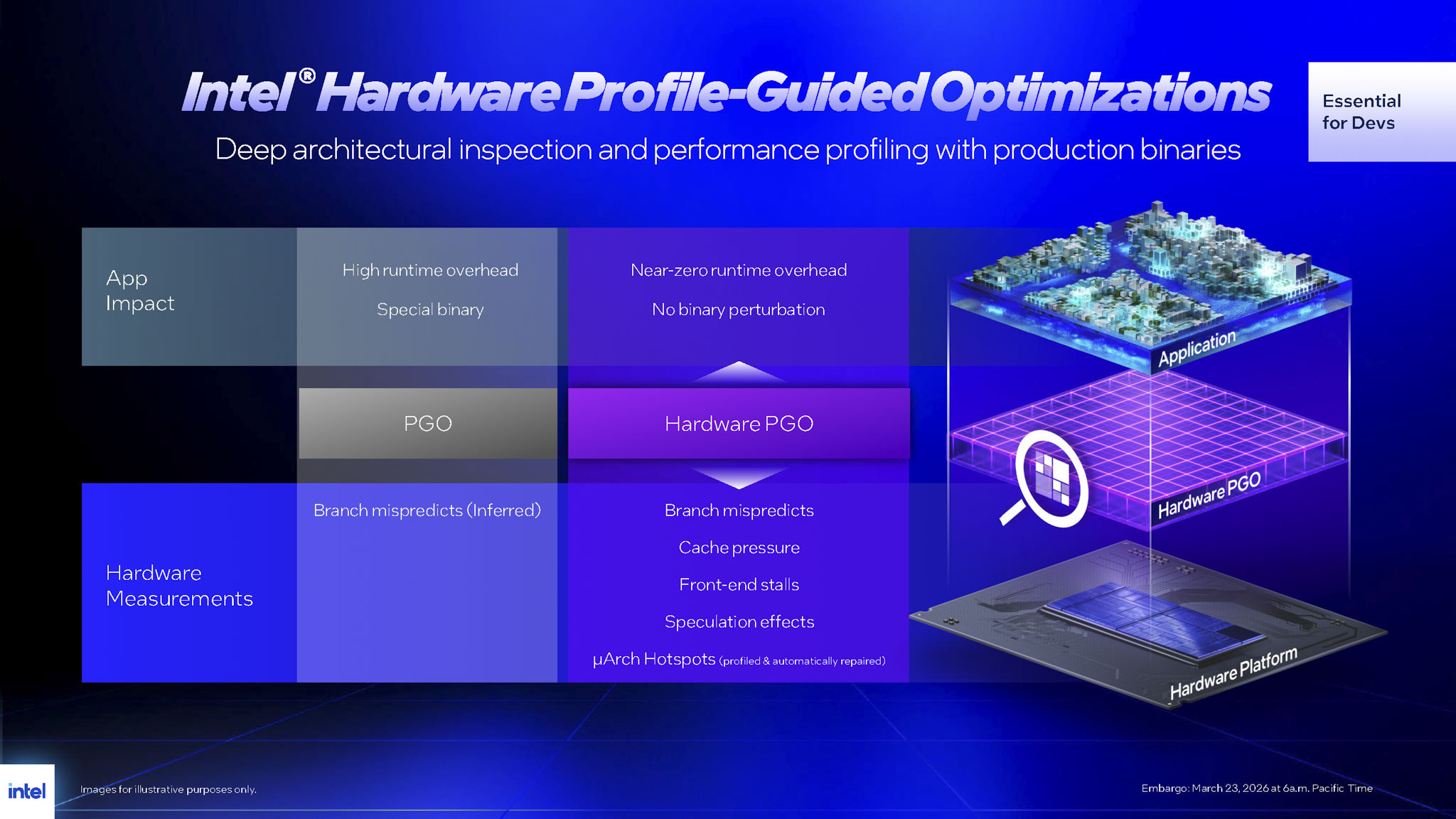
- Hardware Telemetry & Profiling: In Intel's labs, engineers utilize Hardware-based Profile Guided Optimization (HWPGO). HWPGO runs heavy-duty game titles and spits out a hyper-accurate telemetry map of exactly how binary blocks flow through the CPU's compute pipeline. It scans and pinpoints the exact microarchitectural bottlenecks choking the data stream.
- Streamlining & Restructuring: Once they identify function calls that are inefficiently compiled for legacy architectures, Intel's experts deploy post-link optimization techniques. They don't decompile the software, nor do they need source code access. Instead, they synthesize entirely new replacement machine code that is leaner, boasts higher instruction density and is tailor-made for the Lion Cove core execution engines.
- Virtual Routing: The moment a user launches a game on their rig, the IBOT background service steps in. Whenever the game engine calls an unoptimized chunk of code, IBOT dynamically "detours" the execution thread to the high-performance binary blocks pre-optimized by Intel. This entire bait-and-switch operation happens instantly within system RAM, remaining entirely independent and without modifying a single original file stored on the SSD.
- Intact Execution: Theoretically, IBOT’s intervention mechanism mirrors how GPU drivers inject overrides for unoptimized shader code in games. However, it’s crucial to clarify that IBOT does not rely on AI interpolation or frame generation. Every single extra frame of FPS is authentic, wrung purely from the raw compute power of the processor. Even more impressively, this solution doesn't trade quality by butchering native physics calculations or graphical effects. Intel likens IBOT to a game of classic Tetris: the original instruction blocks are the falling bricks. You can't change their shape, but you can rotate and tightly pack them together, thereby maximizing overall performance.
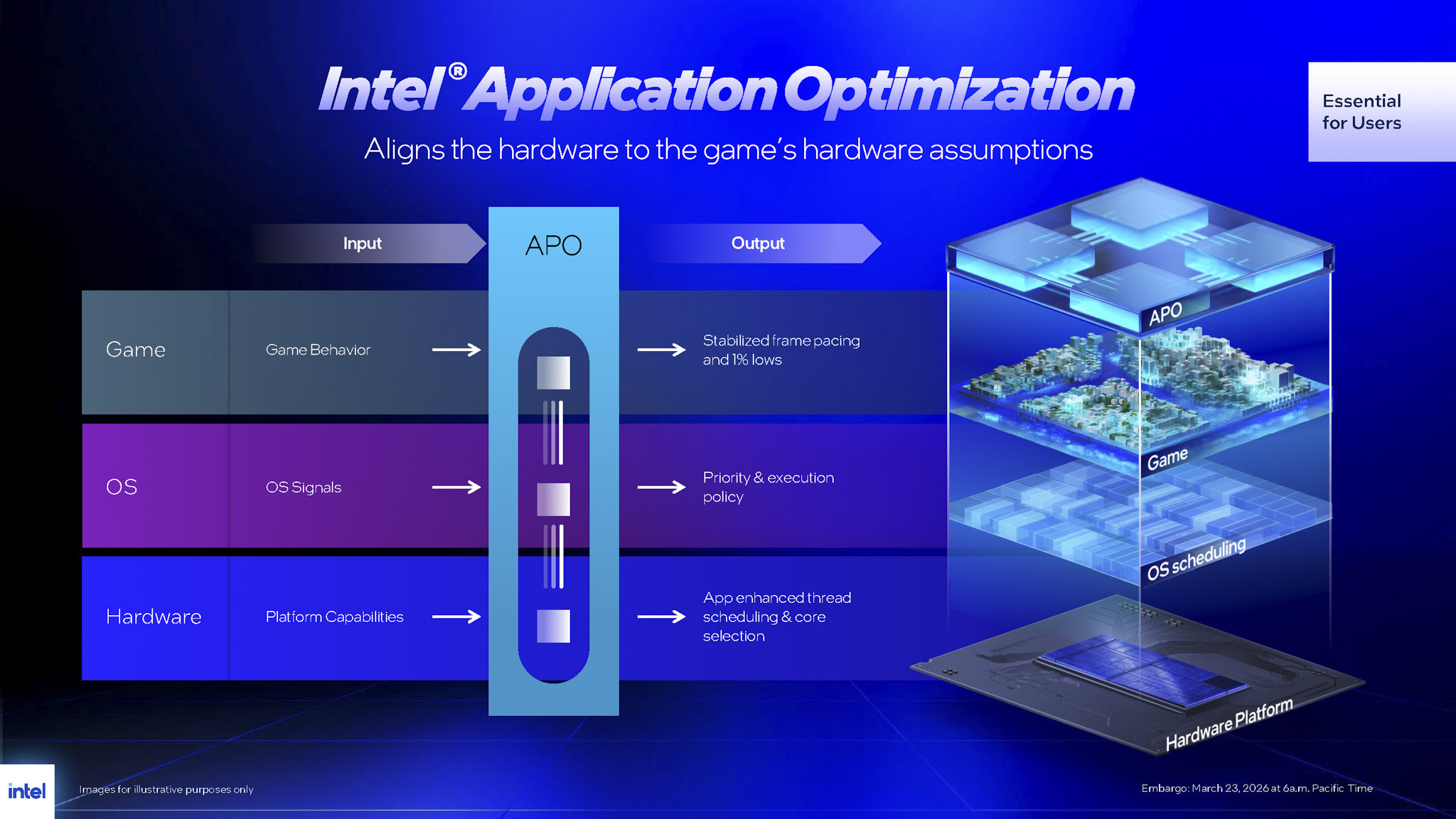
Currently, IBOT is an opt-in feature, toggled within the Advanced Mode of the Intel Application Optimization (APO) software. At launch, IBOT supports 12 heavy-hitting titles, including familiar names like Cyberpunk 2077, Shadow of the Tomb Raider, Hitman 3, Final Fantasy XIV, Marvel's Spider-Man Remastered, Borderlands 3 and Far Cry 6.
The Intel Platform Performance Package (IPPP)
Back when Arrow Lake-S first dropped, users looking to fully harness the platform had to manually install a convoluted mess of software - from APO to DTT drivers - and tweak Windows Power Plans. Skip a crucial step and Windows would fail to properly recognize the hybrid core architecture, resulting in a fundamentally broken scheduler. This led to scenarios where high-performance P-cores would sit idle while E-cores desperately tried to brute-force heavy workloads. The inevitable result: spiking temperatures and absurdly high idle power draw.
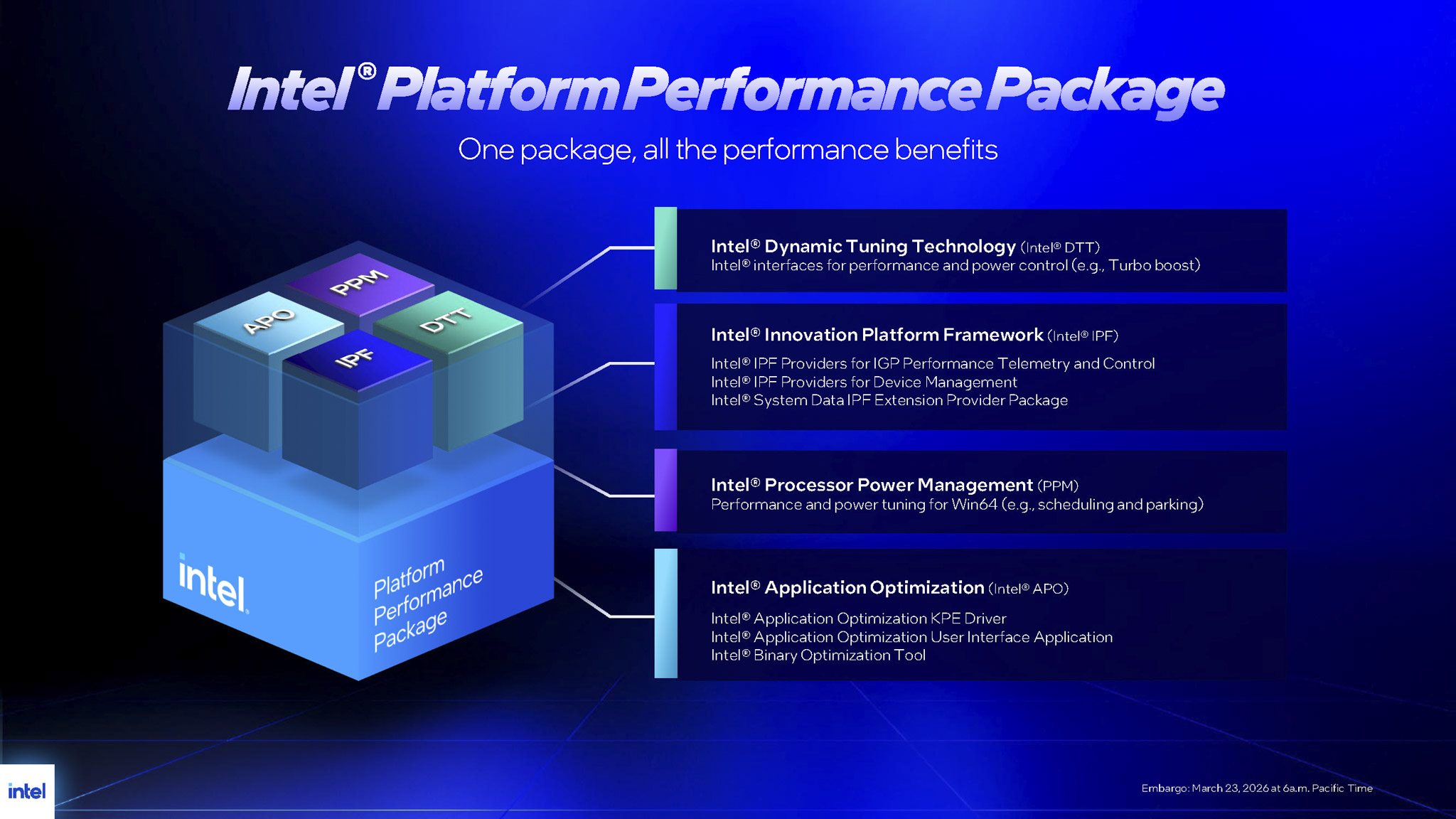
To rectify this mess, Intel has introduced a unified, one-stop installation suite: the Intel Platform Performance Package (IPPP). IPPP acts as the central command orchestrating the chip's entire operational policy. Despite its incredibly lightweight footprint, the utility flawlessly caters to two distinct crowds: offering a "one-click" graphical user interface (UI) for end-users and enabling silent, automated CLI deployments for system integrators via the /quiet suffix. Beneath its simple exterior, IPPP is a dense matrix of drivers and frameworks, hooking deeply into every communication layer of the system:
- Intel Processor Power Management (PPM) Provisioning Package: This is the paramount coordination brain. The PPM driver directly overwrites and replaces the default power management profiles in Windows 11 (supporting both 24H2 and 25H2 builds). It dynamically injects the precise scheduling algorithms custom-built by Intel for the Lion Cove/Skymont architecture. You no longer need to manually juggle High Performance or Balanced power plans. With PPM installed, simply leave the OS on Balanced; the CPU will autonomously detect loads, unleashing 100% of its power during gaming while seamlessly parking idle cores during light web browsing, ensuring a system that is both incredibly power-efficient and cool.
- Intel Dynamic Tuning Technology (DTT) & Innovation Platform Framework (IPF): DTT is a low-level hardware power management platform. It provisions the protocols allowing the OS to proactively throttle thermal limits and Turbo Boost frequencies. Working in tandem with DTT, IPF establishes a seamless communication pipeline from the OS down to the firmware level. This pipeline handles device management and runs the diagnostic telemetry operations for the integrated graphics (iGPU).
- Intel Application Optimization (APO) KPE Driver & UI: At its core, APO serves as the hardware thread-routing "conductor," primarily tasked with hard-locking game threads onto the high-performance P-Cores to optimize frame rates across 21 supported titles. With IPPP, users get a vastly more intuitive GUI for APO, featuring the highly valuable Advanced Mode - the exact toggle switch for enabling IBOT on a per-game basis.
According to Intel, installing IPPP is no longer a "nice-to-have" option. It is now absolutely mandatory for all systems running Core Ultra 200S Plus processors. Without IPPP, the system operates sub-optimally, suffering from erratic performance swings. But given that IPPP drastically simplifies the entire setup process into a few mouse clicks, there's no excuse not to install it for a vastly superior experience.
DDR5-7200 support
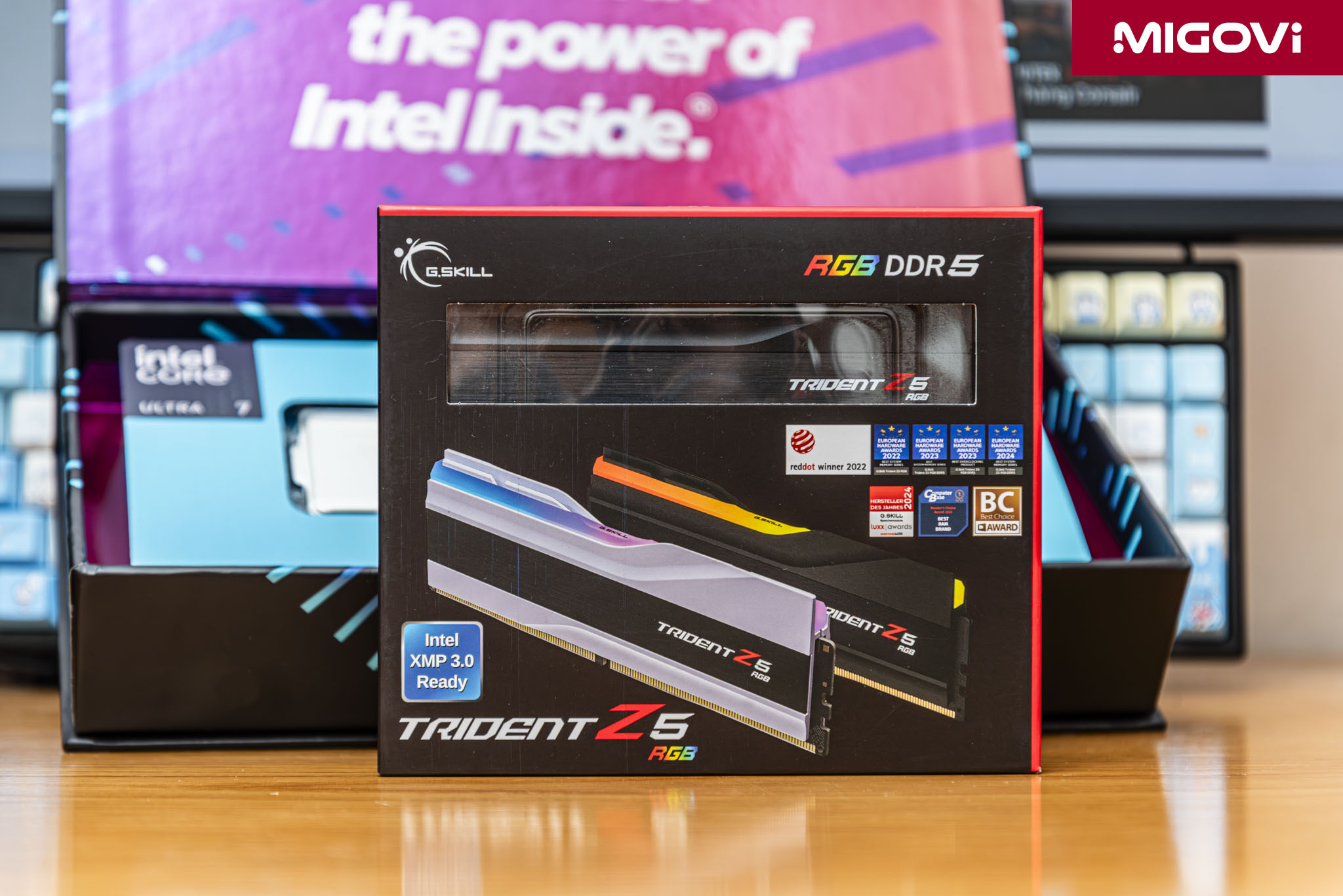
Team Blue has always been renowned for elite high-speed memory support and the Core Ultra 200S Plus pushes that ceiling even higher. Back when DDR4 was the standard, bandwidth hovered around 51.2 GB/s at 3200 MT/s. With the shift to DDR5, the physical architecture of the RAM module was totally overhauled. Ditching the single 64-bit channel of DDR4, DDR5 splits into two completely independent 32-bit sub-channels. While the CPU still recognizes two 64-bit streams to form a 128-bit dual-channel bus, this sub-channel architecture excels at minimizing latency and cutting power draw during smaller, randomized requests. However, DDR5 faces a brutal reality: catastrophic signal degradation at speeds exceeding 6400 MT/s. The electrical traces running from the CPU to the RAM chips across the motherboard are highly susceptible to noise and distortion at these frequencies, triggering system instability.
If high-speed DDR5 suffers from motherboard trace degradation, the logical solution is to migrate the clock driving mechanism directly onto the RAM stick itself - enter CUDIMM (Clocked Unbuffered Dual Inline Memory Module). CUDIMMs pack an independent clock driver IC (the CKD chip) right onto the memory PCB. The CKD chip intercepts the electrical signal from the CPU's memory controller (IMC), then amplifies, regenerates and cleans that signal before slamming it into the DRAM chips. Crucially, the CKD chip stabilizes the "data eye" (the ultra-brief window where a data signal is crystal clear and readable), effectively nullifying signal degradation at extreme frequencies.
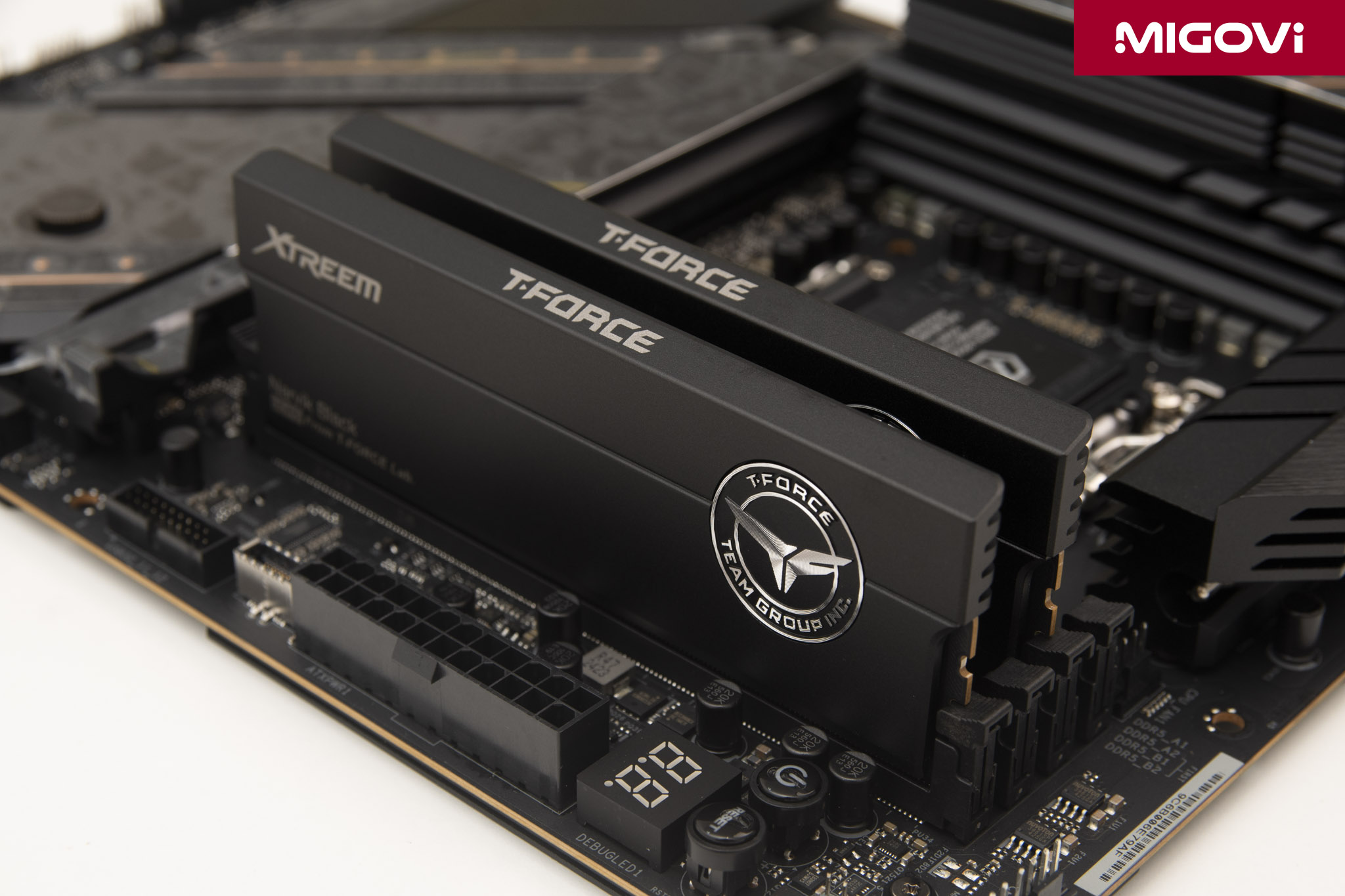
Thanks to microarchitectural refinements within the Arrow Lake-S Refresh IMC, coupled with the growing ubiquity of CUDIMM modules, Intel now officially supports DDR5 speeds up to 7200 MT/s (a noticeable jump from Arrow Lake-S's 6400 MT/s). Note that this official validation applies to 1DPC (1 DIMM Per Channel) configurations. The IMC operates in Gear 2 mode at an 1800 MHz clock. But if you're not the type to settle for stock settings, Intel introduces the 200S Boost feature. This is a highly tuned, pre-baked overclocking profile injected directly into Z890 motherboard BIOS via the XMP 3.0 standard. The killer feature? The Intel 200S Boost profile is fully covered under official warranty - if you fry something by flicking that switch, you’re fully entitled to an RMA.
When you slot in a CUDIMM kit and enable Intel 200S Boost, the system automatically overclocks the memory to a blistering 8000 MT/s (rock-solid in Gear 2). The profile simultaneously kicks the system interconnect (Fabric/NGU) frequency up to 3.2 GHz and carefully manages system voltages: VDD2 for the RAM stays ≤ 1.4V, while VccSA for the CPU System Agent sits comfortably under 1.2V. The payoff is a massive surge in overall system throughput and noticeably higher in-game framerates.
What is CQDIMM 4R?

Launching alongside the Core Ultra 200S Plus is support for 4-Rank CUDIMM technology (officially designated by JEDEC as CQDIMM - Client Quad-Rank Unbuffered DIMM). Traditionally, consumer desktop RAM sticks are built with 1 or 2 Ranks (meaning 1 or 2 physical clusters of DRAM chips populated on the module). If you needed massive memory capacity, you were forced to populate all four motherboard slots. But populating all four DIMM slots (a 2DPC - 2 DIMMs Per Channel configuration) puts an immense electrical strain on the motherboard traces, causing brutal signal interference. The practical reality is that to even get a fully populated system to POST, you had to aggressively downclock the RAM (dropping from 7200 MT/s down to a pitiful 4400 MT/s or 4800 MT/s). It was a painful compromise: pick high capacity or high speed, you couldn't have both.
With standard CUDIMM you still have to choose, but CQDIMM 4R changes the math entirely. Each CQDIMM stick houses four physical Ranks. To marshal this massive array of memory chips, CQDIMM utilizes a new, advanced CKD chip capable of sequentially identifying and managing all four Ranks across its two 32-bit sub-channels. The secret sauce of this technology is how it mitigates the latency penalty caused by hidden refresh cycles. Due to the fundamental physics of DRAM, the charge stored in memory capacitors bleeds off over time. Consequently, every Rank must constantly be recharged (refreshed) to prevent data from literally evaporating. During a refresh cycle, that specific Rank goes "deaf" - it cannot accept read/write commands from the CPU, generating a latency penalty that tanks overall performance.
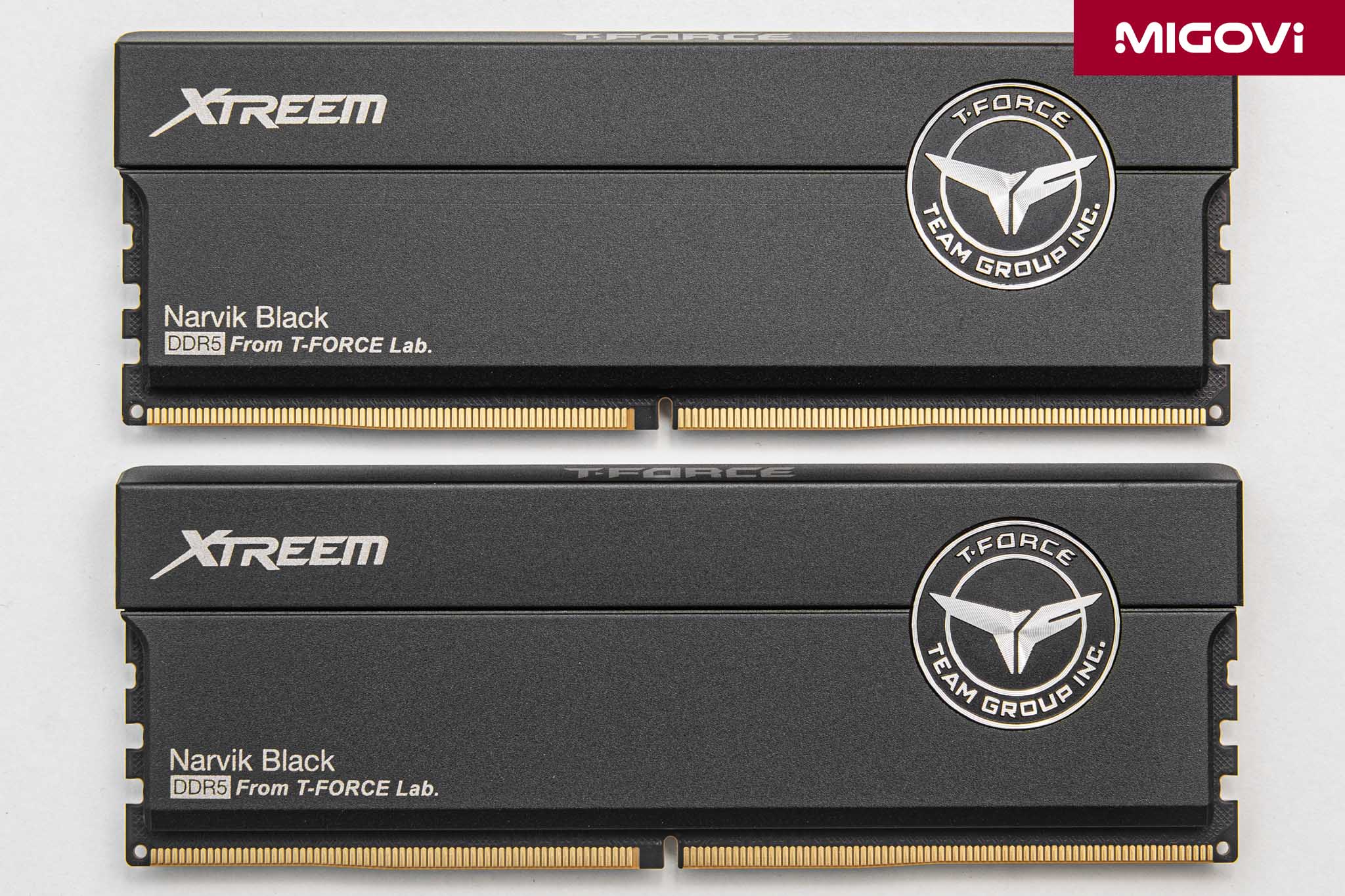
4R CQDIMM obliterates this issue using a brilliant interleaving mechanism. Under the command of the CKD chip, the exact millisecond one Rank (say, Rank 0) goes offline to refresh its data, the system instantly triggers a Chip Select command, seamlessly routing the CPU’s data stream to an idle Rank (Rank 1 or Rank 2). This is internal latency masking at its finest, ensuring an uninterrupted pipeline of data flow and completely eliminating the memory bottleneck from the CPU's perspective.
There are two massive real-world benefits to CQDIMM 4R. First, neutralizing internal latency massively optimizes overall performance, particularly in highly latency-sensitive, real-time workloads like AAA gaming. Second, CQDIMM 4R effectively doubles the density limit per memory stick, making 128 GB modules a consumer reality. With a standard 1DPC configuration (just two sticks), your system can rock 256 GB of total memory - rivaling dedicated workstation setups - while maintaining ultra-low latency and a screaming 7200 MT/s clock speed.
An "unreal" price tag
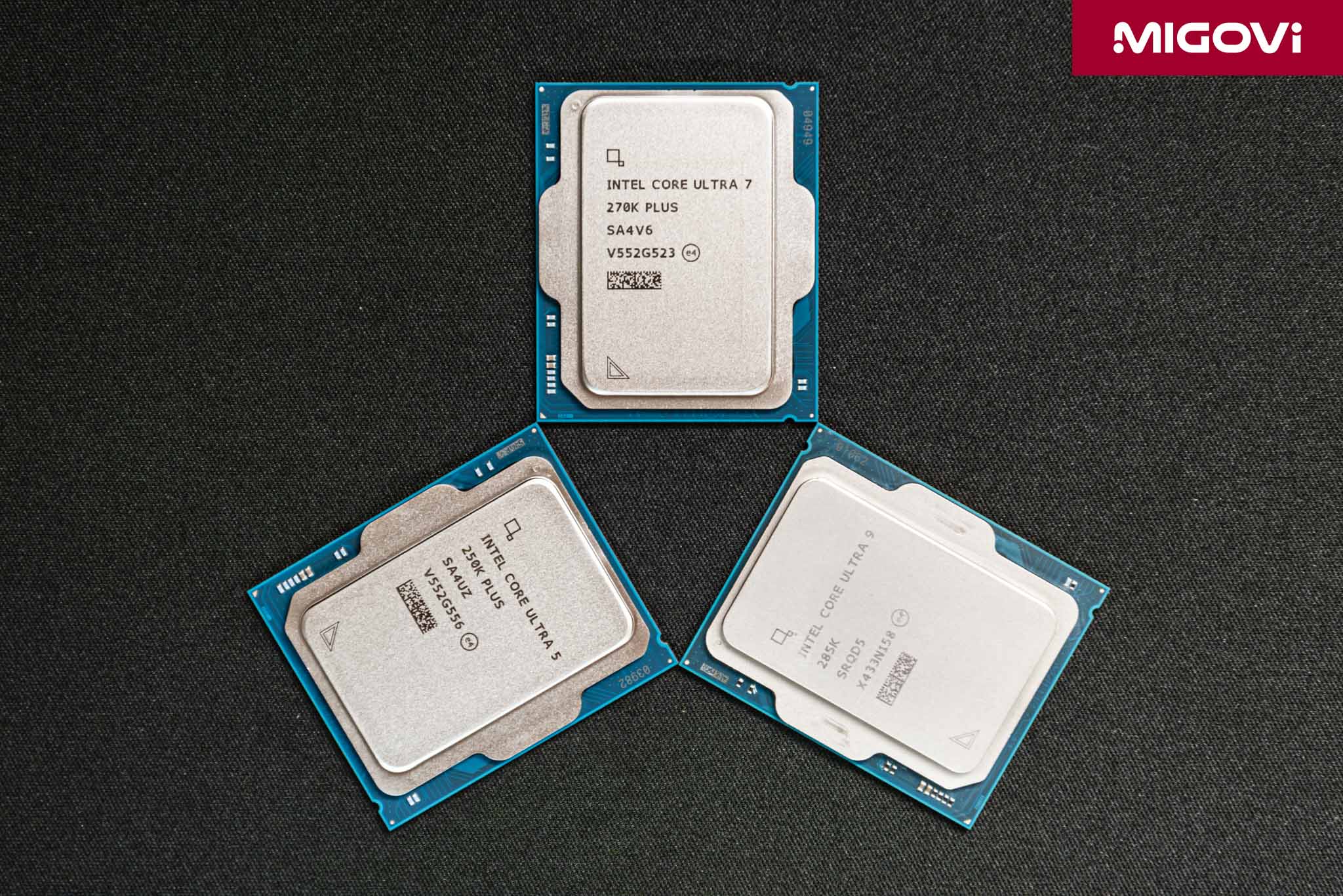
At $199 for the Core Ultra 5 250K Plus and $299 for the Core Ultra 7 270K Plus, Intel is officially going "all-in" to reclaim the desktop market. The sheer economic value of the Core Ultra 200S Plus is undeniable. Before this Arrow Lake-S Refresh descended upon us, finding a cutting-edge architectural CPU packing 24 cores for a mere $299 was practically impossible - the price-to-performance ratio is simply off the charts. Sacrificing just 200 MHz of boost clock while retaining the exact same architecture and physical layout, there is virtually zero reason to buy the previous-generation Core Ultra 9 285K over the new Core Ultra 7 270K Plus. This is clearly Intel's aggressive play to restore its reputation in the 2026 desktop arena, while also serving as a litmus test for the company's future trajectory.
What are you waiting for? Go buy it!