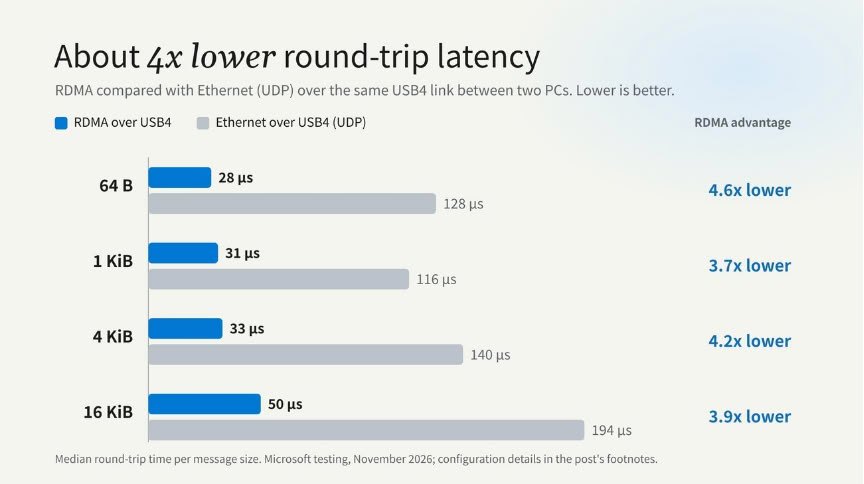
Latency drops to 28-50 µs, roughly four times lower than Ethernet over USB4, which makes RDMA over USB4 worth watching for anyone running local AI across multiple machines.
- Windows 11 now supports RDMA over USB4, allowing multiple PCs to be daisy-chained to split a large workload
- Measured between two PCs: 28-50 µs, versus 116-194 µs for Ethernet over USB4 using UDP
- Cluster size is limited by the number of rings and free USB4 ports on each PC
- Requires a Windows-managed USB4 port with Kernel DMA Protection enabled
Table of Contents
Windows 11 gets a new way to spread work across multiple PCs
Microsoft has enabled RDMA (Remote Direct Memory Access) over the USB4 protocol in Windows 11, meaning multiple computers can be daisy-chained and work together on a large workload. RDMA lets a task access another machine's system memory directly, while the link itself is a USB4 port with up to 80 Gbps of bandwidth. As a result, running AI inferencing at home is no longer confined to a single PC. It now depends on how many machines you link together and how each one is configured.
Latency is roughly four times lower than Ethernet over USB4
The familiar way to connect two machines over USB4 is Ethernet over USB4 with UDP packets, but Microsoft chose to implement RDMA to sharply cut latency when accessing data. In a test linking two PCs and measuring round-trip latency by message size, RDMA over USB4 reached 28-50 µs, while Ethernet over USB4 using UDP landed at around 116-194 µs. That gap works out to roughly four times faster, and it matters most for latency-sensitive workloads like AI inferencing, where data constantly moves back and forth between machines.
How it works and what you need
The feature builds on the host-to-host networking over USB4 that Windows 11 already has, moving data directly between the registered memory regions of two machines. Each PC forms its own USB4 domain, and the Windows connection manager sets up a peer-to-peer tunnel between them. A software RDMA provider maps send and receive queues, along with completions, onto the USB4 host router's DMA rings, so data never needs to be copied an extra time.
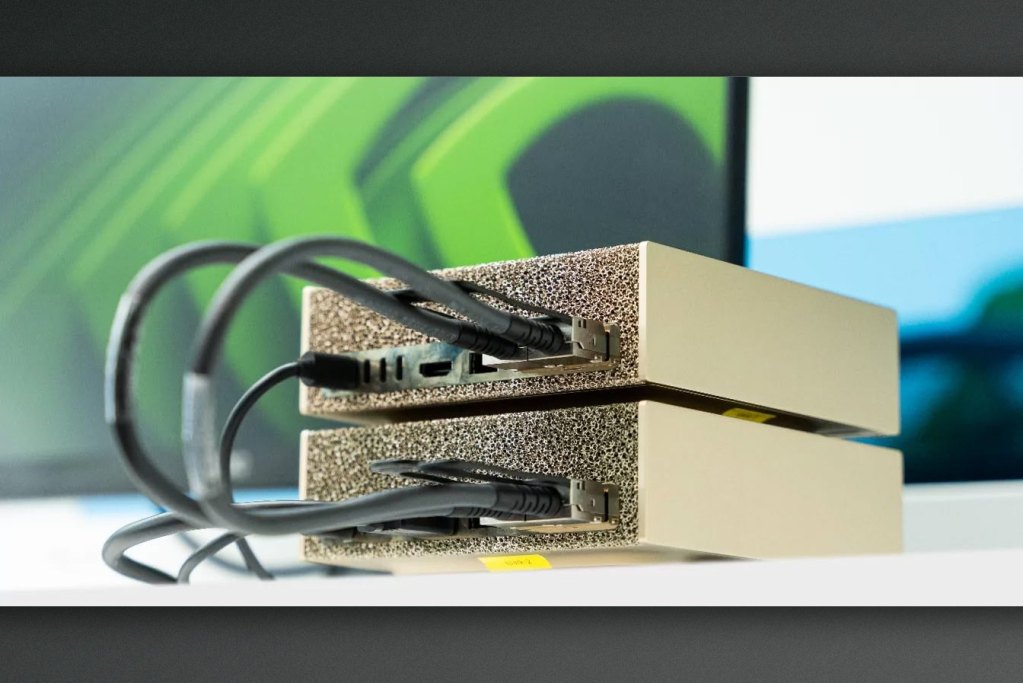
Each link uses one pair of rings for data and another pair for control traffic, so the number of rings and free ports on each PC determines how large a cluster can get. Compatible frameworks reach the link through NetworkDirect, with no USB4-specific code required. To use it, a machine needs a Windows-managed USB4 port and Kernel DMA Protection enabled. The image accompanying this story shows DGX Spark mini PCs, but those are connected over Ethernet rather than USB4, so it only illustrates the idea of clustering machines.
Migovi sees this as a practical step for people who want to run AI locally without buying dedicated networking gear, since the USB4 ports already on the machine are enough to link several PCs. The roughly fourfold latency advantage over Ethernet over USB4 sounds convincing, but it was measured between just two machines, so performance running a real AI model on a larger cluster still awaits independent testing. If you have two USB4-capable machines, first check that the port is managed by Windows and that Kernel DMA Protection is enabled, because both are mandatory. As for whether it's worth buying extra machines to cluster, it's better to wait and see how well popular AI frameworks support the feature.
Source: TechPowerUp
Reviewed by: Hero Association