
CORSAIR VANGUARD 96 review - Mechanical keyboard for every need
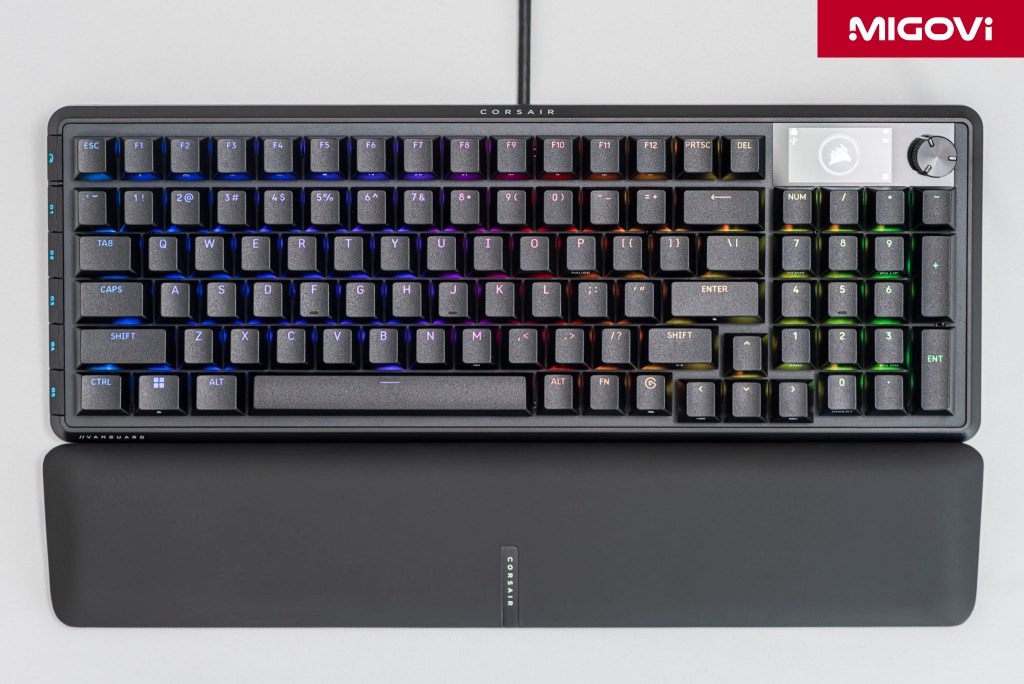
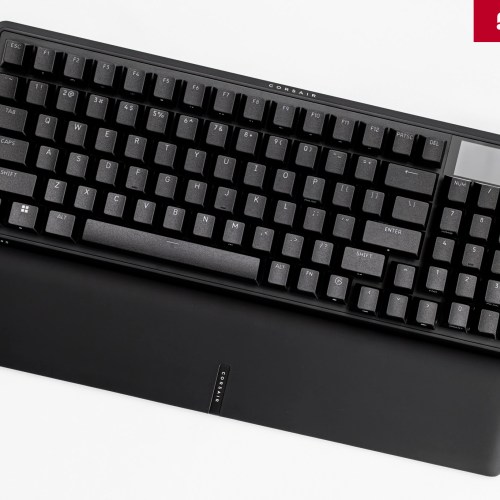
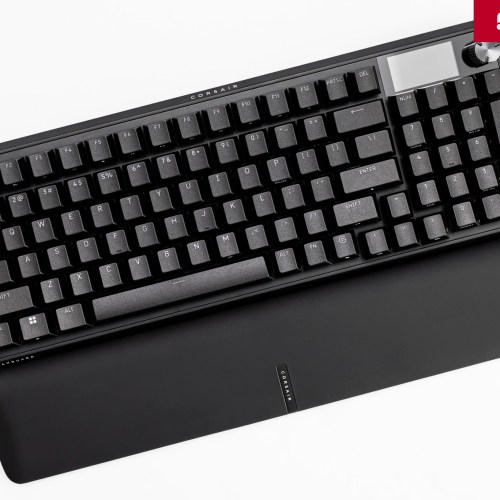
The CORSAIR VANGUARD 96 opens a new product line, meeting the needs of both gamers and content creators.
Inheriting and promoting from iconic keyboards such as K70 Series, K95 Series and K100 Series, CORSAIR VANGUARD 96 was launched, redefining the company's design philosophy. Still with high-end build quality, outstanding gaming performance, CORSAIR VANGUARD 96 also integrates modern technology and features. Most notably, VANGUARD 96 is not only for gamers, not only for content creators but the product is aimed at most users, meeting the need for balance between function, performance and workspace.
Article content
Listening to the community
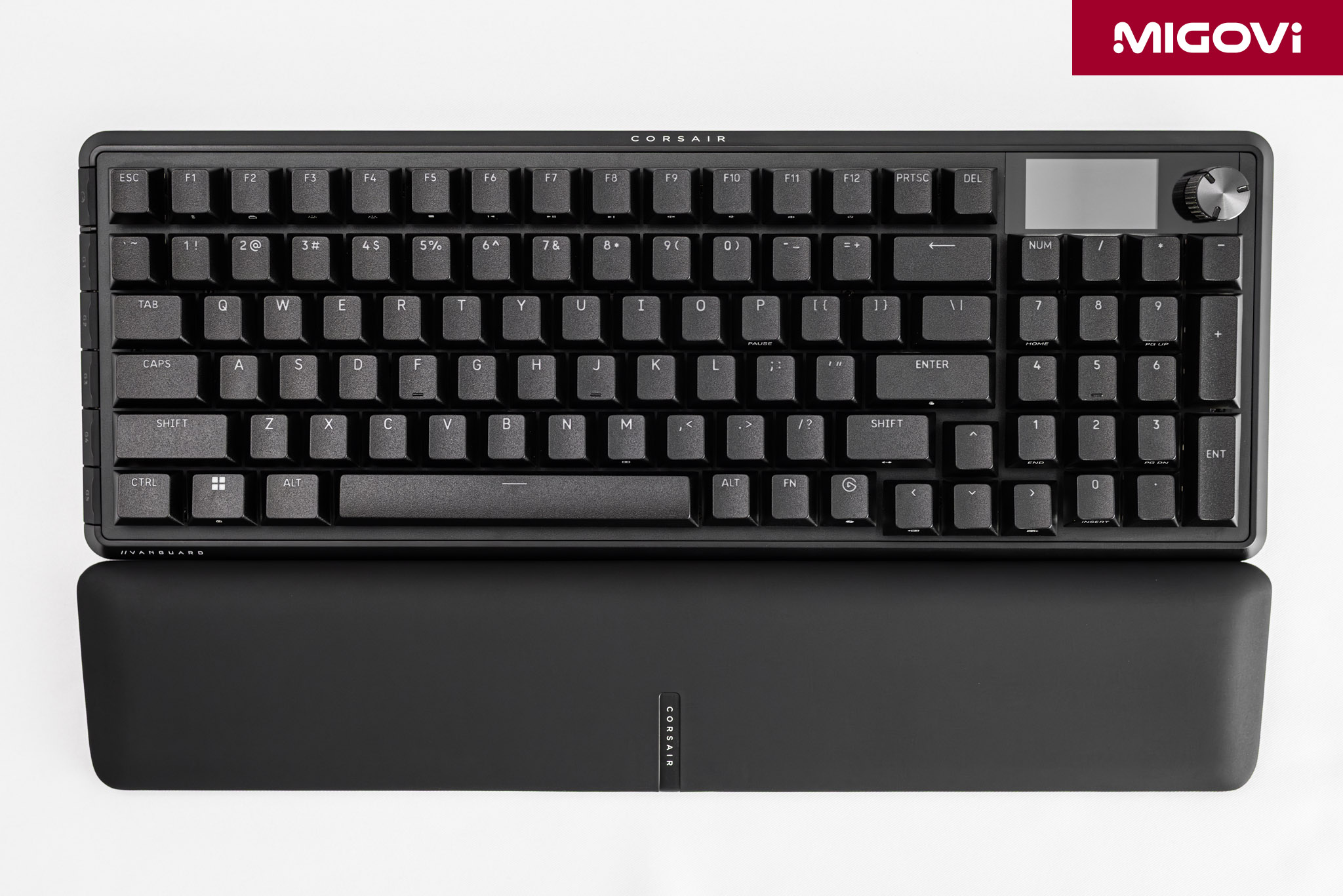
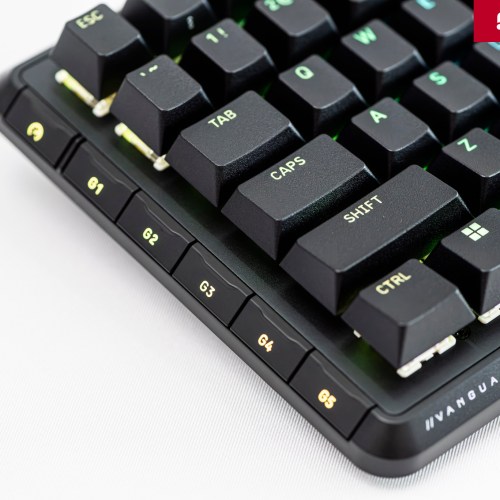
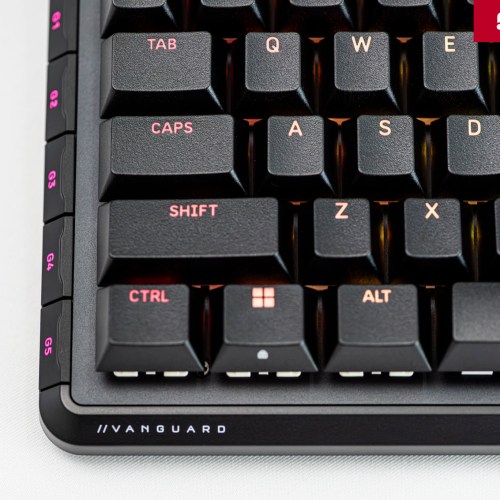
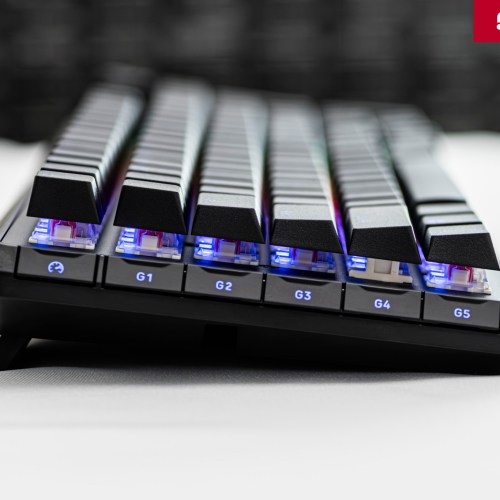
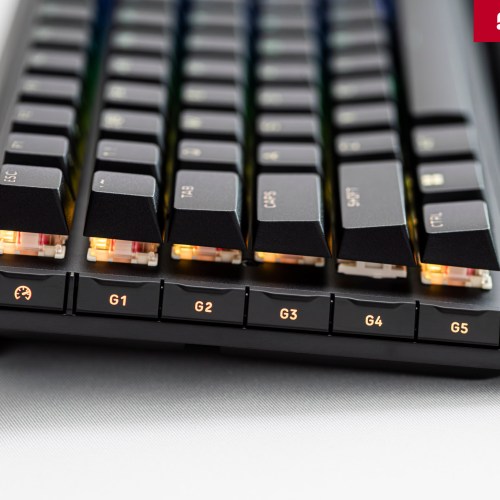
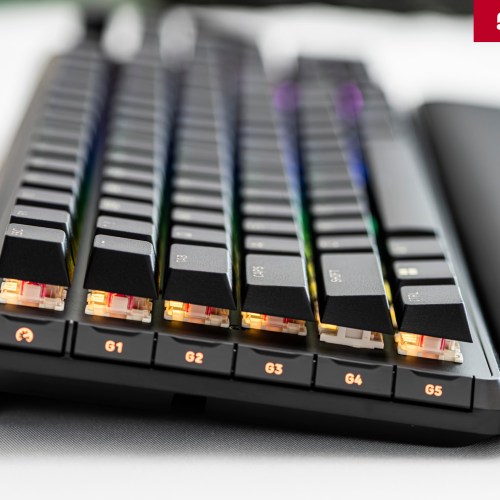
The main design philosophy of the VANGUARD 96 is to listen to the community, from feedback, suggestions to criticism from users. Products like the CORSAIR K95 Platinum, although highly appreciated in terms of features, still have weaknesses that affect the experience. One of the controversial points is the row of standard-height G-key macro keys located on the left side of the keyboard. Almost everyone has encountered the situation of accidentally pressing these G-keys instead of Ctrl or Shift, leading to frustration when operating quickly. If you do not assign functions to G-keys, you will almost only waste time operating, but if you have assigned macro functions, you will likely have to perform undo operations, or lead to defeat in the game.
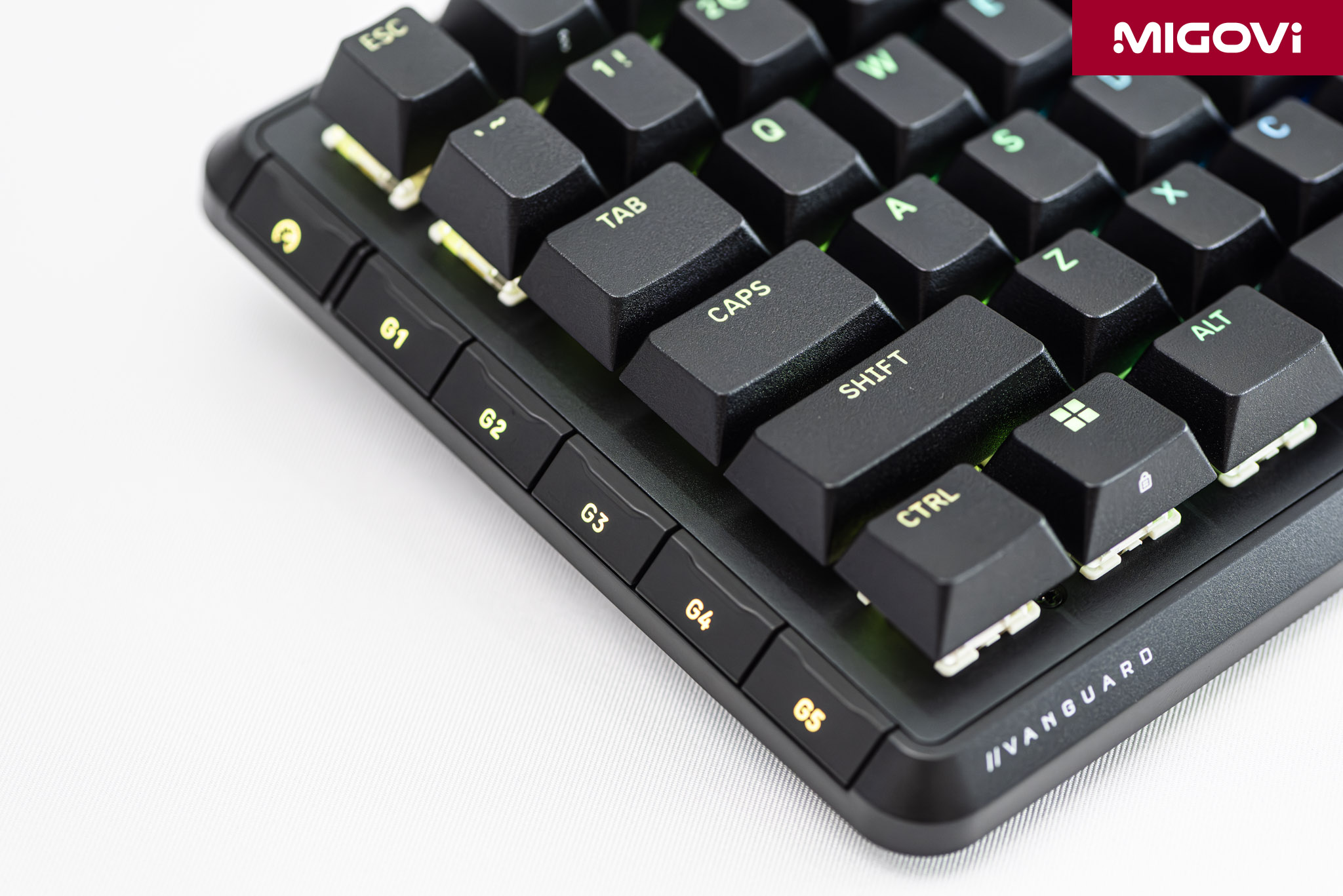
The VANGUARD 96 was created to directly address these inherent issues. The low-profile G-key row is a great technical solution, completely eliminating the problem of misclicks while still retaining macro functionality. In addition, the appearance of CORSAIR Web Hub is an alternative to the comprehensive but sometimes considered heavy and complicated iCUE software. Each improvement on the VANGUARD 96 can be directly linked to an issue that has been reported by the community in the past. Listening to the community is also the factor that creates value and difference for the VANGUARD 96 in the market.
The art of space optimization
Layout 96%
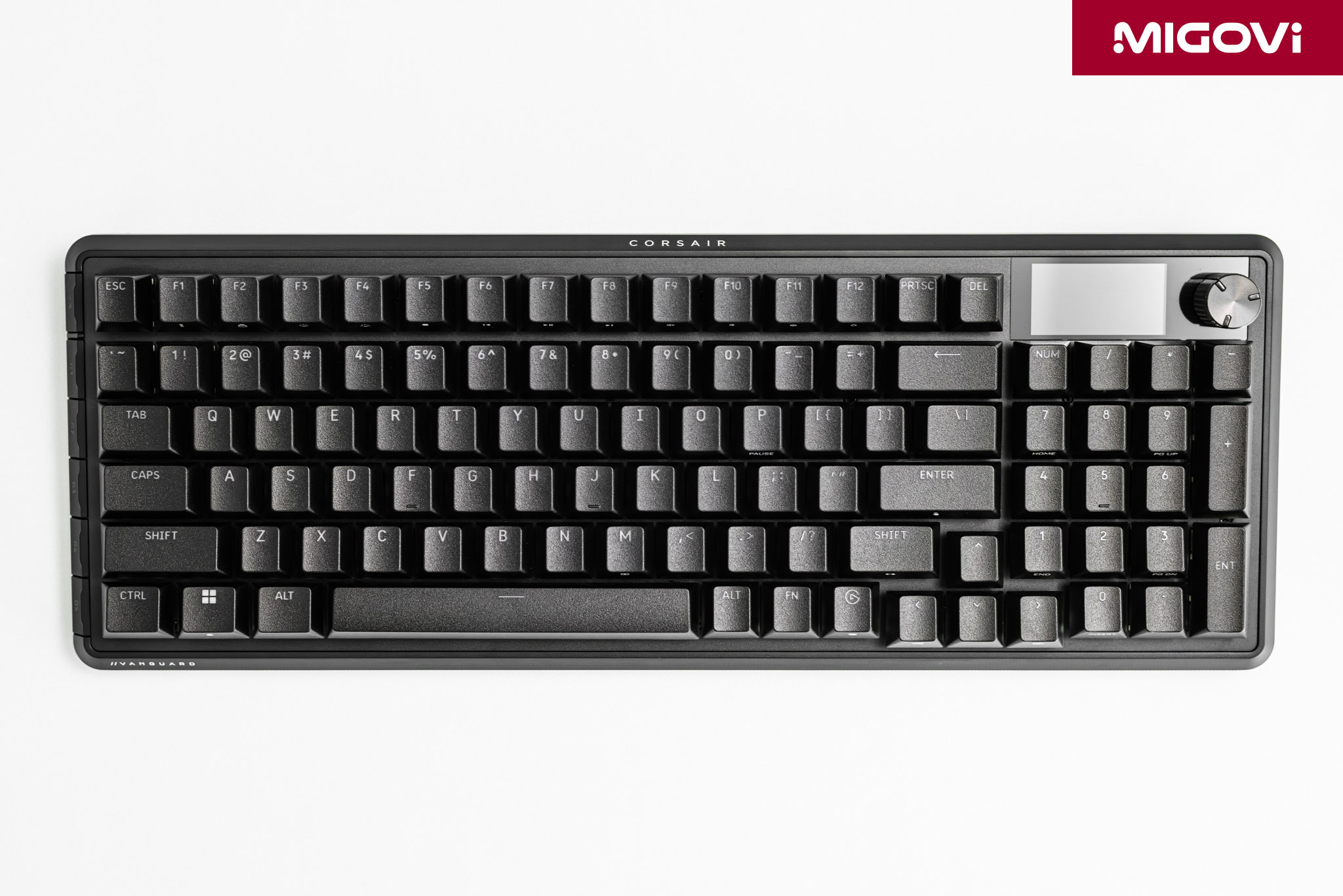
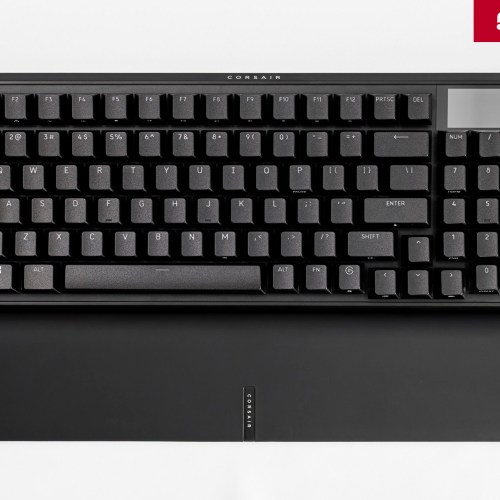
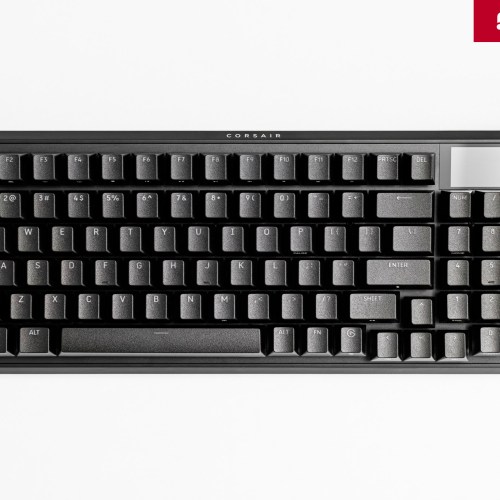
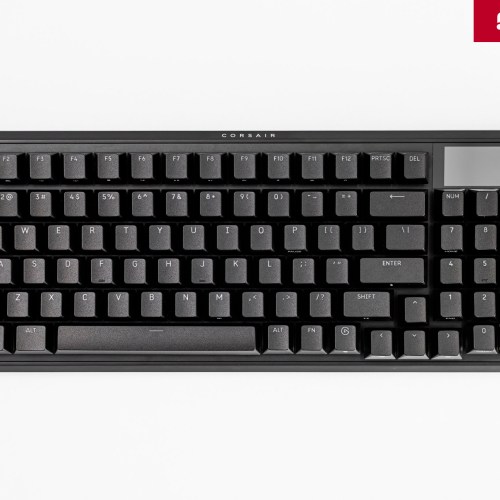
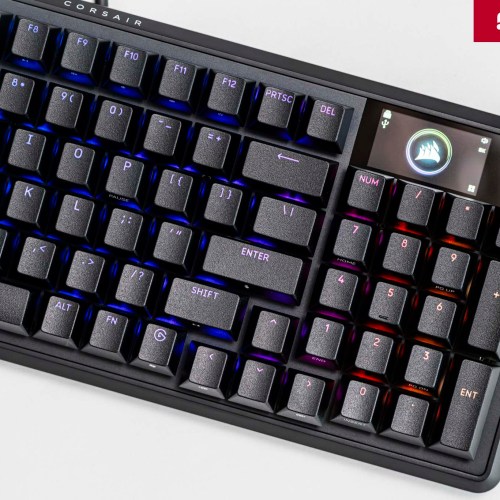
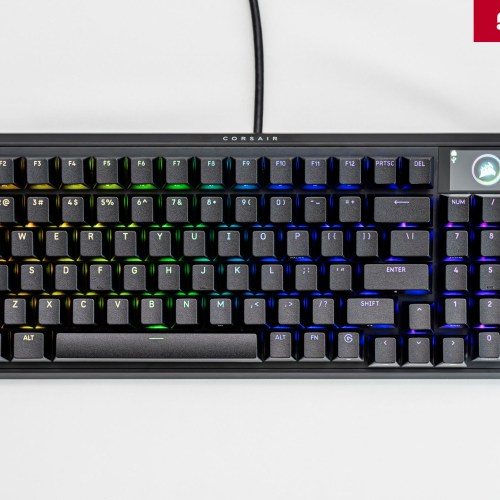
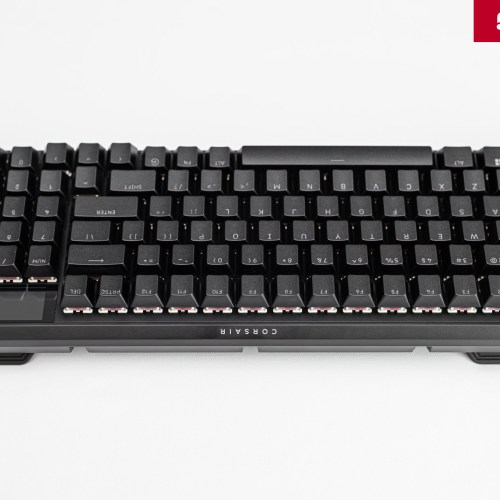
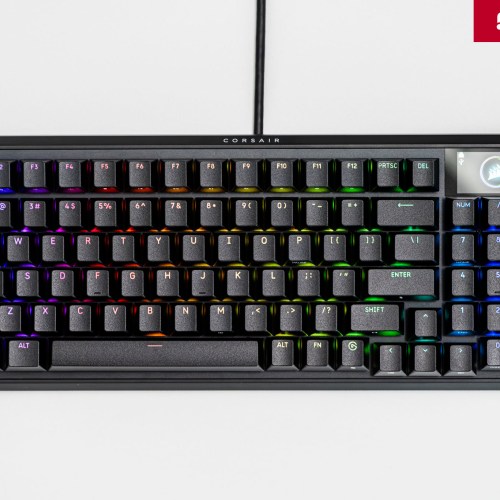
The 96% layout, also known as the 1800-Compact, is a design solution that balances two seemingly contradictory needs: the full functionality of a full-size keyboard and the compactness of smaller layouts. Structurally, the 96% layout retains almost all the keys found on a standard 104/108-key keyboard, including the alphanumeric keypad, the F-key row, the navigation keys and most importantly, the numeric keypad.

The difference lies in the elimination of almost all the gaps between these key clusters. The navigation keys and function keys such as Print Screen, Scroll Lock, Pause are rearranged reasonably, taking advantage of the space usually left empty between the main key cluster and Numpad. The result is a seamless, compact key block, retaining full functionality but with a significantly smaller physical size than a traditional full-size keyboard.
Optimization techniques
“Full-sized keyboard, TKL footprint” is what CORSAIR is claiming with the VANGUARD 96. The VANGUARD 96 keyboard saves a total of 25% of the surface area compared to a standard full-size keyboard. But how did CORSAIR manage to save a quarter of that space?
On the VANGUARD 96, the keyboard width is reduced by 12%, while the length is reduced by 15%. The horizontal reduction is achieved mainly by eliminating the gaps mentioned above. However, the 15% vertical reduction is remarkable, showing that CORSAIR has optimized both the top and bottom bezels of the keyboard. In addition, the manufacturer also rearranged the status key cluster more effectively, helping to reduce the overall size without affecting the typing experience. The result is the VANGUARD 96 - a mechanical keyboard with all the power of a full-size keyboard but only takes up space on the desk equivalent to a TKL keyboard.
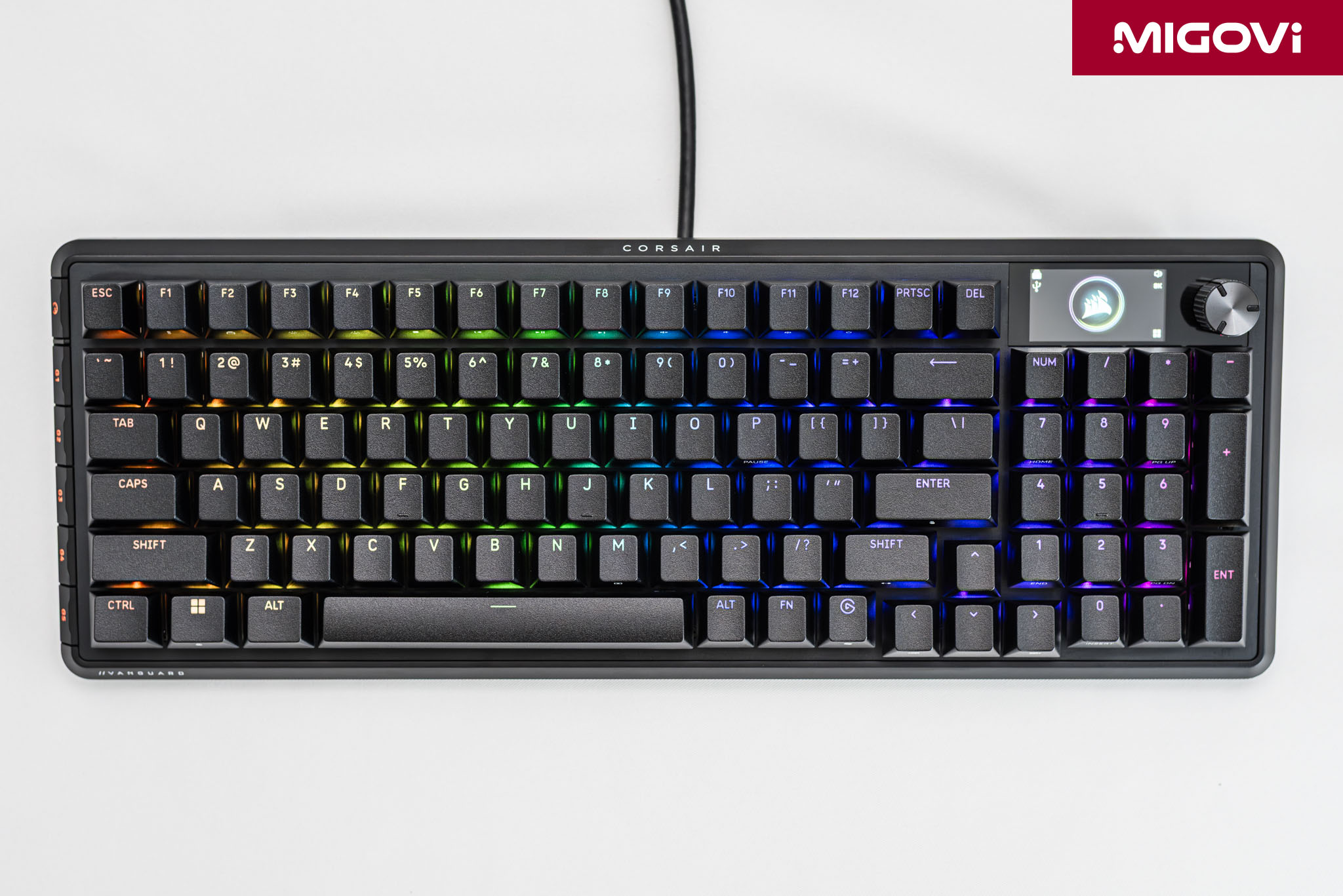
The CORSAIR VANGUARD 96 measures 388 mm long, 141 mm wide and 43 mm high and weighs 994 grams. Meanwhile, a standard TKL keyboard is 360 mm long, 135 mm wide, while a standard full-size keyboard is 440 mm long and 140 mm wide.
Full-size/96% and TKL
In the gaming community, the popularity of the TKL layout is huge, mainly because it takes up less desk space, leaving space for mouse operations. However, the TKL layout completely eliminates the Numpad cluster, making it an unoptimal choice for many users. The VANGUARD 96 with its 96% layout was born to solve this contradiction. For those who regularly work with data such as accounting, financial analysis, using Excel spreadsheets, the Numpad is definitely an essential part, increasing speed and accuracy when entering data. You almost cannot use the numeric keypad above the letter cluster to enter numbers because it is too complicated and completely inconvenient.

In addition, programmers and professional users often use Numpad to assign complex macros, code snippets or shortcuts for repetitive tasks. In addition, even gamers in the simulation genre also need Numpad. In complex simulation games such as Microsoft Flight Simulator or Star Citizen, Numpad will be assigned to flight control functions, spaceship system management.
In essence, the VANGUARD 96 does not force users to choose between “space” and “function”. The VANGUARD 96 offers both, satisfying most users who have both gaming and work needs.
Physical structure
Solid aluminum frame

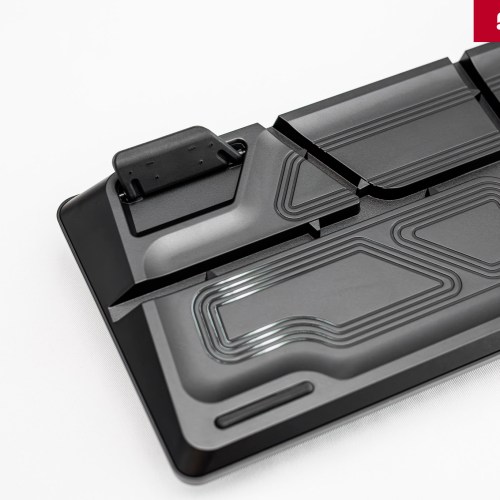
The VANGUARD 96’s frame is machined from solid aluminum, which offers many benefits and a better user experience than plastic. Aesthetically, the aluminum frame gives it a luxurious, sturdy and professional look. More importantly, technically, the aluminum frame creates an extremely solid structure and has a considerable weight, or what we often call “heavy in the hand”.
This “solidity” helps the CORSAIR VANGUARD 96 stick firmly to the table surface, completely eliminating the phenomenon of slipping or shifting during use. At the same time, the rigidity of the aluminum frame eliminates the flex phenomenon when typing hard, improving the typing feel and also contributing to the sound when typing. The sturdy frame will help the sound emitted from the switch become more compact, solid and focused, instead of being dispersed and creating a hollow echo if the quality of the case is low.
Quad-layer sound dampening
CORSAIR equips the VANGUARD 96 with a 4-layer sound dampening system. The goal of the dampening system is not to make the keyboard completely silent, but to eliminate unwanted sounds. The types of sounds that can be eliminated by the 4 layers of sound dampening include the metallic ping of the spring, the hollow resonance of the chassis, or the harsh click, thereby highlighting the unique sound of each switch type.
Double-shot PBT keycaps

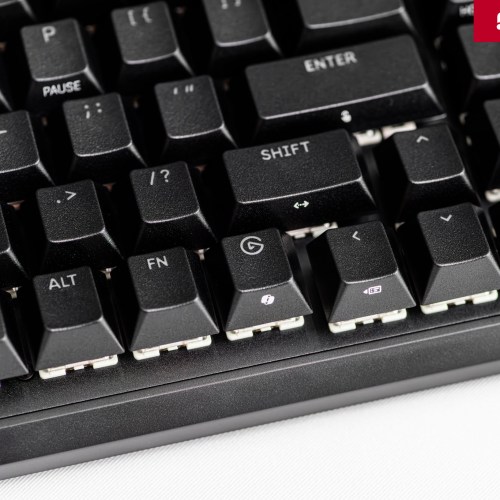
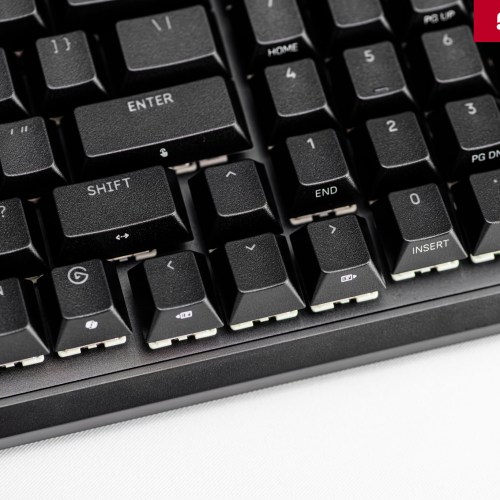
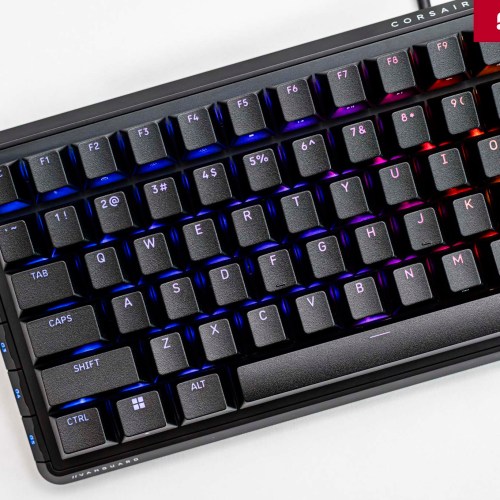
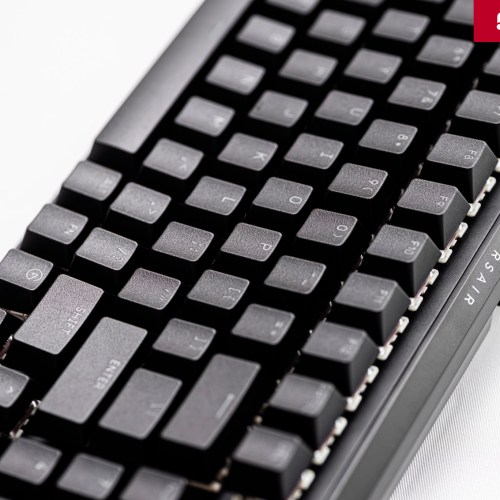
To match the overall quality, the CORSAIR VANGUARD 96 is equipped with PBT plastic keycaps with double-shot technology. Instead of the familiar ABS plastic that often has a glossy surface, PBT plastic eliminates that problem. PBT is a polymer that is harder and more durable than ABS. The surface of PBT is resistant to corrosion from oil and hand sweat, so it does not become shiny after a long time of use.
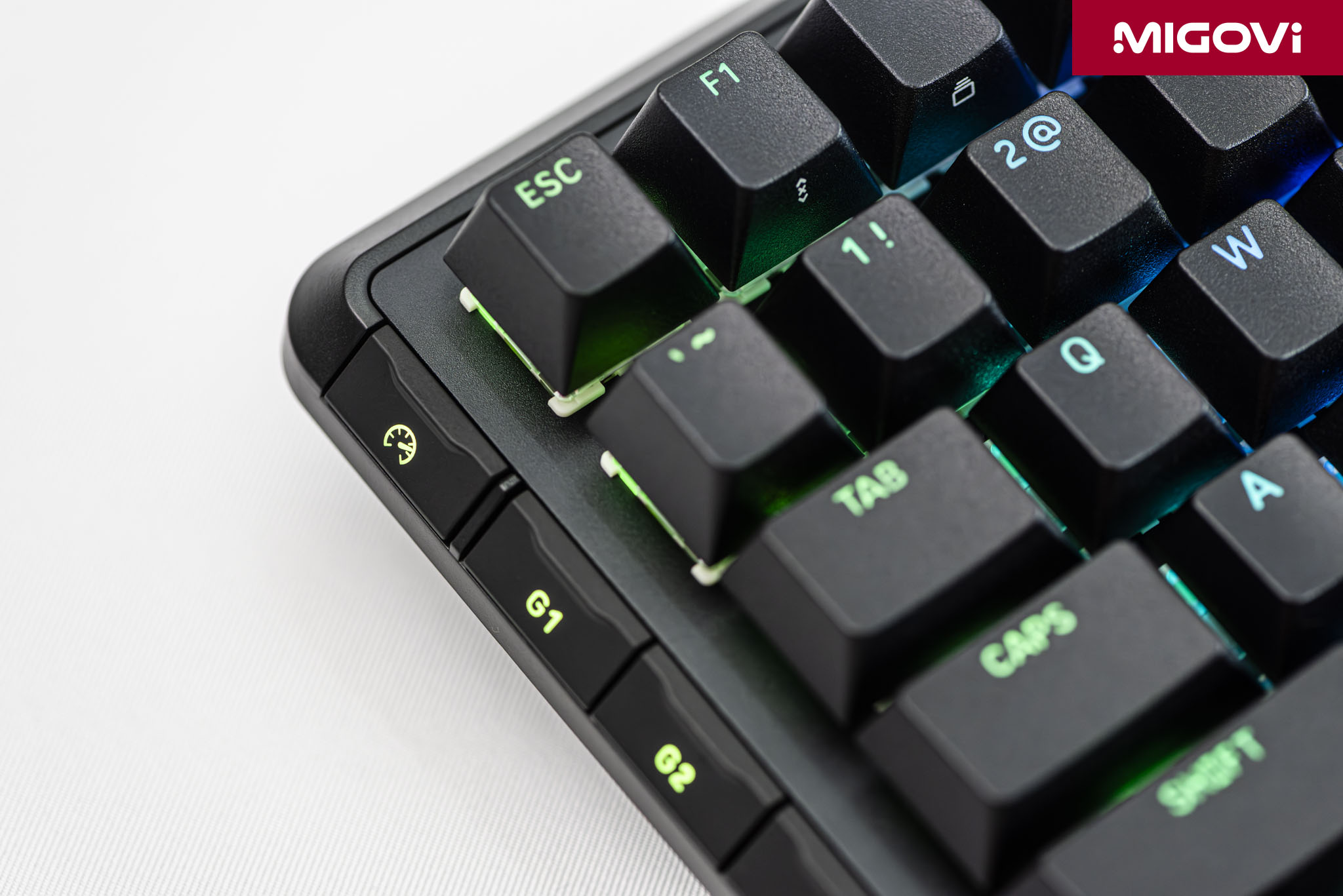
The PBT keycaps on the CORSAIR VANGUARD 96 have a slightly rough surface, providing a more solid and premium feel when typing on your fingertips than the smooth surface of ABS. In terms of double-shot, the characters on the keycap are not printed on the surface but are created from a second layer of plastic of a different color, molded in one piece with the keycap body. This ensures that the characters will never fade or peel off, no matter how long they are used.
CORSAIR MLX Switches

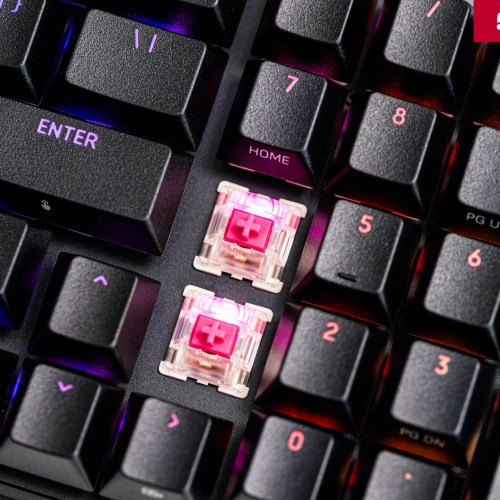
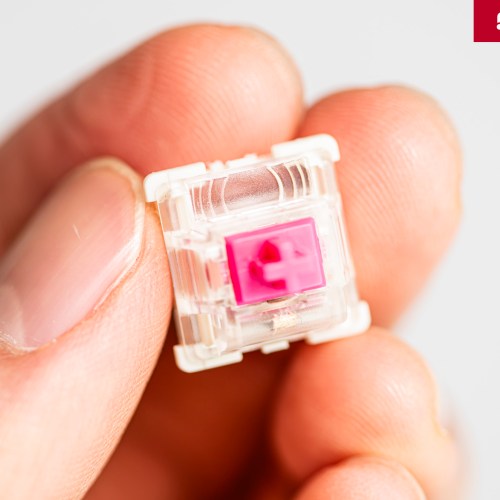
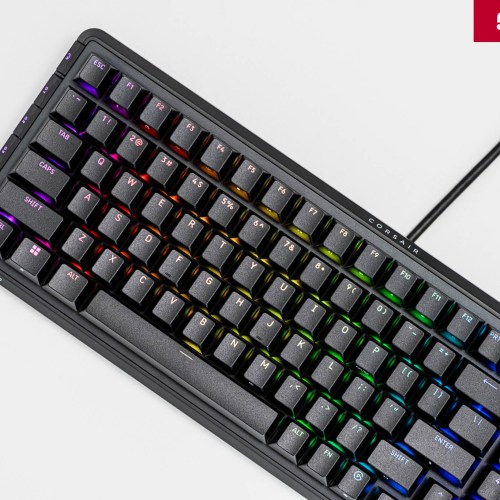
The CORSAIR VANGUARD 96 offers four MLX mechanical switch options to suit a wide range of user needs. All four MLX switches are factory pre-lubricated to ensure smooth key travel and minimize spring noise. Additionally, the MLX switches feature a Fresnel lens – an optical design that diffuses and enhances the brightness of the RGB backlight.

The four MLX switches of the CORSAIR VANGUARD 96 include MLX Plasma Linear (linear, 45-gram actuation force, 2 mm actuation point, 4 mm travel, 3-pin), MLX Quantum Speed (linear, 45-gram actuation force, 1.2 mm actuation point, 3.4 mm travel, 3-pin), MLX Fusion Tactile (tactile, 40-gram actuation force, 2 mm actuation point, 3.4 mm travel, 3-pin), MLX Pulse Thocky (tactile, 45-gram actuation force, 2 mm actuation point, 3.6 mm travel, 5-pin). All MLX switches have a lifespan of 80 million keystrokes.
3-pin and 5-pin hot-swap circuit
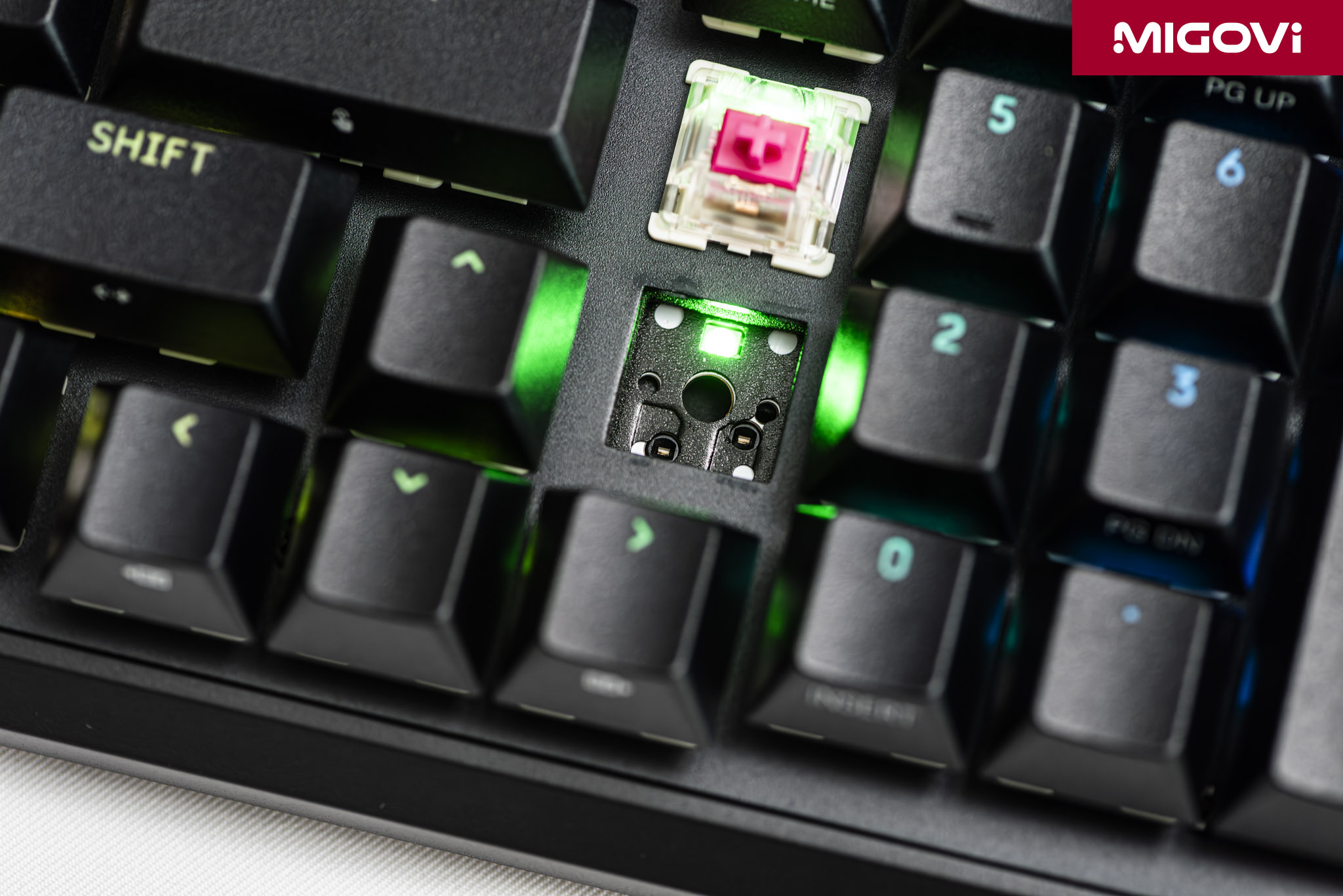
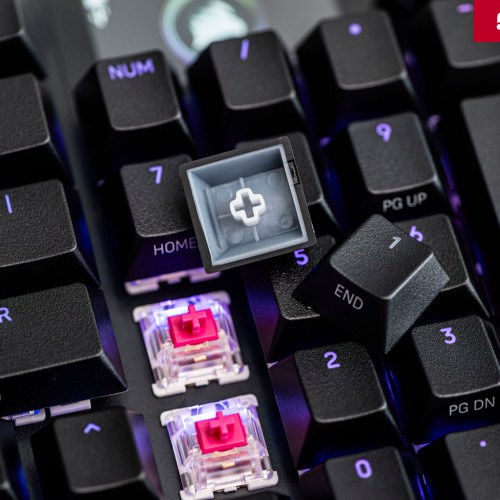
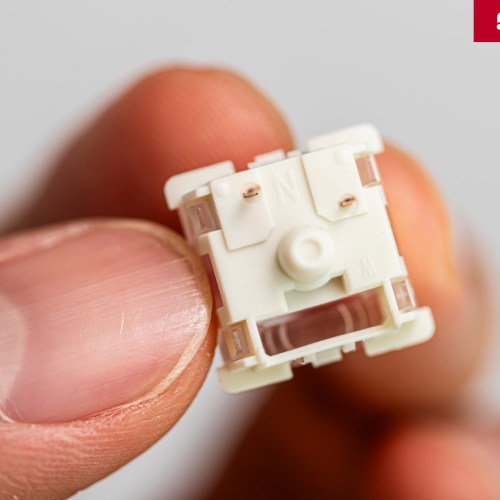
CORSAIR VANGUARD 96 has the ability to hot-swap switches to meet changing needs as well as customization according to user preferences. The VANGUARD 96's motherboard is equipped with hot-swap sockets, you can easily remove and install different types of switches. The hot-swap motherboard design provides easy repair, when a switch is damaged, users just need to replace it with a new switch with just a few simple steps.
Additionally, the VANGUARD 96's hot-swap circuit supports both 3-pin and 5-pin switches. This provides a high level of customization for users, not limited by CORSAIR's switch options. You are free to try and choose to use any mechanical switch on the market, as long as it is suitable and meets your personal experience.
Game support technology
AXON Hyper-Processing

CORSAIR AXON is a processing technology that allows the keyboard to reach a polling rate of 8000 Hz. This means that the keyboard is able to send signals to the computer 8000 times per second, which means the delay between sending signals is only 0.125 ms. Compared to the standard polling rate of 1000 Hz found in most other gaming keyboards, AXON is 8 times faster.
For highly competitive games that require extremely fast processing and manipulation, reducing input lag to a minimum is very important. With the presence of CORSAIR AXON, keyboard latency accounts for less than 1% of the total system latency (from keystroke to action displayed on screen). This ensures that every gamer's actions are recorded and executed almost instantly, which also means you can no longer "blame" the device, winning or losing depends on skill.
FlashTap SOCD

FlashTap is a SOCD (Simultaneous Opposing Cardinal Directions) processing feature designed specifically for gamers. When you press two keys with opposing movement directions at the same time, this conflicting signal will be disabled, resulting in the game character staying in place if FlashTap is not used. FlashTap applies the rule of prioritizing the last key press. For example, if a gamer is holding the D key to move right and then presses the A key, the system will immediately register the left move command and ignore the right move command and vice versa.
For first-person shooter (FPS) games, the application of FlashTap is very clear. This feature helps optimize movement techniques that require high precision and speed, typically "jiggle peeking" (leaning out of a blind spot and quickly retreating) or "counter-strafing" (suddenly changing direction to increase shooting accuracy). Thanks to FlashTap, you can perform smooth and instantaneous direction changes, completely eliminating the "dead" moment when the character stands still, thereby improving the ability to dodge and react in battle.
Low-profile G-Key
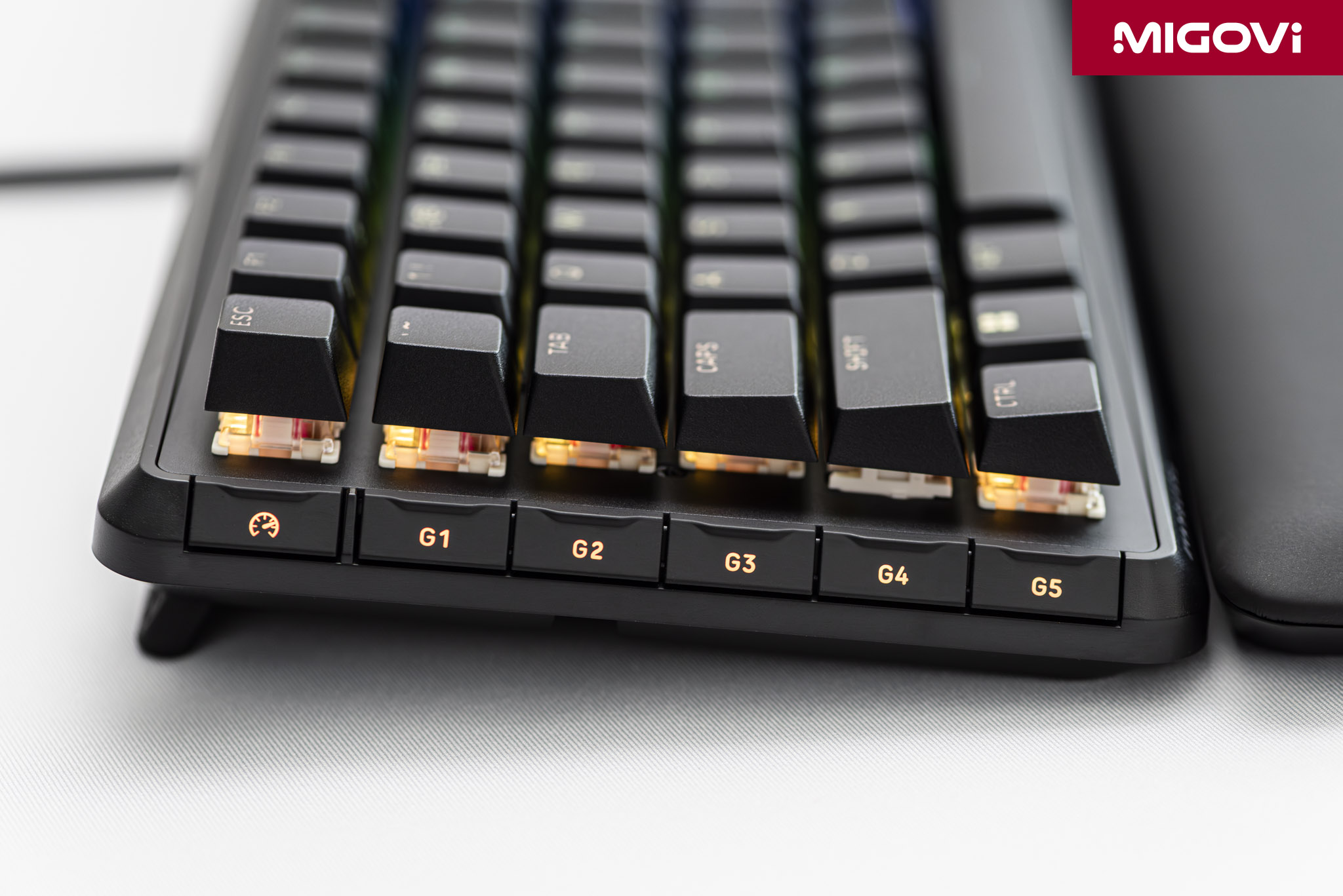
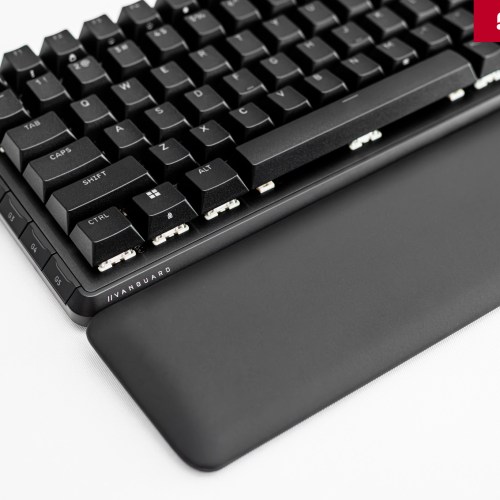
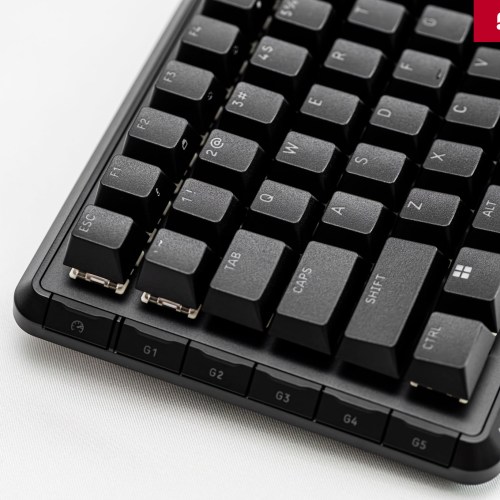
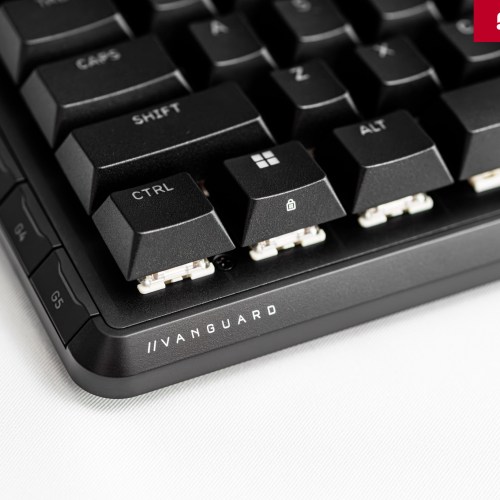
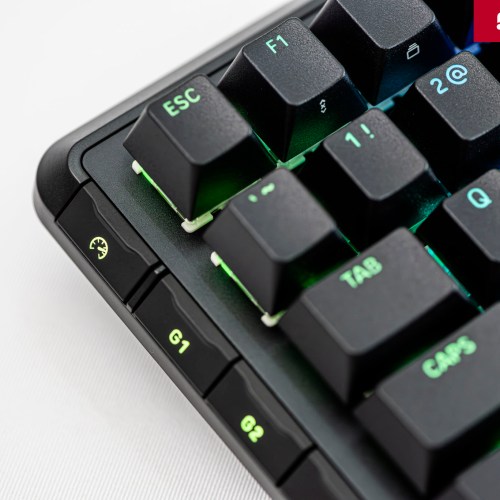
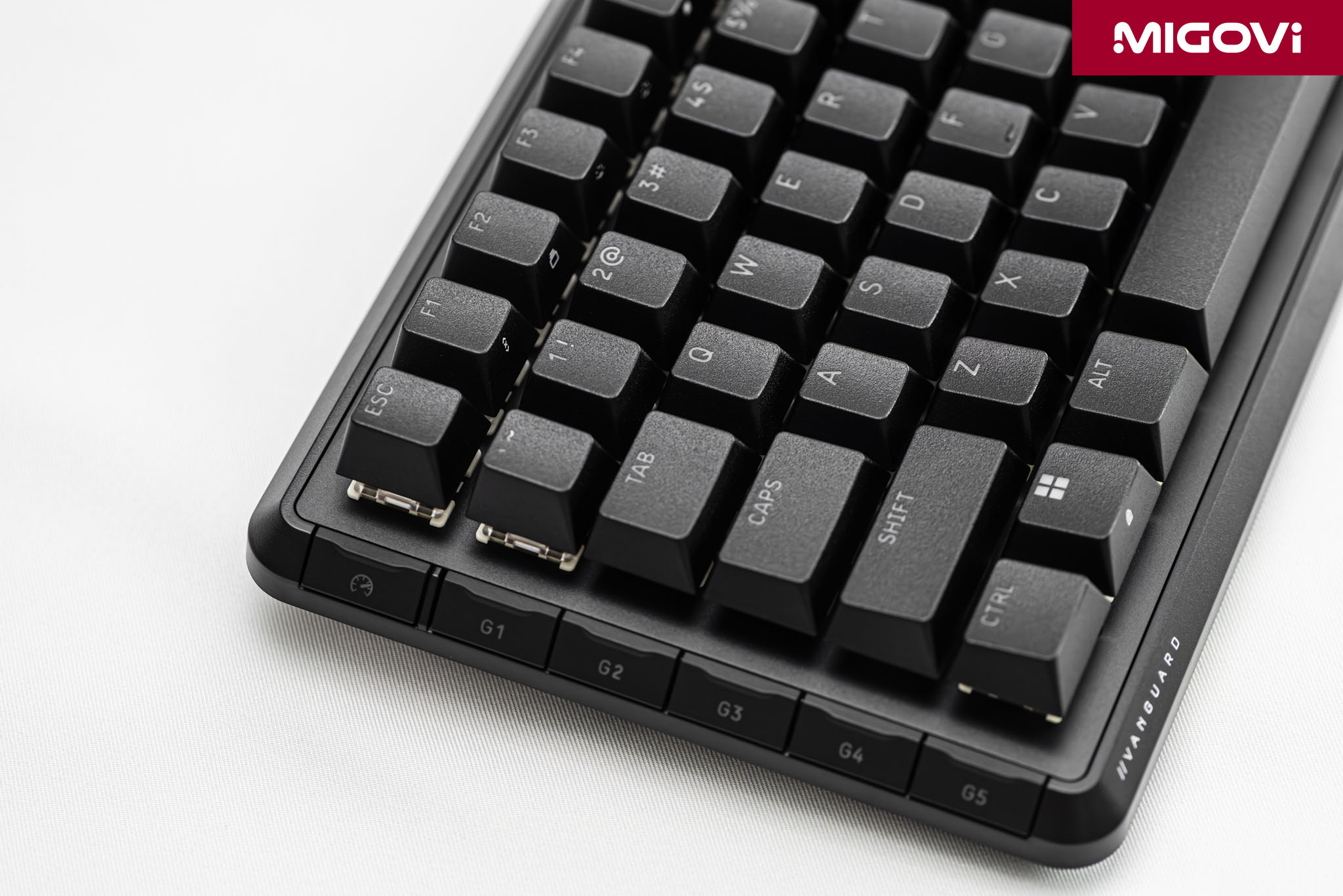
The low-profile G-Key strip on the left is a significant improvement, especially for those who often use macros. There are a total of 5 G-Keys (G1 – G5) and a Game Mode key on top, allowing for quick switching to gaming mode. When activated, Game Mode performs two functions simultaneously: locking the Windows key and switching the entire RGB backlight system to a single static color.
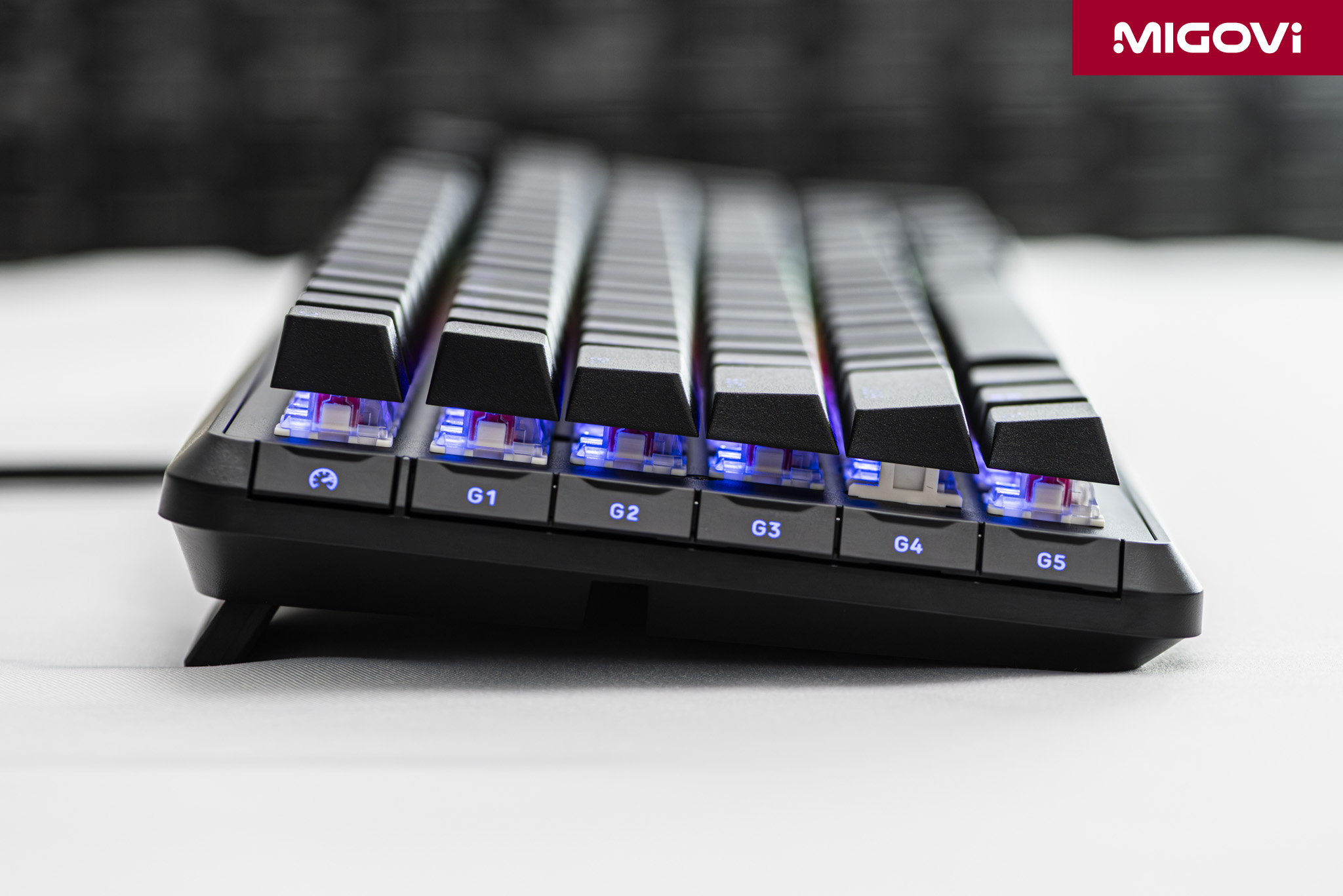
The low-profile G-Key is a prime example of CORSAIR's community-driven design philosophy. The G-Key now completely eliminates accidental presses because it is completely hidden within the frame of the VANGUARD 96. Without accidental presses, you can still easily locate the G1 - G5 keys with your pinky. This is also a point that Migovi highly appreciates and really finds the G-Key useful when needed, while not causing trouble in other situations.
Built-in LCD display
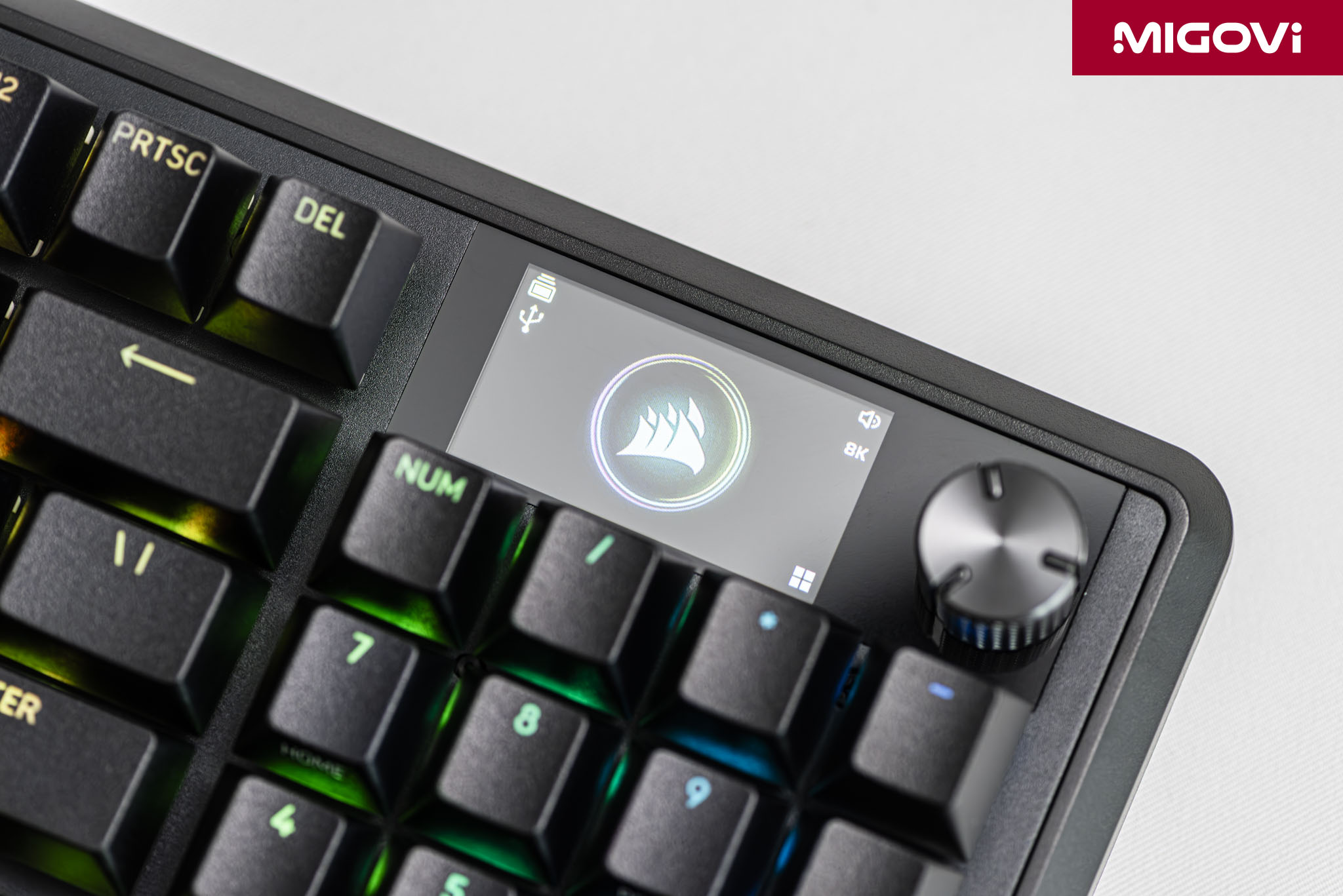
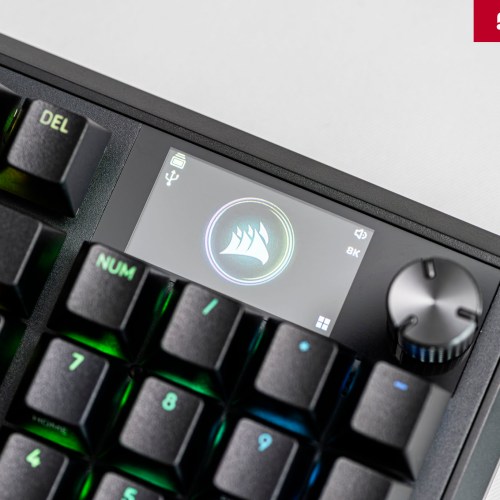
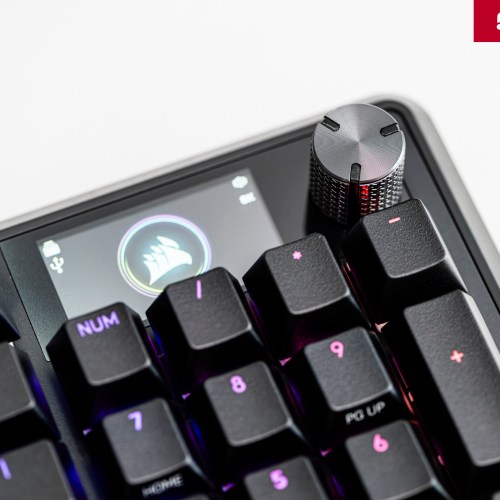
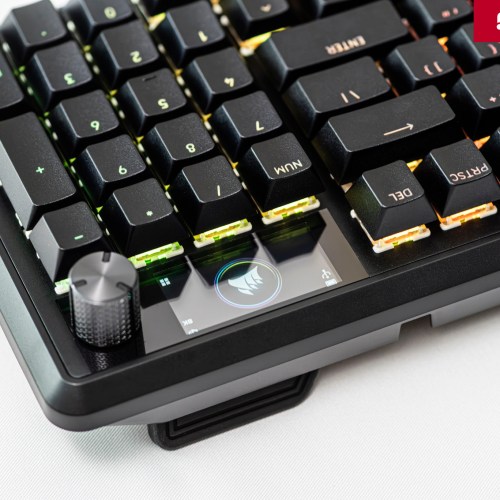
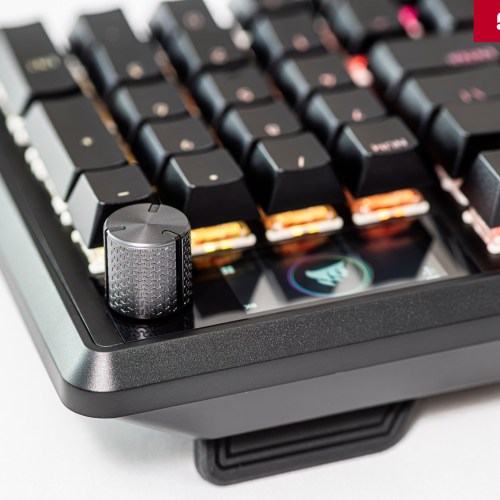
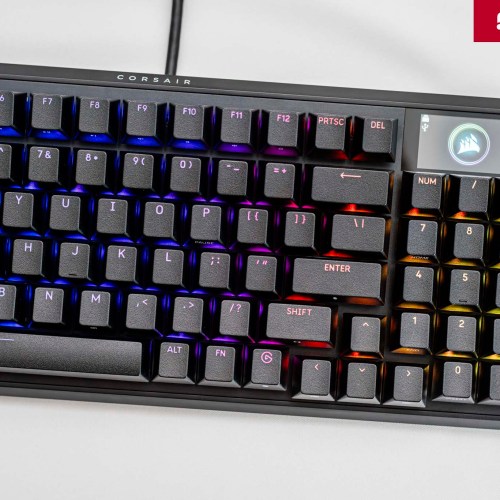
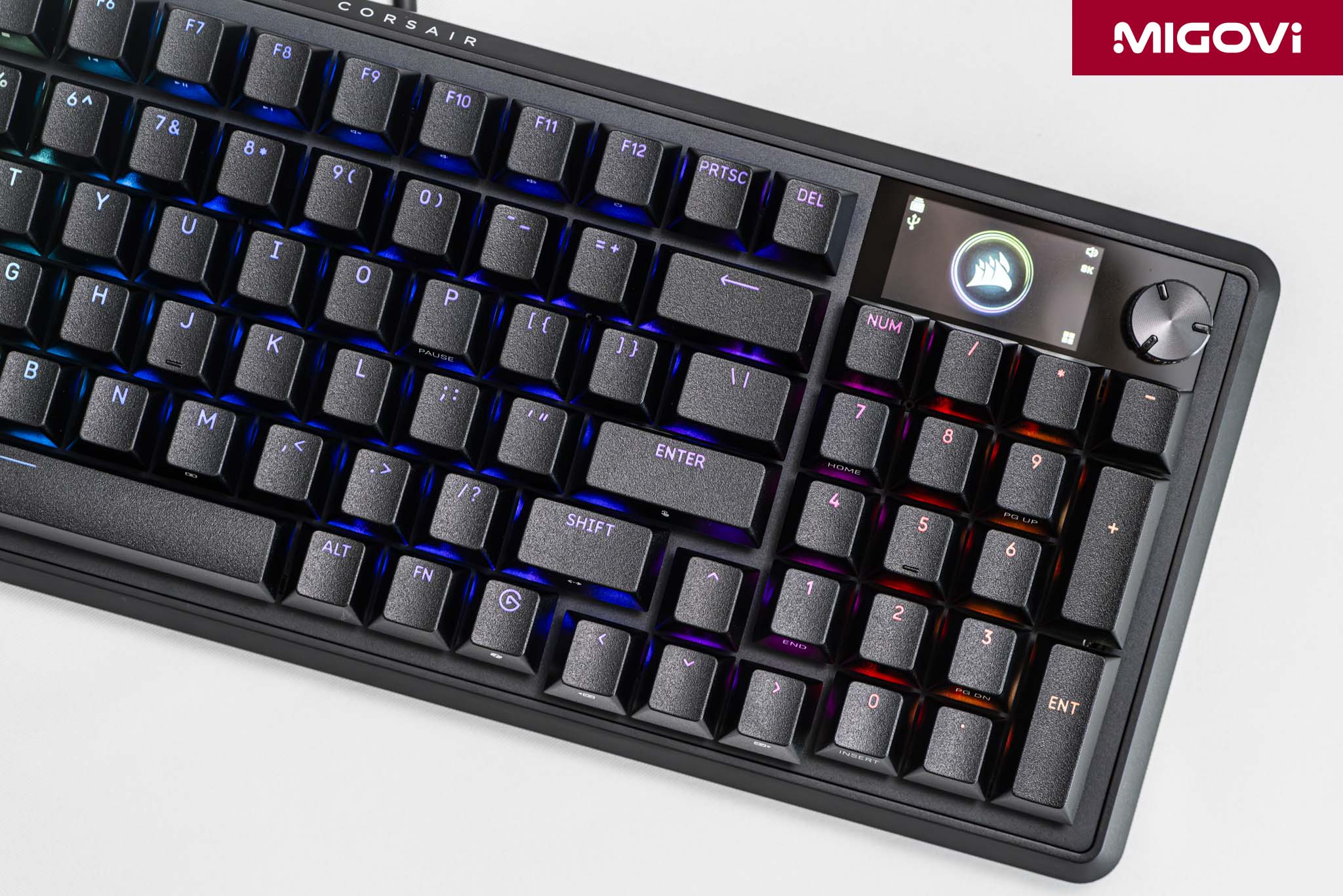
The VANGUARD 96 features a color LCD screen with an IPS panel that delivers vivid colors, high contrast and most importantly, wide viewing angles. The screen measures 1.9 inches and has a resolution of 320 x 170, sharp enough to display fine details and smooth animations. The screen brightness is a maximum of 350 cd/m2, making it easy to view content in a variety of lighting conditions.

For users, the built-in LCD screen can be easily customized for personalization, from displaying static images, animated GIFs or logos to express their own style. Keyboard parameters are also displayed for easy monitoring and adjustment without guesswork.
Multi-function knob
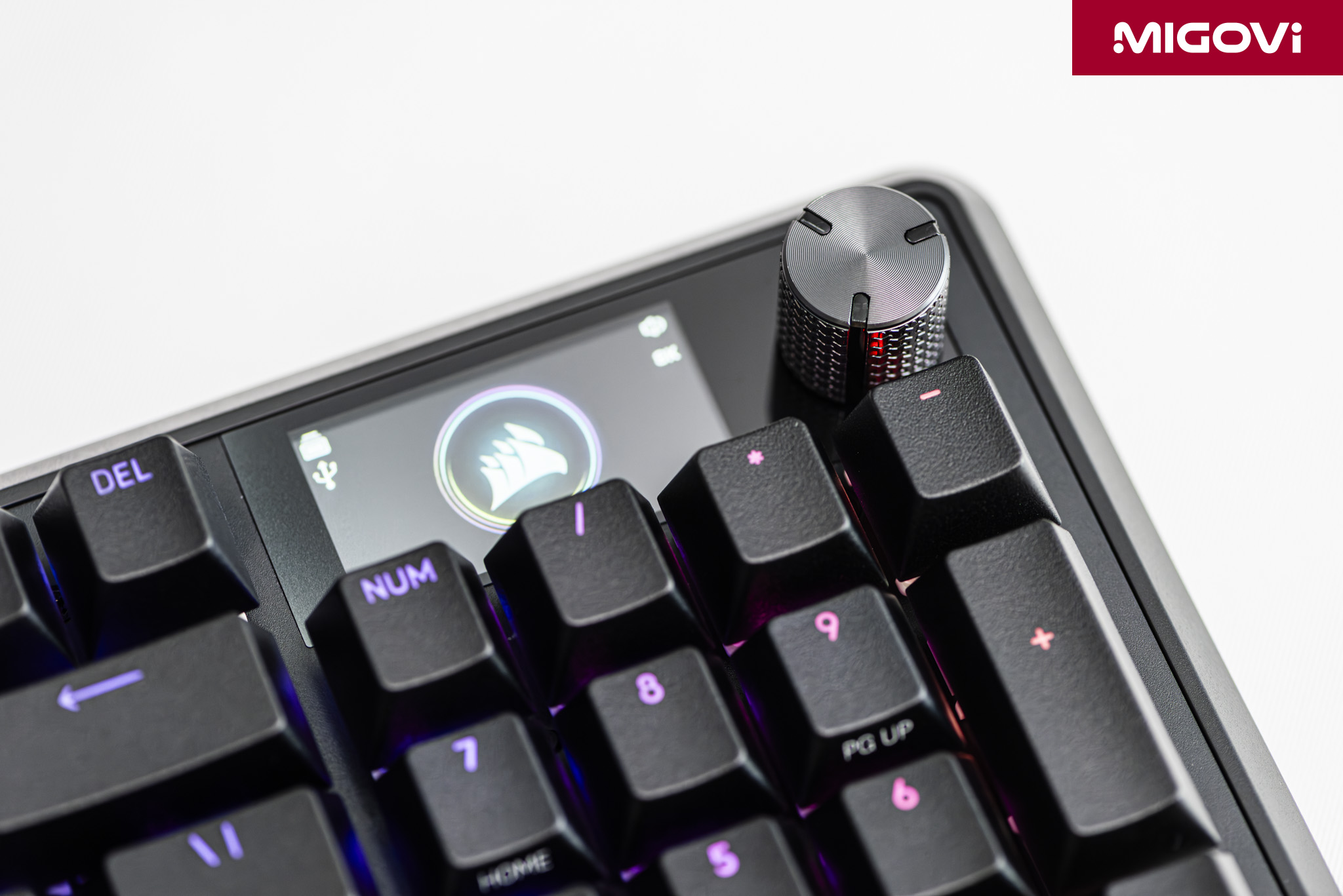
Next to the LCD screen is the multi-function rotary dial, which works similarly to the rotary dial on the Elgato Stream Deck+ device. Adjusting the volume is just a small part of the many available capabilities of the rotary dial (adjusting screen brightness, scrolling web pages, zooming in and out, etc.). In addition, users can also assign custom functions to meet personal needs. If you are a content creator, you can use the rotary dial to adjust the brush size in Adobe Photoshop, rewind and forward on the timeline of Adobe Premiere Pro, or adjust white balance, exposure, etc. In games, the rotary dial allows you to zoom the map, change the viewing angle and many other custom functions. For each function, the LCD screen will also display the corresponding content for easy tracking, very intuitive.
Software ecosystem
CORSAIR Web Hub
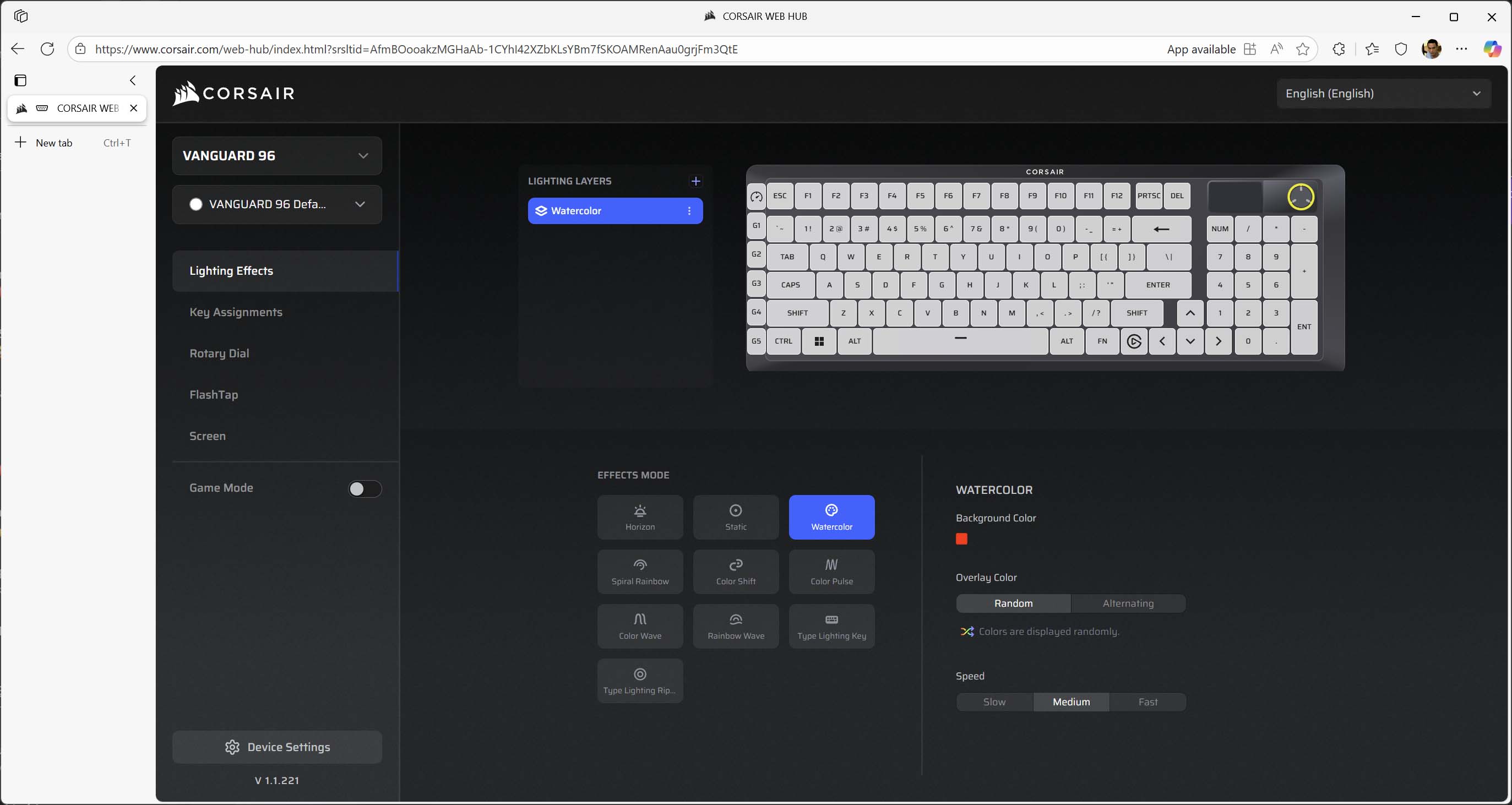
Instead of the familiar iCUE software, which is often complained about as heavy and complicated, CORSAIR VANGUARD 96 has switched to CORSAIR Web Hub, following the ultra-light mouse model CORSAIR SABRE v2 PRO . Basically, Web Hub is a web browser-based interface, allowing users to quickly connect and configure keyboards and mice. You can assign macros, remap keys, adjust backlighting, knob functions, customize the LCD screen... easily without installing additional applications.
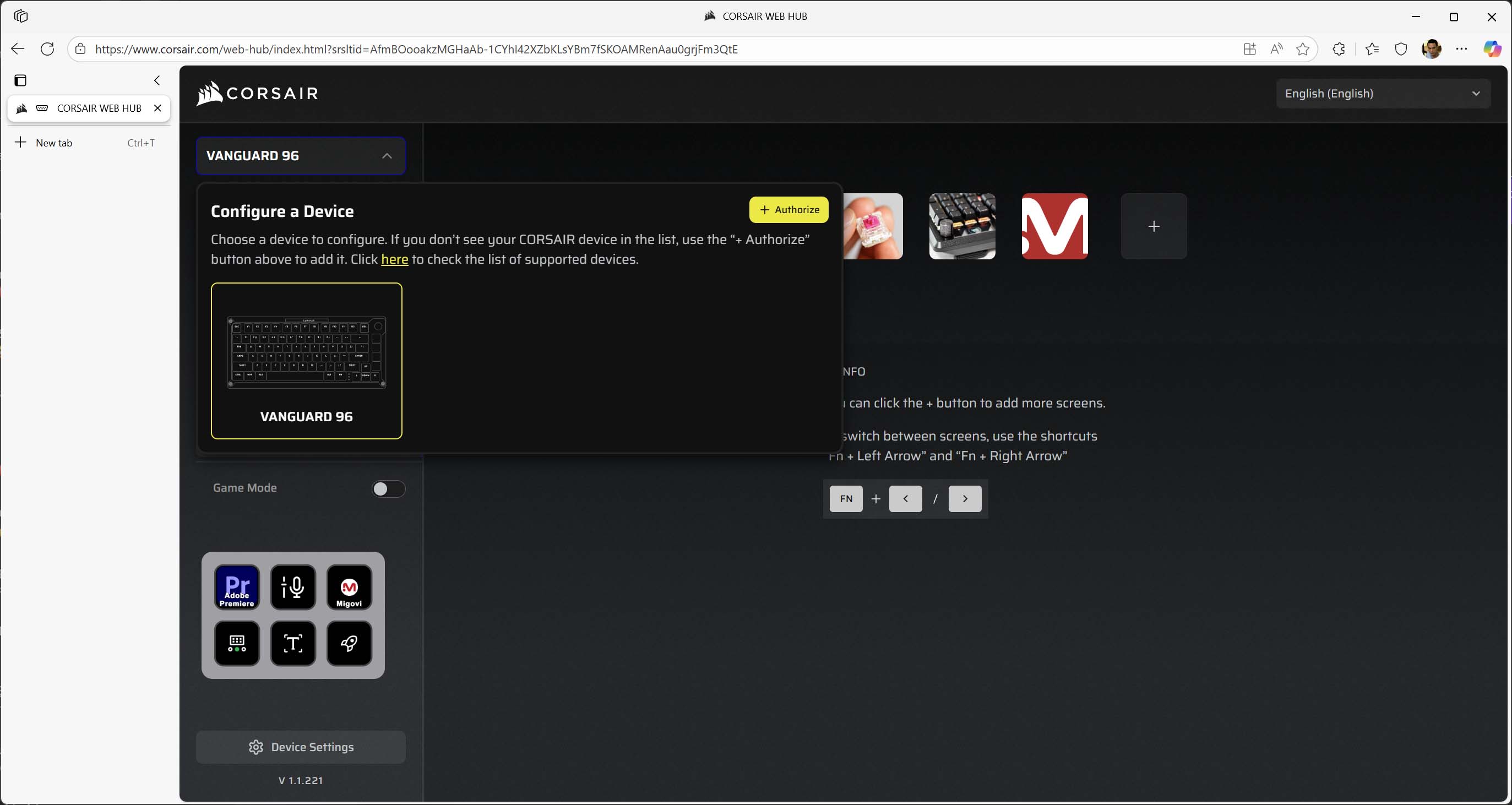
With the CORSAIR Web Hub , CORSAIR users no longer have to rely on iCUE software, but can quickly tweak settings, options and customize the keyboard extremely simply, with just a web browser and an Internet connection. These are also the two basic elements of any gaming computer. Web Hub realizes CORSAIR's lightweight vision, not only physically lightweight but also lightweight in terms of software.
Stream Deck Launch Key

CORSAIR VANGUARD 96 integrates with the Elgato ecosystem, equipped with a dedicated hardware key with the Elgato logo. With just one keystroke, the system will automatically call up the Virtual Stream Deck interface on the screen. Virtual Stream Deck is a software that completely simulates the function of the physical Elgato Stream Deck device, but exists as a virtual control panel on the computer screen. Previously, if you wanted to use Stream Deck software, users had to own a physical device, but sometimes the barrier was cost or not really necessary (due to the entry level). CORSAIR VANGUARD 96 unlocks Elgato Stream Deck so that content creators can take advantage of the capabilities of Virtual Stream Deck.

Users can customize the Virtual Stream Deck (VSD) with a virtual key grid of up to 8 x 8 (64 keys in total). Each virtual key can be assigned an action or sequence of actions through the Stream Deck software: from switching scenes in OBS, activating sound effects, sending pre-written chat messages, opening applications, to executing complex macros. You can pin the VSD to a fixed position on the screen or set it to appear right at the mouse cursor position every time a hotkey is pressed, for maximum customization.
Summary

More than just a new keyboard, the CORSAIR VANGUARD 96 is the start of a comprehensive evolutionary journey, combining the best features that the company has ever shaped. The VANGUARD 96 successfully solves the classic problem between function and size. The redesign of the G-Key cluster to a low-profile form shows that CORSAIR has listened and come up with the most suitable solution. In terms of design, the VANGUARD 96 offers a variety of switch options with 4 types of MLX, hot-swap capability, a solid aluminum frame and 4 layers of sound dampening. For gamers, the CORSAIR VANGUARD 96 is equipped with AXON 8000 Hz technology, FlashTap SOCD feature with decorative LCD screen and multi-function knob. In particular, the Elgato Stream Deck button allows unlocking the Virtual Stream Deck, fully meeting the needs of gamers and content creators.