

Thunderbolt 5 - The Journey from Light Peak to Global Standardization

A look back at the entire evolution of Thunderbolt 5 to become the “gold standard” of connectivity, accepted globally.
Thunderbolt is not a coincidence, but the result of an evolutionary journey that has lasted more than a decade. The protocol has been driven by performance ambitions, market adaptation and the effort to solve increasingly complex connectivity problems. The journey to Thunderbolt 5 represents a long-term strategy, transforming from a high-performance but niche technology to a widely accepted standard. With Thunderbolt 5, users only need a single connection port to take advantage of the highest capabilities and performance in many aspects, not just data transfer.
Article content
Getting Started with Light Peak

Thunderbolt originated from Intel’s ambitious “Light Peak” project, which was announced in 2009. Light Peak’s initial goal was to create a multi-protocol optical connection standard that uses fiber optic cables to transmit data at speeds of up to 10 Gbps, with the potential to expand to 100 Gbps in the future. The advantages of fiber optic cables are their extremely high bandwidth and the ability to transmit signals tens of meters without loss.
However, when preparing for commercialization, Intel made a landmark decision: switching from fiber optics to copper cables. The main reason for this change was highly practical. Although copper cables had distance limitations, they had the advantage of being able to directly supply power to peripheral devices – a feature that fiber optics could not do. In addition, the cost of manufacturing and deploying copper-based systems at that time was significantly lower, making the technology more accessible to users. This decision shaped the first commercial version of the technology and the name “Thunderbolt” was officially born.
Thunderbolt 1 and Thunderbolt 2

On February 24, 2011, Thunderbolt was officially launched globally through a strategic partnership with Apple, integrated into the MacBook Pro line of computers. Thunderbolt 1 uses a Mini DisplayPort (MDP) physical connector, providing 10 Gbps bi-directional bandwidth on 2 independent channels. This means it has 1 10 Gbps channel to transmit data and another 10 Gbps channel to receive data at the same time. This protocol combines both PCI Express (PCIe) for data transmission and DisplayPort (DP) for video signal transmission on the same cable. This was a revolutionary idea at that time.
Following Thunderbolt 1, Thunderbolt 2 was released in 2013, continuing to use the MDP port but bringing an important improvement: channel aggregation technology. Instead of two independent 10 Gbps channels, Thunderbolt 2 is capable of combining them into a single logical channel with a total bandwidth of 20 Gbps. This upgrade is powerful enough to transmit 4K resolution video, meeting the increasing demands of professionals.

Despite their technological superiority, both Thunderbolt 1 and 2 struggled to conquer the mass market, with the biggest barrier being cost. Thunderbolt devices, especially cables, were significantly more expensive than competitors like USB 3.0. The use of Mini DisplayPort also limited the device ecosystem, which was largely focused on Apple products and a handful of high-end storage device manufacturers. As a result, Thunderbolt was seen as a powerful but niche solution for the professional market at this stage.
Thunderbolt 3 – Revolution with USB-C

The introduction of Thunderbolt 3 at COMPUTEX 2015 marked a turning point, completely changing the trajectory of the protocol. The most important and far-reaching change was the abandonment of the Mini DisplayPort in favor of the USB-C physical connection. By “integrating” with the physical connection standard that is on the way to becoming a global standard, Thunderbolt 3 solved its biggest problem: popularity and market acceptance. Along with the change in connection port, Thunderbolt 3 also made a leap in performance by doubling the bandwidth to 40 Gbps. Thunderbolt 3 integrates multiple protocols including PCI Express 3.0, DisplayPort 1.2 and USB 3.1. Moreover, the new protocol is also capable of providing power (Power Delivery) up to 100 W, enough to charge most laptop models.

The combination of high-end performance and the convenience of USB-C has brought the vision of “one port to rule them all” to life. For the first time, people can use a single cable to transfer data, output images to two 4K screens, connect to the network and charge their laptops. This success has attracted a series of major PC manufacturers such as Dell, HP and MSI to join, expanding the Thunderbolt ecosystem beyond Apple, creating a vibrant market for peripherals.
Thunderbolt 4: Standardization and Security
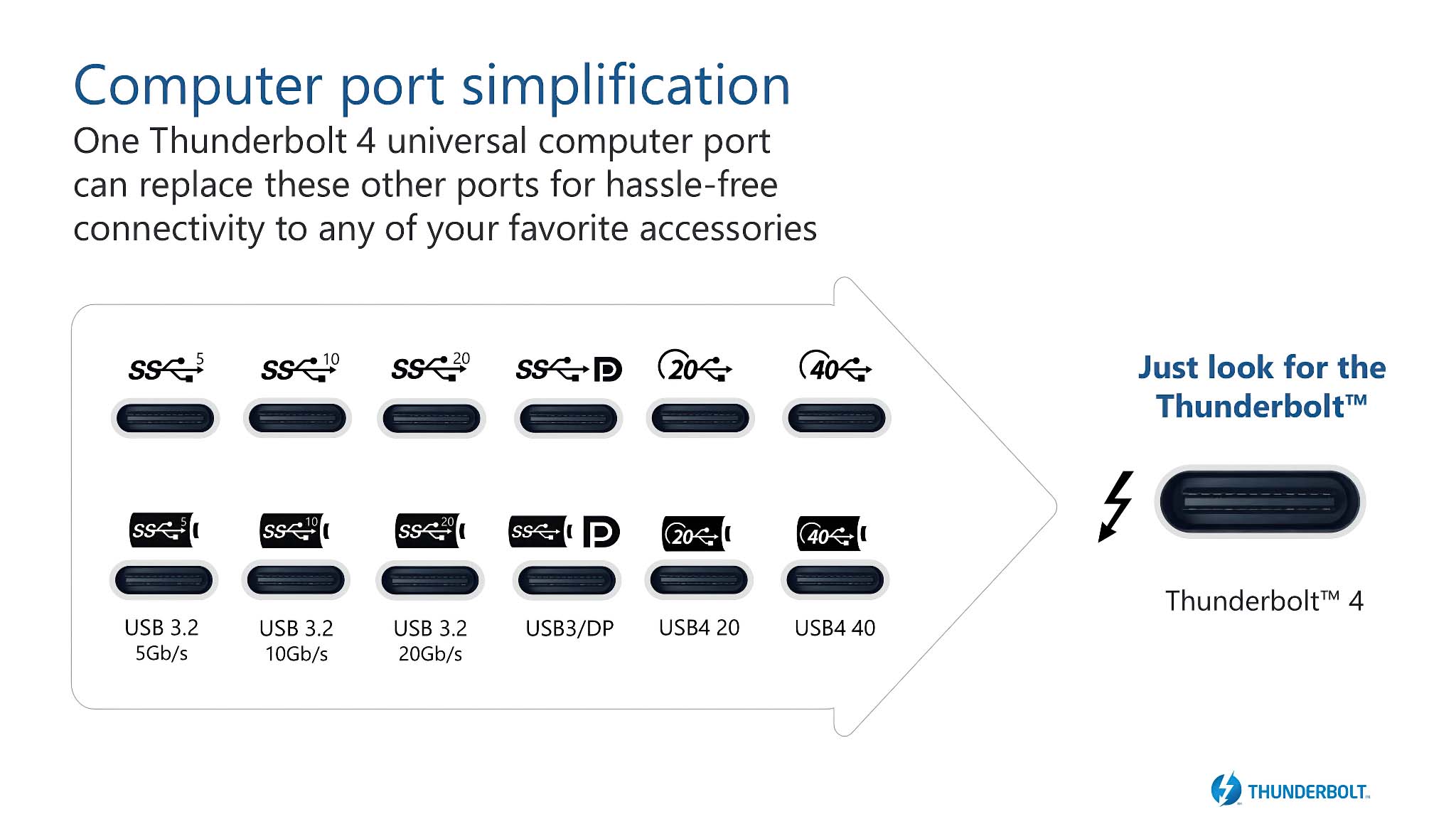
Intel took a different approach when it launched Thunderbolt 4 in 2020. Instead of continuing the race for maximum speed (still at 40 Gbps like Thunderbolt 3), Intel focused on raising the minimum requirements for certification and strengthening the brand. The goal of Thunderbolt 4 was to address the inconsistencies in the user experience between Thunderbolt 3 and USB-C. A device with a Thunderbolt 3 port didn’t necessarily support all the top-end features. Thunderbolt 4 changed that by requiring computer manufacturers to meet a series of strict standards to be certified:
- Display support: Must support at least 2 4K displays or 1 8K display.
- Data Bandwidth: PCIe bandwidth must be at least 32 Gbps (double the Thunderbolt 3 minimum requirement of 16 Gbps).
- Security: Mandatory integration of Intel VT-d-based Direct Memory Access (DMA) protection technology to protect against physical attacks.
- Utility: Must be able to “wake up” the computer from sleep mode via connected accessories (mouse, keyboard).
- Charging: At least 1 port on the computer must support charging itself.

With these mandatory standards, Intel has positioned Thunderbolt 4 as not only a fast protocol, but also a reliable, secure and feature-rich protocol. When users see the Thunderbolt 4 logo on their devices, they can rest assured that they are guaranteed a premium and consistent experience. Furthermore, Thunderbolt 4 is fully compliant and a “superset” of the USB4 standard, ensuring seamless compatibility with the broader USB ecosystem.
The journey from Light Peak to Thunderbolt 4 demonstrates a smart, long-term development strategy. Intel started by creating a performance-first technology, then made it more accessible through a universal physical standard and finally built it into a “gold standard” with a rigorous certification process. This solid foundation was the perfect launch pad for Thunderbolt 5.
Thunderbolt 5 – Breakthrough innovation

Thunderbolt 5 brings a series of groundbreaking improvements, redefining the limits of a single connection port. This protocol provides bi-directional bandwidth of up to 80 Gbps, double the 40 Gbps of Thunderbolt 3 and 4. This means that Thunderbolt 5 can simultaneously send and receive data at 80 Gbps. Furthermore, with the Bandwidth Boost feature, the transmission bandwidth can be pushed up to 120 Gbps for heavy video tasks. In addition, the dedicated bandwidth for PCIe data is also doubled, from 32 Gbps (PCIe Gen 3.0 x4) on Thunderbolt 4 to 64 Gbps (PCIe Gen 4.0 x4) on Thunderbolt 5. This is an extremely important upgrade, directly solving the "bottleneck" for devices that require large data bandwidth such as external graphics cards (eGPUs), or high-speed NVMe SSD storage systems.
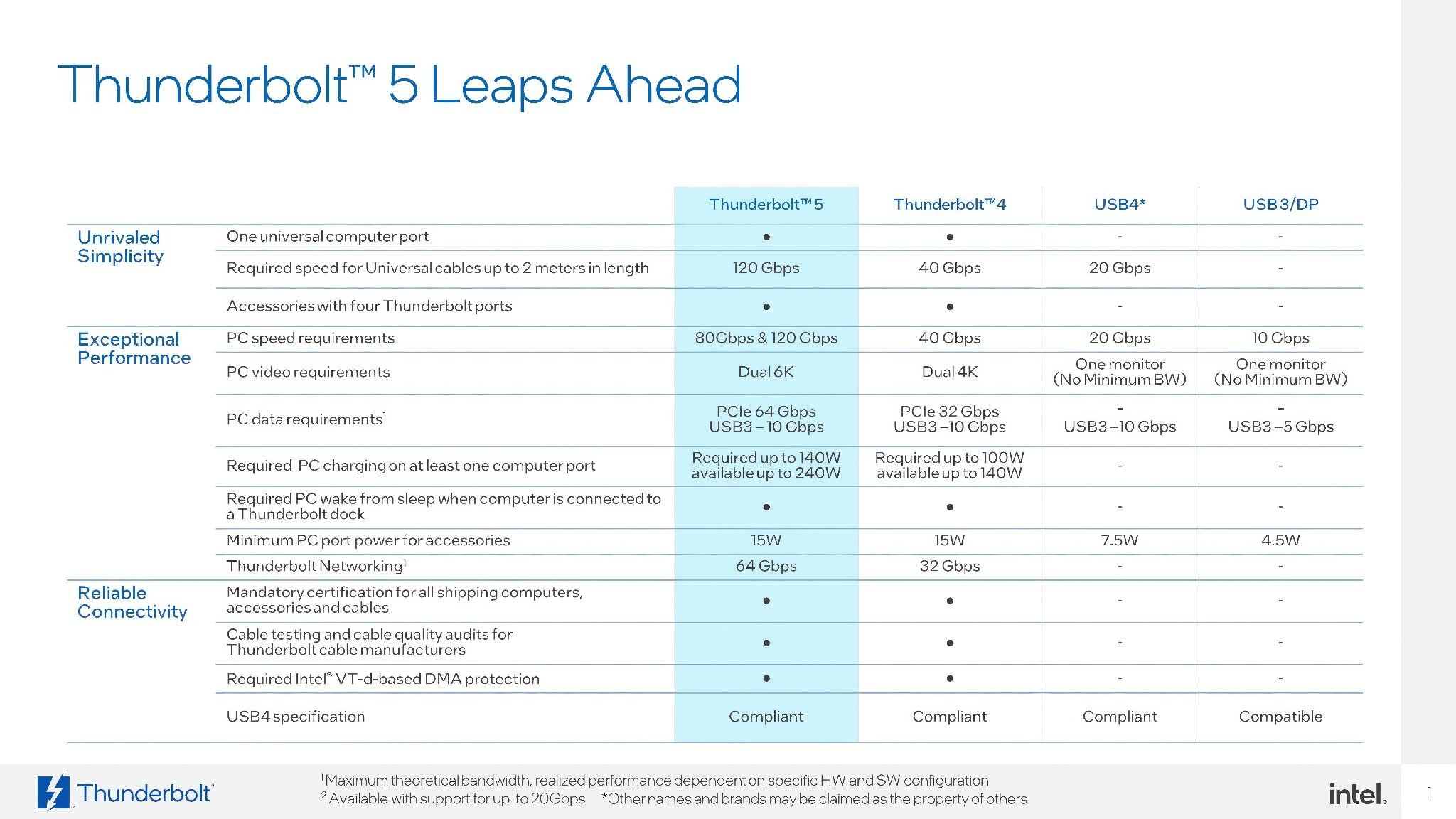
Thunderbolt 5 fully integrates the USB Power Delivery (PD) 3.1 Extended Power Range (EPR) standard. This allows it to deliver a maximum charging power of up to 240W. While initial Thunderbolt 5 products may have focused on 140W due to semiconductor limitations, the ability to support 240W is a huge step forward. At 240W, Thunderbolt 5 is capable of powering even the most power-hungry gaming laptops and mobile workstations, eliminating the need for multiple bulky chargers.
In terms of image display, Thunderbolt 5 integrates the DisplayPort 2.1 standard. When needed, users can output images to multiple screens with super high resolution and extremely fast refresh rates. For example, using Thunderbolt 5 to output 2 8K screens @ 60 Hz, 3 4K screens @ 144 Hz, or even a single 4K screen at a refresh rate of up to 540 Hz. In addition, Thunderbolt 5 is also backward compatible with the ecosystem, including Thunderbolt 4, Thunderbolt 3, USB4, USB 3 and USB 2.
Bandwidth Boost and PAM-3 Technology
Bandwidth Boost
Intel developed Bandwidth Boost based on workflow analysis because bandwidth needs are not always symmetrical. Tasks like high-resolution multi-monitor output, streaming, or gaming require a much larger data stream to be transmitted from the computer to the display than the data stream to be received.

Based on the asymmetric link operation mode of the USB4 Version 2 standard, Bandwidth Boost allows Thunderbolt 5 to dynamically and automatically reallocate bandwidth as needed. In normal operation, the connection maintains a symmetric bandwidth of 80 Gbps for transmission and 80 Gbps for reception. However, when a device requiring extremely high video bandwidth (such as an 8K display) is connected, the system automatically activates Bandwidth Boost, changing the link structure to 120 Gbps for transmission and 40 Gbps for reception.

This “smart” feature provides up to 3 times more video bandwidth than Thunderbolt 4 and 50% more than DisplayPort 2.1 (UHBR20). Thanks to Bandwidth Boost, the visual experience is guaranteed to be smooth, lag-free even with the highest screen configurations, without affecting other tasks too much. This technology shows that Intel is truly optimizing for real-world needs instead of just chasing symmetrical numbers in theory.
PAM-3
To achieve the speed leap, Thunderbolt 5 uses an advanced signal modulation technology called PAM-3 (Pulse Amplitude Modulation with 3 Levels). Why did Intel choose PAM-3 over other technologies like NRZ or PAM-4?
- NRZ (Non-Return-to-Zero) or PAM-2: Used in Thunderbolt 3/4 and many older standards. It uses 2 voltage levels (high and low) to represent 2 states of 1 binary bit (“1” and “0”). Each signal cycle (symbol) only transmits 1 bit of data.
- PAM-4 (Pulse Amplitude Modulation with 4 Levels): Used in high-speed Ethernet standards. It uses 4 voltage levels to encode 2 bits of data per cycle. This allows for double the data throughput at the same signal frequency compared to NRZ, but at the cost of narrower spacing between voltage levels, making the signal more sensitive to noise and requiring a higher signal-to-noise ratio (SNR).
- PAM-3 (Pulse Amplitude Modulation with 3 Levels): Is a smart balance between the above two methods. PAM-3 uses 3 voltage levels (usually represented as -1, 0, +1) to encode 3 data bits in 2 cycles, equivalent to 1.5 data bits per cycle.

The PAM-3 option allows Thunderbolt 5 to achieve 80 Gbps bandwidth (double the NRZ) without the complex and costly signal processing and SNR requirements of PAM-4. Importantly, PAM-3 is robust enough to operate efficiently on existing passive cables up to 1 meter in length. This means users can take advantage of Thunderbolt 5’s speeds without having to purchase expensive next-generation active cables, significantly reducing the cost and upgrade barrier, accelerating the adoption of the new technology.
Thunderbolt 5’s architecture is a masterpiece of practical engineering. Thunderbolt 5 is not just faster, it’s “more efficient” by intelligently allocating bandwidth. Thunderbolt 5 is also more viable thanks to its choice of signal modulation technology that optimizes performance, cost and compatibility.
Thunderbolt 5 ports, cables and certifications
The physical layer of Thunderbolt 5, including ports, cables and certification systems, determines the stability and consistency of the entire ecosystem.
USB Type-C Port
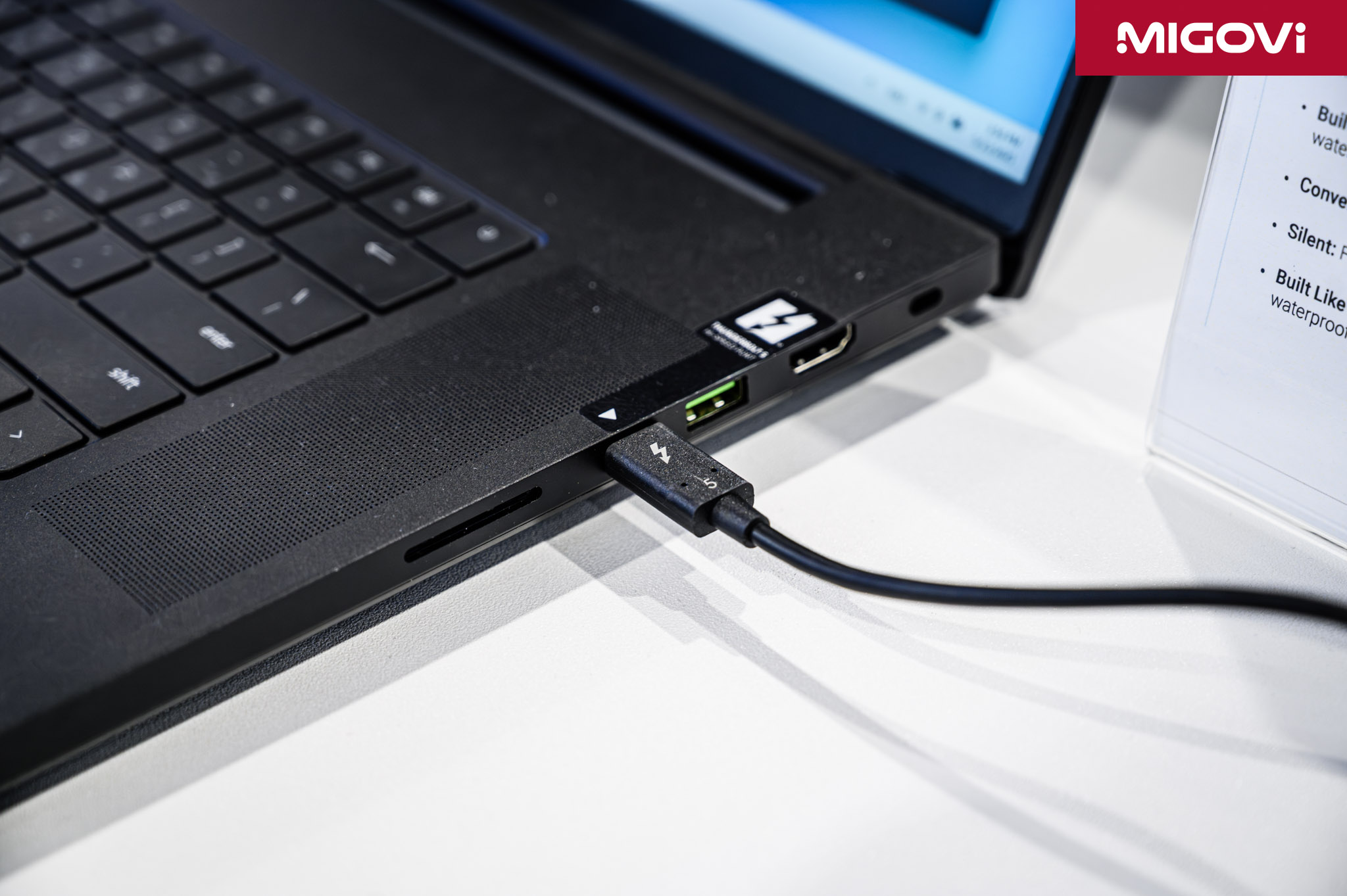
Thunderbolt 5 further solidifies USB-C’s status as the global physical connection standard by adopting it as its proprietary interface. However, it’s important to remember that USB-C is just the shape of the connector. It’s the protocol and technology built into it that determines actual performance. When you see a USB-C port on a device, it could be a USB 2.0 port with 480 Mbps data transfer speeds, or it could be a Thunderbolt 5 port with 80 Gbps bandwidth—a difference of more than 160 times.
To help users differentiate, Thunderbolt ports are often marked with a distinctive lightning bolt symbol printed next to the port. For certified Thunderbolt 5 cables, the lightning bolt logo with the number “5” will be the clearest identification mark, helping users choose the right product to take full advantage of the potential of this technology.
Passive or active cable
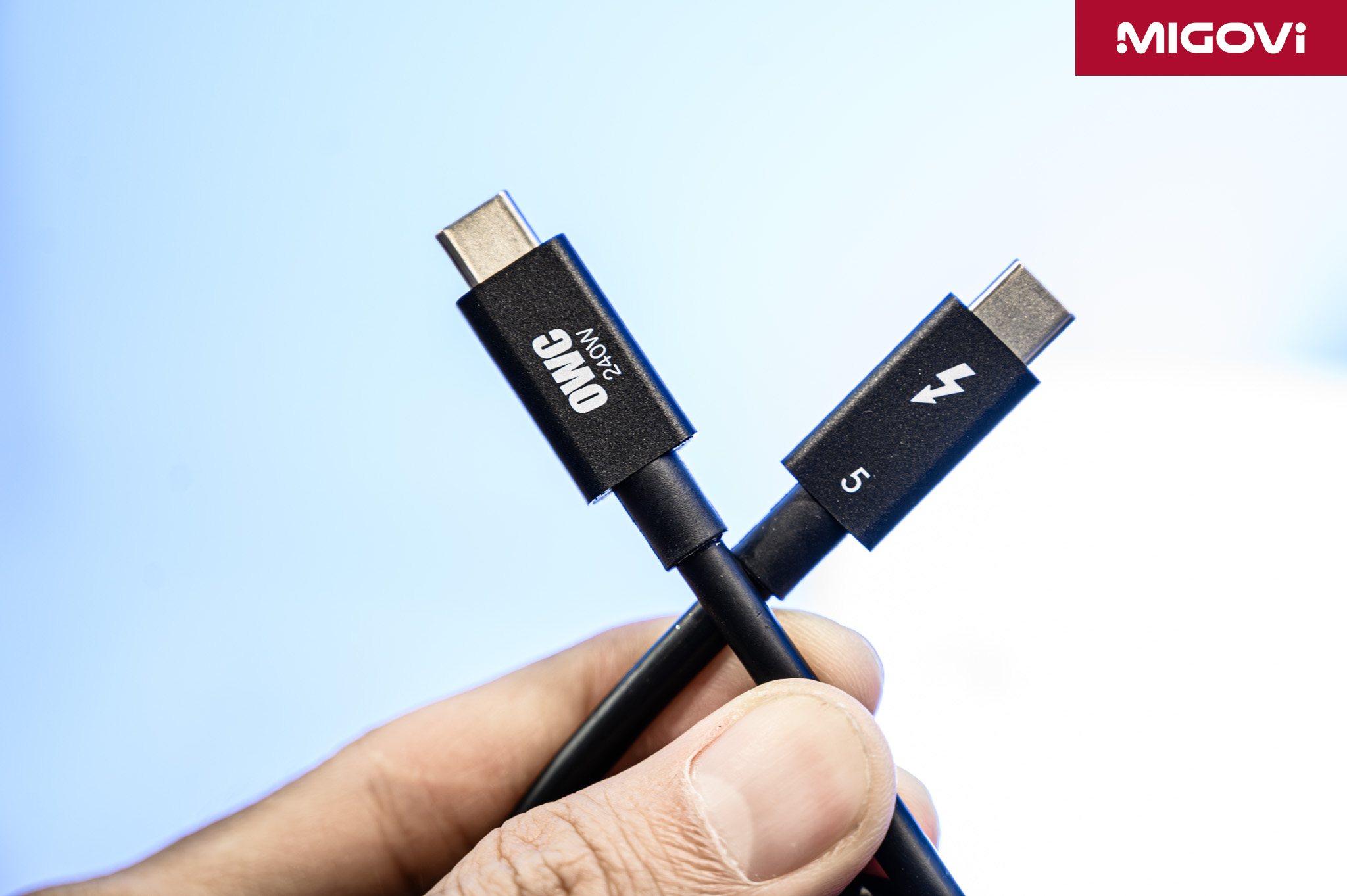
Choosing the right cable is key to achieving the maximum speed of Thunderbolt 5. There are two main types of cables, each with different characteristics and use cases. First, passive cables do not contain any active electronic components to amplify the signal. Thanks to PAM-3 signal modulation technology, Thunderbolt 5 passive cables can achieve the full 80 Gbps bandwidth at lengths of up to 1 meter. Notably, high-quality passive cables for Thunderbolt 4 or USB4 can also operate at 80 Gbps with Thunderbolt 5 devices. This is a big advantage in terms of cost and convenience, as users can take advantage of existing cabling for short connections.
The second is active cables for connections longer than 1 meter to maintain 80 Gbps bandwidth. These cables integrate retimers or redrivers inside the connector. These chips are responsible for regenerating and amplifying the signal, counteracting the natural attenuation when the signal travels over long distances. Because of the additional electronic components, active cables are more expensive than passive cables.

Not all active cables are good, especially if they are not certified. Using an active Thunderbolt 4 cable on a Thunderbolt 5 system will limit the connection speed to Thunderbolt 4's 40 Gbps. This is because the retimer chips inside active Thunderbolt 4 cables are designed to handle signals at 40 Gbps, which is not compatible with Thunderbolt 5's high-speed PAM-3 signals. In this case, a short passive cable (under 1 m) will provide better performance than a longer, older generation active cable.
Thunderbolt 5 certification
One of Thunderbolt’s core and most distinct values compared to USB is the rigorous and mandatory certification process managed by Intel. The current USB-C market is chaotic; manufacturers can choose to implement features like high speed, DisplayPort Alt Mode, or Power Delivery or not. The lack of specific standards makes it difficult for end users to know which products to buy and which ones do not meet their needs.
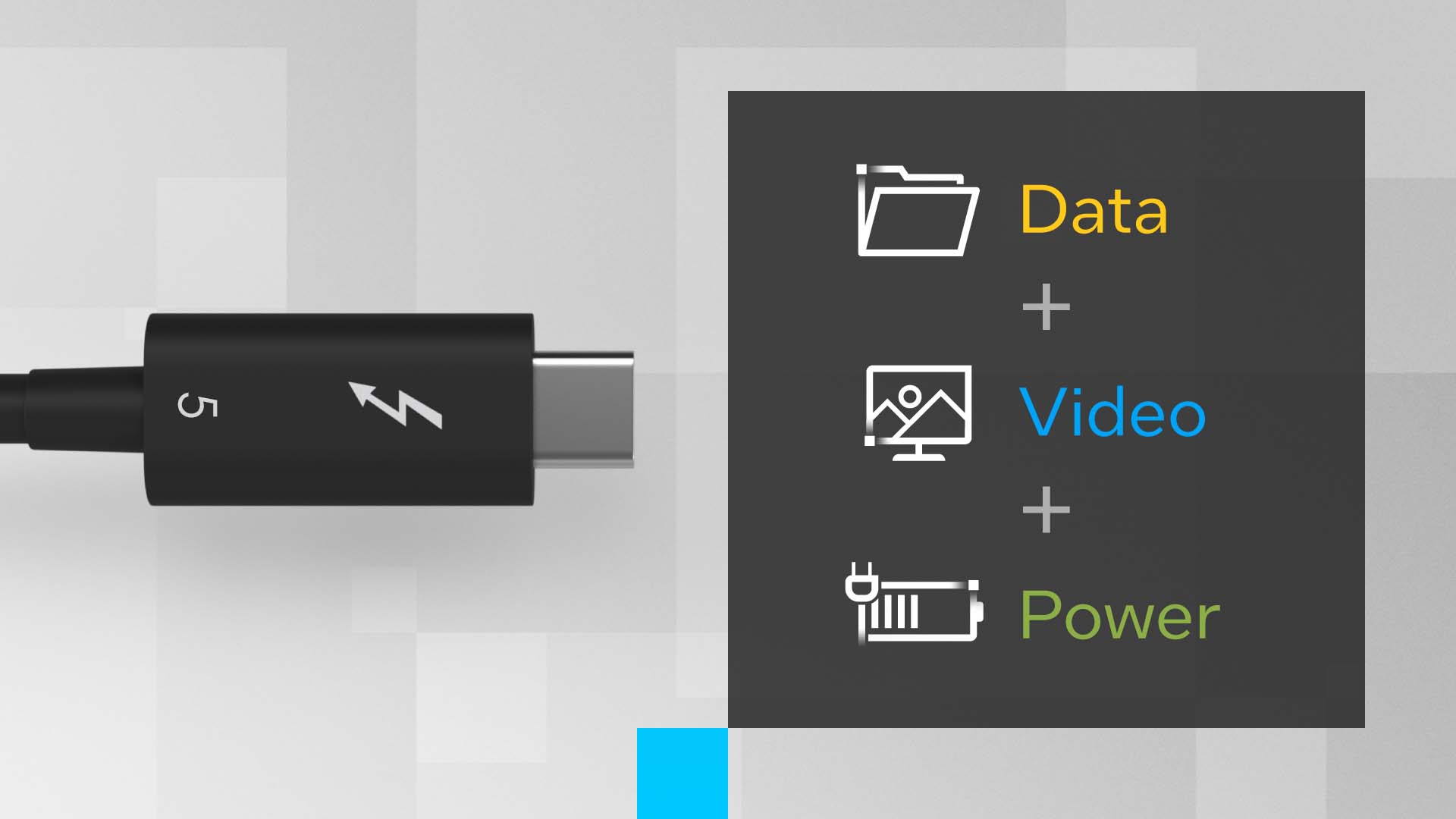
Thunderbolt solves this problem completely. To be eligible to carry the Thunderbolt logo, every computer, peripheral and cable must pass rigorous testing for compatibility, reliability and performance. This certification ensures that any Thunderbolt 5 product will deliver the same consistent, premium feature set, including:
- Minimum bandwidth 80 Gbps.
- Supports high resolution multiple monitors.
- Minimum PCIe bandwidth 64 Gbps.
- Ability to power and charge laptops.
- Intel VT-d based DMA security.
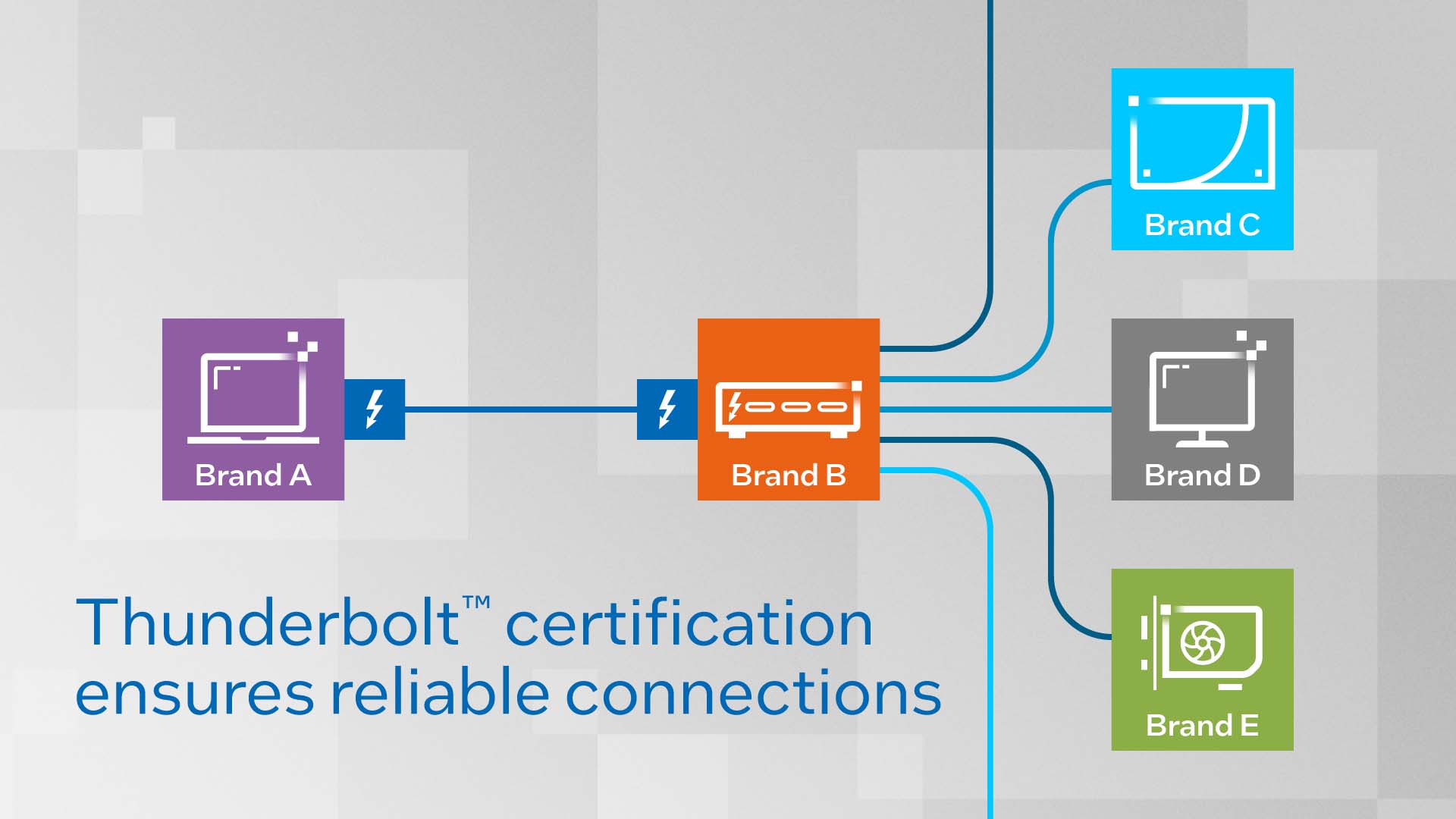
The Thunderbolt 5 logo is therefore not for fun or advertising. When this logo appears, users are completely assured of the quality and performance of the connection port, reliable enough to not have to read through a series of complex technical specifications. However, as analyzed, you also need to have a certain understanding, especially about choosing the right cable, to be able to get the most out of Thunderbolt 5.
Applications of Thunderbolt 5
The upgrades that Thunderbolt 5 brings have impacted many areas, from professional content production to high-performance entertainment, or quickly turning a thin and light laptop into a workstation capable of processing high-resolution images and videos.
Content Creation
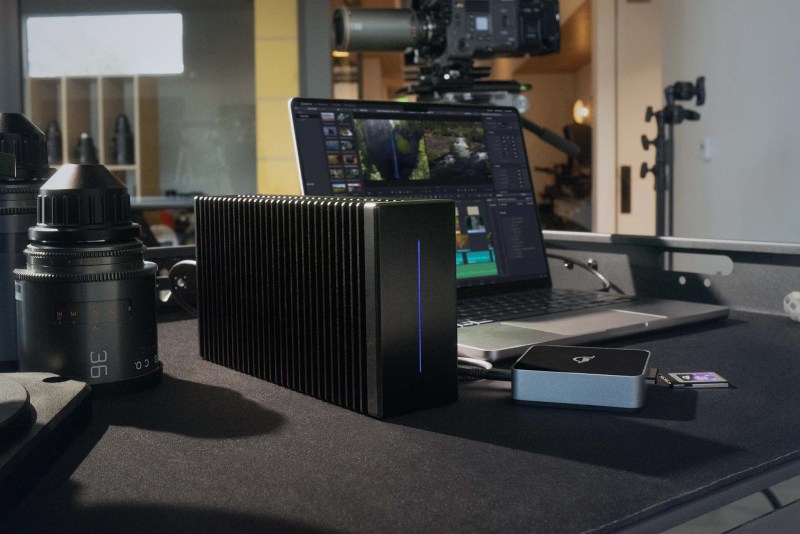
Thunderbolt 5 directly addresses the challenges in the content creation workflow. Processing 8K RAW video files or higher resolution formats requires massive bandwidth. With 80 Gbps bi-directional bandwidth and 120 Gbps Bandwidth Boost mode, Thunderbolt 5 enables editing, color grading and review of 8K footage directly from external storage without the need for proxies, dramatically reducing render times and data duplication. The ability to simultaneously connect to high-speed storage systems and multiple 4K 144 Hz or 8K 60 Hz displays without bottlenecks creates a more efficient and multitasking workspace.

Thanks to PCIe Gen 4 64 Gbps bandwidth, external storage solutions using NVMe SSDs via Thunderbolt 5 can achieve sequential read/write speeds of over 6000 MB/s. This speed is almost equivalent to high-end M.2 NVMe SSDs mounted directly on the motherboard. This allows working directly on huge data libraries (RAW images, 3D models, AI projects) placed on external hard drives smoothly, providing great flexibility and scalability.
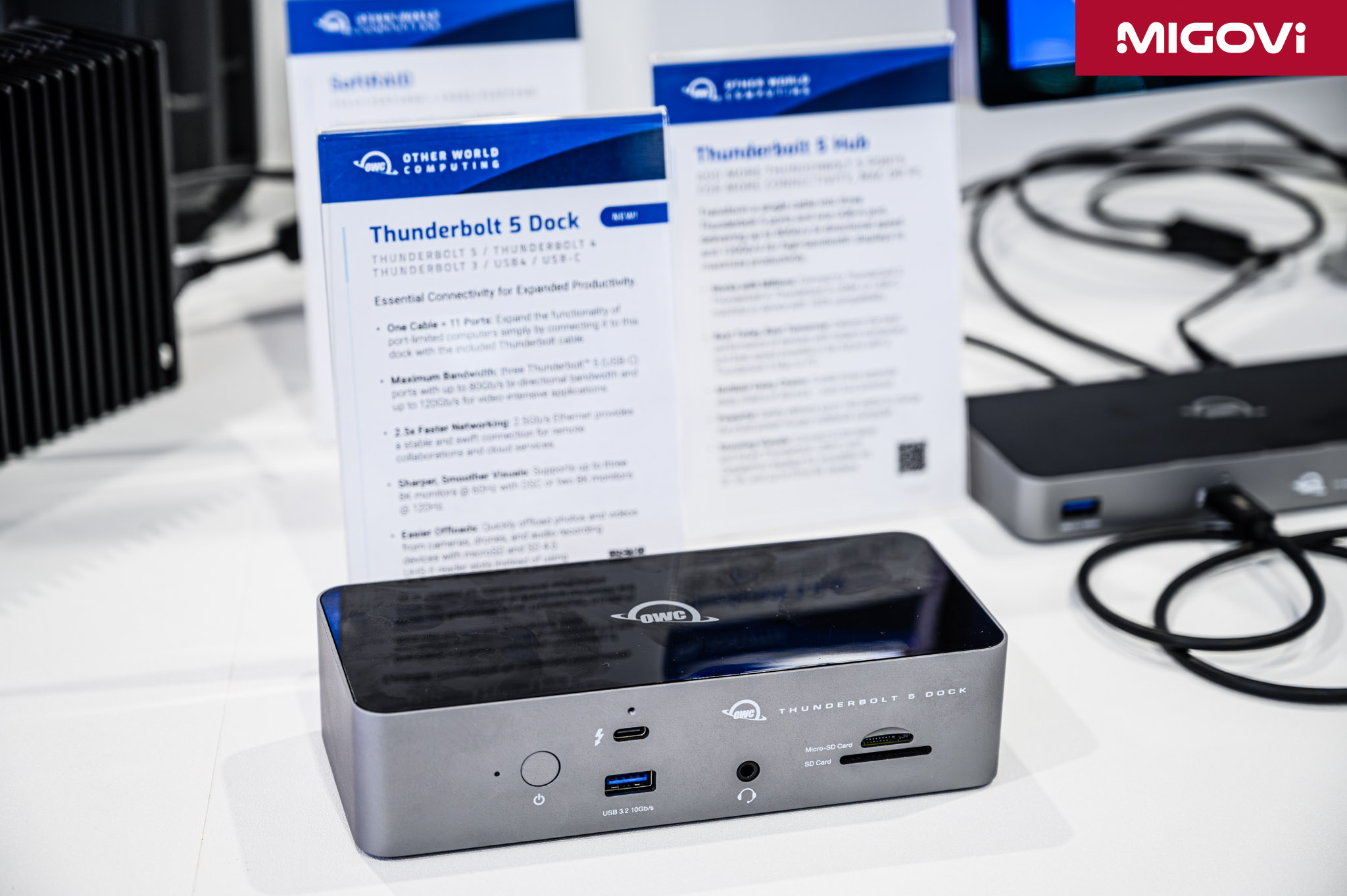
The power of Thunderbolt 5 is most evident through the new generation of docking stations. With just 1 cable plugged into the computer, users can immediately expand the connection to a series of different ports: multiple Thunderbolt 5 ports for other peripherals, 10 Gbps USB-A ports, 2.5 GbE or even 10 GbE Ethernet ports, high-speed SD 4.0 memory card slot and also provide power up to 140 W or 240 W for laptops. With just 1 Thunderbolt 5 docking station, it will help create a minimalist, neat yet powerful, flexible and efficient workspace.
Gaming with eGPU

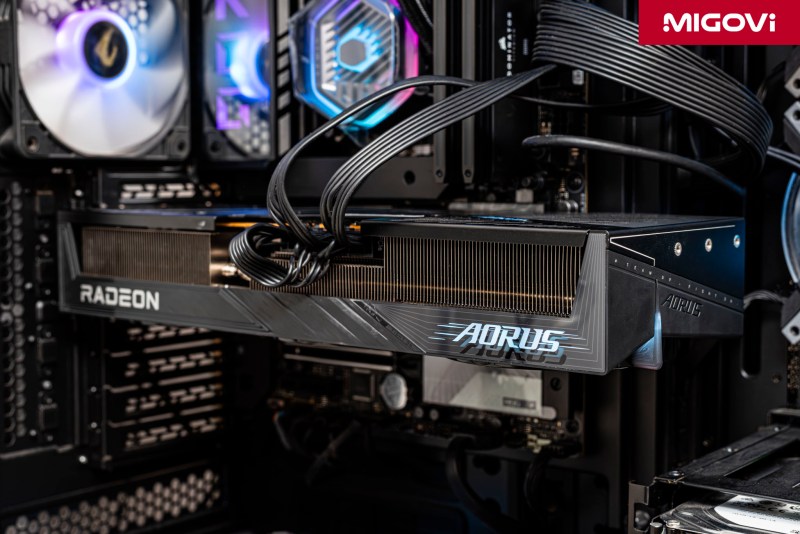
External graphics cards (eGPUs) have long been an attractive solution for those who want to boost the graphics power of their laptops, but have always been held back by the bandwidth limitations of Thunderbolt 3/4. Thunderbolt 5 has changed this game. Thunderbolt 5's PCIe bandwidth of 64 Gbps is a huge upgrade over the 32 Gbps of previous generations. Doubling this bandwidth significantly reduces the "bottleneck" phenomenon, allowing high-end graphics cards such as the NVIDIA GeForce RTX 5080, RTX 5090 to operate at close to maximum performance when mounted in a conventional manner. At COMPUTEX 2025 , ASUS also introduced the ROG XG Station 3 (Thunderbolt 5) eGPU model, which mounts the ROG Astral GeForce RTX 5090 graphics card, adding graphics power to laptops via just one cable.

With the bandwidth issue solved, the focus turns to latency. For current laptops, the Thunderbolt 5 “Barlow Ridge” controller (JHL9580/JHL9480) is still a separate chip, not integrated directly into the CPU. The fact that PCIe data has to go through this “transit station” controller can create some latency compared to a direct PCIe connection on the motherboard. While this latency may not be noticeable to most users, it can still affect performance in extremely latency-sensitive applications such as gaming at ultra-high refresh rates. This issue may be completely resolved when the Thunderbolt 5 controller is integrated directly into the CPU die in future generations of processors.
Thunderbolt Share
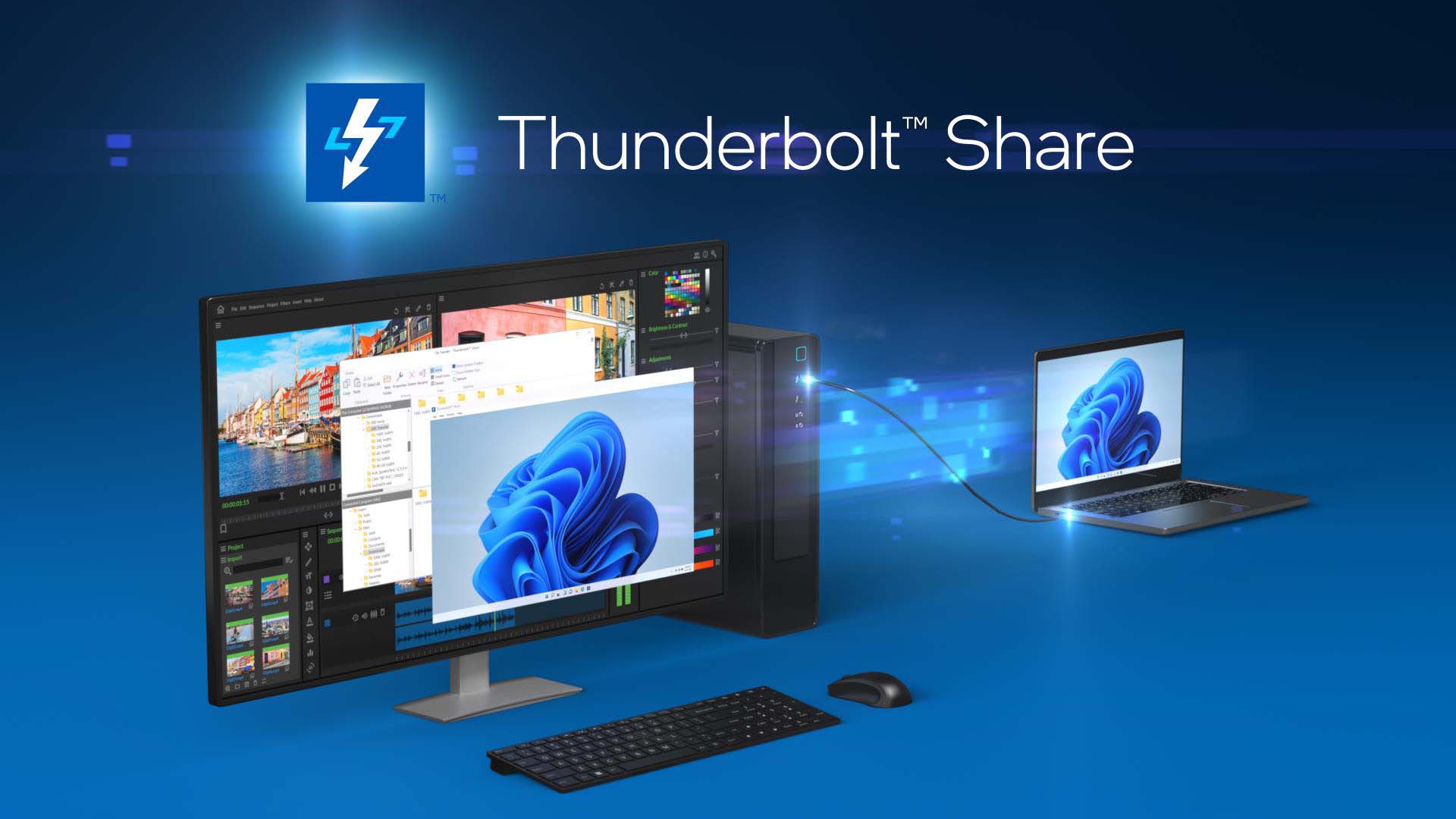
Thunderbolt 5 also offers a new software feature called Thunderbolt Share. This feature allows two Windows computers to be directly connected to each other via a Thunderbolt 4 or Thunderbolt 5 cable (or via a certified docking station) to easily share data. Users can control both computers with a single mouse and keyboard, quickly drag and drop files between the two computers and even synchronize folders. Thunderbolt Share is a useful solution for moving data between computers or creating an efficient multi-computer working environment.
Conclude

Thunderbolt 5 is not just a technical update, but a leap forward to reshape and restructure the capabilities and performance of a single connection port. Double the bandwidth with flexible Bandwidth Boost, increase charging capacity to 240W, it can be said that Thunderbolt 5 is all you need in the present and future era.
For Intel, Thunderbolt 5 is not just about numbers. Thunderbolt 5 is more practical, from speed to backward compatibility, or Bandwidth Boost to meet the needs of asymmetric professional work, making the most of hardware. More importantly, Intel ensures that every experience with Thunderbolt 5 is consistent and reliable, you just need to see the Thunderbolt 5 logo. Overall, Thunderbolt 5 is the foundation that will shape the future of high-performance computing, along with the entire peripheral ecosystem for many years to come.


5 thoughts on “Thunderbolt 5 - The Journey from Light Peak to Global Standardization”