If a website still sees the wrong country while you're on a VPN, the cause is usually a WebRTC leak, a DNS error, outdated IP data, or a virtual server. You can check for free with web tools.
- Websites locate you using third-party IP databases, so a VPN set to the right country can still be misread.
- Four common culprits: WebRTC leaks, DNS returning the wrong region, outdated IP databases, and virtual servers.
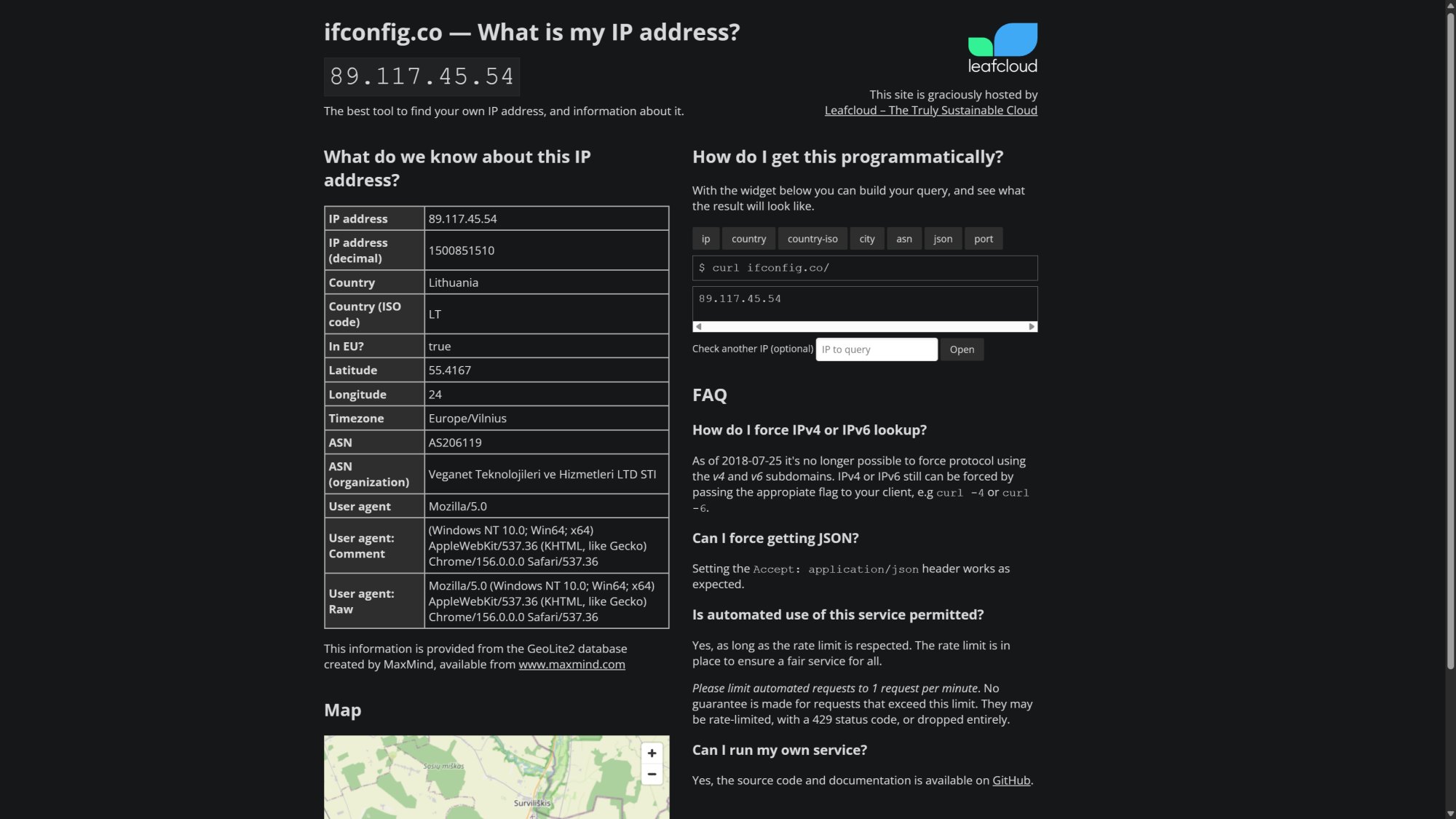
- You can test for free with IPConfig.co and BrowserLeaks.
- Three fixes to try first: turn on DNS leak protection, install an extension that blocks WebRTC, or switch to a different server.
- There is no permanent cure. A dedicated IP that doesn't sit on a virtual server is the last resort.
Table of Contents
Why websites misread your VPN location
Picture this: you're traveling in Mexico and connect to a US VPN server to reach a platform that only allows US IPs. Yet the website thinks you're in Brazil. It's not rare, and it can cost you more effort than the VPN saves.
Websites typically look up location through third-party IP databases. MaxMind, one of the largest, says its GeoIP products are 99.8% accurate. Smaller providers can be far less precise. Beyond your IP, a website can also send WebRTC requests to your browser or ask your device directly for GPS data.
WebRTC leaks and DNS errors
WebRTC is an open-source technology that helps browsers cut latency during video streaming and video calls. Under the IETF's RFC 8828, a website can choose between the VPN server's IP and your real IP to find the fastest route. The catch is that both addresses are exposed, so the website may see your real IP and then reject the VPN server's country. Firefox has built-in protection against this leak. Chrome and Edge need a third-party extension such as WebRTC Control.
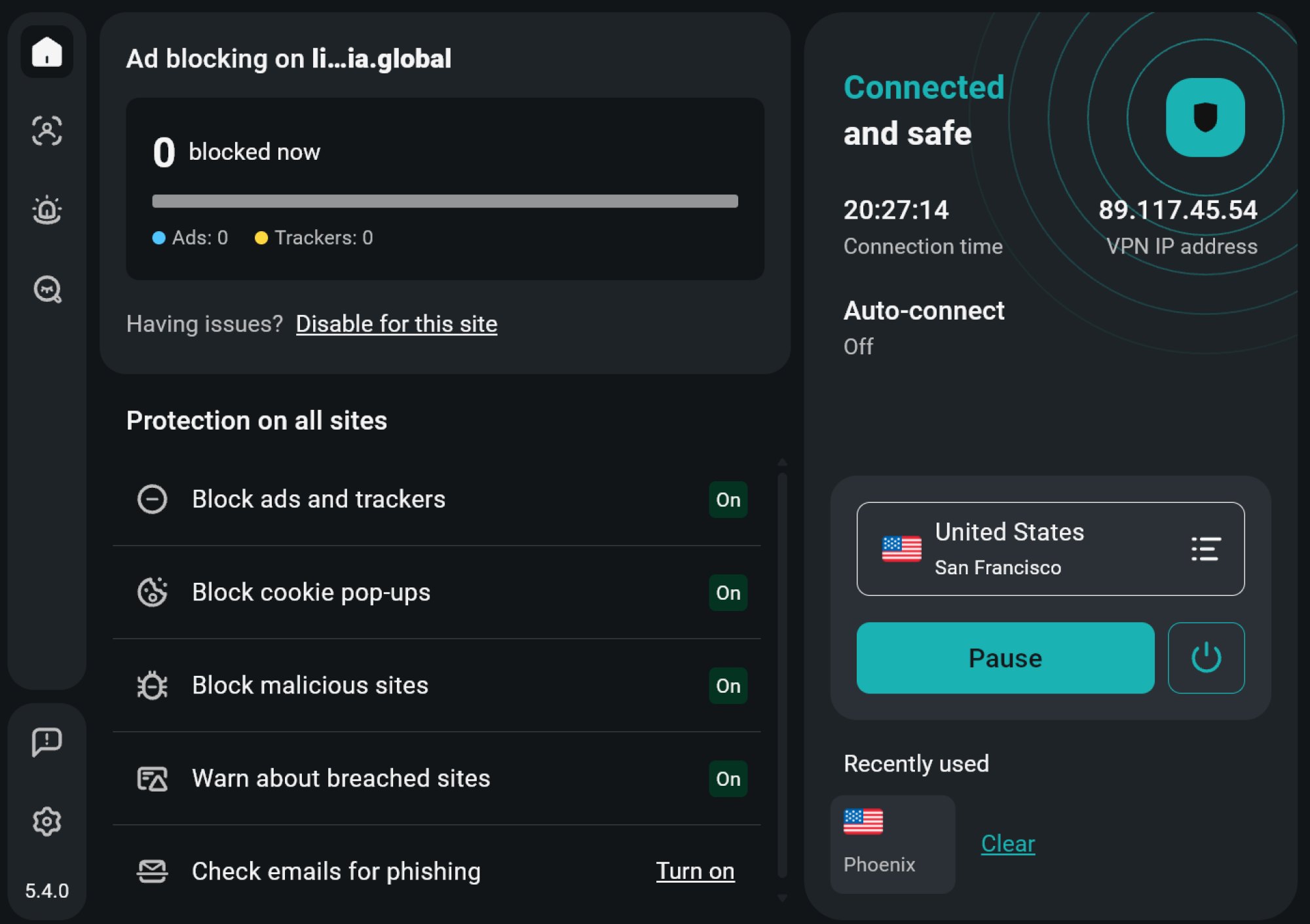
DNS is easier to overlook. Even when your browser doesn't expose your real IP, a DNS resolver can still report the wrong location if the nearest server is too far from you. For example, a user in São Paulo can be placed in Chile when using Google Public DNS, because Google's closest resolver is there. Turning on DNS leak protection in your VPN app forces DNS lookups through the VPN's own resolvers. That usually solves the problem.
Outdated IP data and virtual servers
Databases like MaxMind, IP2Location, and IPinfo go stale quickly and need constant updates. They do accept correction requests, but those take time. Each website also refreshes on its own schedule. Even after the source data changes, a website may keep the old information until it refreshes. MaxMind recommends updating at least twice a week, but the final call rests with each website.
Virtual servers are the other cause. Many VPN providers use IPs registered in one region while the physical server sits in another. ExpressVPN, for instance, says it offers IPs for Bolivia, Ecuador, Peru, Uruguay, and Venezuela through servers located in Brazil. This approach is usually meant to make up for missing local infrastructure or strict surveillance laws. Even so, many analytics tools flag the mismatch to websites. In that case, switch servers or buy a dedicated IP from your VPN provider.
How to check for free
Before you pay for any fix, pin down the actual culprit. The original author took these steps:
- Turn off the VPN and go to IPConfig.co to note your default IP, country, city, and ASN. The tool is free and pulls location data from MaxMind. If you prefer the Terminal, run curl ifconfig.co/json. - Turn the VPN on and visit IPConfig.co again to record the new details. - Check whether the Country and Timezone fields match the VPN server. The ASN (organization) field also shouldn't show your home ISP. - If they don't match, run WebRTC and DNS leak tests with BrowserLeaks. Whichever test fails to return the VPN server's IP is your culprit. - If both tests come back clean but a website still misreads you, the likely cause is an outdated database or a virtual server.
There is no way to fully eliminate IP location mismatches. If it happens often enough to be a nuisance, you can switch VPN servers and install an extension that blocks WebRTC leaks. If that's not enough, consider buying a dedicated IP that doesn't rely on a virtual server. Submitting a location correction to MaxMind or IP2Location takes time and is only worth it when the IP is a static one registered through your own ISP.
Users in Vietnam often turn on a VPN when traveling for work or leisure, or to reach region-locked services, so being misread is fairly easy to run into. The smallest test is to open IPConfig.co today, note the results with the VPN off and on, then compare them. It takes a few minutes, and you'll know whether the fault lies in your browser, your DNS, or the server itself before you consider paying extra.
Source: Lifehacker (tip)
Reviewed by: Hero Association