
Lenovo AI Now, Creator Zone and Learning Zone sofware review

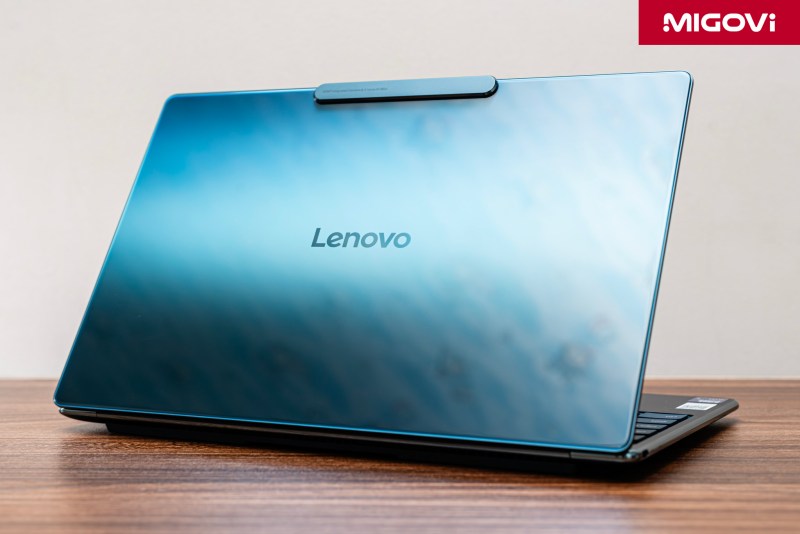
The Lenovo Yoga Slim 9i AI PC model would not be complete without the three software suites Lenovo AI Now, Creator Zone and Learning Zone.
Possessing impressive hardware and design, the core value and what makes the Yoga Slim 9i different from other options on the market lies in the software. The exclusive AI software ecosystem equipped on the Lenovo Yoga Slim 9i brings a highly intelligent and personalized experience. You can own a personal AI assistant with Lenovo AI Now, while freely imagining and turning them into images with Lenovo Creator Zone. In addition, Lenovo Learning Zone is ready to support smarter learning as well as deeper memory.
Article content
Lenovo AI Now
In the age of AI, users are faced with the challenge of solving the paradox of leveraging AI while maintaining privacy. Lenovo AI Now is the answer to that challenge. While most powerful AI assistants require sending user data to the cloud, AI Now is built on the exact opposite principle: keeping your data at your fingertips.
Lenovo AI Now uses a local large language model (Local LLM) fine-tuned based on Meta's Llama 3, which runs entirely on the device. This means that everything from searching to summarizing text happens right on the Yoga Slim 9i without any internet connection.
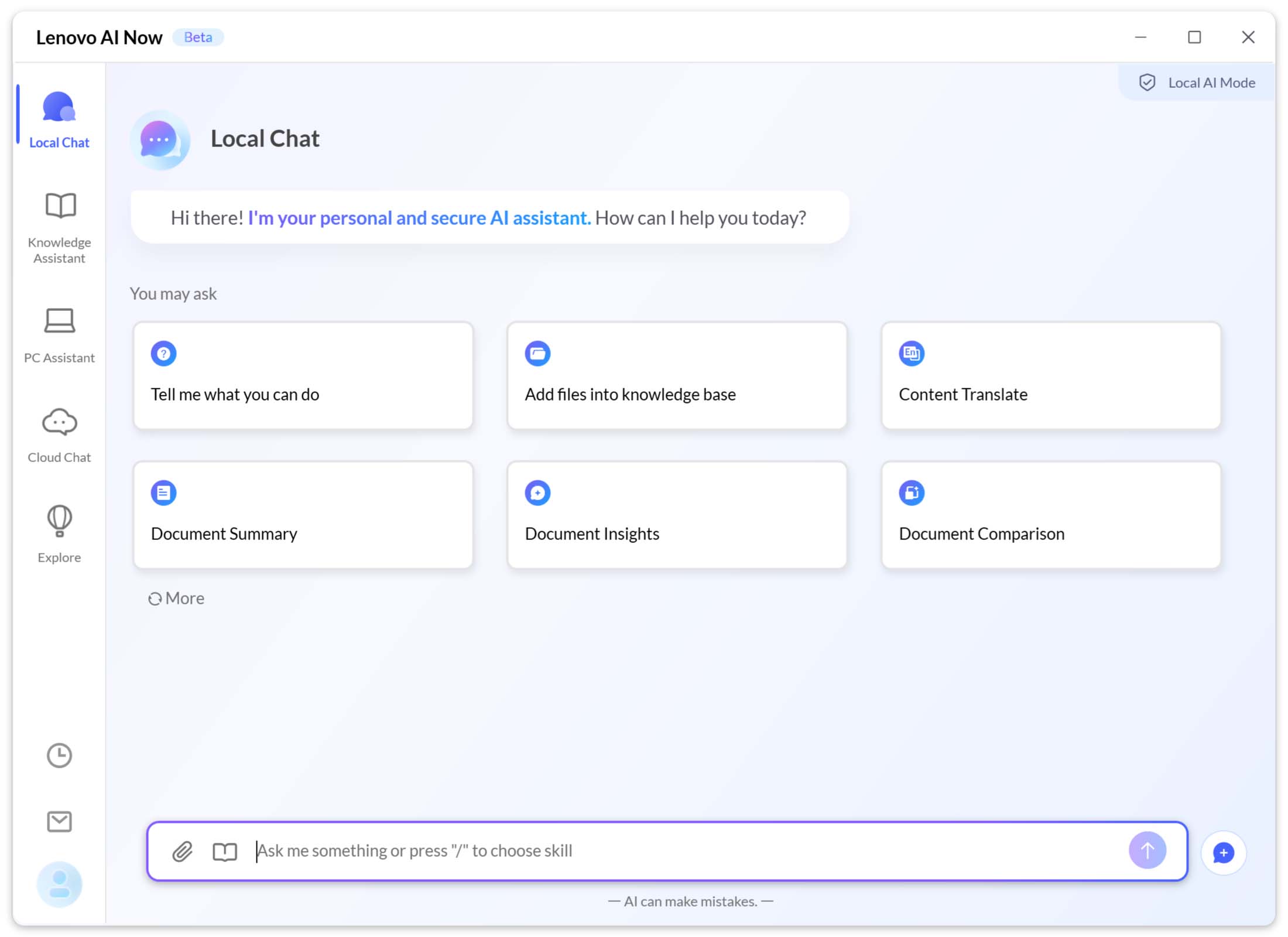
At the heart of AI Now is the Personal Knowledge Base (PKB), which users can drag and drop local files (text, PDF, spreadsheet) or sync data from OneDrive into their PKB. Just like training, AI Now will “learn” from this data to provide highly personalized answers and summaries. Since everything happens locally, your sensitive data stays on your computer. The entire PKB is encrypted at the hardware level by the Lenovo AI Core chip, providing a secure layer of protection.
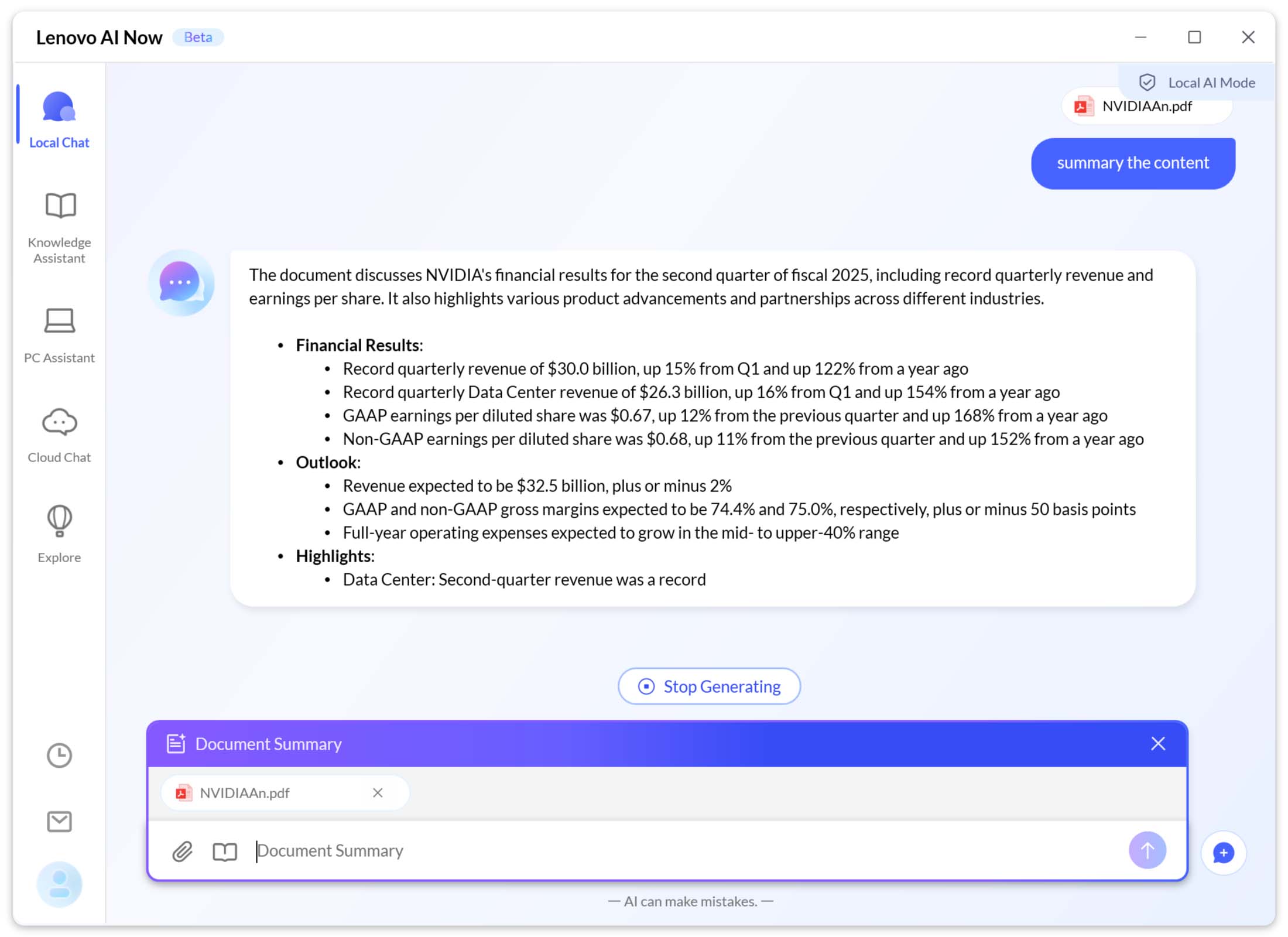
Lenovo AI Now Features:
- Knowledge Assistant: After building a PKB, users can interact with the assistant using natural language. You can ask: “Summarize the key points of contract A” or “Find all emails related to project B” and AI Now will scan local files to provide answers in seconds.
- PC Assistant: AI Now lets you control your PC's settings with text or voice commands. Instead of having to search through the Control Panel, just say something like, "Turn on eye protection mode" or "Optimize battery for fast charging."
- Service Support: The app provides access to support information like checking your warranty, finding troubleshooting solutions and chatting with experts to help solve the problem you're having.
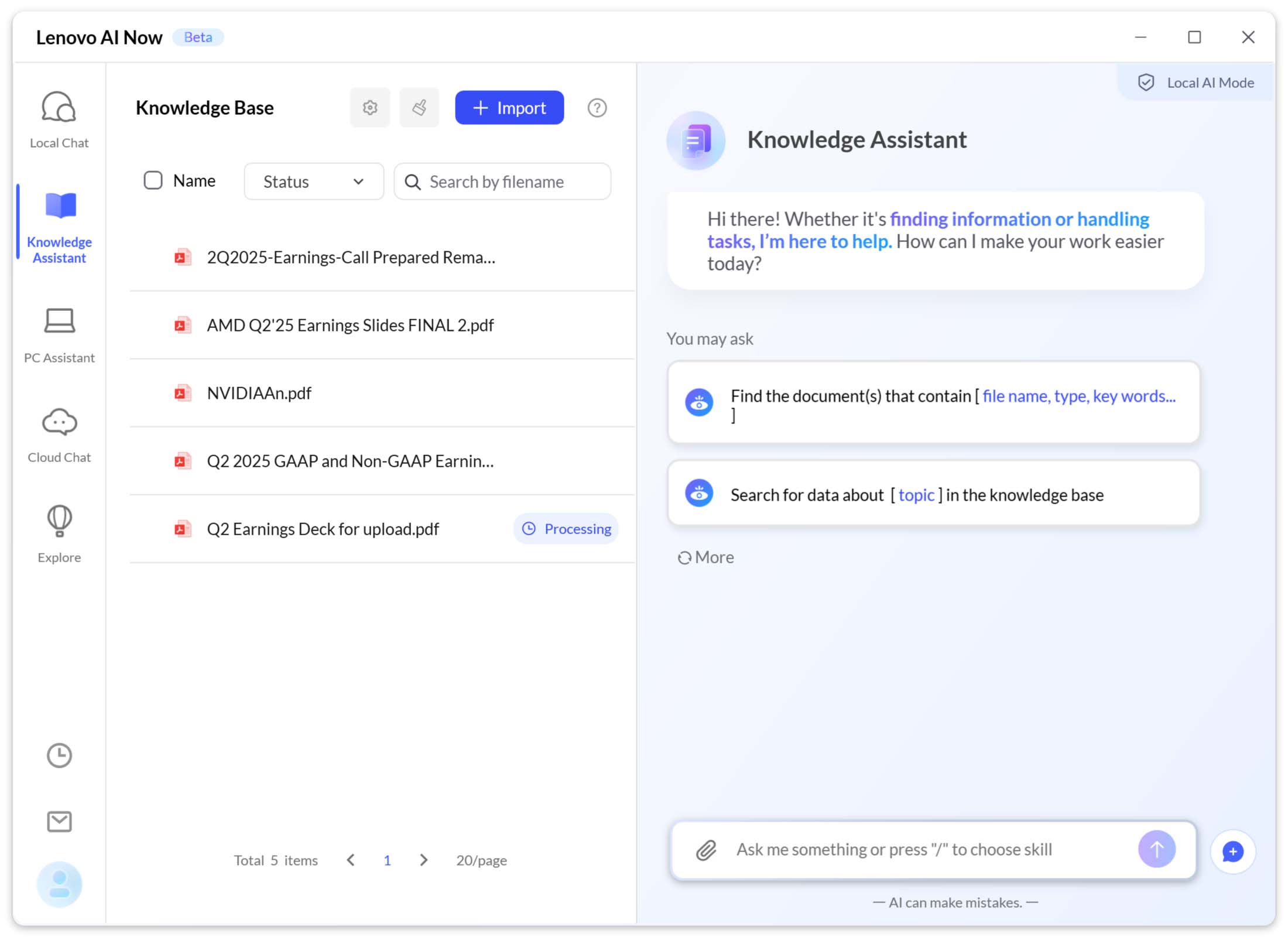
Lenovo AI Now application example: You are a project manager and need to prepare for a final meeting. Instead of opening dozens of different files, you can simply drag all the documents related to the project (progress reports, budget Excel files, exchange emails) into AI Now’s PKB. Then, open AI Now and ask: “Create a summary of completed milestones, major spending items and remaining risks for project ABC”. AI Now will return a coherent summary, synthesized from the exact documents in the PKB provided, ensuring that no information is sent out.
Lenovo Creator Zone
If you need to create images but are hesitant to use online tools, while local tools like Stable Diffusion are too complicated, Lenovo Creator Zone is the answer. Creator Zone is powered by a proprietary tweaked version of Stable Diffusion 3.0 – one of the most popular and powerful text-to-image models today. The entire image creation process takes place right on your computer, ensuring speed, privacy and completely free. Lenovo Creator Zone is designed for anyone to use, without requiring programming knowledge or complex command writing like the original Stable Diffusion.
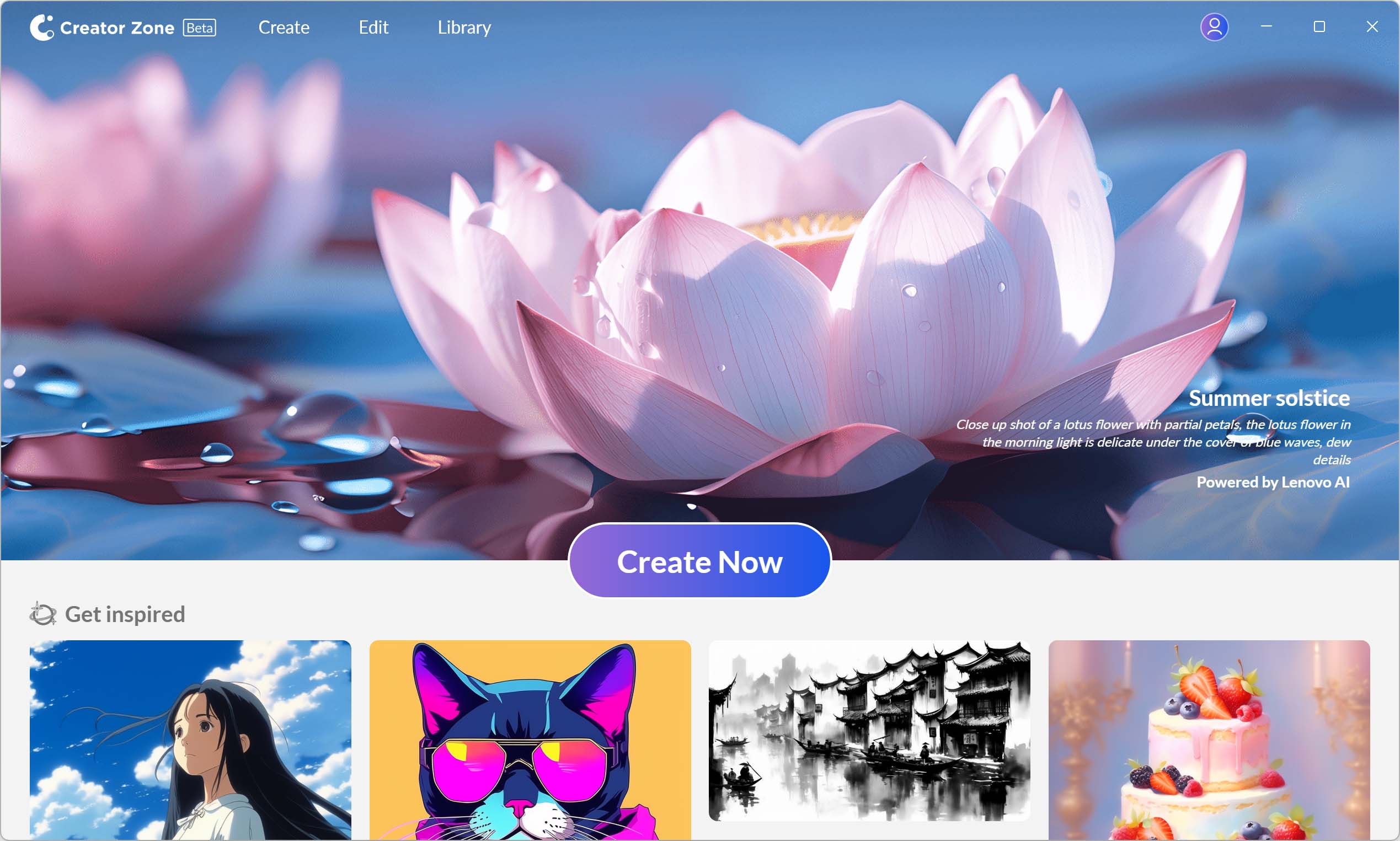
Lenovo Creator Zone Features:
- Text-to-Image: This is the most basic function, you just need to type a description of the image you want to create. For example: "a short-legged, blue-gray, winged British cat flying on Mars, surreal style". After entering the command, the AI will immediately generate 4 unique image options to choose from.
- Sketch-to-Image: This is a fun and powerful feature. You can draw a simple sketch of your desired layout, along with some text description. After entering the command, Creator Zone will turn that scribble into a finished work of art.
- Image-to-Image: Allows you to upload a reference image to create new variations in different artistic styles, or to edit and add new elements to the original image.
- Advanced editing: After creating your photo, you can continue to refine your work with tools like changing the background, adjusting colors, etc.
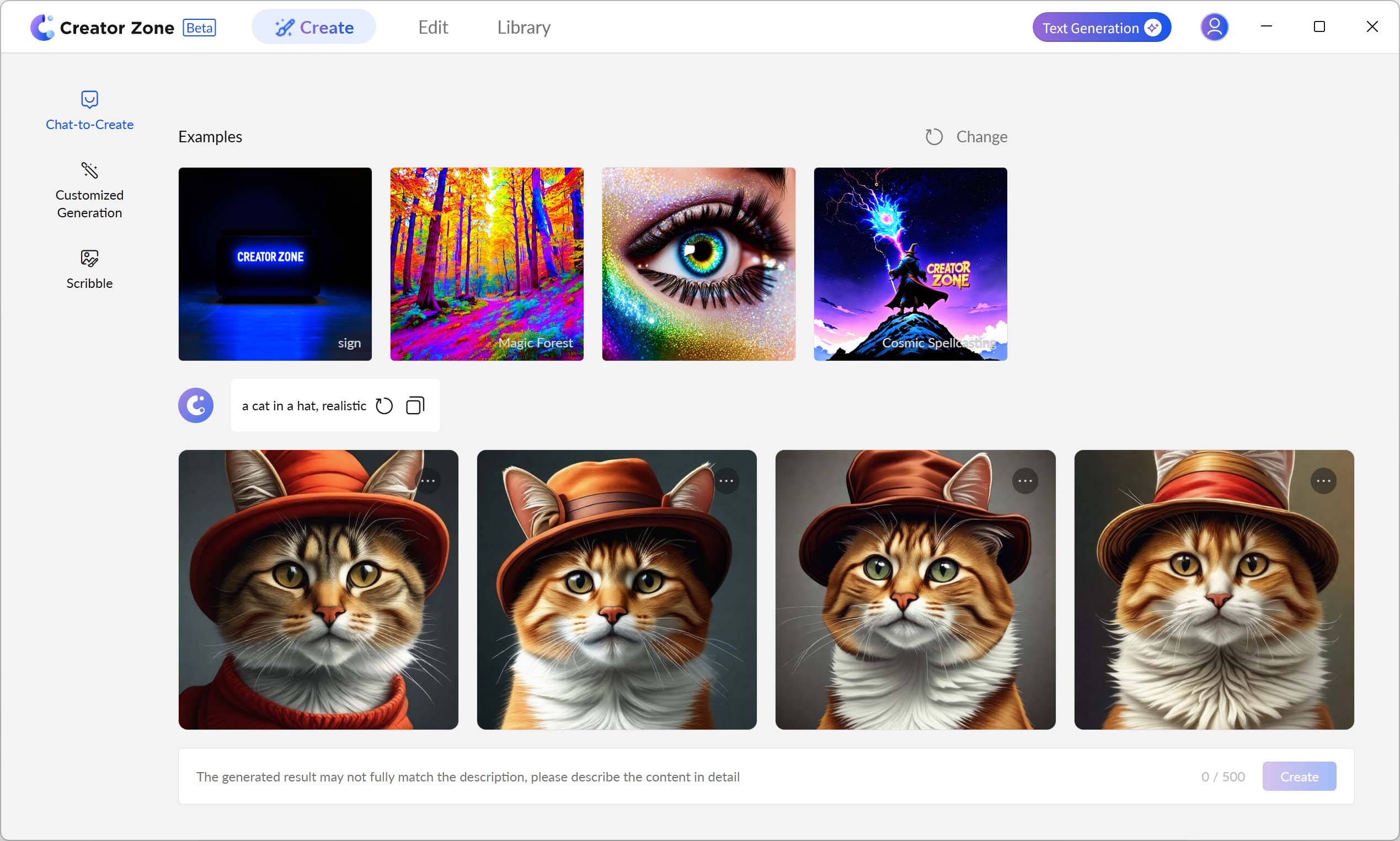
For example, the Lenovo Creator Zone app: You need design ideas for a media campaign to promote a new perfume, called Ocean Dream. Open Lenovo Creator Zone, sketch a simple image of a perfume bottle and type in the description: “a crystal perfume bottle lying on a white sand beach, blue ocean waves gently lapping, a purple sunset, surrounded by clams and starfish, cinematic style”. After about 30 seconds of processing, you will have 4 poster ideas from different perspectives. This is how you can leverage AI to find new ideas, then edit or redesign them into a complete version.
Lenovo Learning Zone
The biggest challenge for today’s learning needs is not a lack of materials, but rather, too much material and information to process, understand and remember. Lenovo Learning Zone was created to solve that problem, using AI to turn passive learning into an active and interactive experience. Learning Zone is a software toolkit designed specifically for students, pupils and those taking professional training courses. Instead of just reading or listening passively, the philosophy of Learning Zone is to use AI to help learners engage more deeply with learning materials.
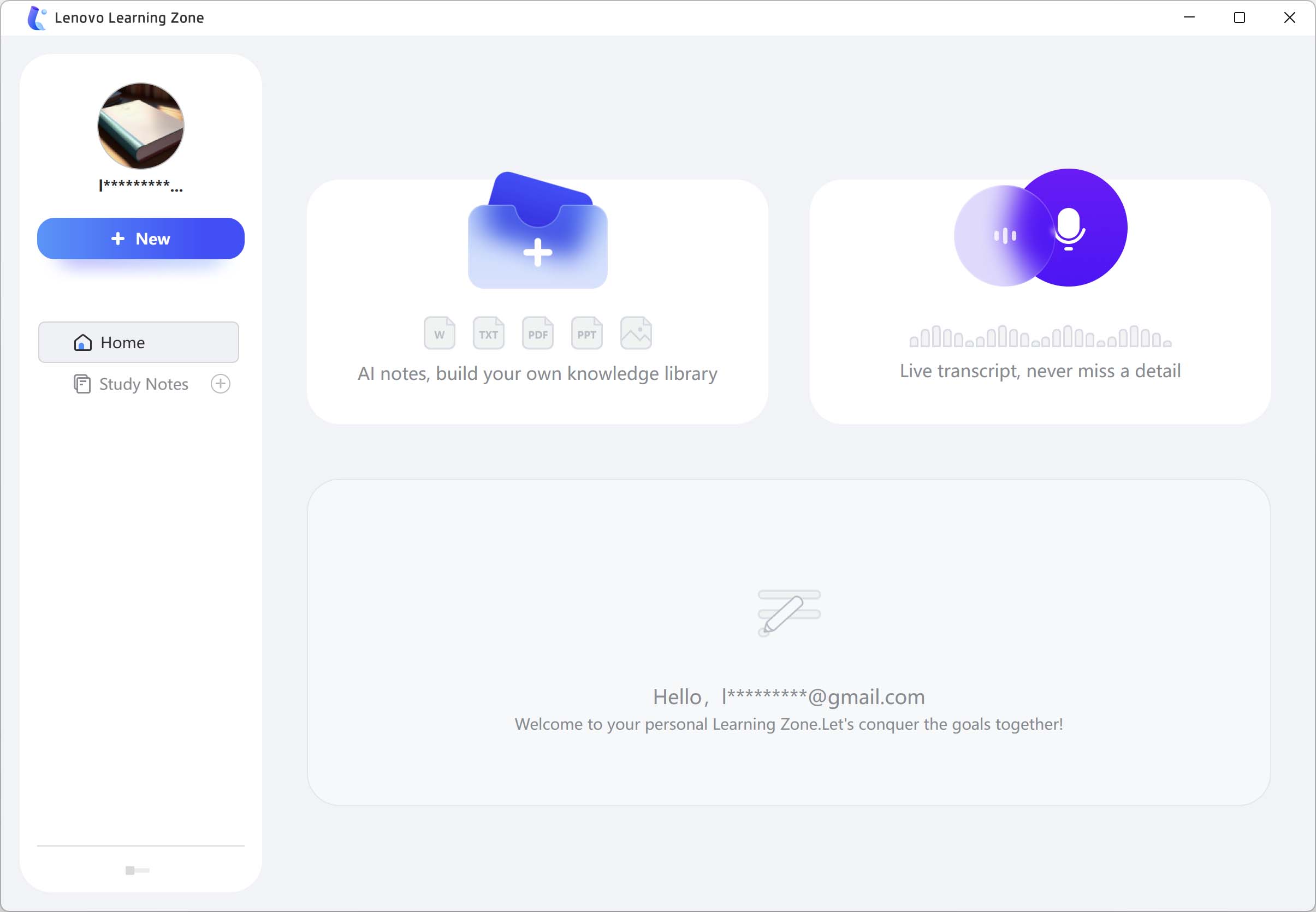
Lenovo Learning Zone Features:
- AI Recording & Transcription: You can enable this feature to record the entire lecture or meeting. AI will automatically convert the speech to text in real time, so you don't miss any important details. This feature is especially useful when you are studying or having meetings in languages other than your native language.
- AI Notes: After you have a text transcript or after uploading a long document, you can ask AI Notes to generate a concise and condensed summary, keeping only the main ideas, definitions and most important points.
- AI Quiz: This unique feature is based on the content of a specific lecture or document, so that Learning Zone can automatically generate a set of multiple choice questions. This helps learners test their knowledge in an objective way and strengthen their ability to remember information.
- Note Styling: The app can automatically format and decorate your notes with available templates, add icons, making the document look more professional and easier to read.
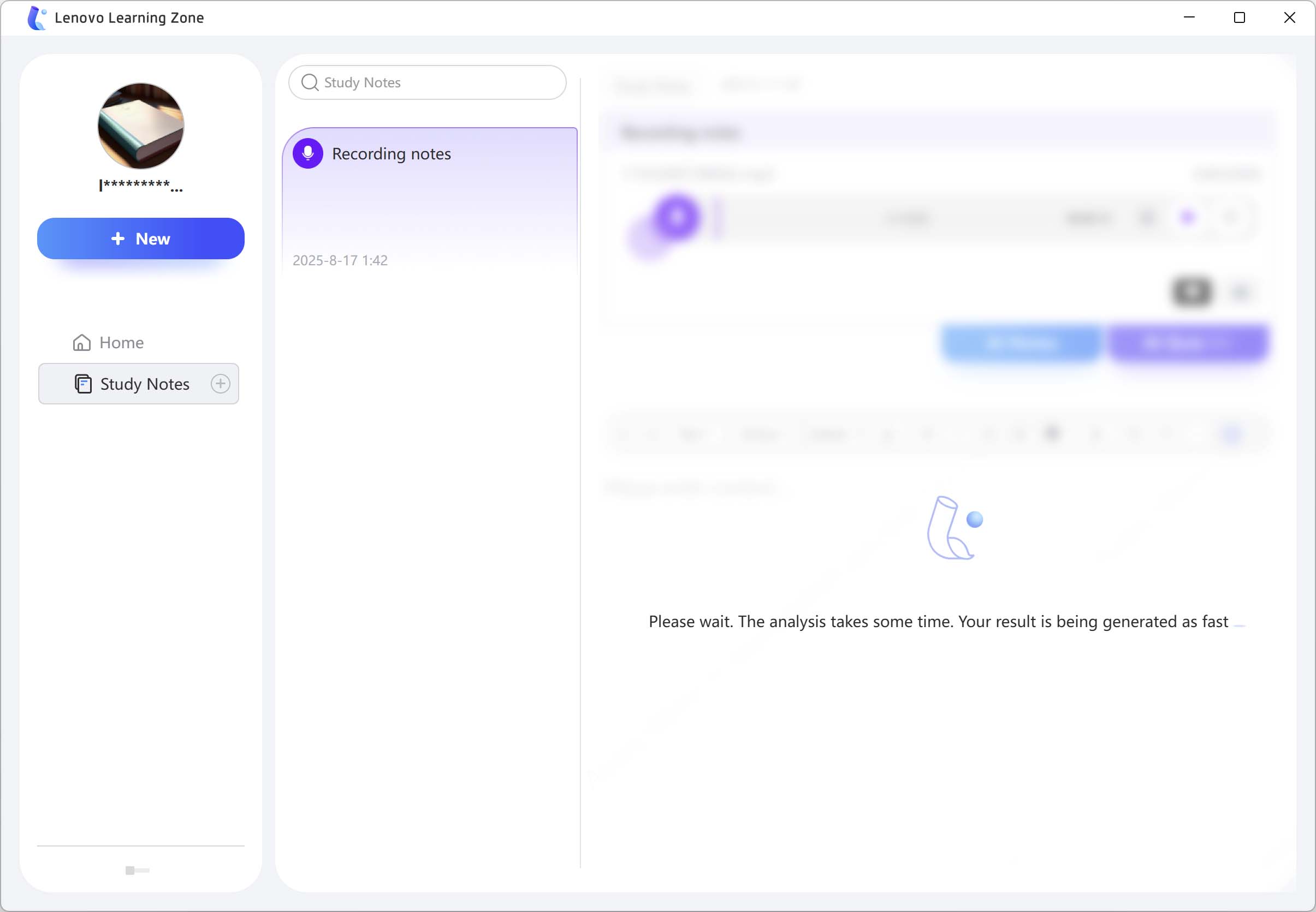
Lenovo Learning Zone app example: You are studying for a second degree or a Master's degree and are preparing for an upcoming exam. You use Learning Zone to record and transcribe all the long lectures, then ask AI Notes to summarize them into important bullet points. Before the exam, you just need to go to AI Quiz, request to create multiple choice tests for each chapter. By repeating AI Quiz tests, you can remember better, see the weak areas of knowledge and focus on reviewing more effectively.
The Future of Personal Computing
Analysts predict that AI PCs could explode and account for 60% of PC shipments by 2027. However, at this stage, users are still skeptical about AI PCs due to higher costs and unclear investment value. For users to accept AI PCs, there needs to be applications that take advantage of the NPU as well as overall performance. In that context, Lenovo's special strategy is very remarkable: proactively creating a trio of exclusive application software, bringing AI experiences that have always been far away in the cloud closer to users' fingertips.
With AI Now, Creator Zone and Learning Zone, Lenovo is now offering a complete ecosystem that goes beyond hardware and provides compelling reasons for users to invest in AI PCs. The Lenovo Yoga Slim 9i and its software ecosystem, while not perfect, offer a tangible and exciting glimpse into the future. In that future, AI PCs are no longer just tools, but intelligent, personalized and completely private assistants.