Google Tabletop: How to use AI for no-code group planning

Google Tabletop is a new AI tool from Google Labs that helps groups create itineraries, polls, and expense splits without writing any code, currently available only via a waitlist.
- Google Tabletop is a new experiment from Google Labs that lets groups build interactive planning tools without writing code.
- The tool can generate travel itineraries, meal polls, expense splits, and tournament brackets.
- Users call @tabletop or pick a pre-made template, then invite friends using a share link.
- Tabletop is currently waitlist-only and limited to US users aged 18 and older.
This guide walks you through using Google Tabletop to turn endless group chat debates into shared interactive tools, such as trip itineraries, polls, or expense trackers. Announced by Google Labs on November 11, Tabletop is an experimental product, meaning you will need to join a waitlist and meet age and regional requirements.
Table of Contents
Getting started and setting up a shared space
Step 1: Sign up for the Tabletop waitlist. For now, only US residents aged 18 and older are eligible. Google has not announced when availability will expand or whether it will eventually charge for the service.
Step 2: Once you gain access, create a shared space. This is where you upload relevant details such as your group's ideas, links, and files.
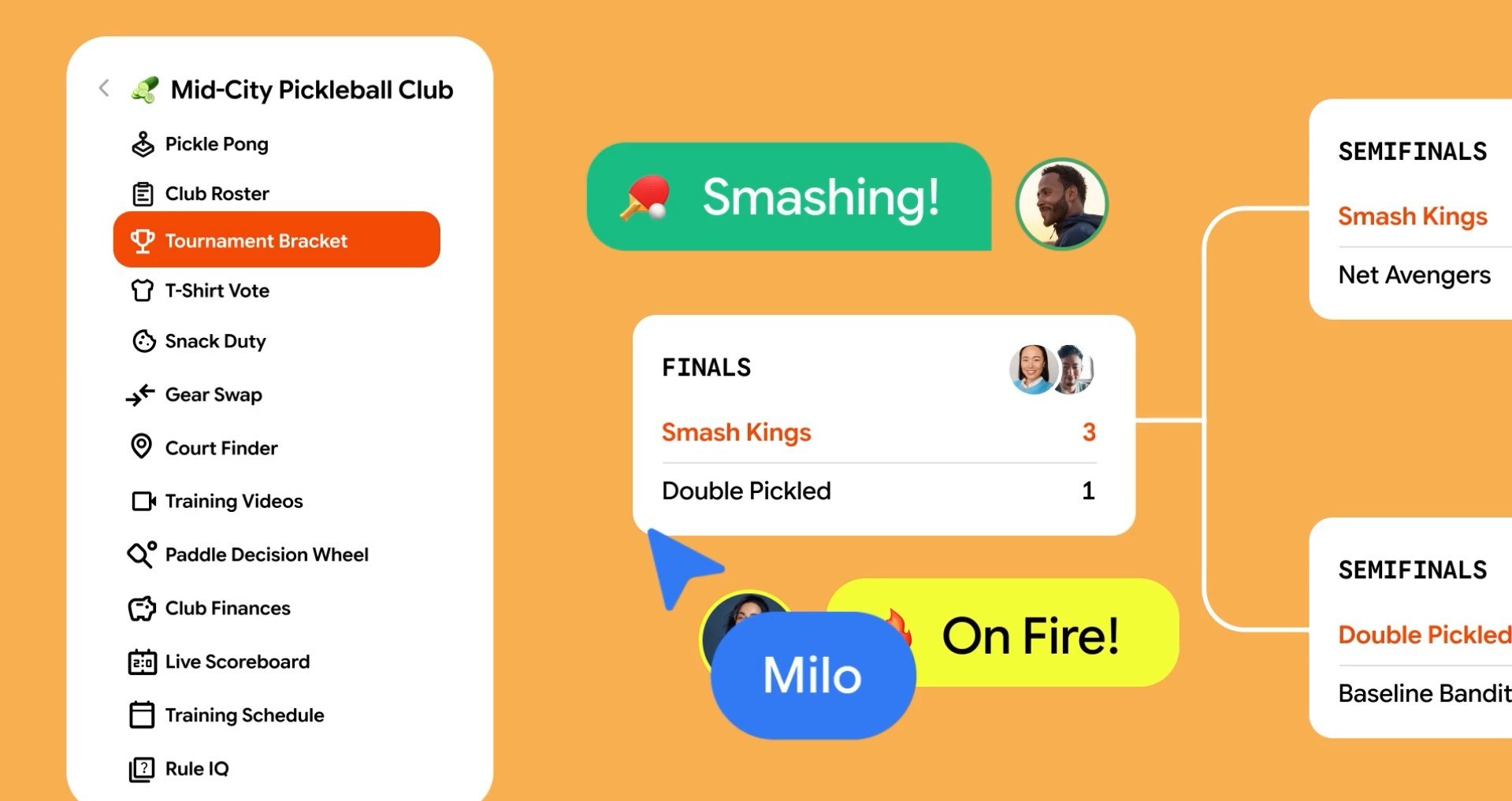
Step 3: Type @tabletop followed by a prompt describing what you need, or pick an available starter template. The AI will generate an interactive tool based on your request. For example, for a road trip, Tabletop can build a map of stops alongside a spinning wheel to pick restaurants. For a pickleball tournament, it can generate live brackets and a poll to vote on team jerseys.
Inviting your group and tweaking tools
Bước 4: Copy the invite link to your newly created space and drop it into your existing group chat. Anyone who opens the link can interact with the tool in real time, much like collaborating in a Google Doc.
Bước 5: When plans change, ask Tabletop to tweak the tool, update rules, or add new features. The generated tools are not static. Google even demonstrated a drag-and-drop seating chart for office parties.
Things to keep in mind
Tabletop remains an experiment, so features and access requirements are subject to change. If you cannot get in, it is likely because you have not been approved from the waitlist, are under 18, or are outside the US. This concept builds on Google's prior explorations into AI-driven app generation with Opal and Disco.
Tabletop's most compelling aspect is embedding micro-app creation right inside group chats, where decisions so often stall. Its real-world value will hinge on how reliably the AI interprets prompts and whether Google expands access internationally. For now, users outside the US should treat this as a promising experiment to watch.
Source: Digital Trends
Reviewed by: Hero Association