The Gemini app will soon let you keep your chat history while separately opting out of having your chats used to train Google's generative AI models.
- Google is splitting Gemini's Keep Activity setting into two independent options: History and generative AI model training.
- Users can keep their chat history while turning off the use of chat content for AI training.
- If Keep Activity is currently off, both new settings will default to off.
- The change rolls out over the coming weeks, and Google will notify users by email.
Table of Contents
History and AI training, separated
Google is rolling out new privacy settings for the Gemini app. According to the company, users will be able to "keep their history while independently controlling generative AI model training."
Until now, Gemini bundled everything into a single option called Keep Activity. That setting determined how long conversations were stored, and also whether they could be used to train generative AI models. Google is now splitting that preference into two separate options.
How the two new options work
The first option, called History, lets you control how long your chat history is stored. The second lets you decide separately whether your chat content, including both text and attachments, can be used to train generative AI models.
With this split, users no longer have to make a trade-off. Previously, turning off AI training meant accepting that you would lose your chat history. Now the two can be adjusted independently.
How long data is kept when History is off
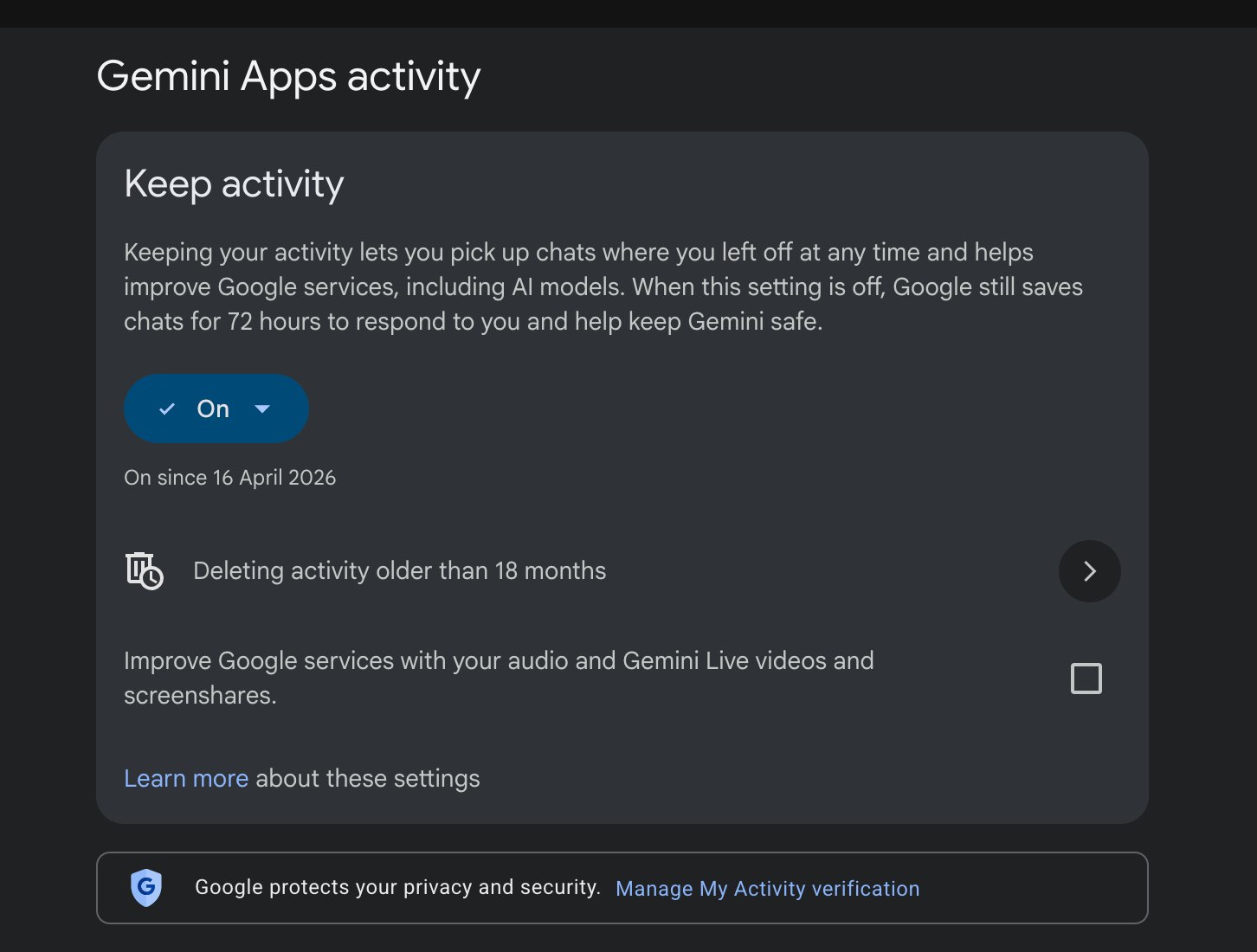
According to Google's description, if you turn off History, later conversations are still stored for about 2 months. This data is used to respond to you, handle your feedback, and protect Google, its users, and the public, with the help of human reviewers.
Currently, the figures are 24 hours for conversation context and 72 hours for the purpose of protecting Google, users, and the public. Read the in-app descriptions carefully when the settings appear, since retention periods may differ depending on the state of each option.
Rollout timeline
For users who already have Keep Activity turned off, Google says both new settings will automatically be off. This approach preserves the privacy choice they made earlier.
The changes will arrive over the coming weeks. Google will also notify users by email, so check your inbox to find out when the new settings reach your account.
This is a sensible move now that users' needs have clearly diverged: many people want Gemini to remember context for everyday work, but don't want their content to become training data. Still, the roughly 2-month retention period when History is off deserves some thought, especially if you often discuss sensitive topics or attach work documents. When the settings reach your account, review both options instead of relying on the defaults.
Source: 9to5Google
Reviewed by: Hero Association