Headway turns AirPods into a head-gesture controller for your Mac
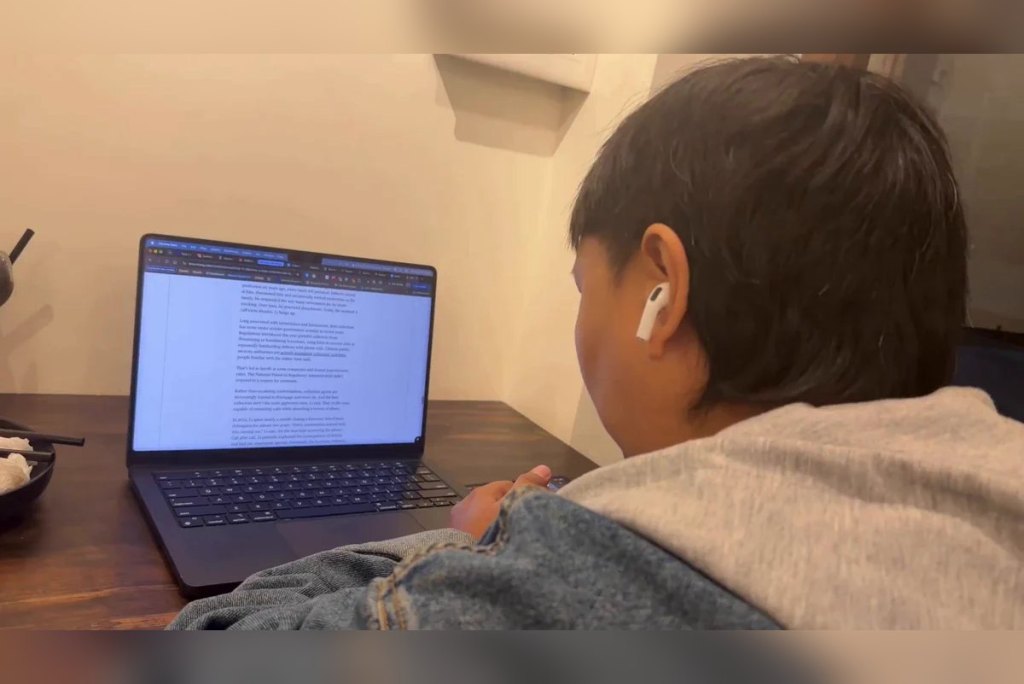
Headway is an app built with Claude that uses the motion sensors in AirPods Pro 3 to scroll pages and switch tabs on a Mac without touching anything.
- Headway is a menu bar app for Mac, built by Digital Trends writer Nadeem Sarwar with help from Claude.
- The app reads accelerometer and gyroscope data from AirPods Pro 3 to scroll, switch tabs, go back and forward, and refresh pages with head gestures.
- Headway runs locally and needs no camera, which sidesteps privacy concerns.
- The app offers audio feedback, on-screen notifications, a recenter button, and per-app settings.
Table of Contents
The idea started with a posture-tracking app
Headway is a small menu bar app for Mac that lets you control web pages with head movements through AirPods. According to its creator, it took less than an hour to go from a rough idea to a working build. It is not an official Apple feature but a personal piece of software, written with Claude.
The inspiration was PoseNudge, an open-source app that uses a Mac's camera to monitor sitting posture. An app that constantly watches you through the camera worries many people on privacy grounds. So the author rebuilt the idea around the motion sensors in AirPods. This approach is also lighter on system resources, and the first build ran stably on a MacBook Pro after about 10 minutes with AirPods Pro 3.
How Headway recognizes gestures
Technically, Headway reads data from the accelerometer and gyroscope. These are the same sensors that power head-tracked Spatial Audio on supported AirPods models. The app runs locally and only reads the head motion data that Apple's Core Motion framework pulls from AirPods.

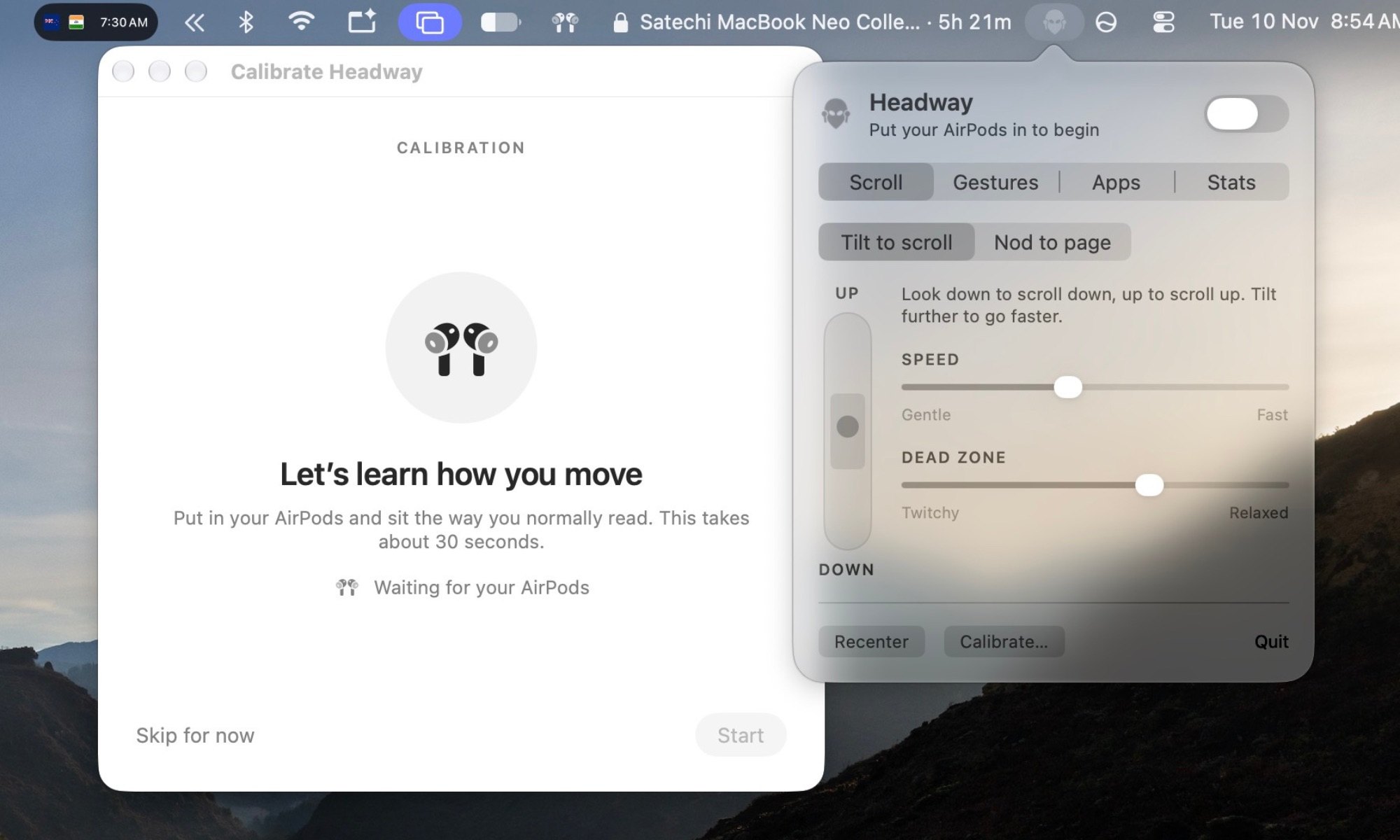
The app offers two scrolling modes. With tilt to scroll, tilting your head up or down scrolls the page continuously. Scroll speed and the dead zone are both adjustable: shrink the zone so subtle gestures register, or widen it to avoid accidental triggers. The second mode is nod, where a quick nod up or down is enough and you don't have to hold a tilt. Each nod can scroll smoothly or jump a set distance, like pressing an arrow key.
Beyond scrolling, Headway supports several other gestures. Nodding twice in a row jumps straight to the top or bottom of the page. Tilting your head toward your shoulder goes back or forward in Chrome and other supported apps. Turning your head left or right switches tabs, while shaking your head as if saying "no" sends a refresh command. The author says the app is tuned mainly for Google Chrome, since his workflow lives almost entirely in the browser.
Built-in conveniences
Headway automatically pauses recognition when you glance down at the keyboard and resumes once you finish typing. Each gesture is confirmed with a soft sound, along with a small on-screen badge showing which gesture was just registered. The recenter button takes a single click to set your current head position as the neutral baseline. That way, changes in your sitting posture through the day are less likely to cause accidental triggers.
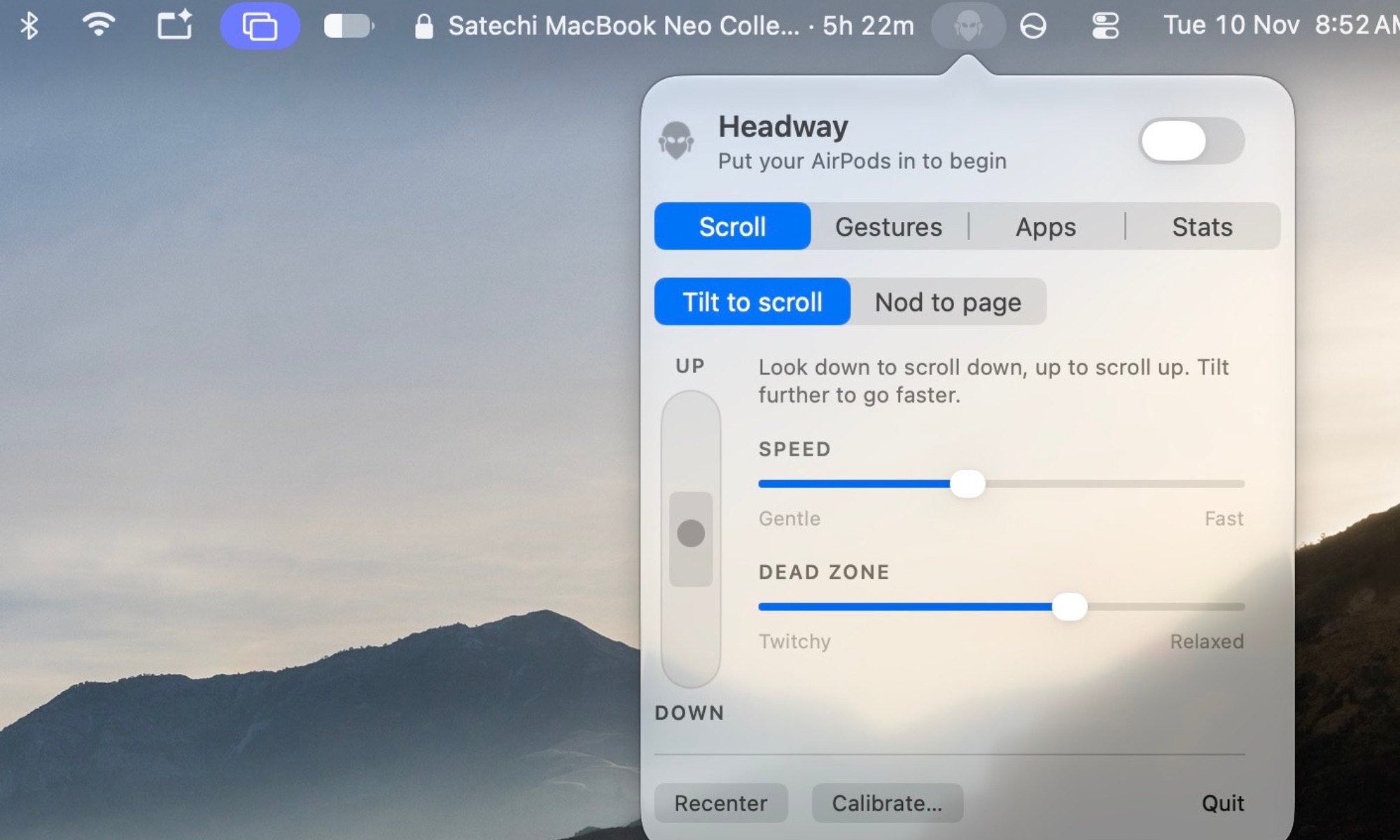
In the dropdown menu, you can add each app you want Headway to work with, enable or disable recognition per app, and choose the default gesture style. The meanings of nodding, tilting, and glancing sideways can be swapped, and the vertical scroll direction can be inverted with separate toggles. There is also a stats page that logs the number of gestures each day. For example, 80 downward nods means you've read at least that many pages, though the author says this is just a fun detail and not meant as an accurate measurement.
In practice, the author uses Headway to control a Mac or a connected iPad screen when his hands are busy or dirty. Washing dishes, following a recipe while cooking, or reading comics during housework all suit this approach. His friends were initially skeptical, but they were all surprised when they saw their own head movements control a Mac.
Headway shows that the motion sensors in earbuds can become an input channel for computers, not just a tool for spatial audio. That said, the original article only presents a personal tool and mentions no plans for a wide release, so average users can't install it yet. More notable is that a non-specialist could build a working app in under an hour with the help of an AI assistant. Using sensors instead of a camera is also an approach worth considering for apps that need to protect privacy.
Source: Digital Trends
Reviewed by: Hero Association