
CORSAIR K70 PRO TKL review - High-end Hall Effect keyboard
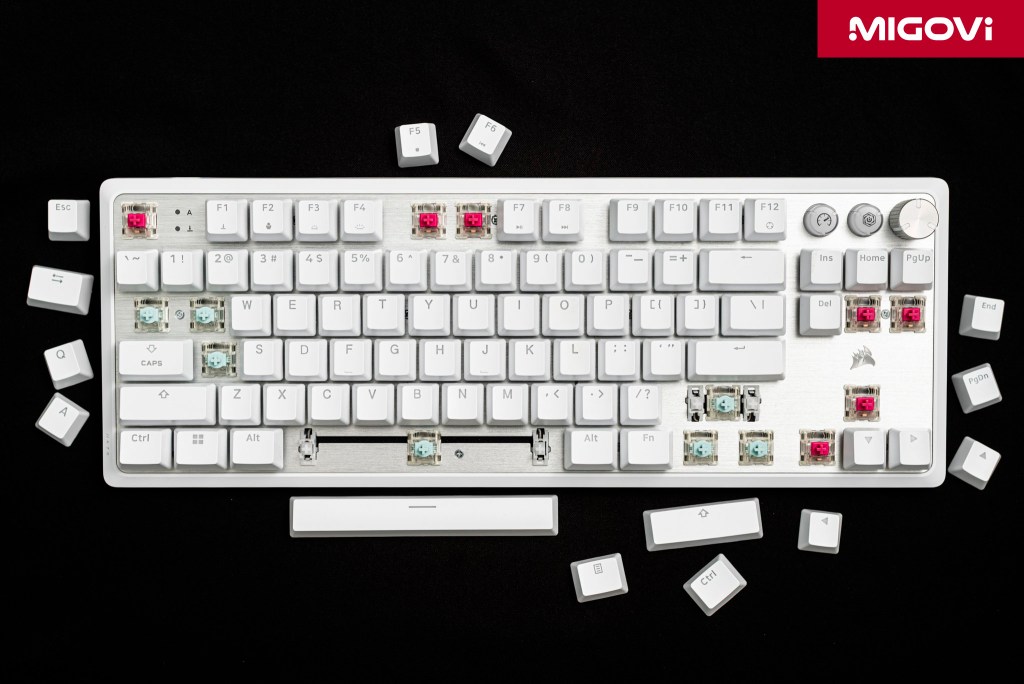
The CORSAIR K70 PRO TKL is the ultimate Hall Effect mechanical keyboard for gamers, minimizing the need for physical hardware intervention.
After the dominance of conventional mechanical switches and then optical switches, magnetic switch technology based on Hall Effect has gradually become popular and become the destination for those who prioritize performance and customization. First, Hall Effect switches were applied by brands such as Wooting, followed by famous manufacturers such as CORSAIR, SteelSeries and Razer integrated into high-end keyboards. CORSAIR K70 PRO TKL is the company's first Hall Effect mechanical keyboard model, targeting the professional eSports competition segment with requirements for response speed, absolute accuracy and high stability.
Article content
Design and finishing quality
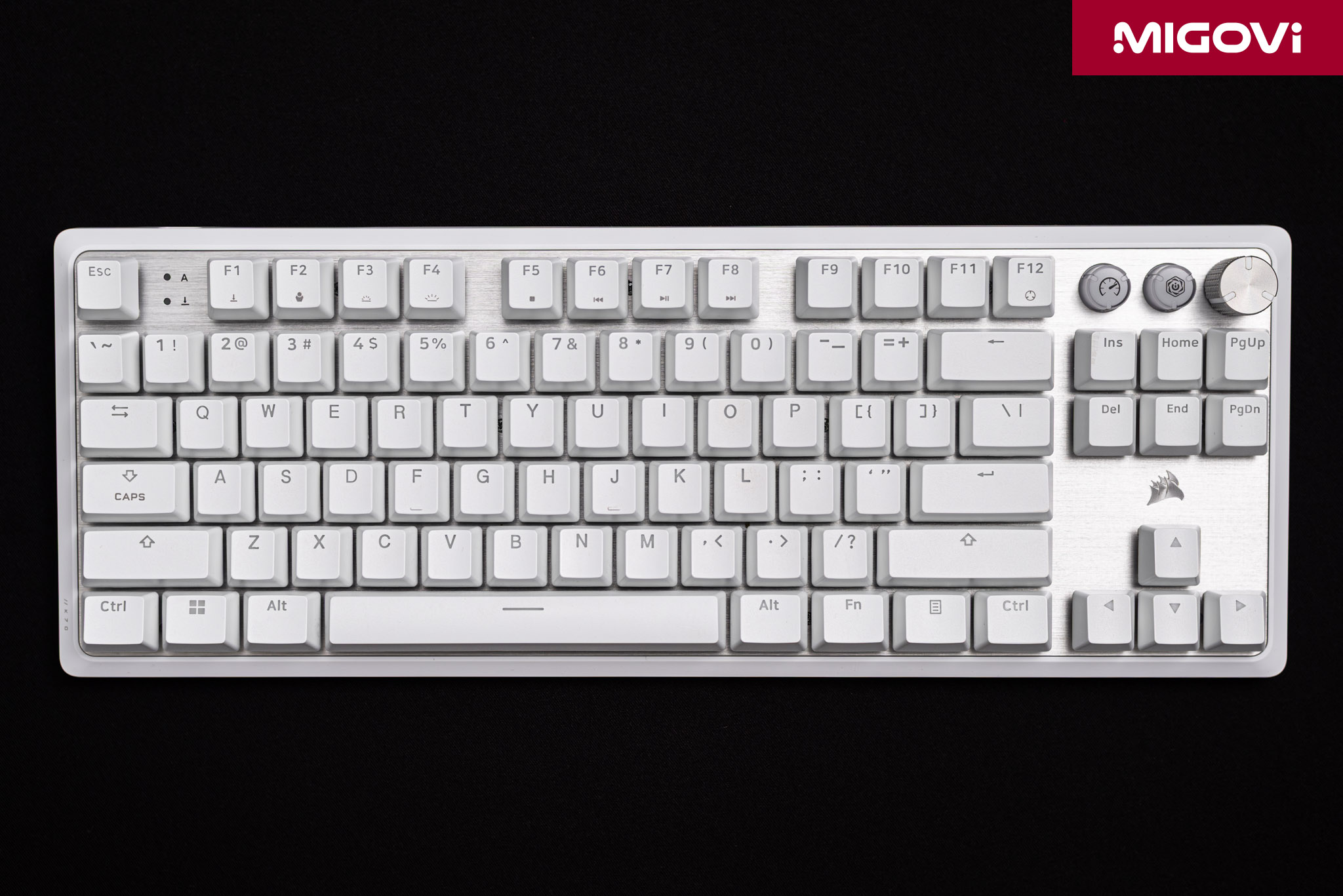
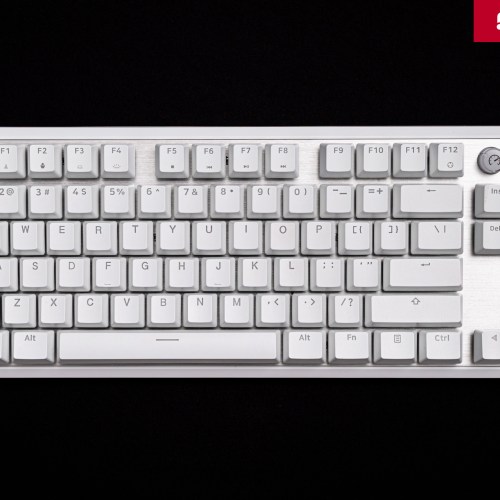
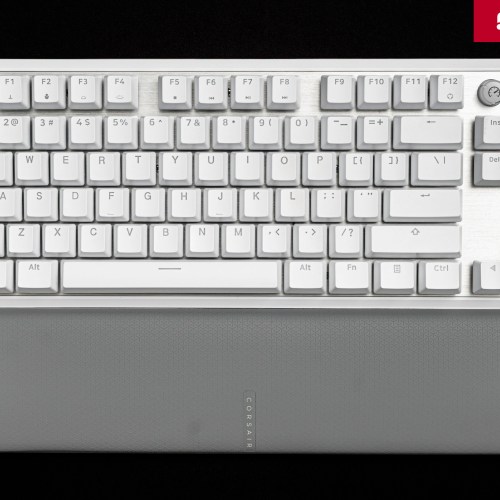
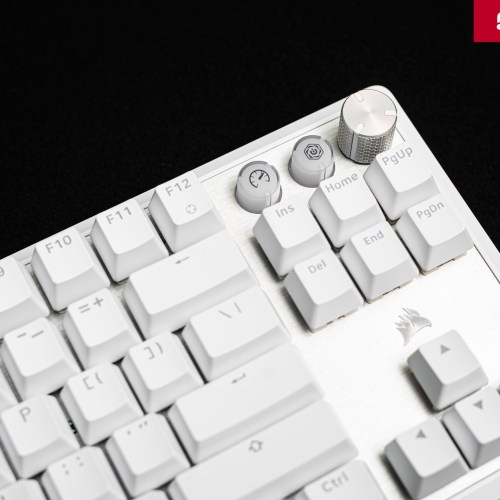
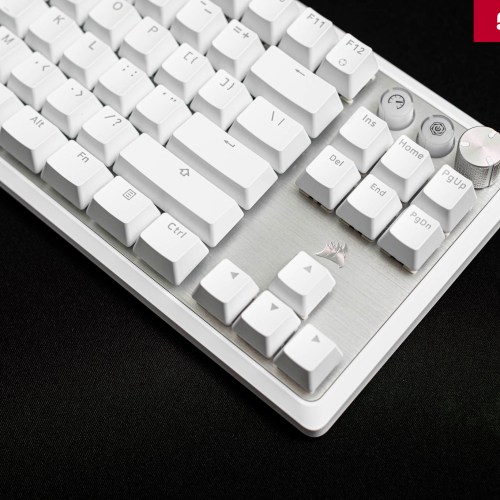
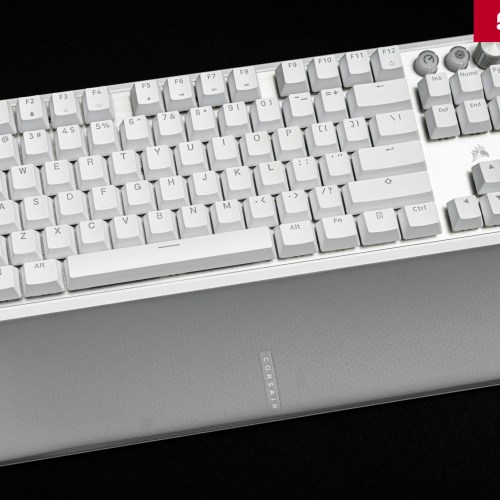
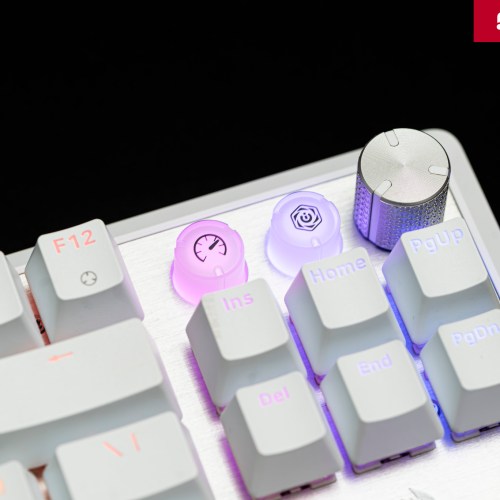
The CORSAIR K70 PRO TKL uses a Tenkeyless (TKL) layout to optimize the gaming environment. By removing the Numpad, using a TKL keyboard gives gamers a significant amount of space on the desk, allowing for wider mouse movements. This is an extremely important factor in first-person shooter (FPS) games. At the same time, the CORSAIR K70 PRO TKL still retains all the navigation keys, function keys, media keys and a rotary knob, ensuring flexibility for both work and entertainment.
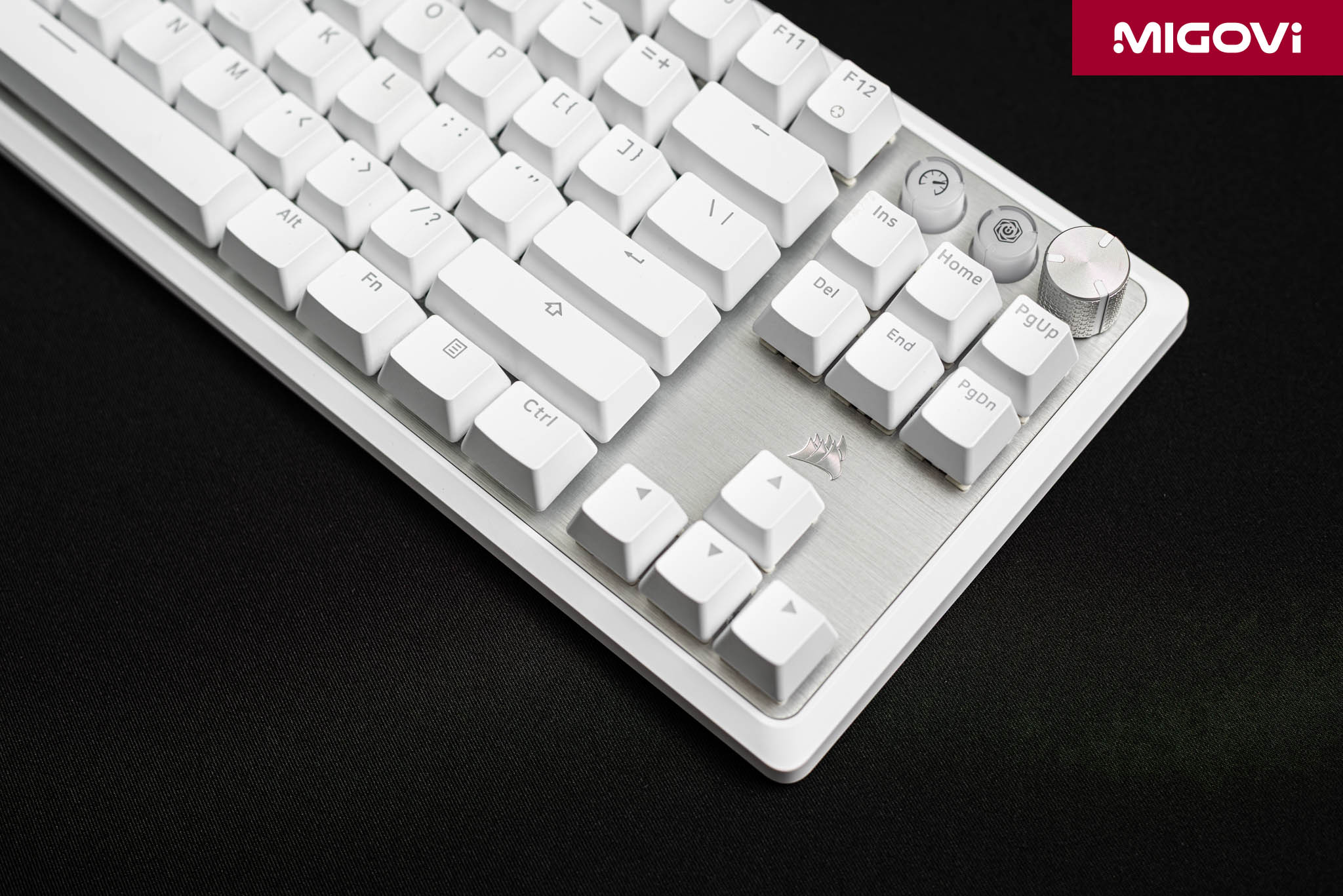
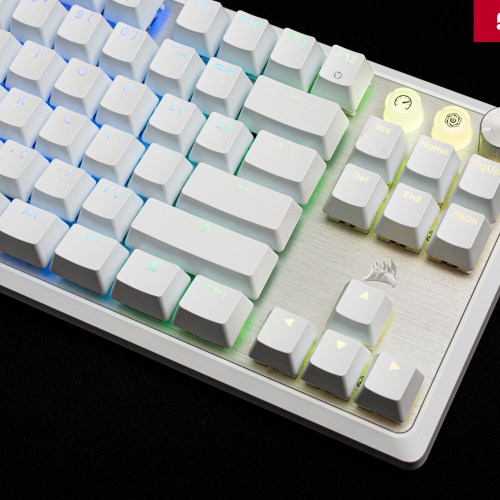
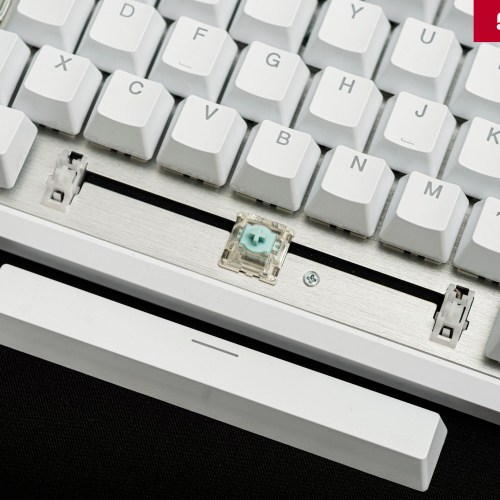
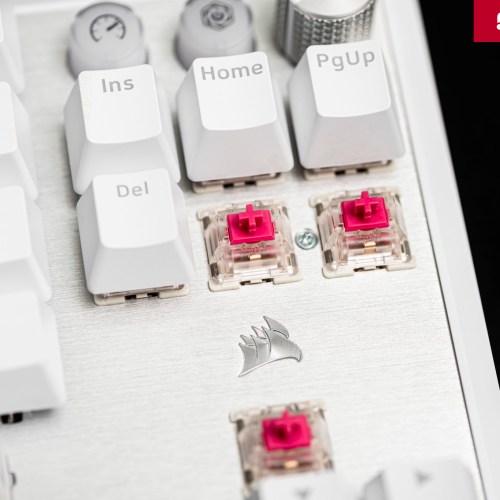
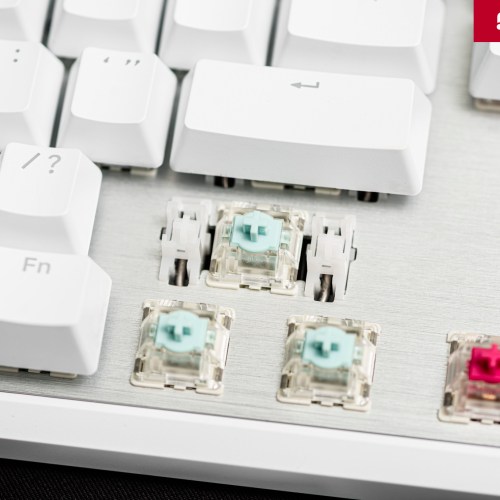
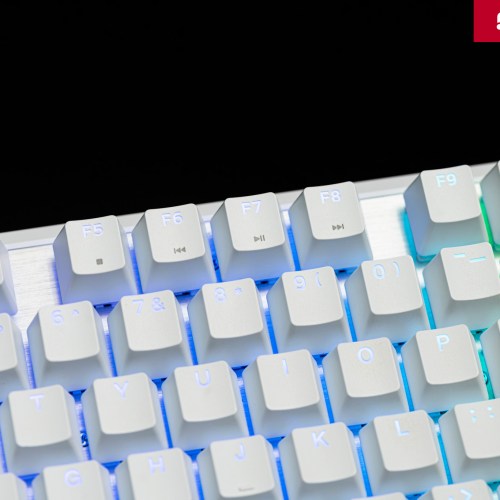
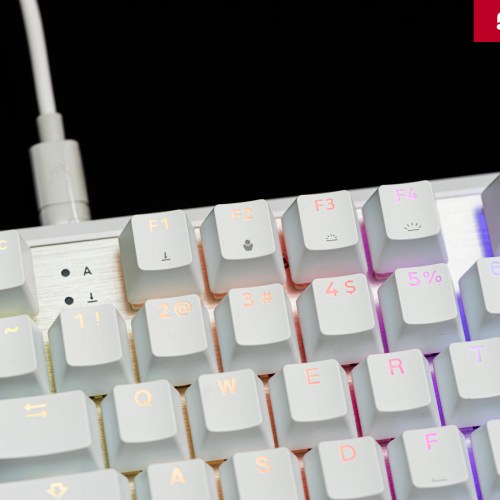
The white version, combined with a brushed aluminum plate, creates a high-end and luxurious look. The floating switch design not only makes the RGB backlight system on each key more prominent, but also makes it easier to clean the keyboard. Overall, the aesthetic of the CORSAIR K70 PRO TKL is a harmonious combination of modern gaming style and luxury, without being too ostentatious.
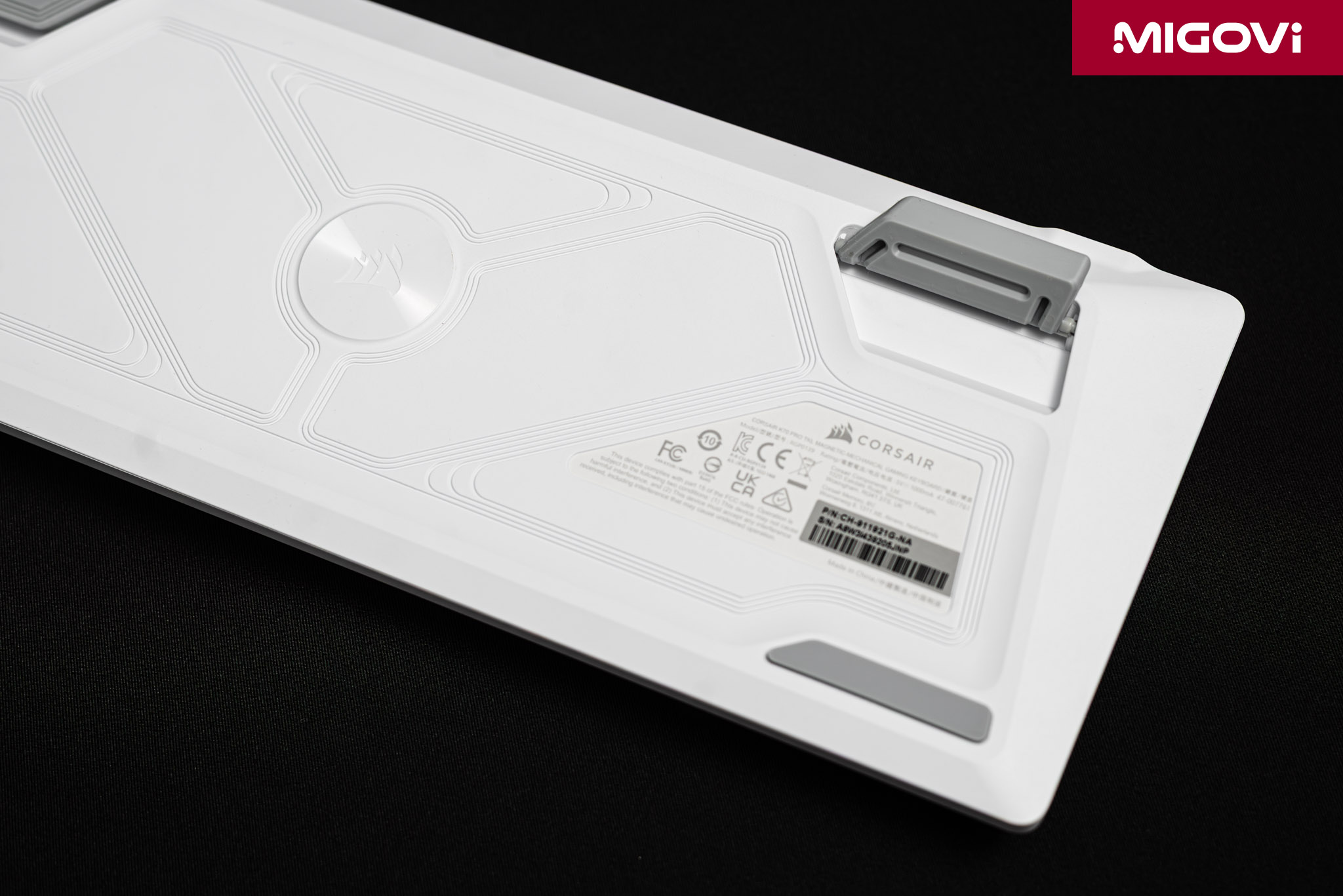
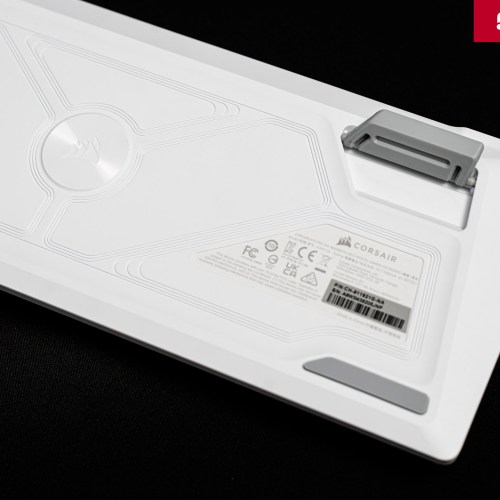
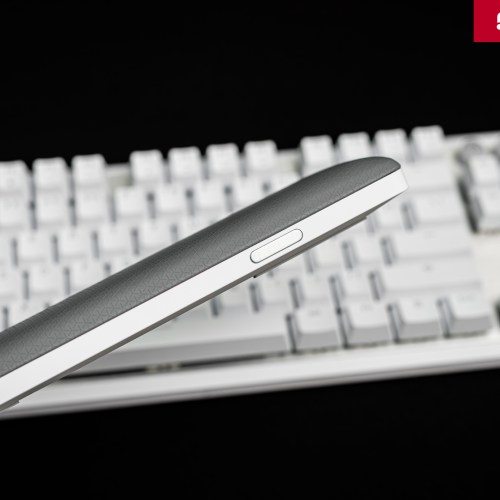
The keyboard has a solid structure, giving it a solid, durable and reliable feel. The keyboard frame is sturdy with a premium plastic case on the lower half and a thick aluminum plate on the upper half. This combination helps the keyboard achieve a weight of about 976 grams, heavy enough to stick firmly on the table even during intense gaming moments. The rubber base of the CORSAIR K70 PRO TKL helps grip firmly on the table, while allowing the keyboard to be tilted for more comfortable typing. The plastic case may be a small minus point when considering the high-end segment, where some competitors use all-metal shells.
Media and accessory key cluster
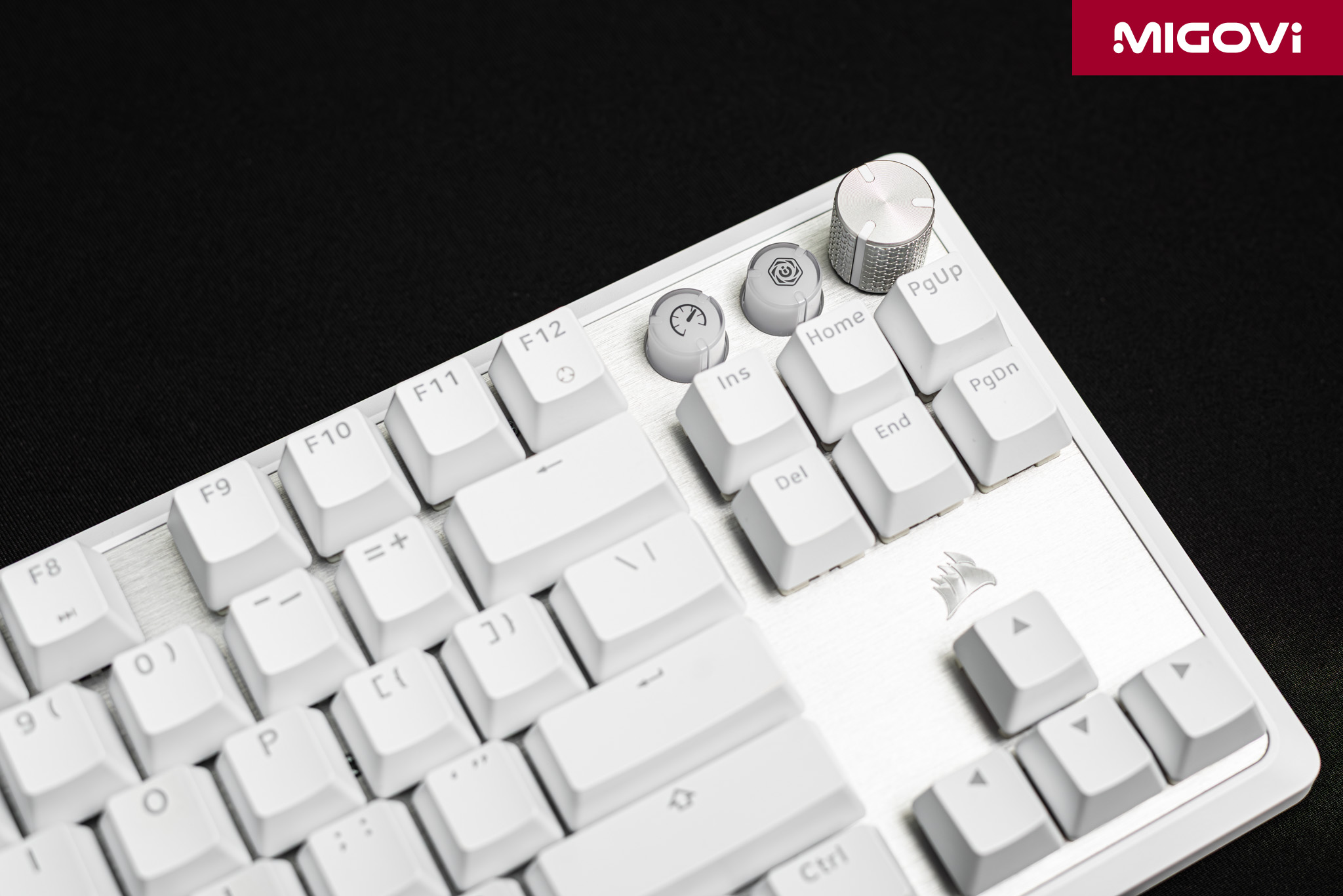
One of the most recognizable features of the CORSAIR K70 Series keyboard is the dedicated media control cluster. The most prominent area in the upper right corner of the K70 PRO TKL is the metal knob, which has a clear and sturdy notch, supporting precise volume adjustment, without volume drift like the green competitor's knob. You can also press this knob to mute/unmute, or customize many other functions through the iCUE software. Next to the knob is the iCUE quick call button, followed by Game Mode, allowing quick access to important functions with just one press, instead of having to remember complex key combinations.
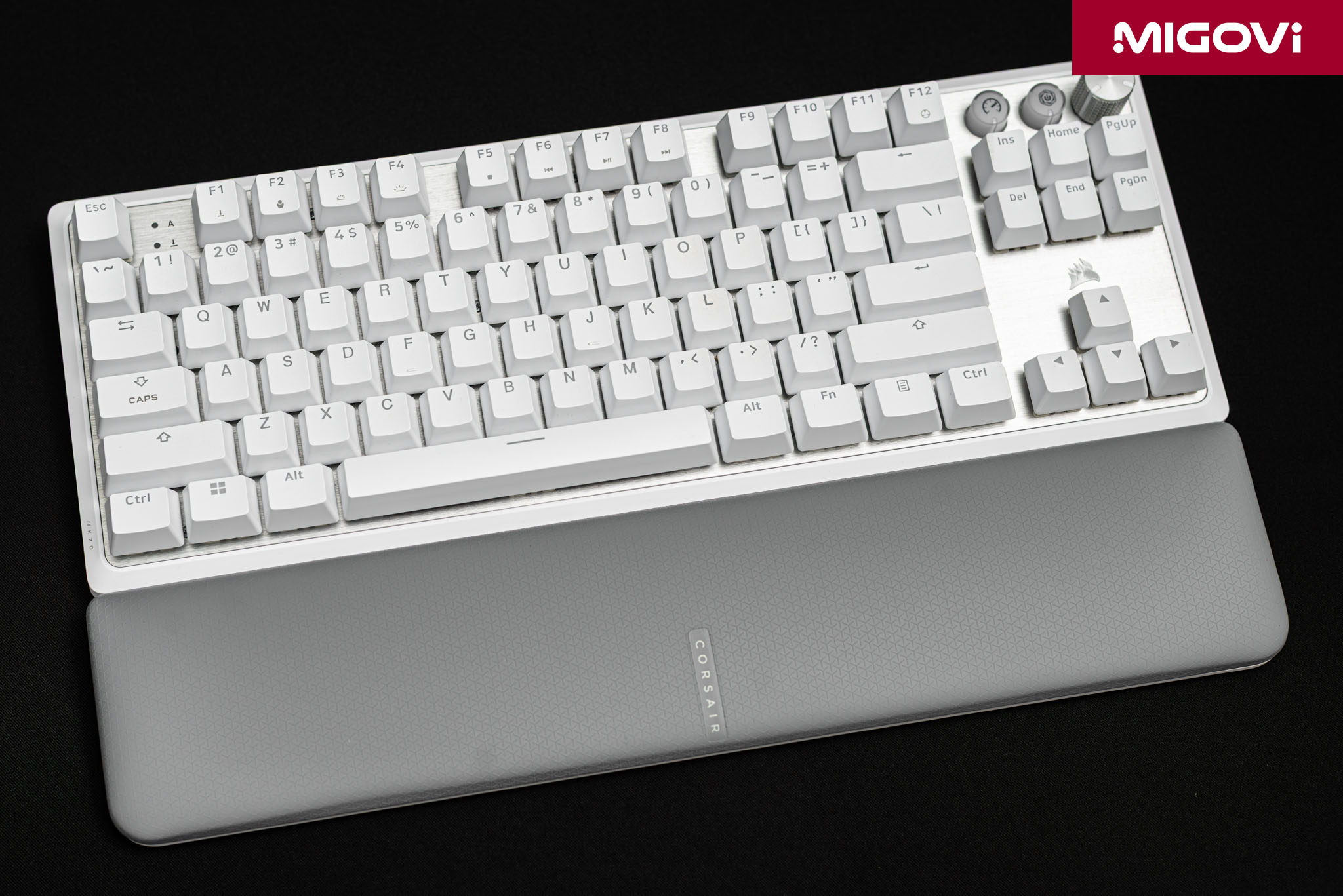
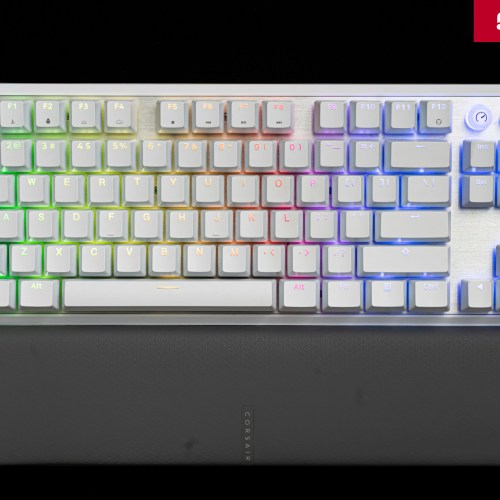
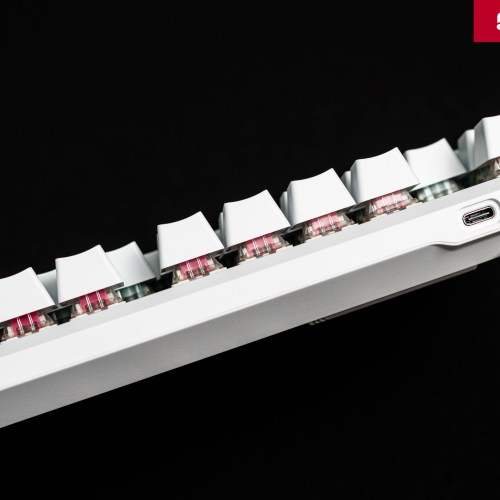
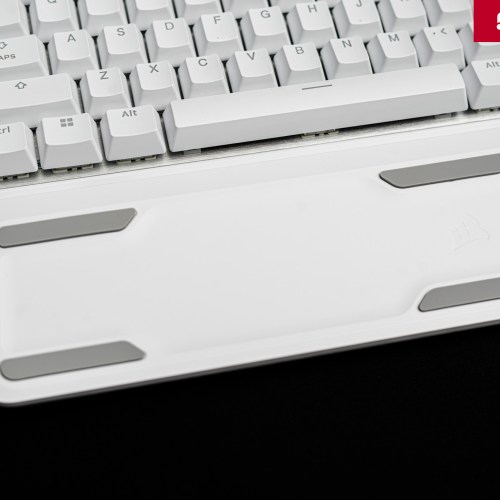
To enhance comfort during use, the CORSAIR K70 PRO TKL comes with a magnetic wrist rest. This wrist rest has a soft, grippy surface with a CORSAIR signature pattern and can be easily attached or removed from the keyboard thanks to magnets. The connection between the K70 PRO TKL and the computer is only via a USB Type-C cable, the manufacturer includes a USB-C - USB-A cable with the product. The USB-C cable connector is not specially designed, so you can completely use a custom cable for easy replacement.
CORSAIR MGX Switch
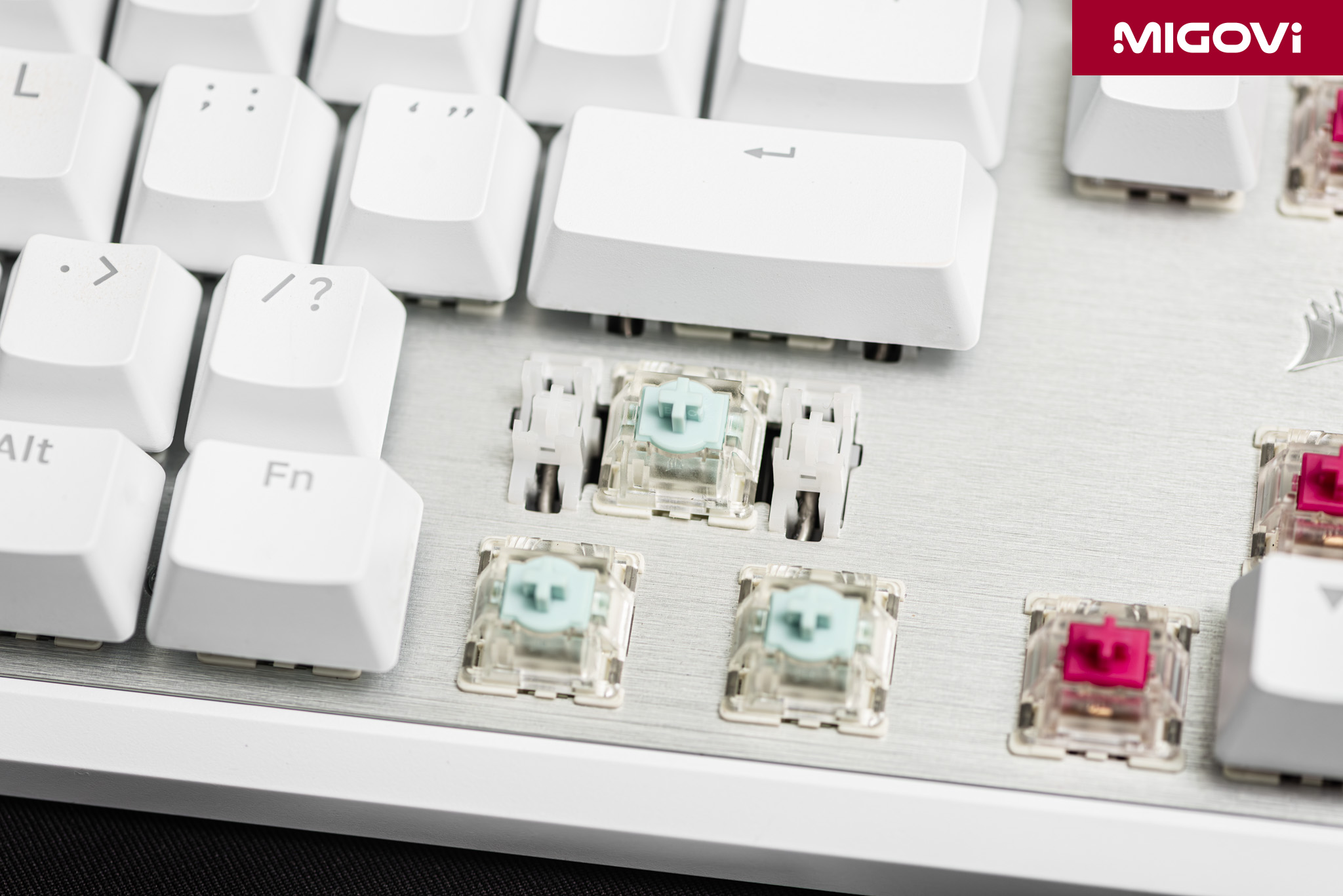
The CORSAIR K70 PRO TKL is a keyboard with magnetic switches based on Hall Effect. This technology is based on the Hall effect - a physical principle discovered in 1879. Unlike traditional mechanical switches that rely on physical contact between two copper plates to record signals, Hall Effect switches operate on a non-contact principle. This feature solves the inherent problems of traditional mechanical switches such as latency and wear over time.
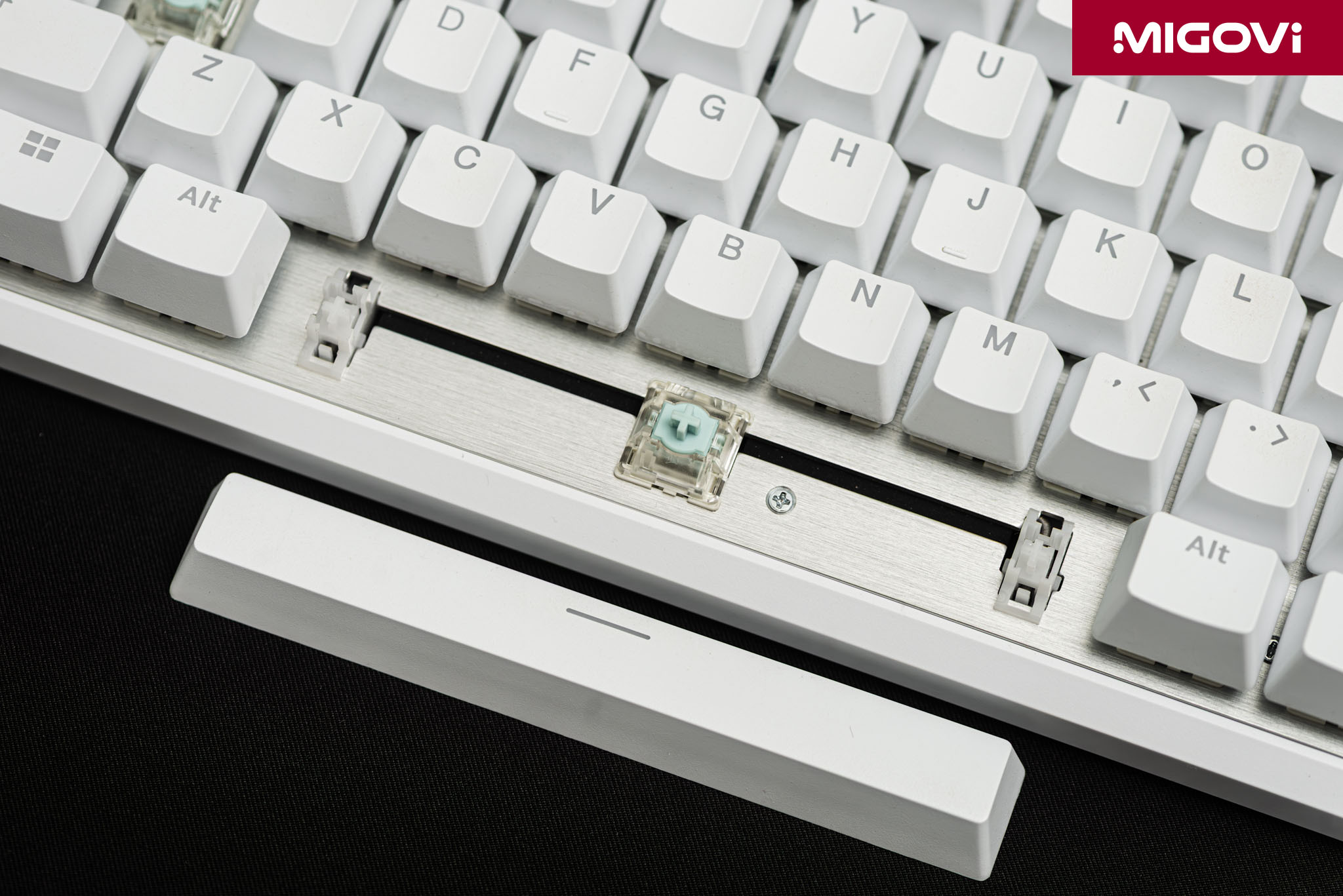
The structure of the Hall Effect switch, also known as CORSAIR MGX, consists of a permanent magnet mounted on the stem of the key, combined with a Hall sensor placed on the circuit board (PCB) right below. When you press the key, the magnet will move closer to the sensor, changing the magnetic field strength. The Hall sensor will measure this change and convert it into an electrical signal and send it to the processor. This principle allows the keyboard processor to accurately determine the position of the key on the entire travel continuously and with extremely high precision. This contactless mechanism not only increases the life of the switch to hundreds of millions of presses, but also allows for adjustment of the activation point or Rapid Trigger feature.
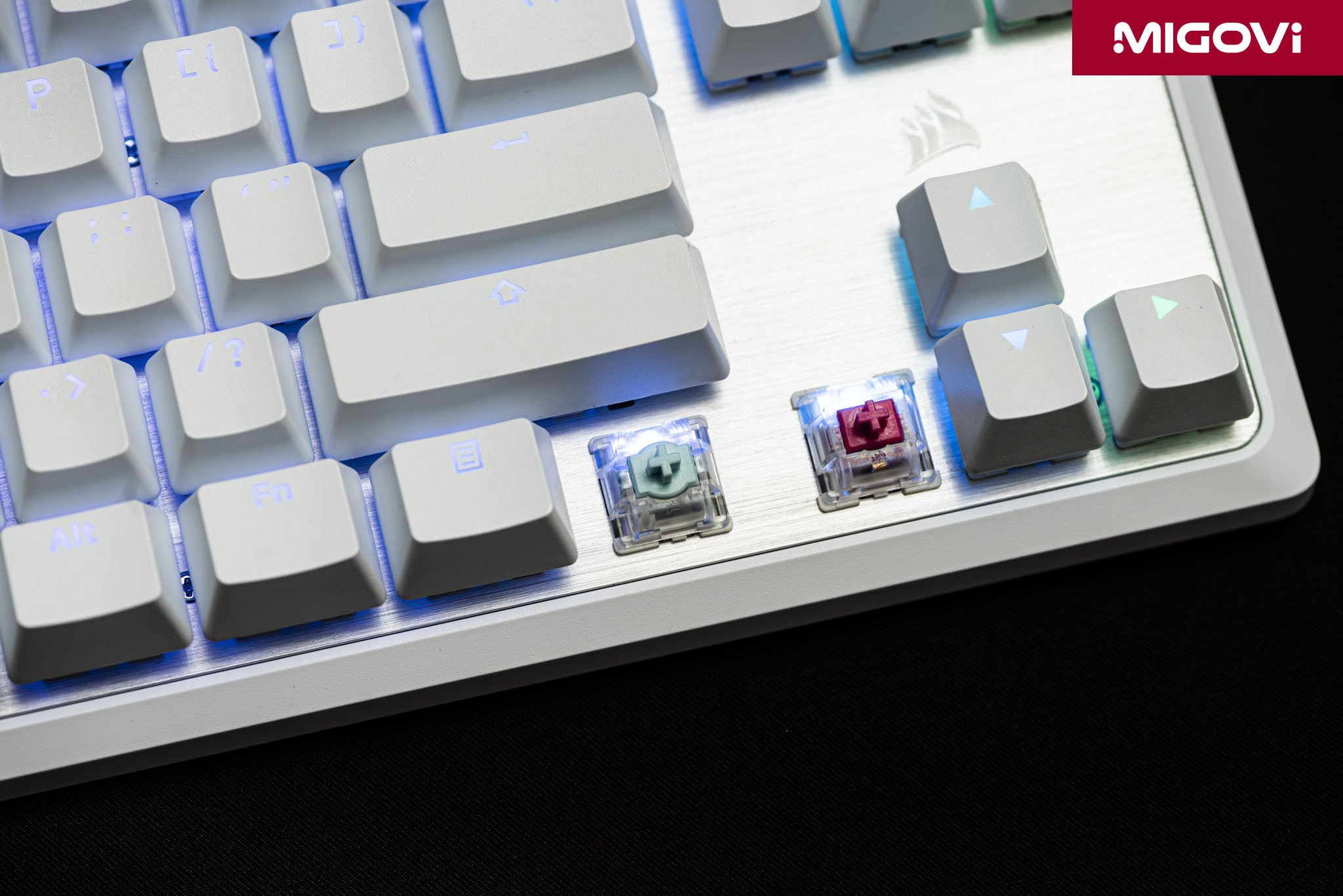
The CORSAIR MGX Hyperdrive is designed for gaming. The MGX is a linear switch, providing a smooth, tactile feel from top to bottom, without any tactile bump or click. Linear switches are ideal for high-speed, repetitive actions in gaming. CORSAIR also pre-lubricates the MGX switches from the factory, reducing friction between the moving parts, providing a smooth, responsive feel. The actuation force of the CORSAIR MGX switches varies from 30 grams to 55 grams, depending on the key's actuation point.
Double-shot ABS keycap
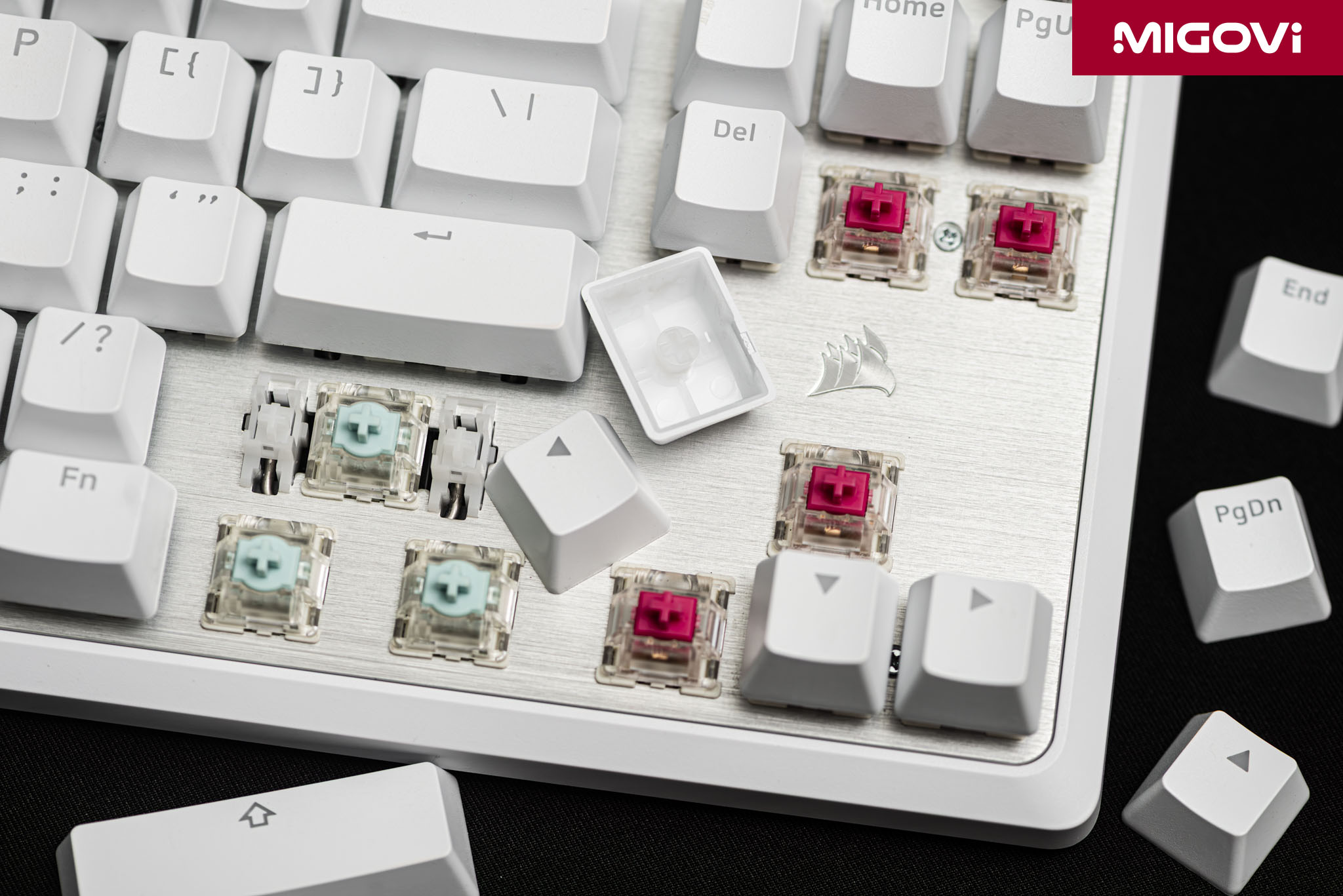
According to CORSAIR's website, users have up to 4 K70 PRO TKL variants to choose from, which are a combination of 2 colors (black, white) and 2 types of keycaps (ABS, PBT). The CORSAIR K70 PRO TKL version in Migovi's review article is white with double-shot ABS keycaps. The advantages of ABS keycaps are that they produce sharp and clear characters, a smooth surface and a "clear" and more pleasant typing sound. However, the inherent disadvantage of ABS plastic is that the surface is not very durable, easily abraded and shiny after a period of use due to the effects of oil and sweat from the hands. Double-shot molding technology ensures that the characters will never fade.
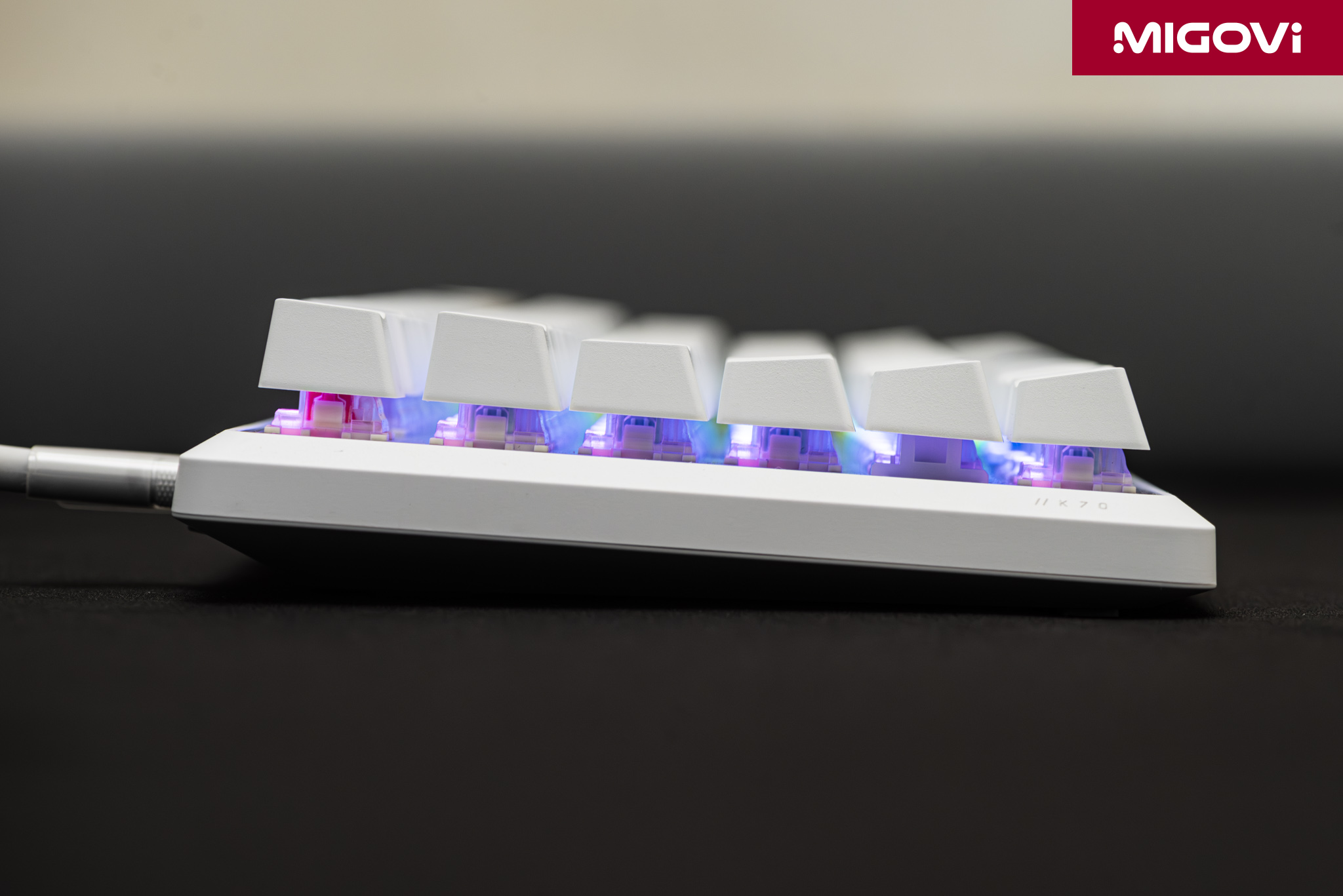
With the floating switch design, you will see the light not only pass through the keycap but also radiate on the plate surface, which brings high decoration for those who love backlight effects.
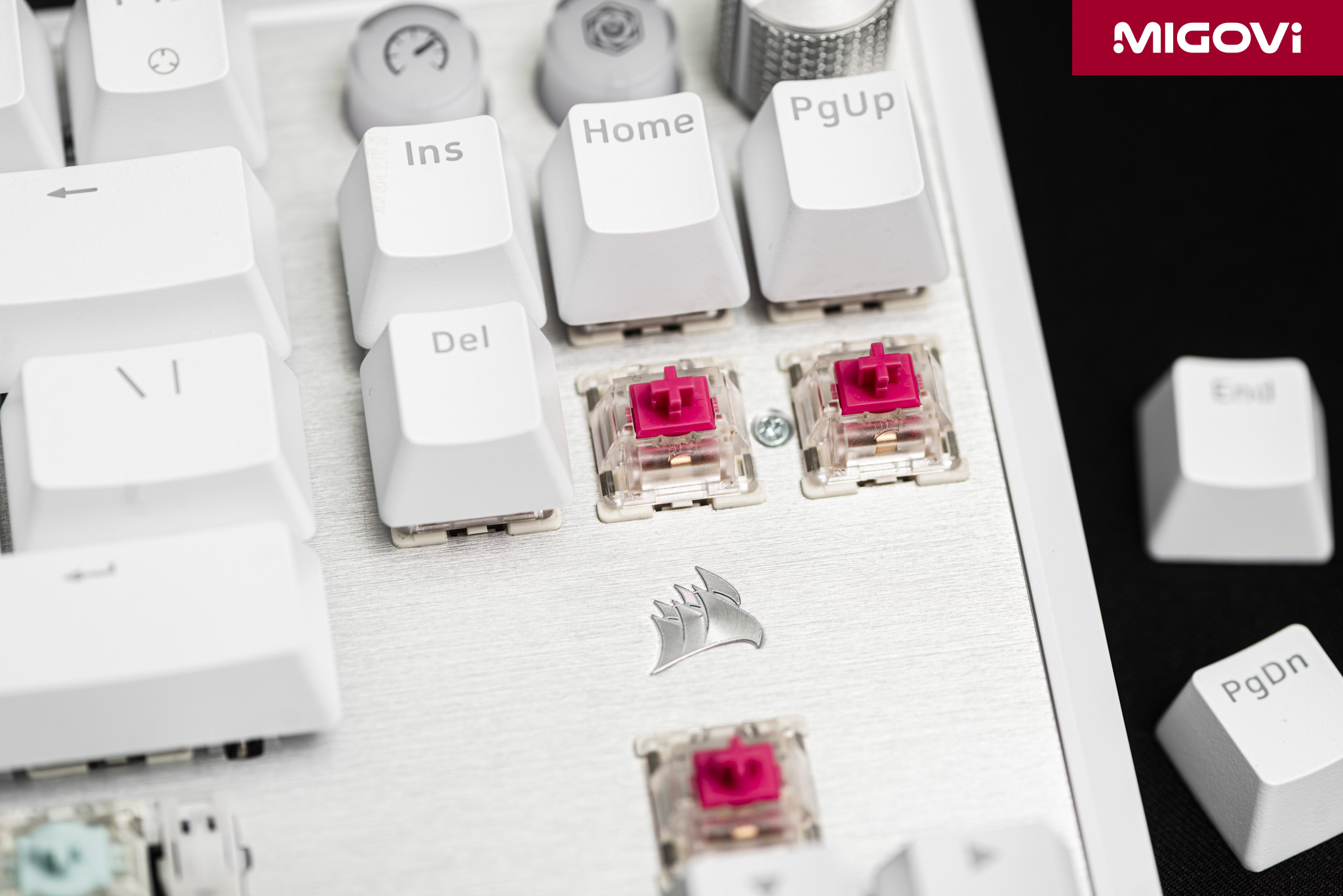
One thing to note is that CORSAIR does not equip the entire TKL layout with MGX switches, but combines MGX Hyperdrive and MLX Plasma switches. While the 60% layout uses MGX Hyperdrive switches, the F-key row, navigation cluster and other function keys use MLX Plasma. CORSAIR MLX Plasma is a linear switch, pre-lubricated from the factory with a 2mm actuation point and 45 gram actuation force, 4mm total travel and 80 million keystroke durability. Equipping each key with a Hall Effect sensor increases manufacturing costs. CORSAIR limits this technology to the most important keys for gaming (WASD, Spacebar, Shift, Ctrl) to control product costs and increase competitiveness. From a user perspective, features such as Rapid Trigger, customizable actuation points, or Dual Actuation are only needed for movement and action keys. If CORSAIR equipped MGX Hyperdrive for the entire F-key row or function keys, it would have little value.
Rapid Trigger
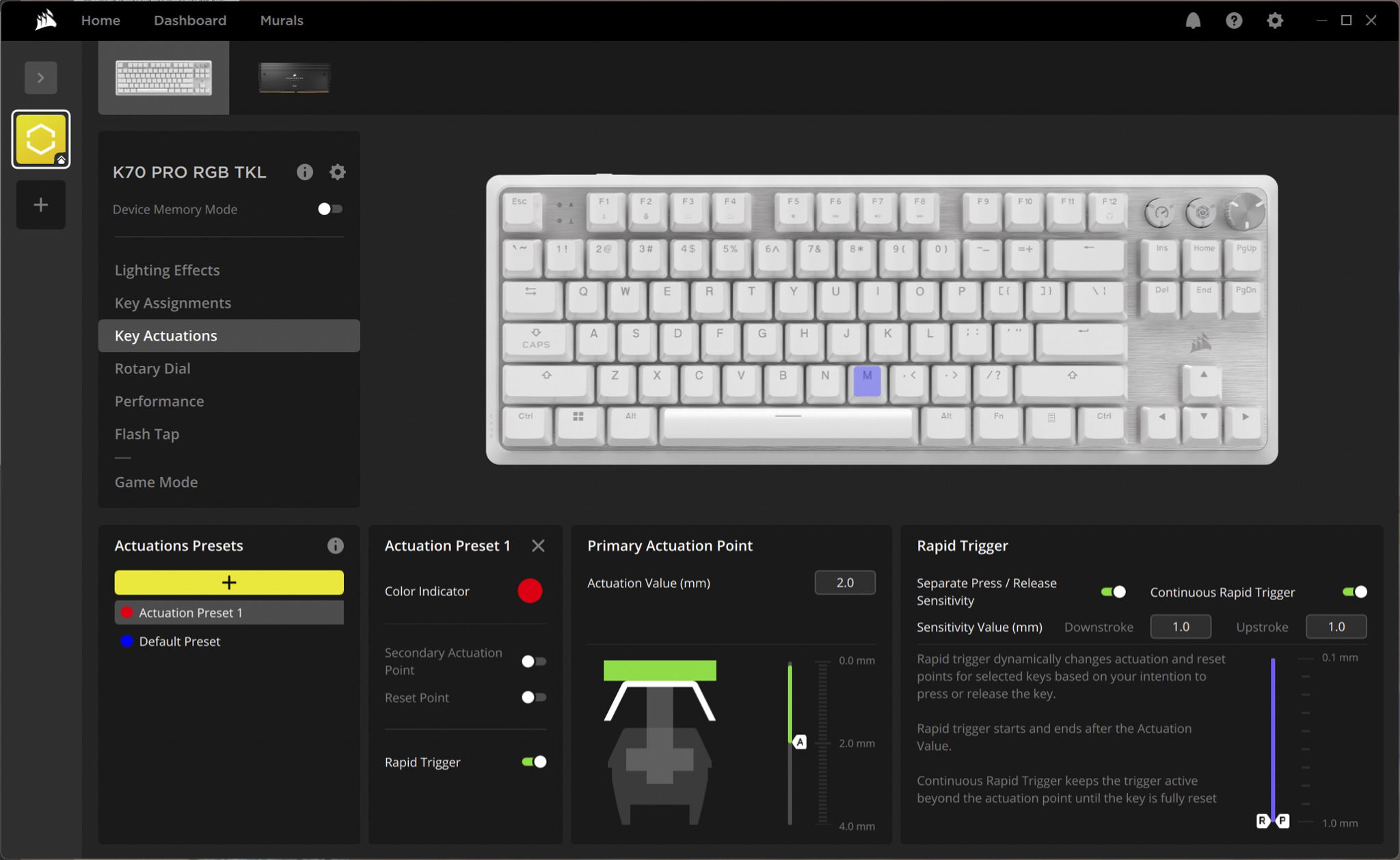
The Rapid Trigger feature is the most valuable upgrade that Hall Effect technology brings and is the performance strength of the CORSAIR K70 PRO TKL. With traditional mechanical switches, each key after being pressed down past the actuation point must be released and moved back up past a fixed reset point before it can be activated again. This process creates an inherent delay, while Rapid Trigger solves it completely by completely eliminating the concept of a fixed reset point. Instead, the key will be reset and ready to be activated again at the moment it begins to move up, regardless of where it is on the travel path. Likewise, the key release signal is also recorded as soon as the user begins to reduce the force of the key press. This allows for repeated press-release operations at a near-instant speed.

In tactical FPS games like Valorant or CS2, the advantage of Rapid Trigger is huge. Rapid Trigger allows for movement techniques that require high precision. For example, the “jiggle – peeking” technique (continuously pressing the A and D keys to peek out of the corner and immediately retract) becomes much faster and harder to hit. Or the “counter – strafing” technique (while moving to the left with the A key, press the D key to stop immediately and shoot accurately) is also performed instantly, eliminating the delay caused by the character’s movement inertia. Rapid Trigger provides the ability to stop and change direction immediately, providing an advantage for gamers in high-speed matches.
Customize trigger point
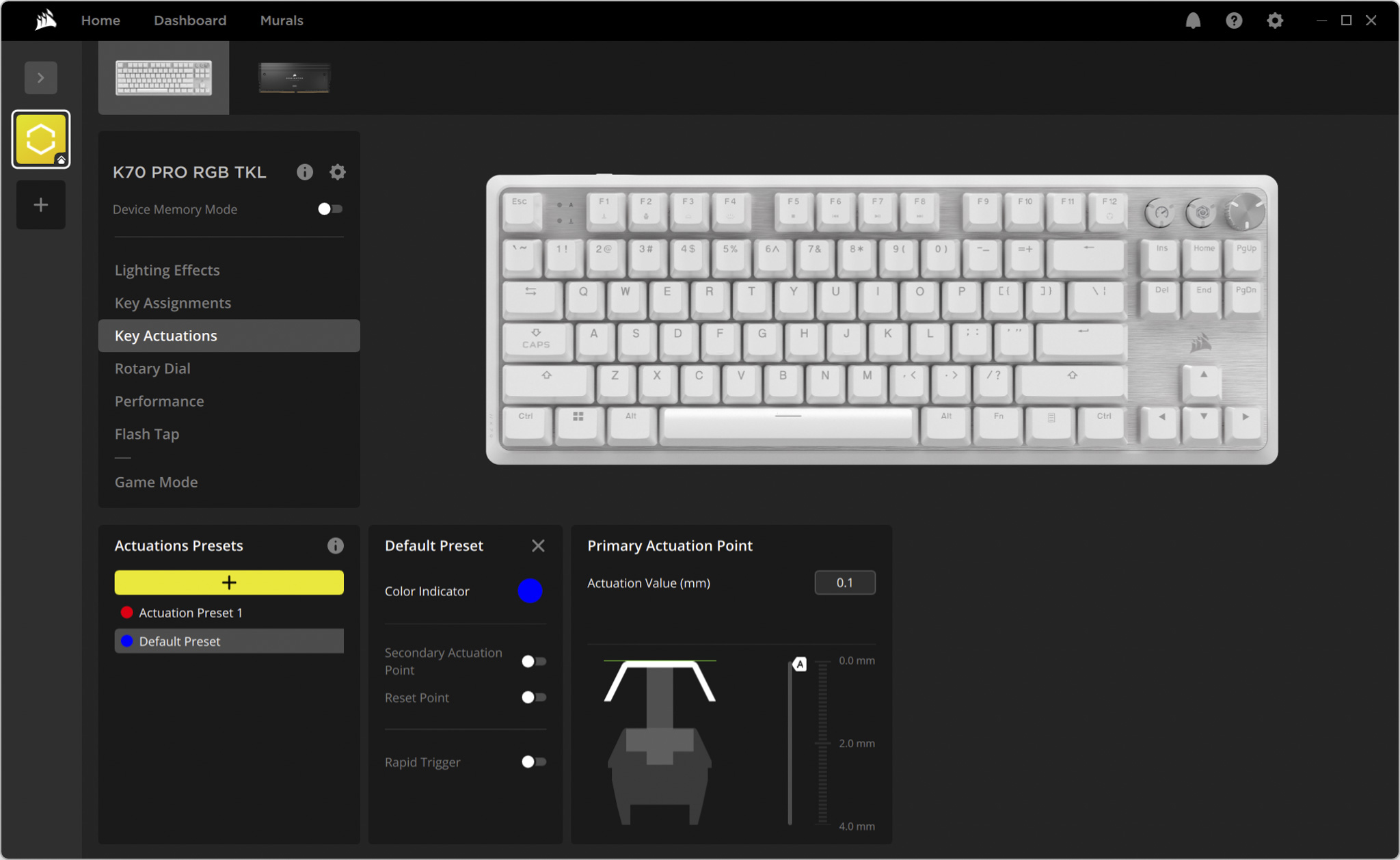
Thanks to the Hall Effect sensor, the K70 PRO TKL allows users to customize the actuation point for each key, from 0.1 mm (super sensitive) to 4 mm (full travel), with small and precise adjustment steps of up to 0.1 mm.
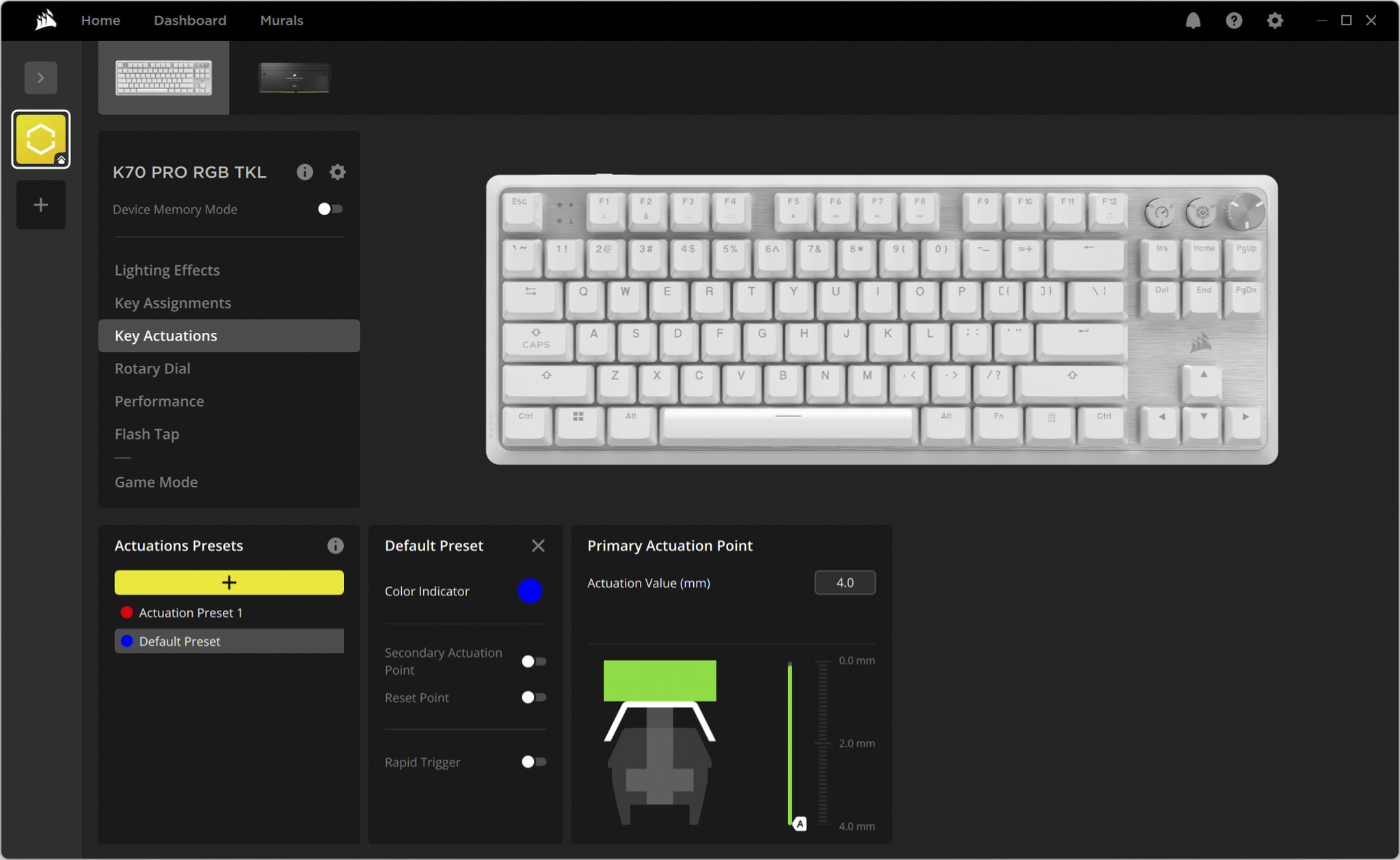
This allows you to personalize your keyboard to your gaming style. Gamers can set ultra-sensitive trigger points, such as 0.1 mm – 0.4 mm, for the WASD keys to make their characters react extremely quickly. Conversely, you can also set deeper trigger points, such as 2.5 mm, for ultimate skills or other important functions to avoid accidental activation in tense combat situations.
AXON Technology

The CORSAIR K70 PRO TKL features the company's AXON Hyper-Processing technology, allowing for a polling rate of up to 8000 Hz. If you don't know, the polling rate is the number of times the keyboard sends a signal to the computer per second, 8000 Hz corresponds to 8000 times per second, reducing the theoretical input lag to just 0.125 ms. This is 8 times faster than the 1000 Hz (1ms) standard of most other gaming keyboards.
The difference between 1000 Hz and 8000 Hz polling rates is barely noticeable to the average user. However, in a professional eSports competition environment, an 8000 Hz polling rate ensures that no amount of latency from the peripherals, no matter how small, can affect the final result. For example, you have pressed a key but because of the 1 ms delay of a 1000 Hz polling rate, in some situations, it can change the outcome of the match. With an 8000 Hz polling rate, the latency variable simply disappears and you can’t “blame” it.
Dual Actuation and FlashTap (SOCD)

Dual Actuation allows you to assign two different actions to the same key, activated at two different stroke depths. For example, in an RPG, you can lightly press the W key to walk and press it all the way to switch from walking to running. Dual Actuation optimizes key usage, reducing the number of keys you need to press and allowing you to execute complex combos faster.
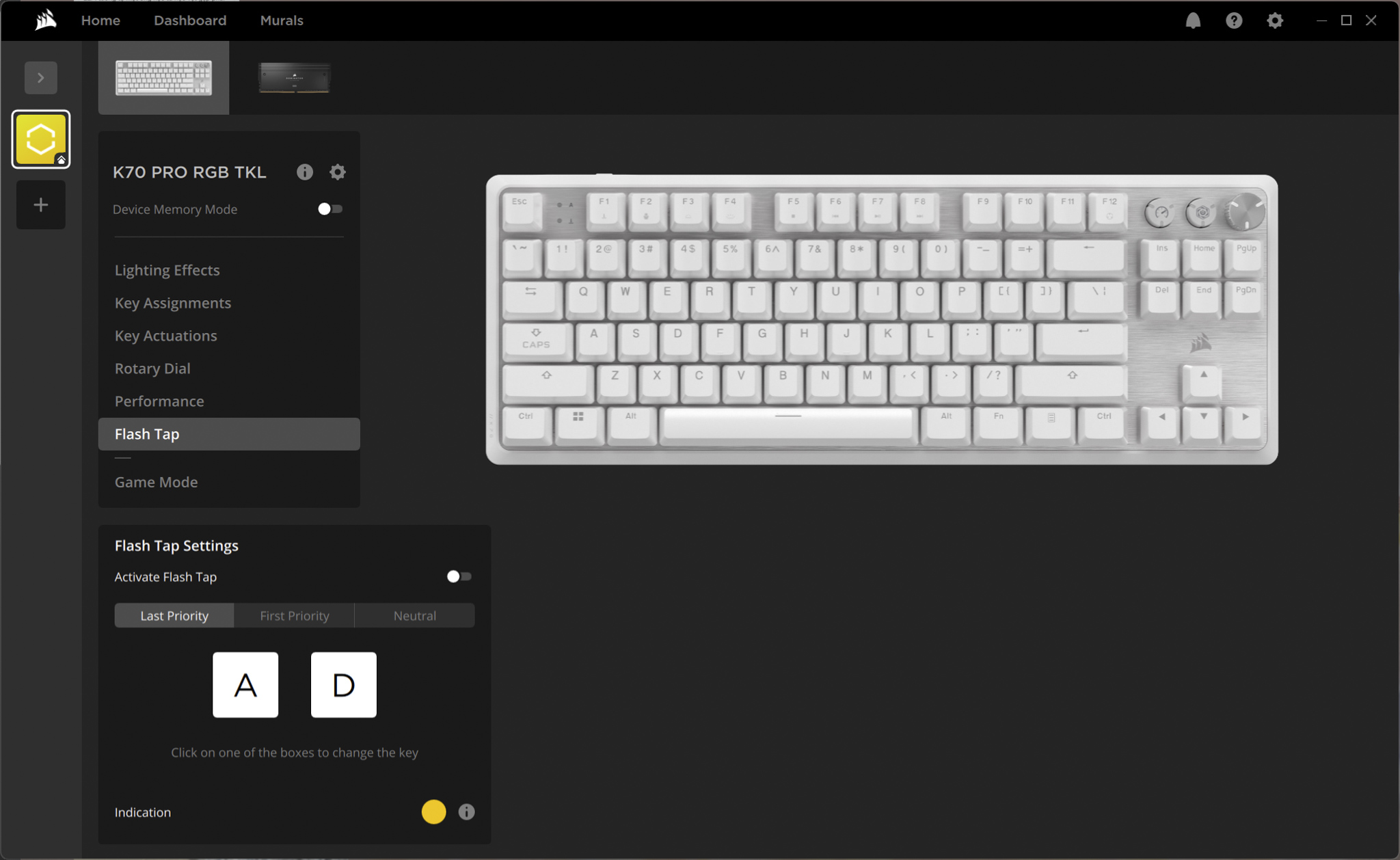
FlashTap is CORSAIR’s trademarked name for Simultaneous Opposing Cardinal Directions (SOCD) processing technology. It addresses the problem of pressing two keys in opposite directions at the same time (A and D, for example). Instead of canceling each other out or causing a “stutter,” FlashTap allows the user to configure the last key pressed to take precedence. This makes changing direction instantaneous and smooth – a huge boon for advanced movement techniques in FPS games.
Sound and typing feel
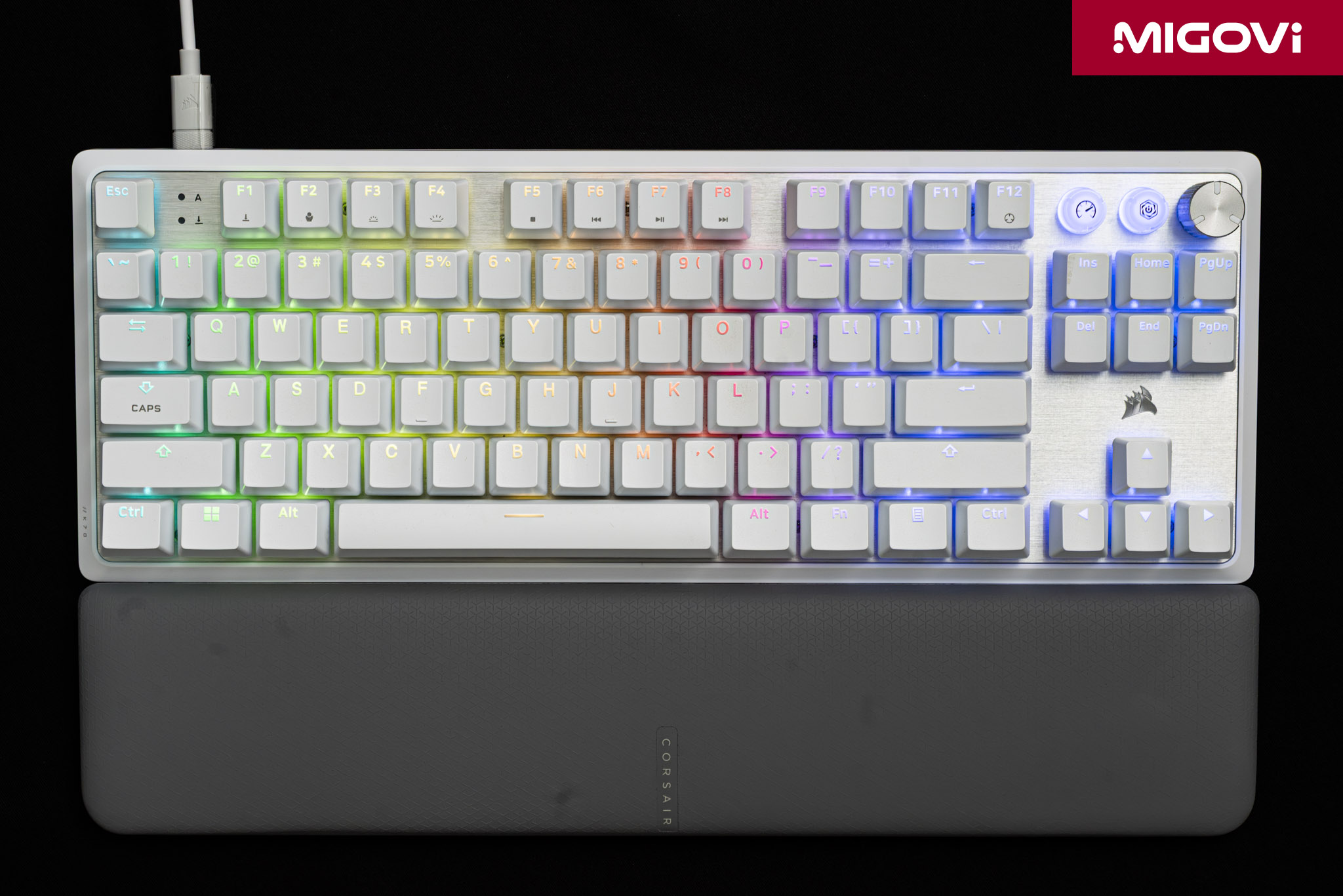
CORSAIR equips the K70 PRO TKL with 2 layers of silicone sound-absorbing material, which helps absorb vibrations and sounds, minimizing resonance in the keyboard frame. However, the typing sound of the CORSAIR K70 PRO TKL is relatively loud, sharp and tends to be more high-pitched than low-pitched. Sometimes Migovi can hear a slight "ping" sound when typing. The stabilizer of the long keys such as Spacebar or Shift works well, but the sound of the Spacebar is still a bit hollow.
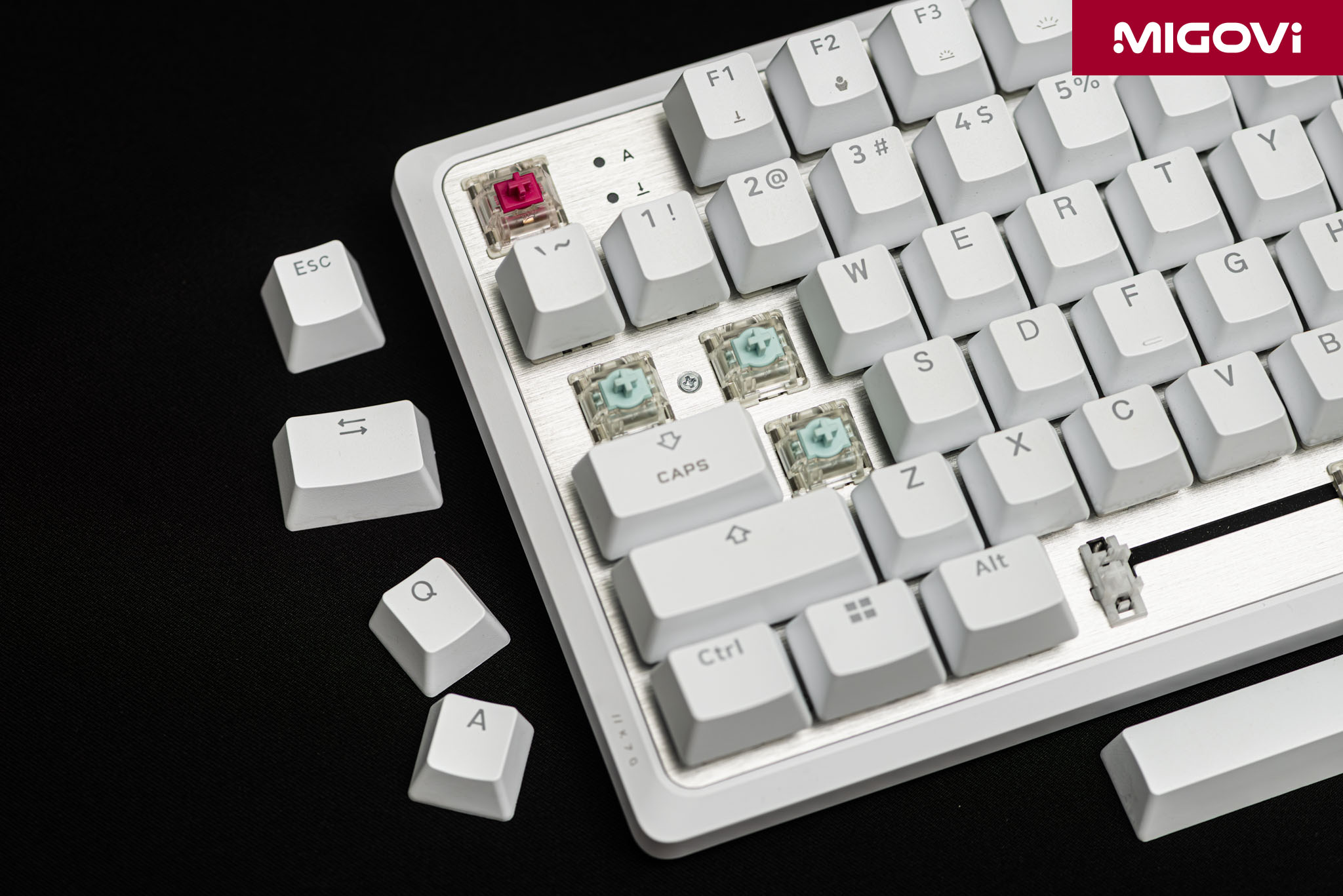
The CORSAIR MGX Hyperdrive switches are pre-lubricated from the factory, so throughout the entire pressing journey, each key feels extremely smooth and free of grit. Of course, if you are used to typing on tactile switches, the linear type will not be suitable because it is too slippery and has no tactile feedback. Migovi himself has been typing on Cherry Black since the first days of using mechanical keyboards more than 10 years ago, the feeling with the CORSAIR K70 PRO TKL or CORSAIR MGX Hyperdrive is great, very familiar, very comfortable.
CORSAIR iCUE
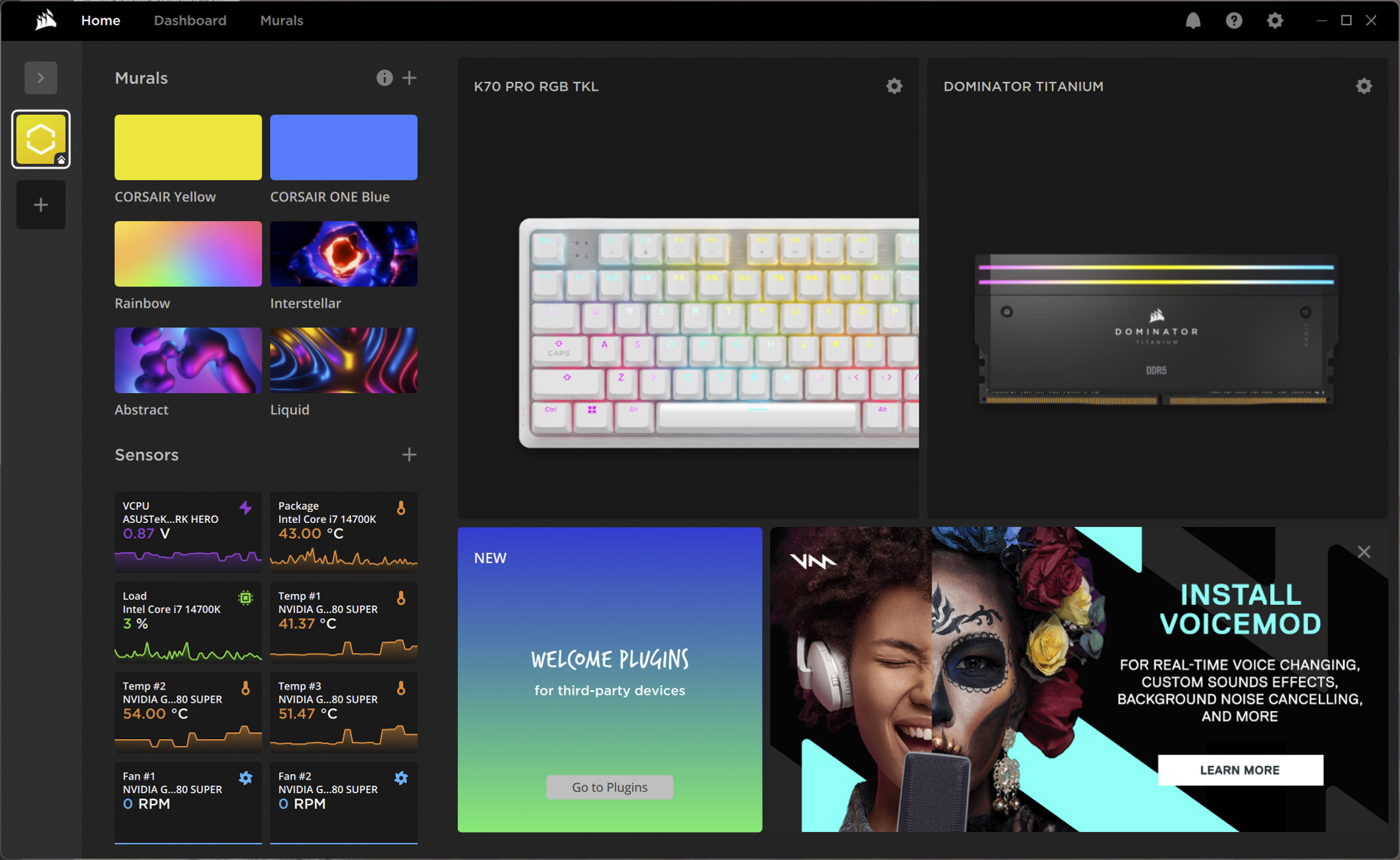
To take full advantage of the CORSAIR K70 PRO TKL’s capabilities, you need to install CORSAIR iCUE software. It can be said that without iCUE, the K70 PRO TKL is no different from a normal mechanical keyboard. With iCUE, you can reassign functions to individual keys, create complex macro sequences, design multi-layer RGB lighting effects… Most importantly, iCUE allows you to synchronize all these settings with the entire CORSAIR product ecosystem.
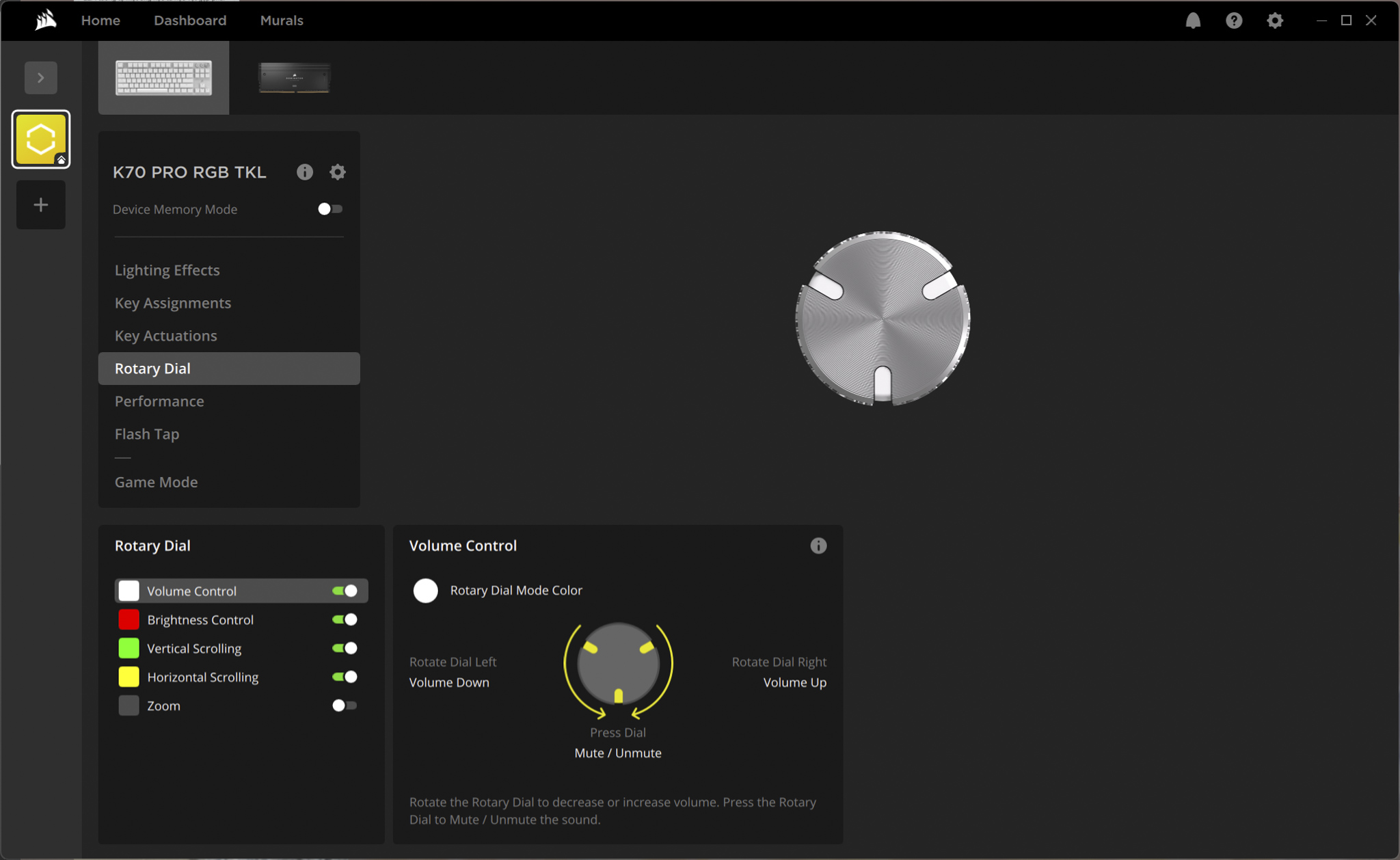
In the Key Actuations tab, you can turn Rapid Trigger on/off, adjust sensitivity or set trigger points for each key or group of keys very intuitively. The functions of the knob and media buttons are also configured in detail here. The limitation of iCUE is probably its relatively large capacity, sometimes a bad connection will take time to install.
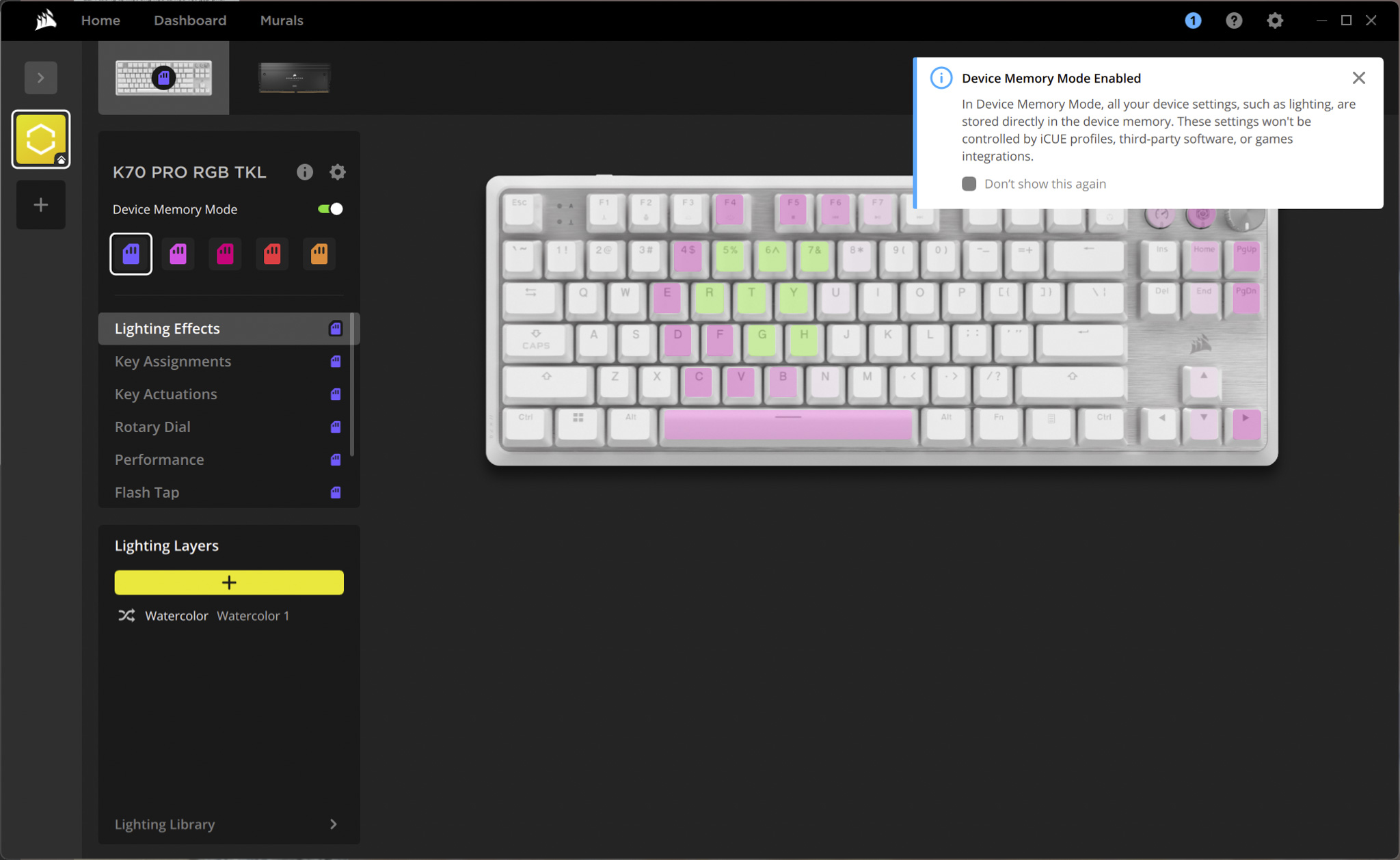
Inside the K70 PRO TKL, CORSAIR also equipped onboard memory, allowing multiple configuration profiles to be stored directly on the keyboard. You can completely set up customizations for key mapping, lighting, actuation and Rapid Trigger in iCUE and then save them to onboard memory. This ability allows you to use your personalized CORSAIR K70 PRO TKL on another computer without installing iCUE. Or you can completely turn off iCUE software while playing games to optimize the system, without taking up resources. This is an extremely valuable feature for professional gamers who often have to move and compete on different computer systems.
Conclude
Overall, the CORSAIR K70 PRO TKL is a keyboard model specially crafted by the company to target professional eSports gamers. The designs and trade-offs on the K70 PRO TKL, such as physical customization or typing sound, are only aimed at achieving instant response speed, stability and convenience when using. The K70 PRO TKL is one of the notable options when you need to equip a high-performance gaming keyboard, without customizing but focusing on plug-and-play with the extremely high customization of the CORSAIR MGX Hyperdrive switch.








Migovi review
 asus-rog-strix-geforce-rtx-2080/migovi-award-ultra-rating/" data-orig-file="https://migovi.com/wp-content/uploads/2019/07/migovi-award-ultra-rating.png" data-orig-size="960,620" data-comments-opened="1" data-image-meta="{"aperture":"0","credit":"","camera":"","caption":"","created_timestamp":"0","copyright":"","focal_length":"0","iso":"0","shutter_speed":"0","title":"","orientation":"0"}" data-image-title="migovi-award-ultra-rating" data-image-description="<p>migovi-award-ultra-rating</p>
" data-image-caption="" data-medium-file="https://migovi.com/wp-content/uploads/2019/07/migovi-award-ultra-rating-300x194.png" data-large-file="https://migovi.com/wp-content/uploads/2019/07/migovi-award-ultra-rating.png" />